AD/SB Compliance
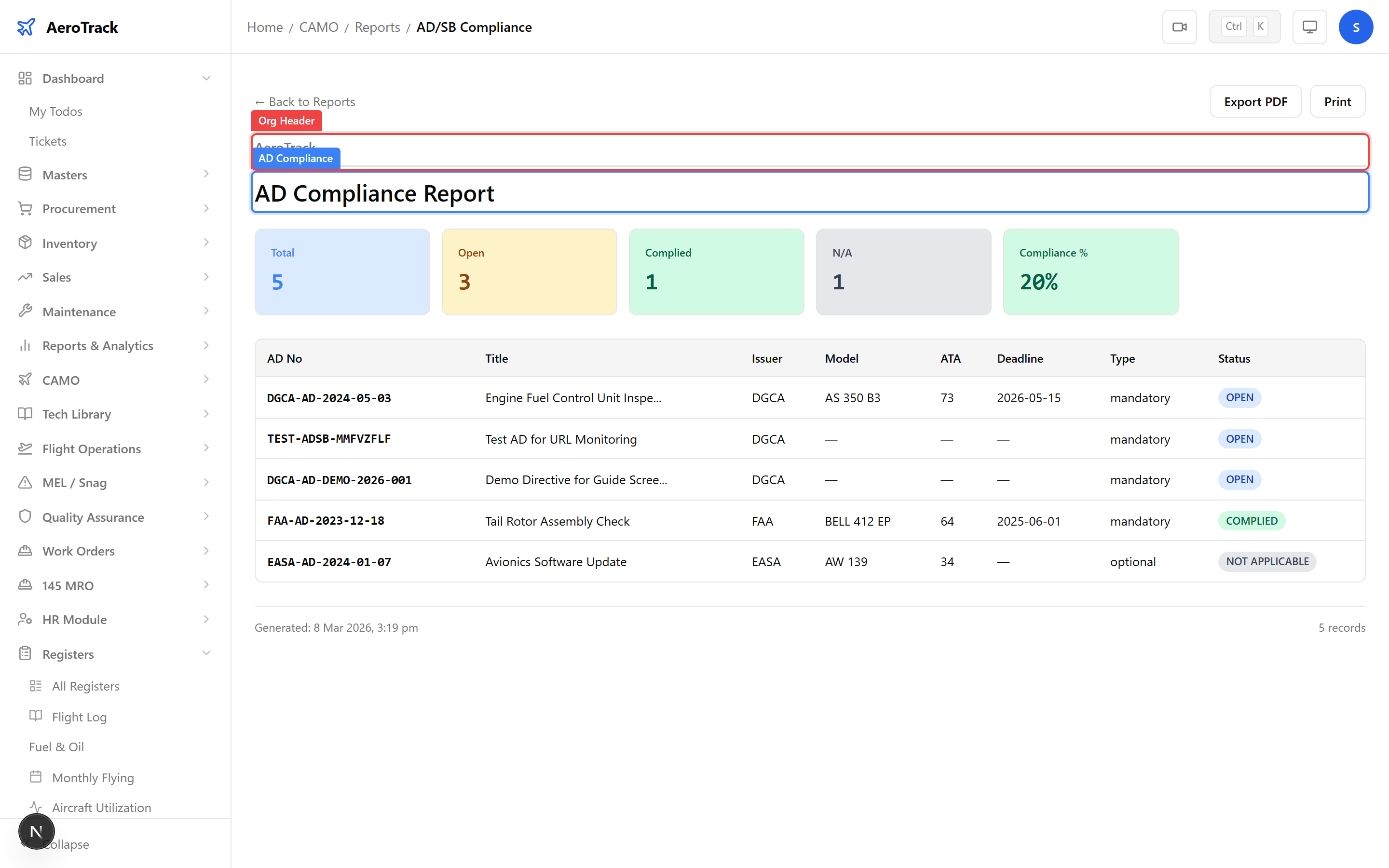
Navigate to the AD/SB Compliance Register
at /camo/registers/ad-sb-compliance. Verify that all
mandatory Airworthiness Directives show Complied
status. Any Open mandatory ADs must be resolved
before the aircraft can be recommended for continued airworthiness.
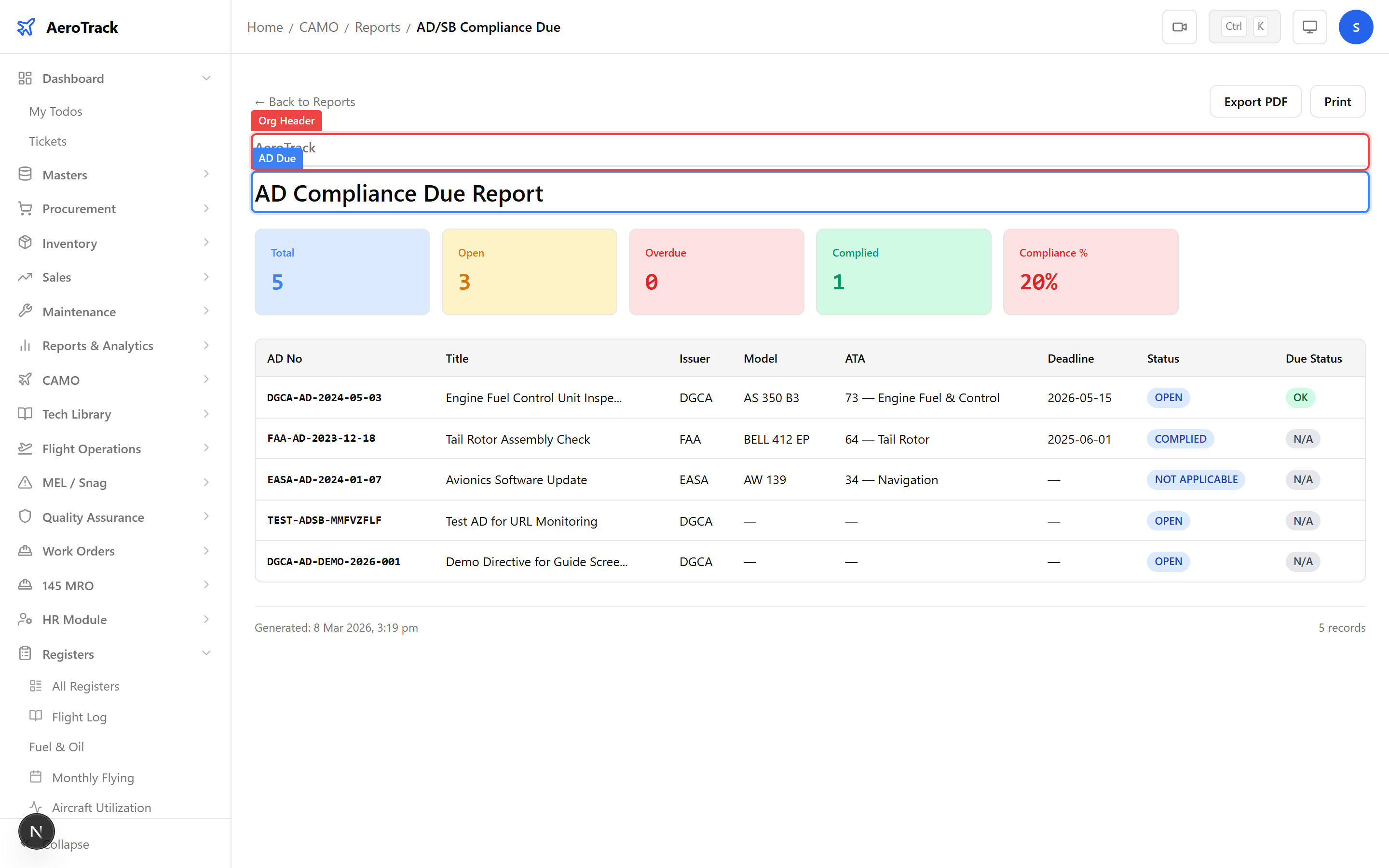
Check /camo/reports/ad-compliance-due for ADs
approaching their compliance deadline. This report shows remaining
hours, cycles, or calendar days before each AD becomes due.
During the airworthiness review, note any ADs that will come due before the next review period and ensure maintenance is planned.
Inspections & Maintenance
Open the Inspection Due Report
at /camo/reports/inspection-due. Confirm that:
| Check | Expected |
|---|---|
| Overdue count | Zero — no inspections past their due threshold. |
| Coming Due items | Documented and work orders raised. |
| All inspection types covered | A-Check, C-Check, engine, landing gear, etc. |
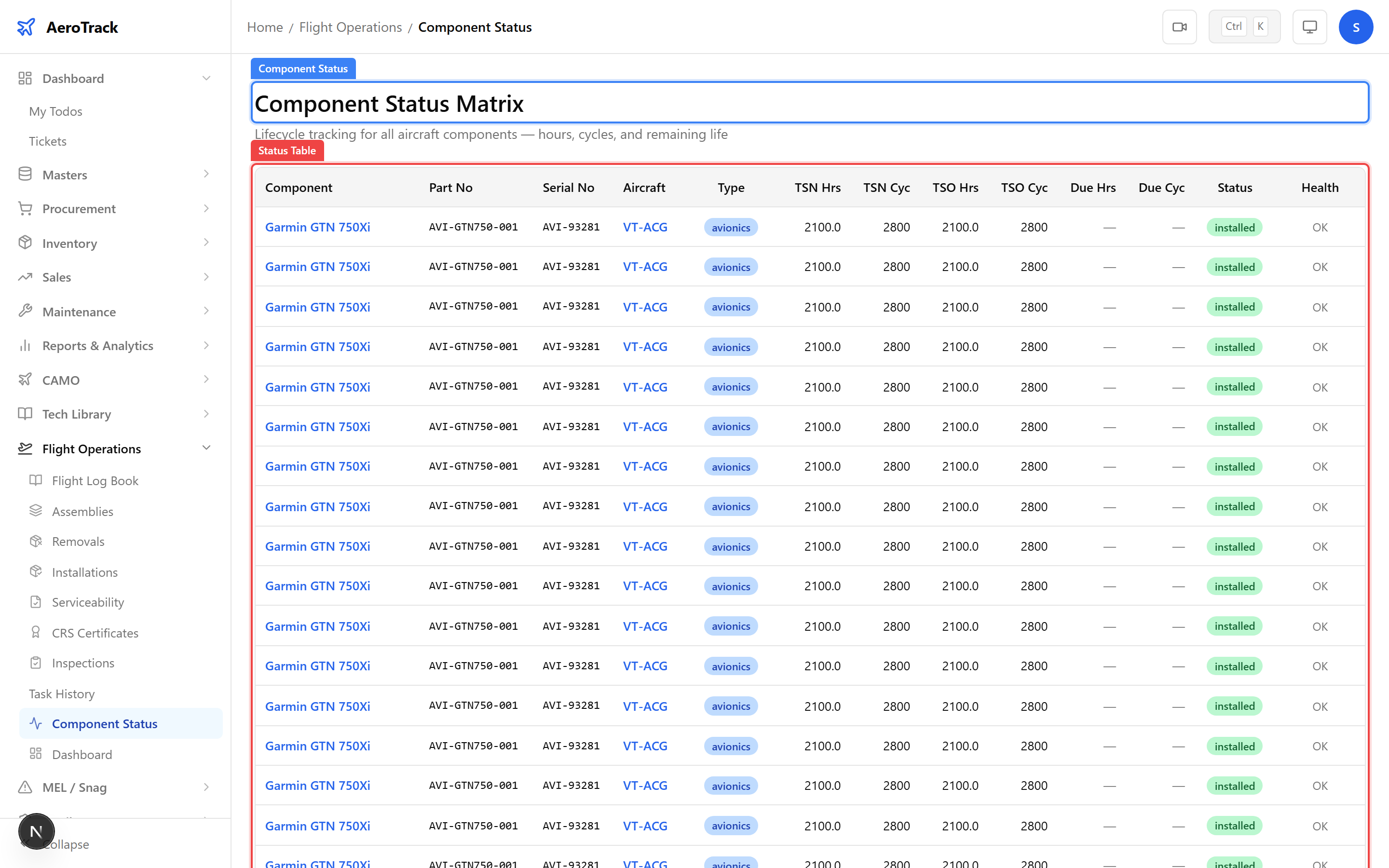
Check Component Tracking
at /flight-ops/component-status for life-limited
parts. Verify that no components have exceeded their limits and
that approaching-limit components have replacement scheduled.
Also review the Component History Register to confirm back-to-birth traceability is complete for all serialised parts.
Documentation & Certificates
Open the Certificate Expiry Report
at /camo/reports/certificate-register. Verify
that all aircraft certificates are current:
| Certificate | Validity Check |
|---|---|
| Certificate of Airworthiness (CoA) | Must be valid and not expired. |
| Certificate of Registration (CoR) | Must be current. |
| Radio Station Licence | Must cover the review period. |
| Insurance Certificate | Must be valid for the operating period. |
| Noise Certificate | Must be current where applicable. |
Check the Manual Revisions Register
at /camo/registers/manual-revisions. Confirm that
the latest revisions of all applicable manuals (AMM, IPC, SRM,
MEL, AMP) are published and in effect. No critical manual should
be stuck in Draft status.
Defects & Quality
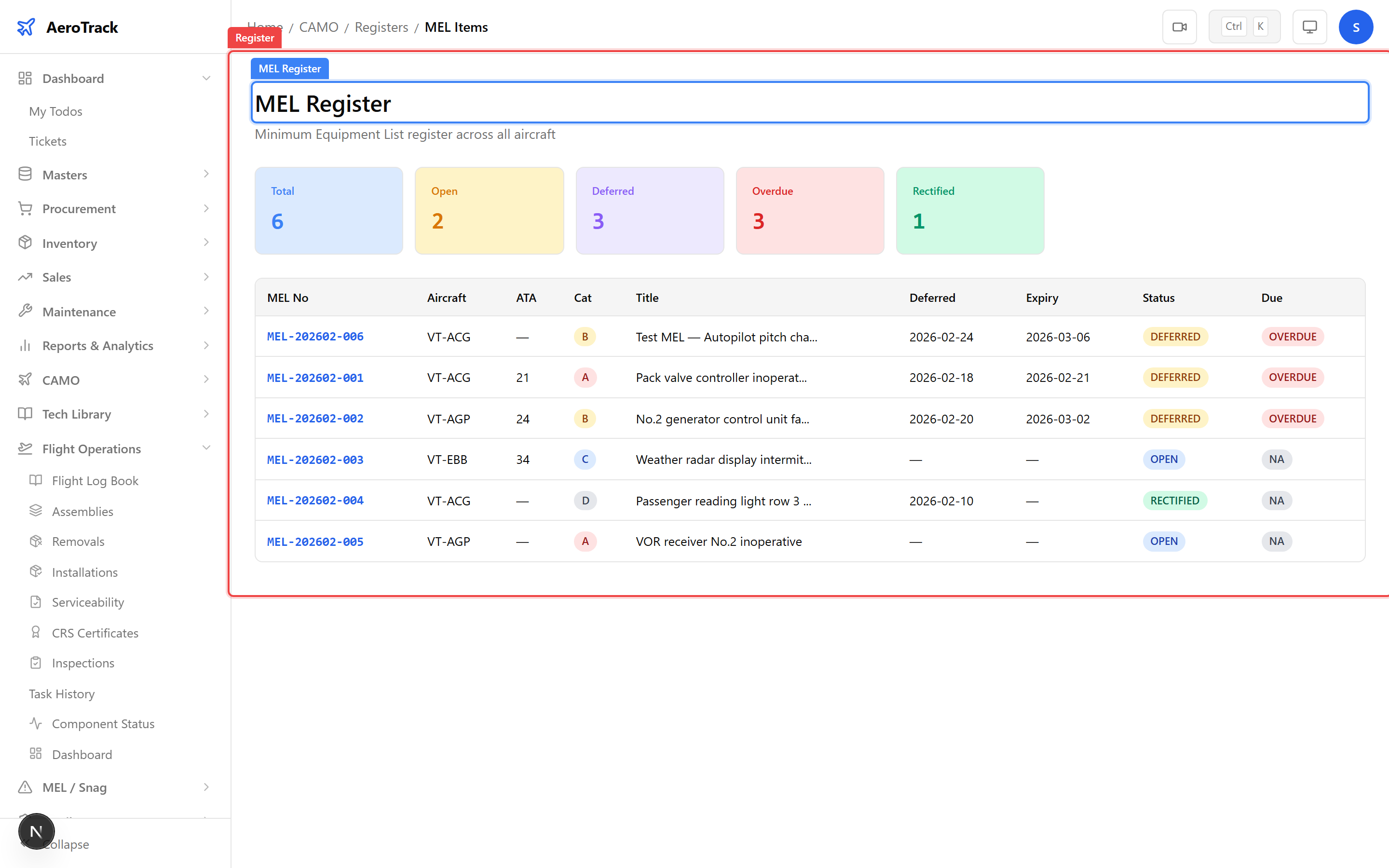
Check the MEL and Snag registers for outstanding deferred items:
| Register | Route | Check |
|---|---|---|
| MEL Register | /camo/registers/mel | No overdue MEL deferrals. |
| Snags Register | /camo/registers/snags | No open AOG snags unaddressed. |
| Corrective Actions | /camo/registers/corrective-actions | All corrective actions completed. |
See the Defer & Rectify guide for how to clear overdue MEL items.
Review the Findings Register
at /camo/registers/findings. Ensure:
| Check | Expected |
|---|---|
| Level 1 findings | All closed with verified corrective actions. |
| Level 2 findings | CAP submitted and under review or closed. |
| Overdue CAPs | Zero — all corrective action plans on schedule. |