Open the Register
1
Navigate to AD/SB Compliance
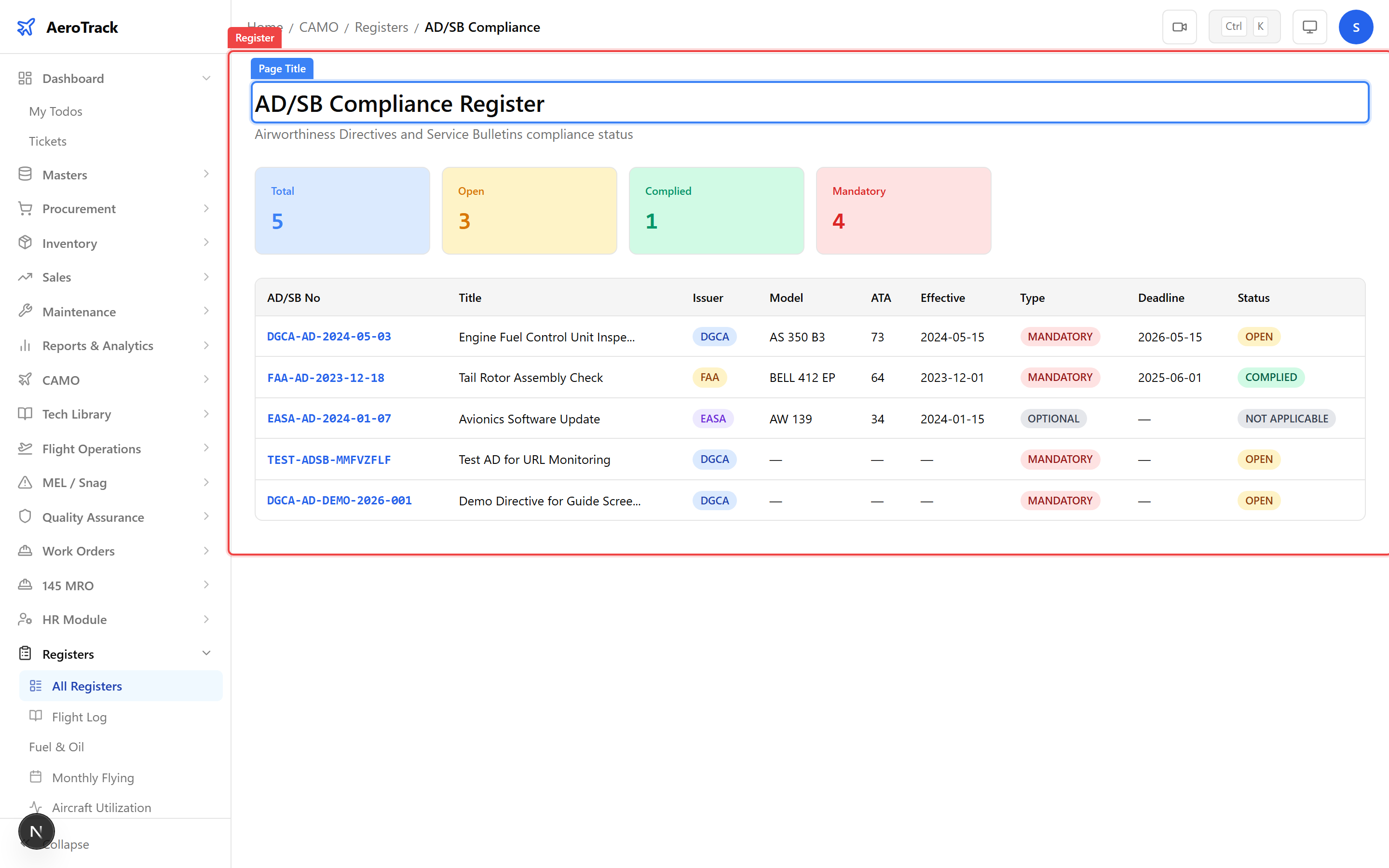
Navigate to CAMO Registers → AD/SB Compliance
or go directly to /camo/registers/ad-sb-compliance.
This read-only register lists every Airworthiness Directive and
Service Bulletin tracked in the system.
2
Understand the Register Layout
All CAMO registers share a consistent layout: a page title at the top, optional KPI summary cards, and a data table with colour-coded status badges. Registers are read-only — to create or edit records, use the corresponding module pages.
Access the Registers index at
/camo/registers to see all 22 registers grouped into 6 categories: Flight & Aircraft, Maintenance, MEL/Snag, Quality, Tech Library, and HR.Read the Data
3
Column Reference
| Column | Description |
|---|---|
| AD/SB Number | Official directive or bulletin reference number. |
| Title | Brief description of the directive. |
| Issuer | Regulatory authority — DGCA, FAA, EASA, or OEM. |
| Compliance Type | Mandatory (must comply) or Optional (recommended). |
| Status | Current compliance state (Open, Complied, Not Applicable, Superseded). |
| Aircraft | Registration(s) the directive applies to. |
| Due Hours / Cycles | Compliance deadline in flight hours or cycles, if applicable. |
4
Status & Issuer Badges
| Status | Meaning |
|---|---|
| Open | Directive received but compliance action not yet completed. |
| Complied | All required actions have been performed and documented. |
| Not Applicable | Directive does not apply to fleet aircraft (e.g. wrong engine type). |
| Superseded | Replaced by a newer directive. |
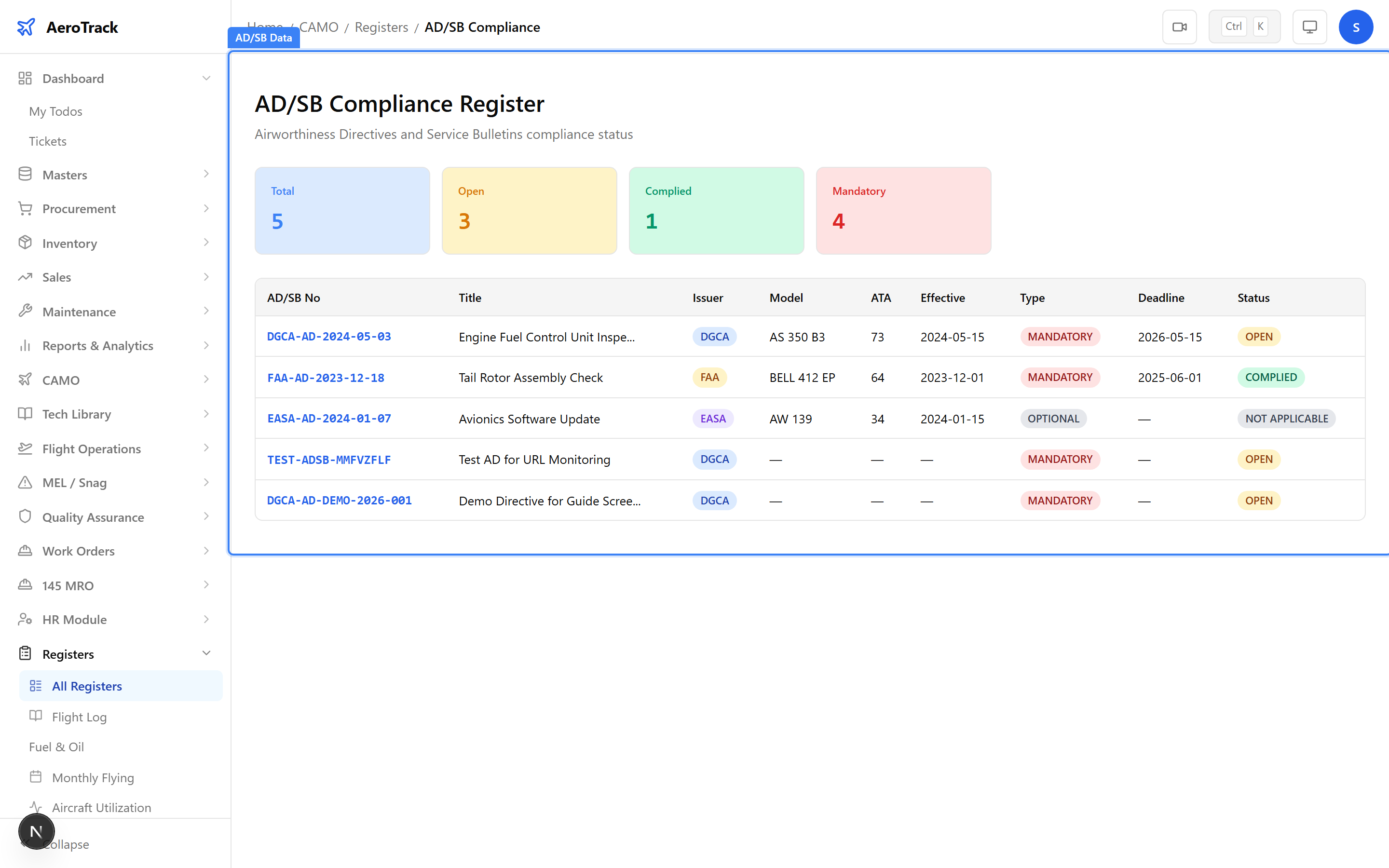
Mandatory ADs with Open status represent a potential airworthiness gap. Review these immediately and create a Work Order if compliance work is needed.
Related Actions
5
Drill Down & Cross-Links
The register is read-only, but you can navigate to related pages for full CRUD operations:
| Action | Where |
|---|---|
| Create / edit AD/SB items | AD/SB Monitoring (/tech-library/ad-sb) |
| View change notifications | AD/SB Notifications (/tech-library/ad-sb/notifications) |
| AD compliance report | Compliance Reports (/camo/reports/ad-compliance) |
| Raise compliance work order | Create a Work Order |
Use the AD/SB Monitoring page to enable URL monitoring on critical directives. AeroTrack will automatically detect when source documents change and create notifications.