Open the Register
1
Navigate to Manual Revisions
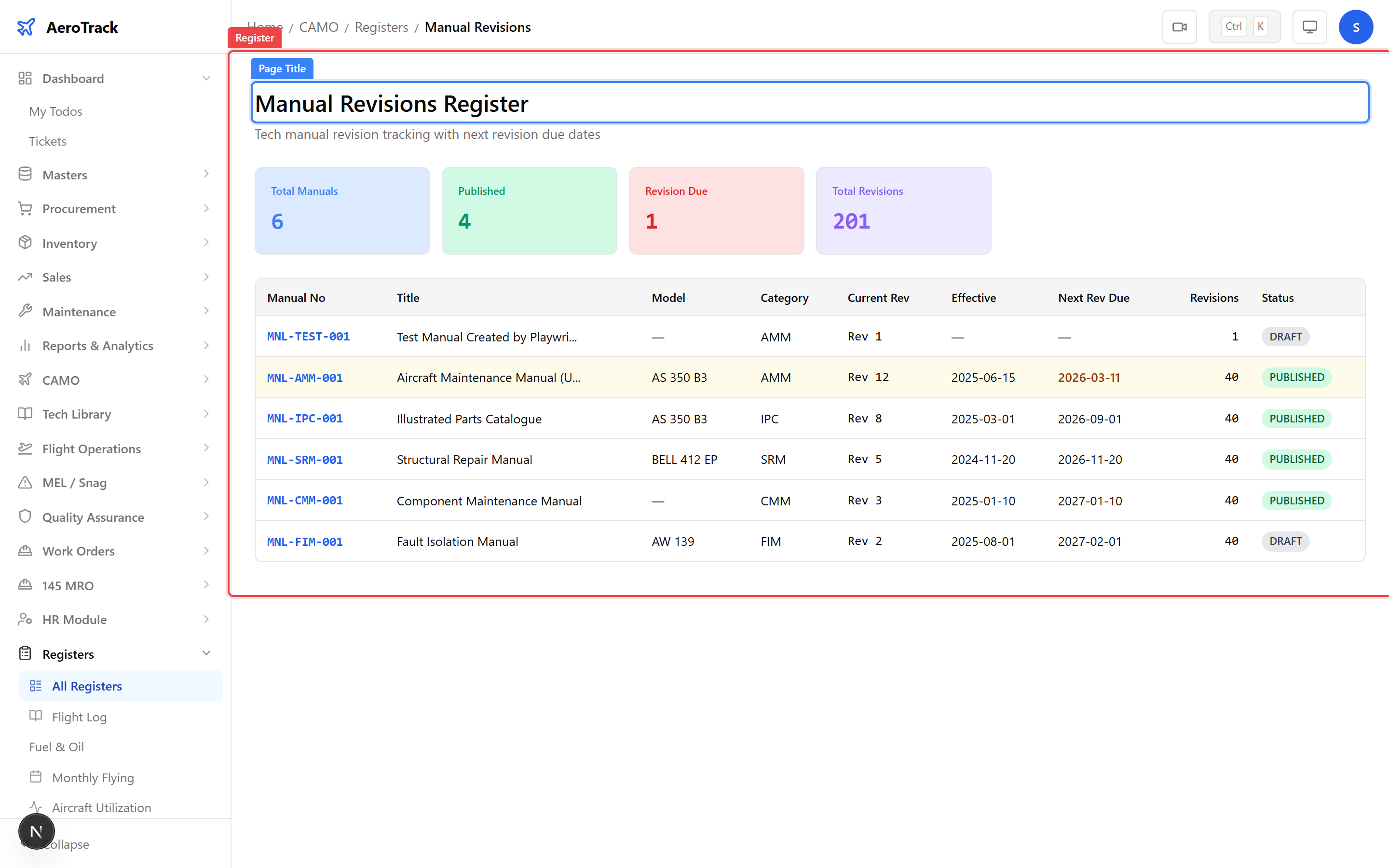
Navigate to CAMO Registers → Manual Revisions
or go directly to /camo/registers/manual-revisions.
This register lists every technical manual tracked in the
Tech Library along with its current revision status.
2
Column Reference
| Column | Description |
|---|---|
| Manual Title | Name of the document (e.g. AMM, IPC, SRM, MEL). |
| Type | Manual category — AMM, IPC, WDM, SRM, MEL, MMEL, etc. |
| Aircraft Model | Model the manual applies to. |
| Current Revision | Latest revision number on file. |
| Effective Date | Date the current revision became effective. |
| Status | Revision workflow state (Draft, Published, Superseded). |
Revision Status
3
Understand Revision States
| Status | Meaning |
|---|---|
| Draft | New revision uploaded but not yet approved or published. |
| Published | Approved and currently in effect — the active revision. |
| Superseded | Replaced by a newer revision. Retained for audit trail. |
4
Identify Pending Reviews
Manuals with Draft status need review and approval before they become effective. Check the register regularly to ensure no revisions are stuck in draft.
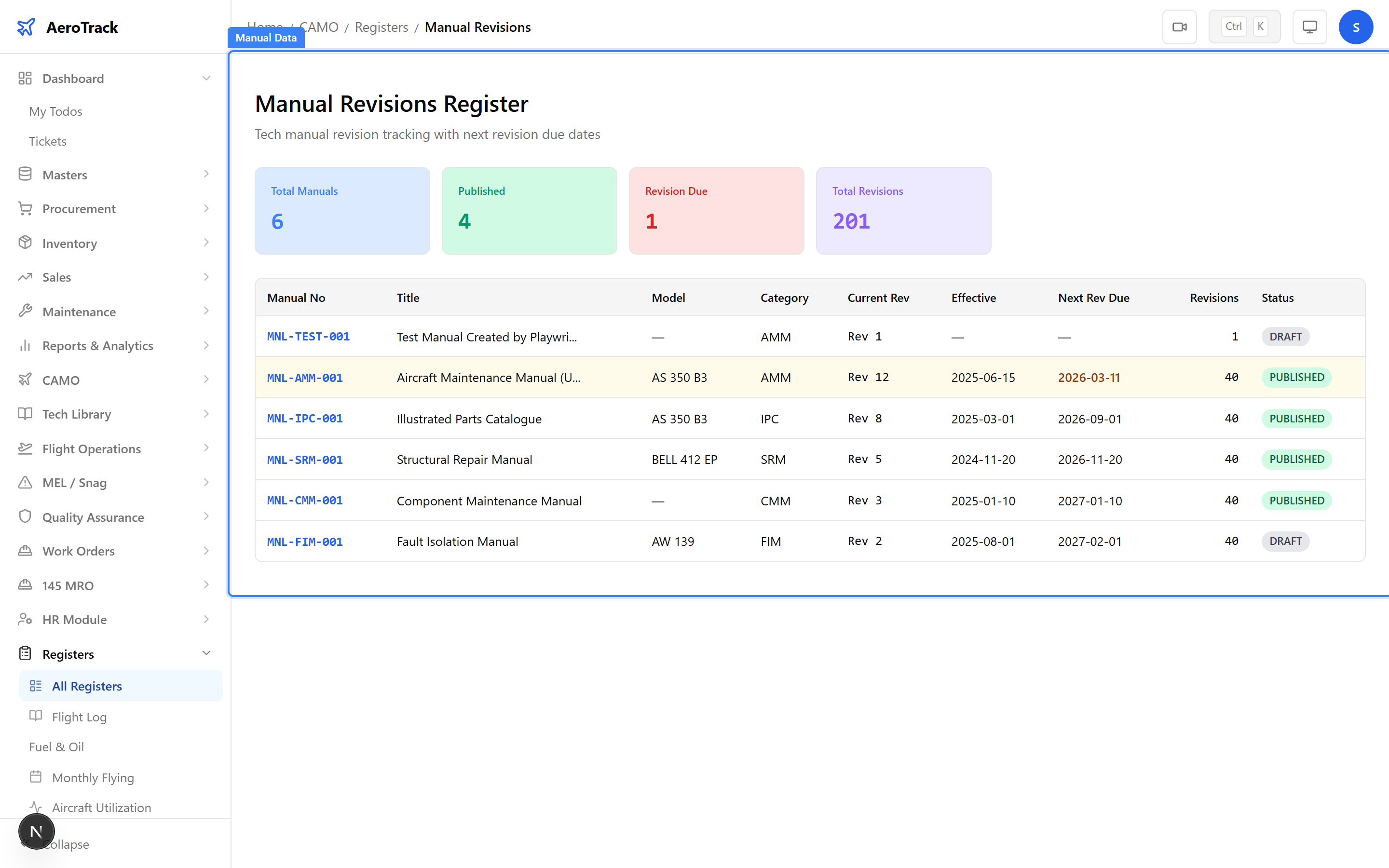
Operating with outdated manuals is a compliance risk. Ensure all Draft revisions are reviewed promptly and the latest Published revision is always the one in use.
Related Actions
5
Cross-Links
| Action | Where |
|---|---|
| Upload a new manual | Tech Library → Manuals (/tech-library/manuals) |
| Upload an AMP revision | AMP Upload (/tech-library/amp) |
| Review AMP diff | AMP Review Diff |
| Approve / reject revision | AMP Approve or Reject |
| Manual revision due report | /camo/reports/manual-revision-due |
The AMP (Aircraft Maintenance Programme) has its own upload, diff, and approval workflow. See the AMP Upload guide for details.