Aircraft Overview
Click any aircraft row in the Aircraft Fleet
list to open the detail page at /camo/aircraft/{id}.
The page shows the aircraft’s complete profile in a
card-based layout with Edit and Components buttons in the header.
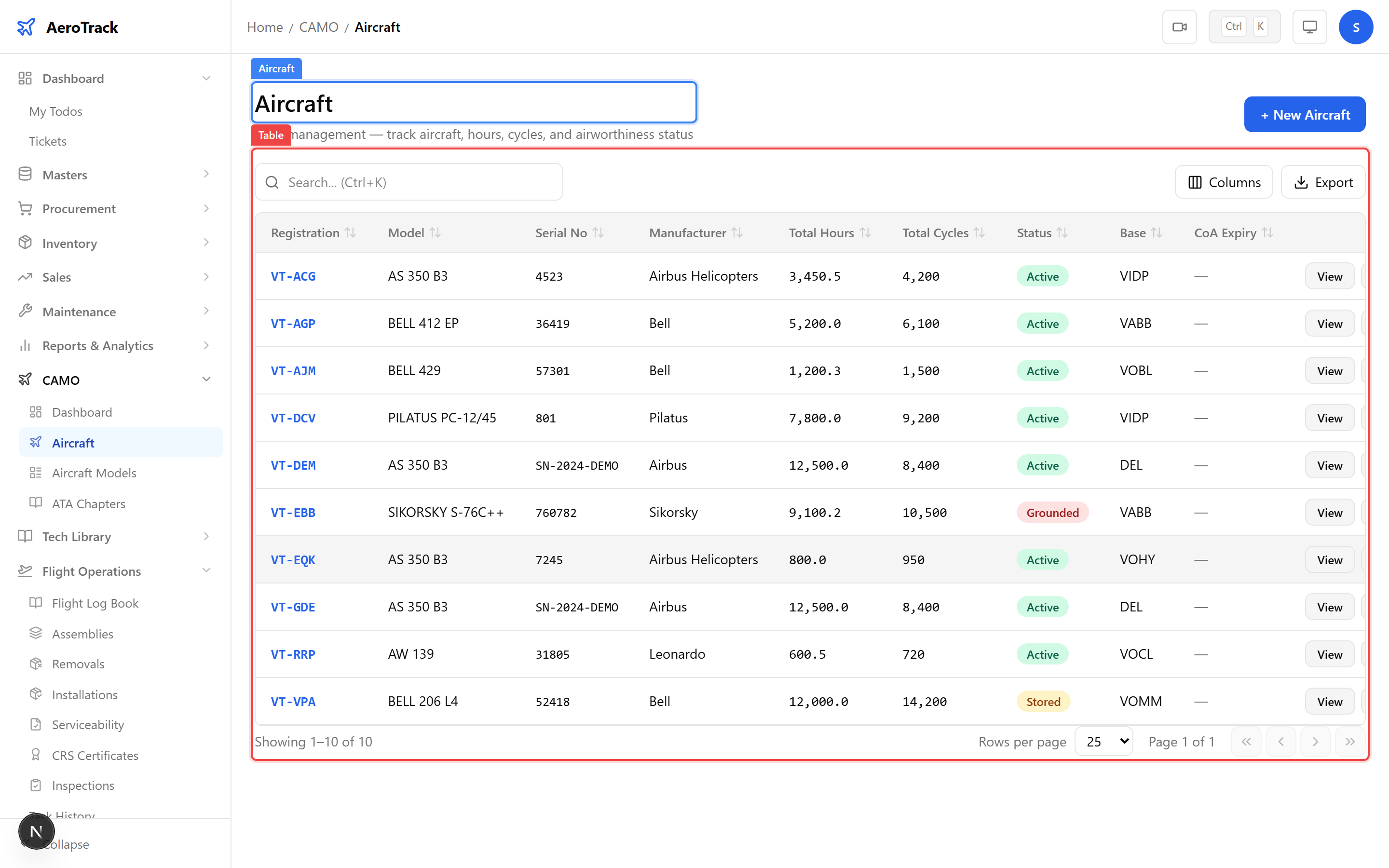
The Identity card displays core aircraft data:
| Field | Description |
|---|---|
| Registration | Aircraft registration mark (e.g. VT-ABC). |
| Model | Aircraft model and category (e.g. “Boeing 737-800 (Narrow Body)”). |
| Serial No | Manufacturer serial number (MSN). |
| Manufacturer | OEM name. |
| Year of Manufacture | Year the aircraft was built. |
| Status | Fleet status: Active, Grounded, Stored, or Retired. |
Two additional cards show flight data and certificate information:
| Card | Fields |
|---|---|
| Flight Data | Total Hours (TSN), Total Cycles (CSN), Base Location, Owner/Operator. |
| Certificates | Certificate of Registration (CoR), Certificate of Airworthiness (CoA), CoA Expiry Date, Insurance Expiry Date. |
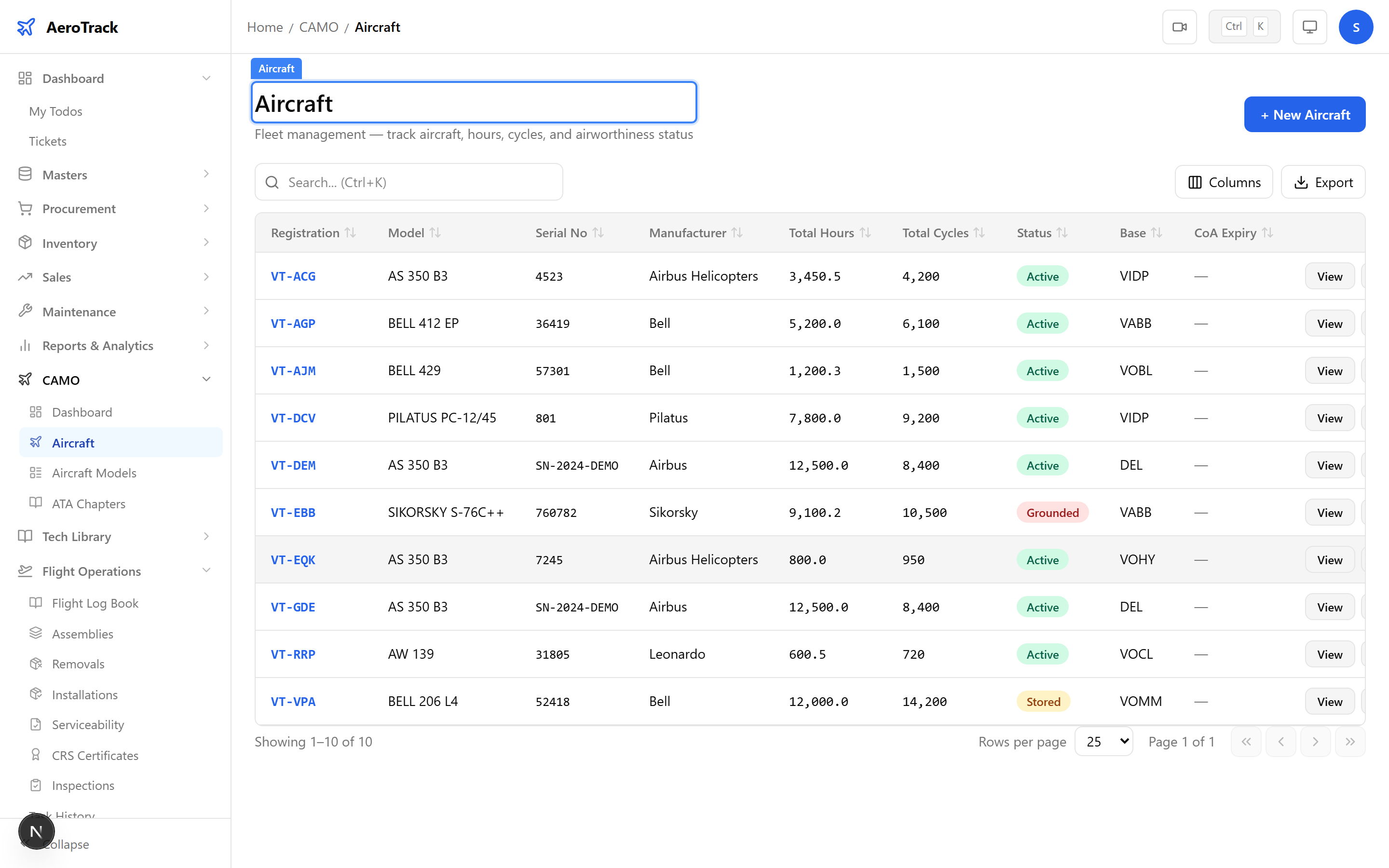
Installed Components
Below the detail cards, the Installed Components table lists every active component on this aircraft. Columns include Type, Name, Part No, Serial No, TSN Hours, and Status.
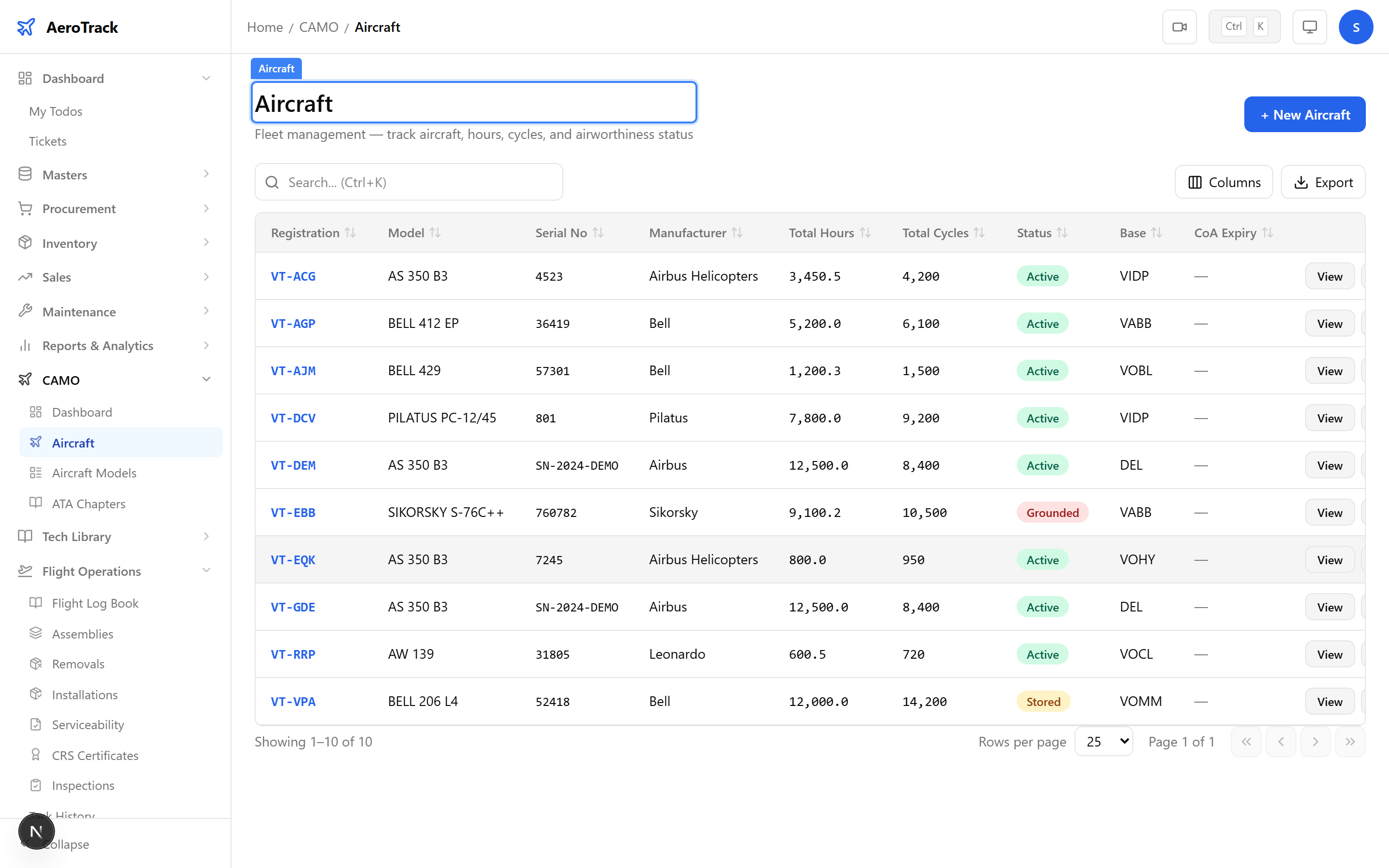
Click the Components (n) button in the header to open the full Components Management page where you can add, edit, and remove components.
Related Activity
The Related Activity section shows colour-coded count cards linking to every module that has data for this aircraft:
| Card | Links To | Shows |
|---|---|---|
| Flight Logs | /flight-ops/log-book?aircraft={regNo} | Total flight log entries for this aircraft. |
| Open MELs | /mel-snag/mel?aircraft={regNo} | Count of open/deferred MEL items. |
| Snag Reports | /mel-snag/snags?aircraft={regNo} | Total snag reports filed. |
| Work Orders | /work-orders/internal?aircraft={regNo} | Active work orders for this aircraft. |
| Inspections | /flight-ops/inspections?aircraft={regNo} | Active inspection schedules. |
| Components | /camo/aircraft/{id}/components | Installed component count. |
| Task History | /flight-ops/task-history?aircraft={regNo} | Completed inspection records. |
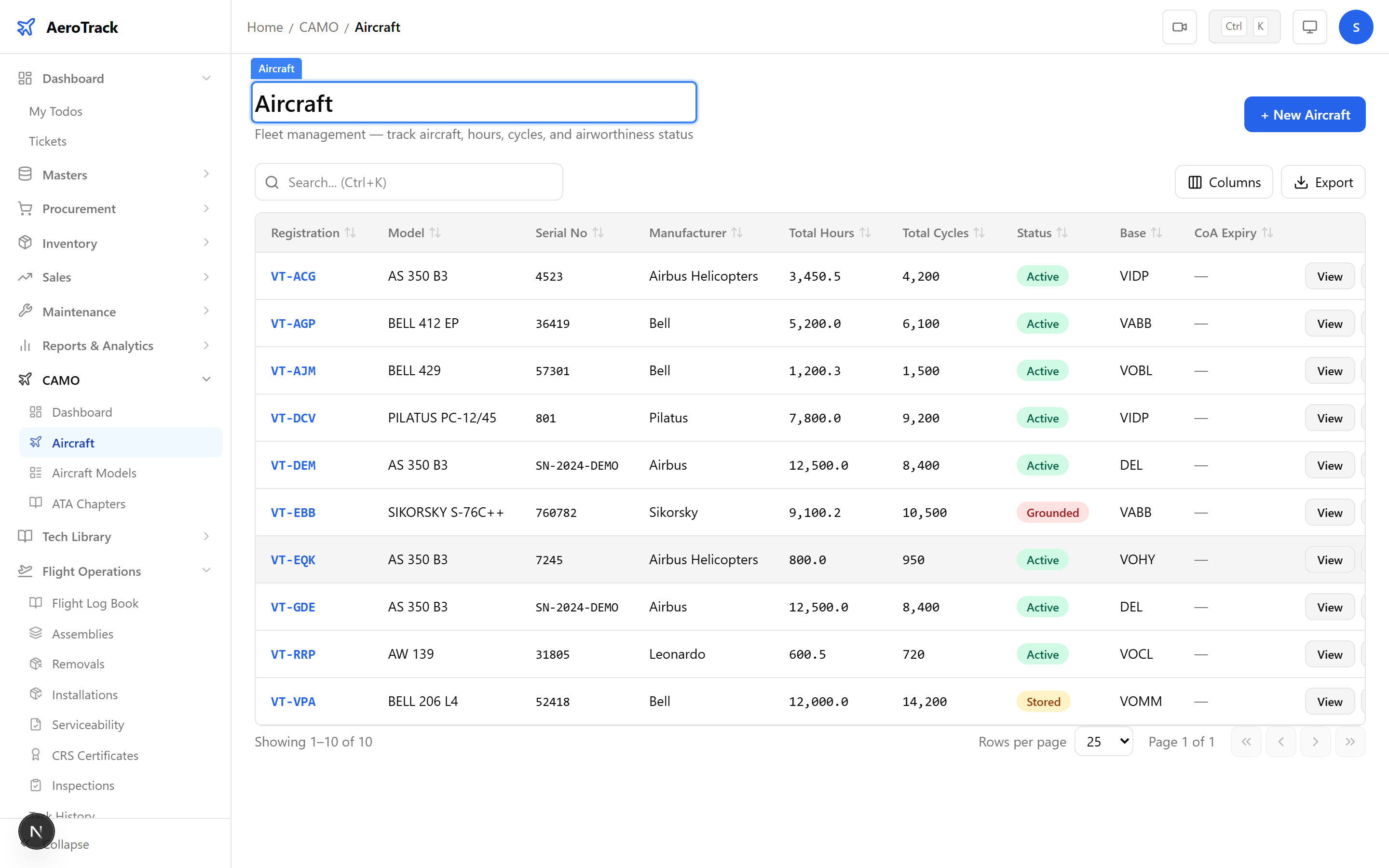
Click the Edit button in the header to modify the
aircraft’s registration, status, certificates, flight data,
or base location at /camo/aircraft/{id}/edit.
For full details on the aircraft form fields, see Aircraft Registration.
| Action | Guide |
|---|---|
| Register a new aircraft | Aircraft Registration |
| Set up inspection baseline | Onboarding Wizard |
| Manage installed components | Component Detail |
| Fleet-wide component life tracking | Component Status |
| Inspection schedules for this aircraft | Inspection List |
| Airworthiness compliance check | Airworthiness Review |