Component Status
1
Open Component Status
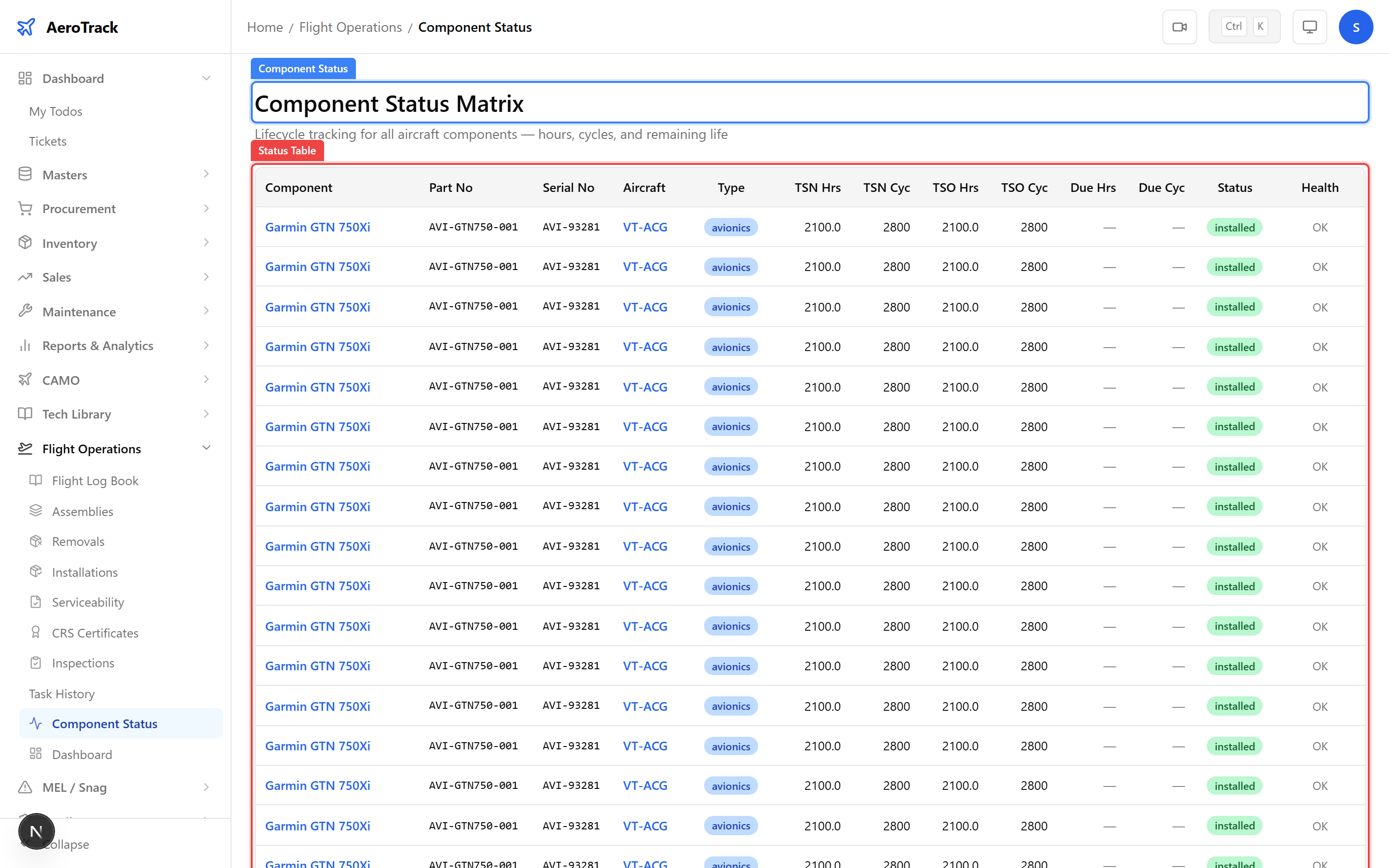
Navigate to Flight Ops → Component Status or
go directly to /flight-ops/component-status. This page
lists every tracked component across all aircraft with its current
life status.
2
Column Reference
| Column | Description |
|---|---|
| Name | Component name or description. |
| Part No | Manufacturer part number. |
| Serial No | Individual serial number for traceability. |
| Aircraft | Registration of the aircraft the component is installed on. |
| Type | Component type — Engine, APU, Landing Gear, Propeller, Avionics, or Rotable. |
| TSN Hours | Total time Since New in flight hours. |
| CSN Cycles | Total cycles Since New. |
| Life Limit | Maximum hours, cycles, or days before mandatory replacement. |
| Remaining | Hours or cycles remaining before the life limit is reached. |
| Status | Life status: OK, Coming Due, or Exceeded. |
3
Status Indicators
| Status | Colour | Action Required |
|---|---|---|
| OK | Green | Component has sufficient life remaining. No action needed. |
| Coming Due | Amber | Component is approaching its life limit. Plan replacement or overhaul. |
| Exceeded | Red | Life limit exceeded. Immediate removal and replacement required. |
A component with Exceeded status renders the aircraft unairworthy. Create a Work Order immediately for component replacement. See the Airworthiness Review checklist for full compliance checks.
Assemblies
4
Open Assemblies
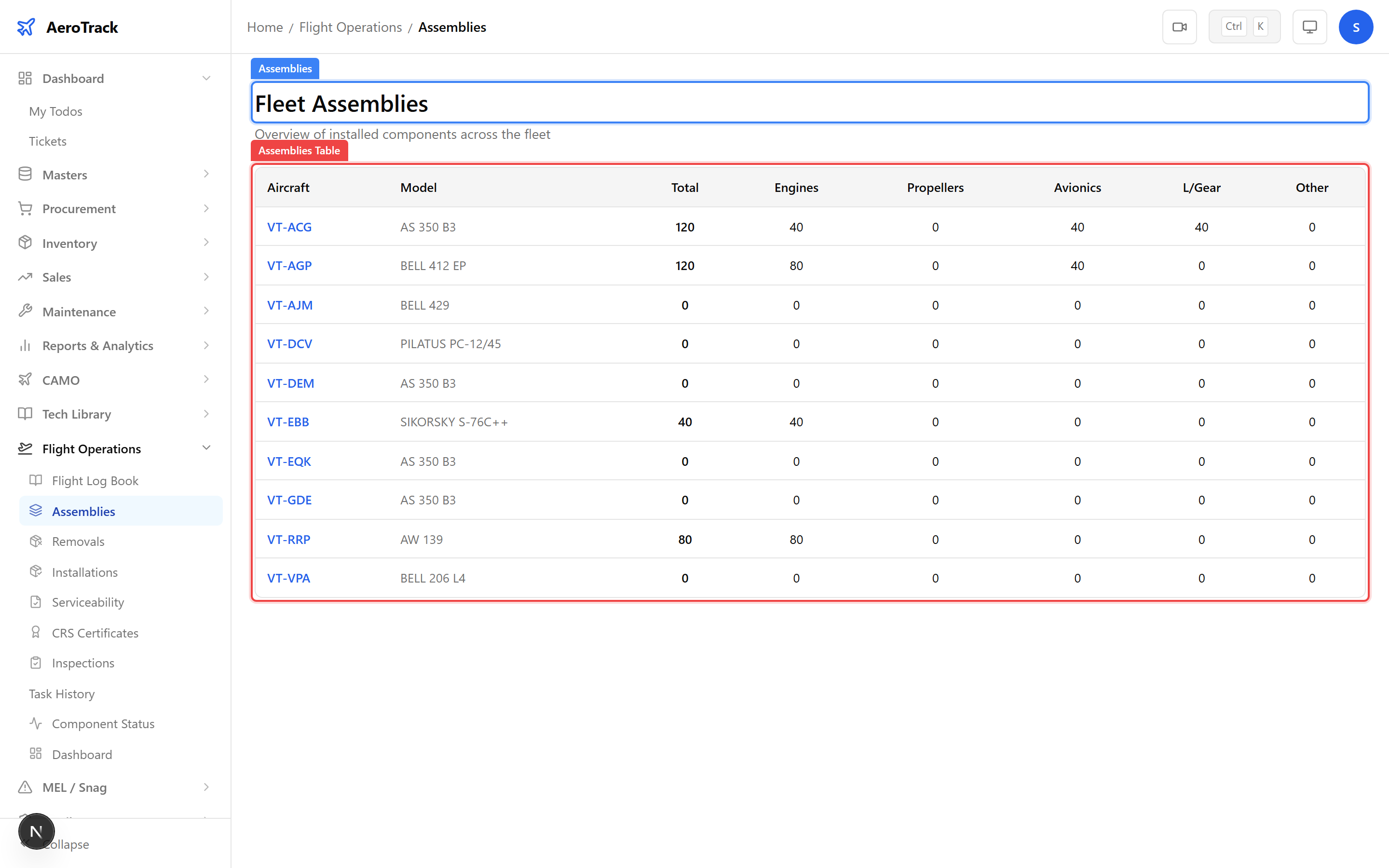
Navigate to Flight Ops → Assemblies or go to
/flight-ops/assemblies. This page lists every
component assembly across the fleet with its installation details.
5
Assembly Data
| Column | Description |
|---|---|
| Component | Name and type of the installed assembly. |
| Part No / Serial No | Part and serial for traceability. |
| Aircraft | Which aircraft this component is installed on. |
| Position | Installation position (e.g. Left Engine, Nose Gear, Position 1). |
| Install Date | When the component was installed. |
| TSI Hours | Time Since Installation in flight hours. |
The Assemblies page shows current installations. For removal history and back-to-birth traceability, see the Component History Register.
Related Actions
6
Cross-Links
| Action | Guide |
|---|---|
| Manage components per aircraft | Component Detail |
| View aircraft with all components | Aircraft Detail |
| Component installation/removal history | Component History Register |
| Fleet-level component analytics | Fleet Analytics |
| Airworthiness review checklist | Airworthiness Review |