MEL Item Entry

Create Minimum Equipment List (MEL) deferral items in AeroTrack. When an aircraft system or component is inoperative but dispatch is permitted under MEL provisions, record the deferral with its category (A/B/C/D) to track the automatic expiry deadline. This guide covers creating MEL items, understanding category-based deferral periods, monitoring overdue deferrals, and the deferral lifecycle.

Module: MEL / Snag · 7 steps · camo_engineer admin

Browse MEL Items
1 Open MEL List

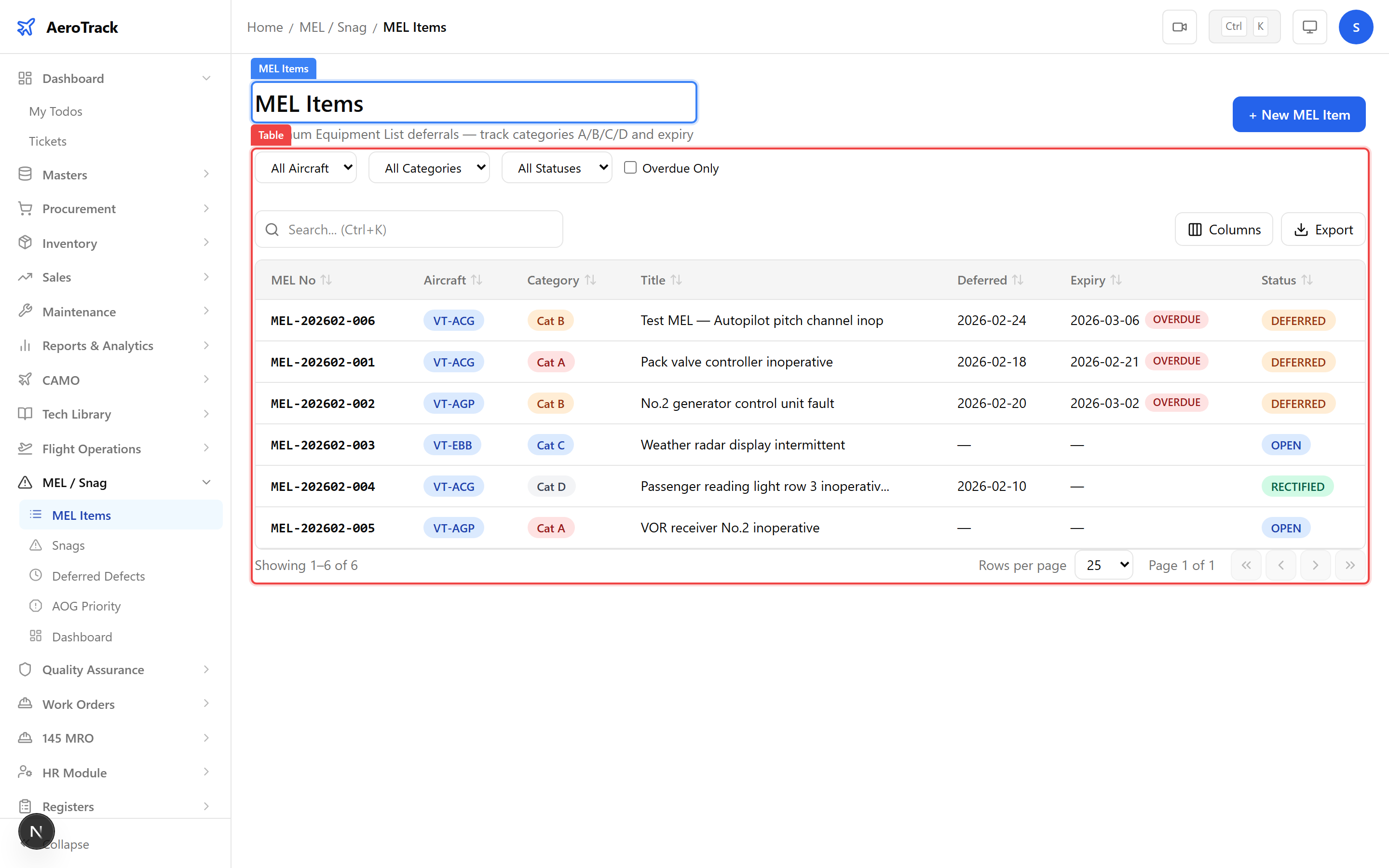
Navigate to MEL / Snag → MEL Items or go to /mel-snag/mel. The list shows all MEL deferral items with their number, aircraft, category, title, deferral dates, and current status.

MEL items list showing MEL numbers, aircraft badges, category badges, titles, deferral dates, and status badges
2 Filter & Columns
FilterDescription
AircraftFilter by specific aircraft registration.
CategoryA, B, C, or D.
StatusOPEN, DEFERRED, RECTIFIED, CLOSED, or CANCELLED.
Overdue OnlyShow only deferred items past their expiry date.
ColumnDescription
MEL NoAuto-generated reference (MEL-YYYYMM-NNN).
AircraftRegistration mark (blue badge).
CategoryA/B/C/D badge with deferral period hint.
TitleBrief description of the inoperative item.
DeferredDate the item was deferred.
ExpiryDeferral expiry date with overdue badge if past.
StatusCurrent workflow state.
Items that are overdue show a red OVERDUE badge. Items due within 2 days show an orange DUE SOON badge.
Create a MEL Item
3 Open MEL Form

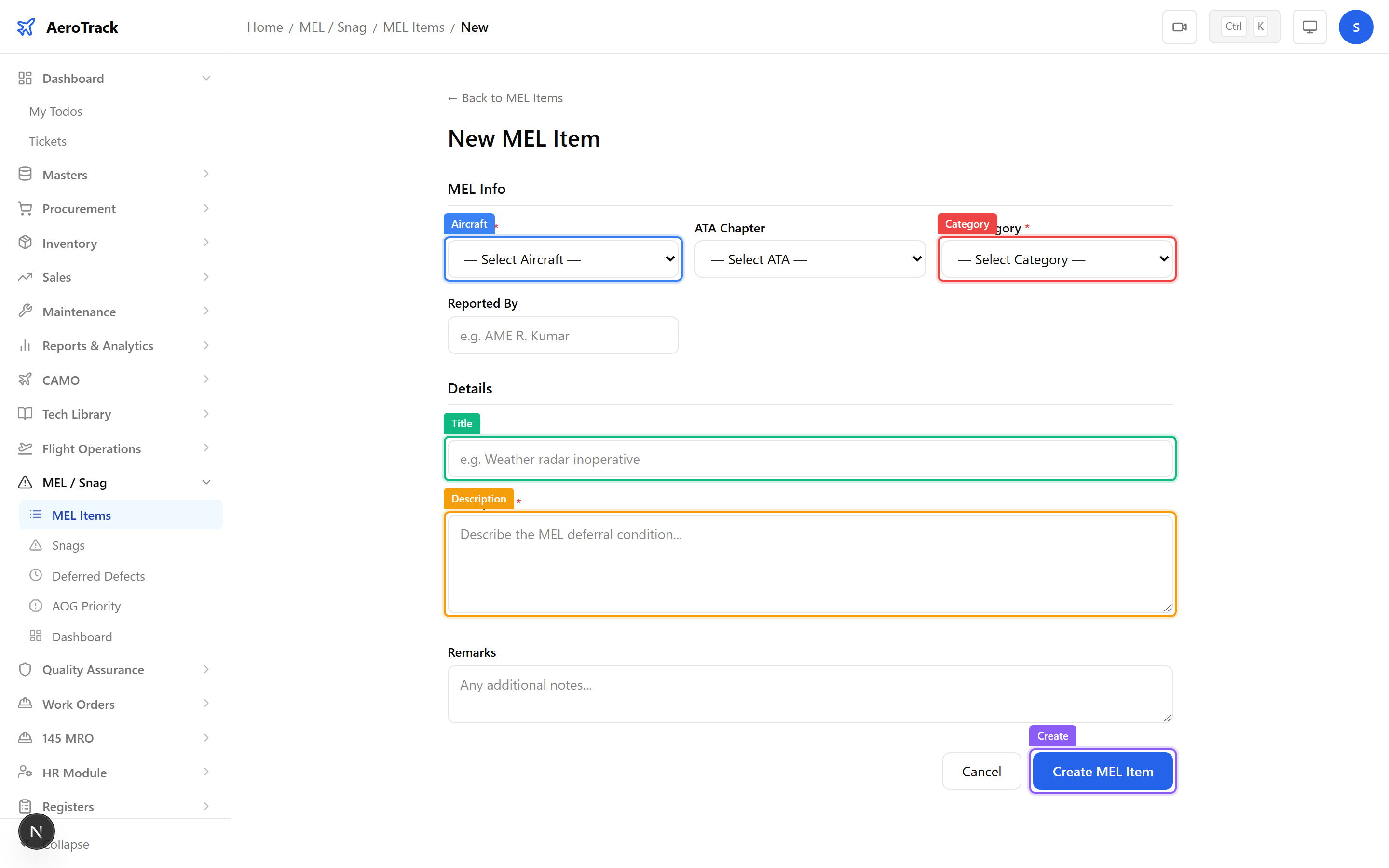
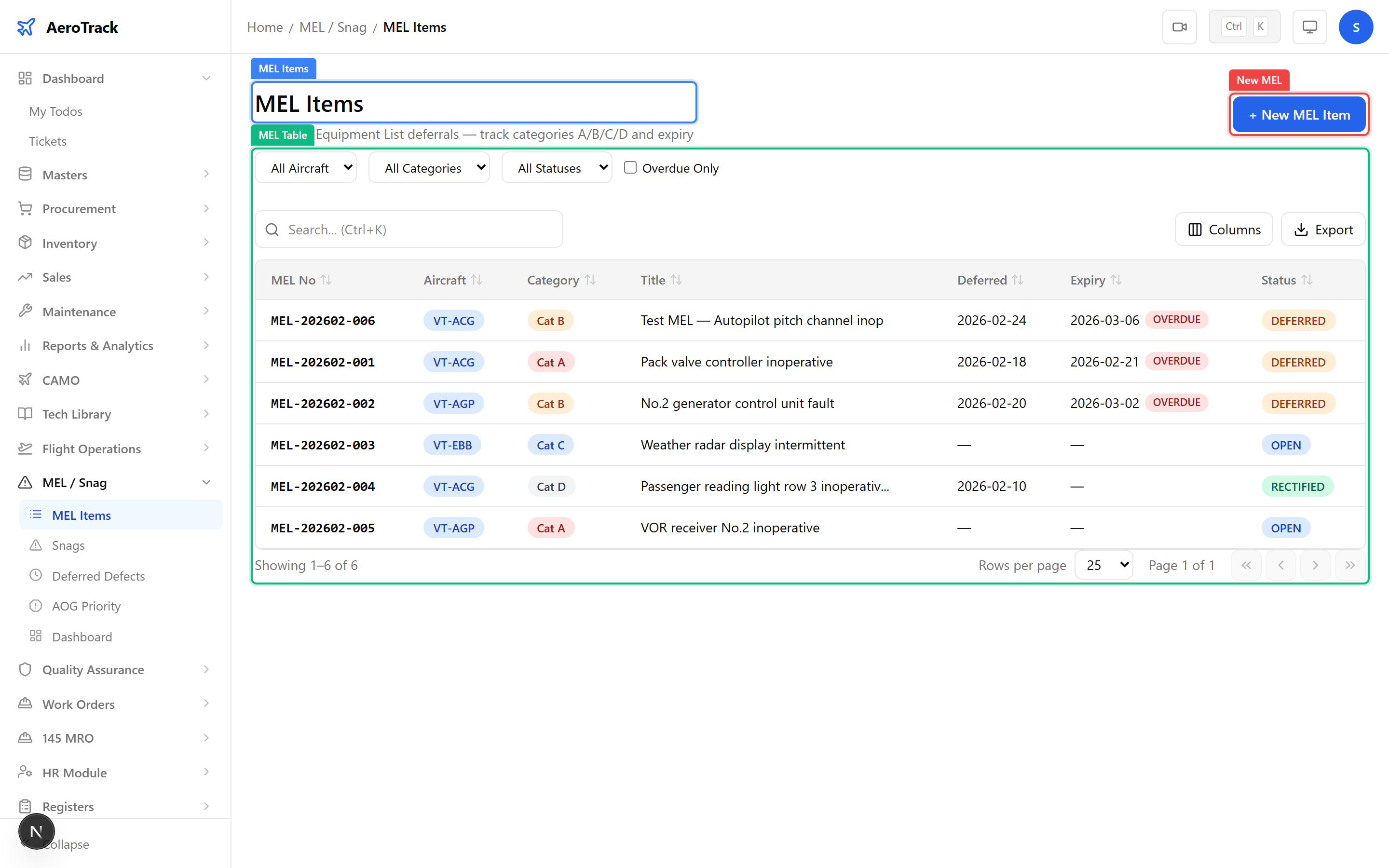
Click + New MEL Item to open the form at /mel-snag/mel/new. Fill in the MEL details:

FieldRequiredDescription
AircraftYesSelect the affected aircraft.
ATA ChapterNoLink to the relevant ATA system chapter.
MEL CategoryYesA, B, C, or D — determines deferral deadline.
TitleYesBrief description of the inoperative item.
DescriptionYesFull details of the deficiency and conditions.
Reported ByNoName of the person reporting the item.
RemarksNoAdditional notes or operational considerations.
MEL item form with aircraft selector, ATA chapter, MEL category dropdown showing A/B/C/D options, title, and description fields
When you select an aircraft, AeroTrack displays the current airframe hours and cycles as a snapshot. These values are recorded against the MEL item for reference.
4 MEL Categories

The MEL category determines the maximum deferral period before the item must be rectified:

CategoryDeferral PeriodMeaning
A3 calendar daysShortest deferral — must be rectified within 3 days of deferral.
B10 calendar daysMust be rectified within 10 days of deferral.
C120 calendar daysExtended deferral — must be rectified within 120 days.
DNo limitNo fixed deadline — rectify at next scheduled maintenance.
When a MEL item is transitioned to DEFERRED status, AeroTrack automatically computes the expiry date based on the category. Category D items have no expiry deadline. Overdue items are flagged prominently across the dashboard and deferred view.
5 Submit the MEL Item

Click Create MEL Item to save. The item is created in OPEN status. From the detail page, use workflow buttons to advance the lifecycle:

ActionEffect
DeferStatus → DEFERRED. Auto-computes expiry date from category.
RectifyStatus → RECTIFIED. Records rectification date and person.
CancelStatus → CANCELLED. Item withdrawn.
MEL item detail page showing deferral card with expiry date, days remaining, workflow transition buttons, and aircraft info
Track Deferrals
6 Deferral Lifecycle
StatusMeaningNext
OPENItem created, not yet deferred.Defer / Rectify / Cancel
DEFERREDItem deferred with expiry countdown.Rectify / Cancel
RECTIFIEDItem has been repaired/fixed.Close
CLOSEDTerminal — rectification confirmed.
CANCELLEDTerminal — item withdrawn.

Use the Deferred Defects view at /mel-snag/deferred to see all currently deferred items grouped by aircraft, sorted by urgency (overdue first, then by days remaining).

Deferred items past their expiry date show a red OVERDUE badge with the number of days overdue. DGCA regulations require timely rectification of all MEL items within their category limits.
7 Cross-Links
ActionGuide
Manage AOG situationsAOG Management
View snag reportsSnag Log
Defer or rectify itemsDefer & Rectify
View MEL/Snag dashboardMEL Items
Browse ATA chaptersATA Chapters