Defer a Defect
Open an MEL item or snag that is in Open or Investigating status. The detail page shows workflow action buttons at the bottom.
Click the Defer action button. The system prompts for a reason. Once confirmed, the item moves to Deferred status and the rectification deadline starts counting based on the MEL category:
| MEL Category | Max Deferral | Typical Use |
|---|---|---|
| A | As per remarks / ops manual | Conditional — refer to specific MEL entry. |
| B | 3 calendar days | Items affecting redundancy but not safety-critical. |
| C | 10 calendar days | Items with operational impact but safe to defer. |
| D | 120 calendar days | Items with minimal impact on dispatch. |
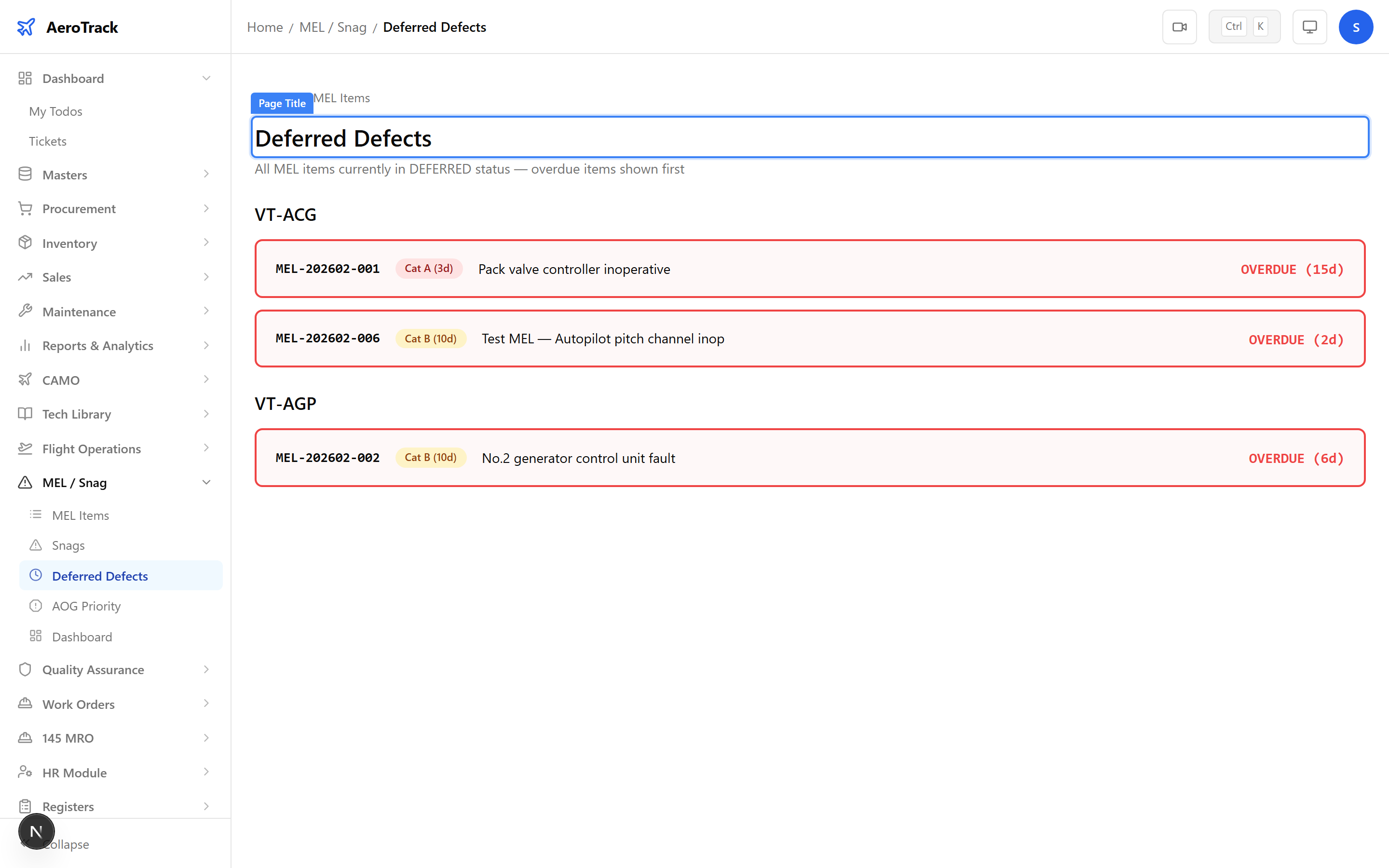
Monitor Deferrals
Navigate to MEL/Snag → Deferred
(/mel-snag/deferred). This page lists all currently
deferred MEL items sorted by urgency. Items with an overdue
badge need immediate action.
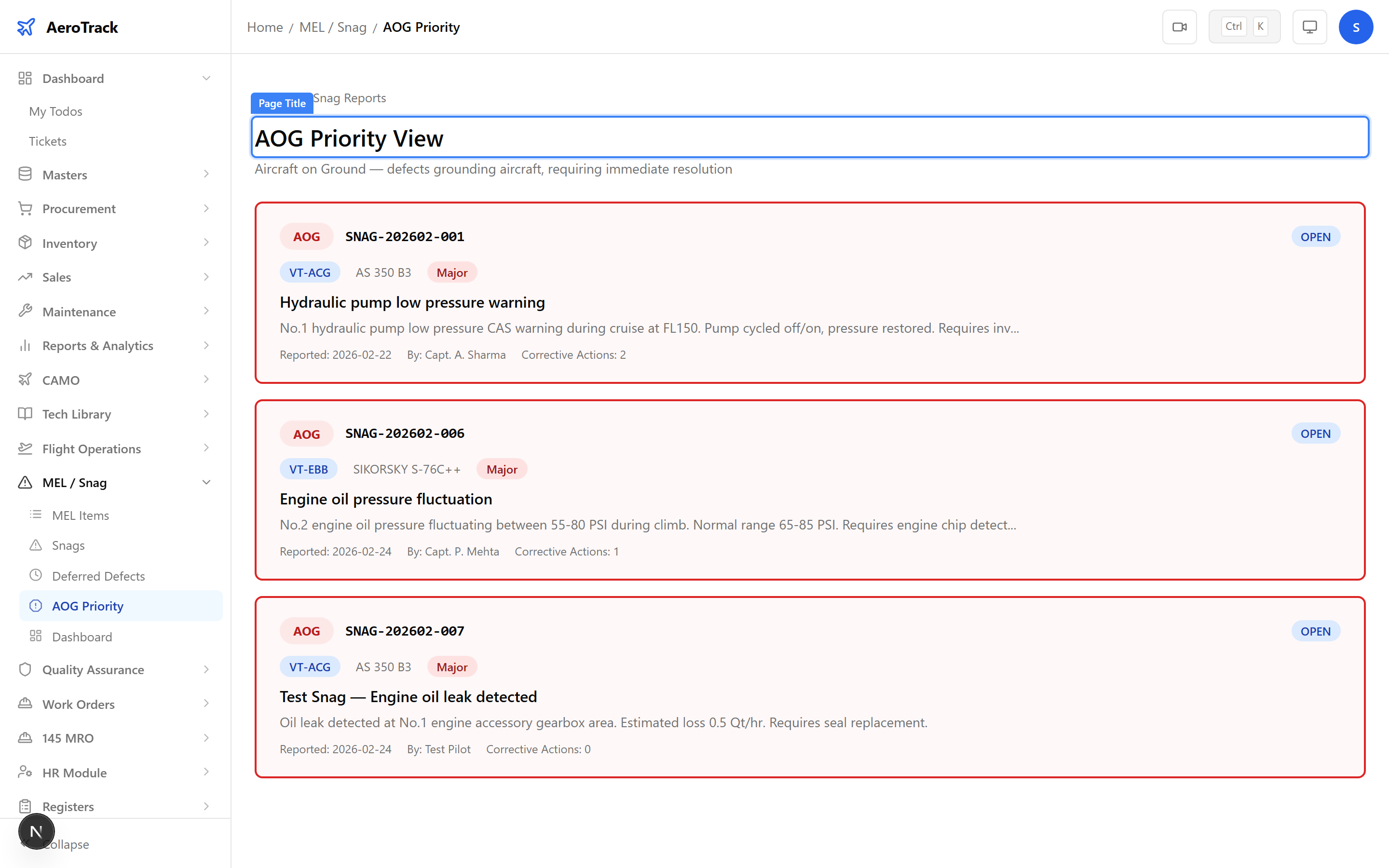
Navigate to MEL/Snag → AOG
(/mel-snag/aog). This page shows only
aircraft-on-ground snags that require priority attention.
Rectify & Close
Once the defect has been repaired, open the MEL item or snag detail page and click Rectify. Provide a reason describing the corrective action taken.
After rectification, click Close to finalise the record. Closed items are read-only and appear in the compliance registers.