Browse Service Records
1Open Equipment Maintenance List
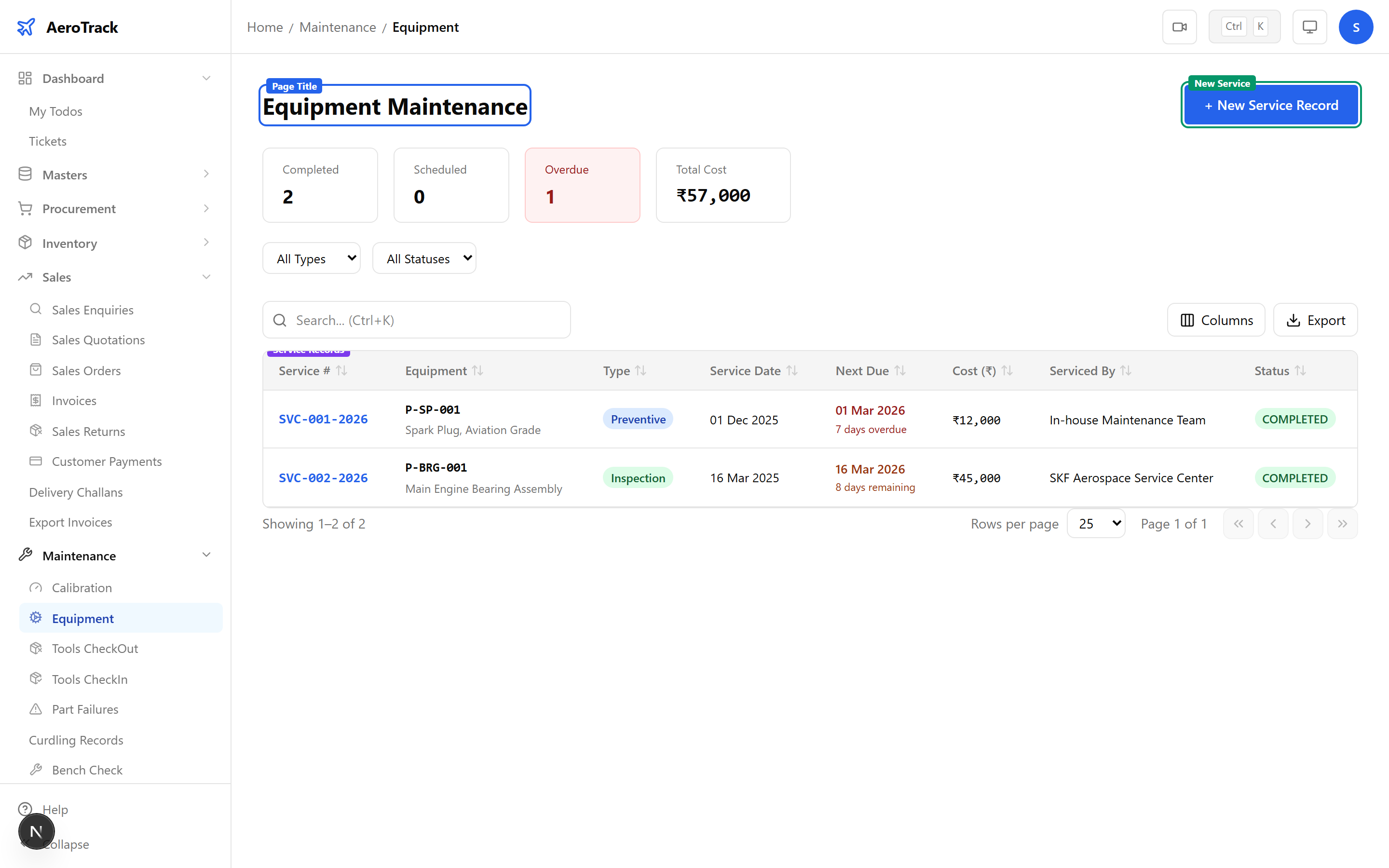
Navigate to Maintenance → Equipment or go to /maintenance/equipment.
2Filter & Columns
| Column | Description |
|---|---|
| SVC Number | Auto-generated service record number (links to detail). |
| Equipment | Part number of the equipment. |
| Service Type | Badge: Preventive (blue), Corrective (red), Inspection (amber), Overhaul (purple). |
| Service Date | When the service was performed. |
| Next Service | Auto-calculated from date + frequency. |
| Serviced By | Vendor name or “In-house”. |
| Cost | Service cost with currency. |
| Status | Scheduled, Completed, or Cancelled. |
Use the Service Type and Status filter dropdowns to narrow results.
Record a Service
3Equipment & Service Type
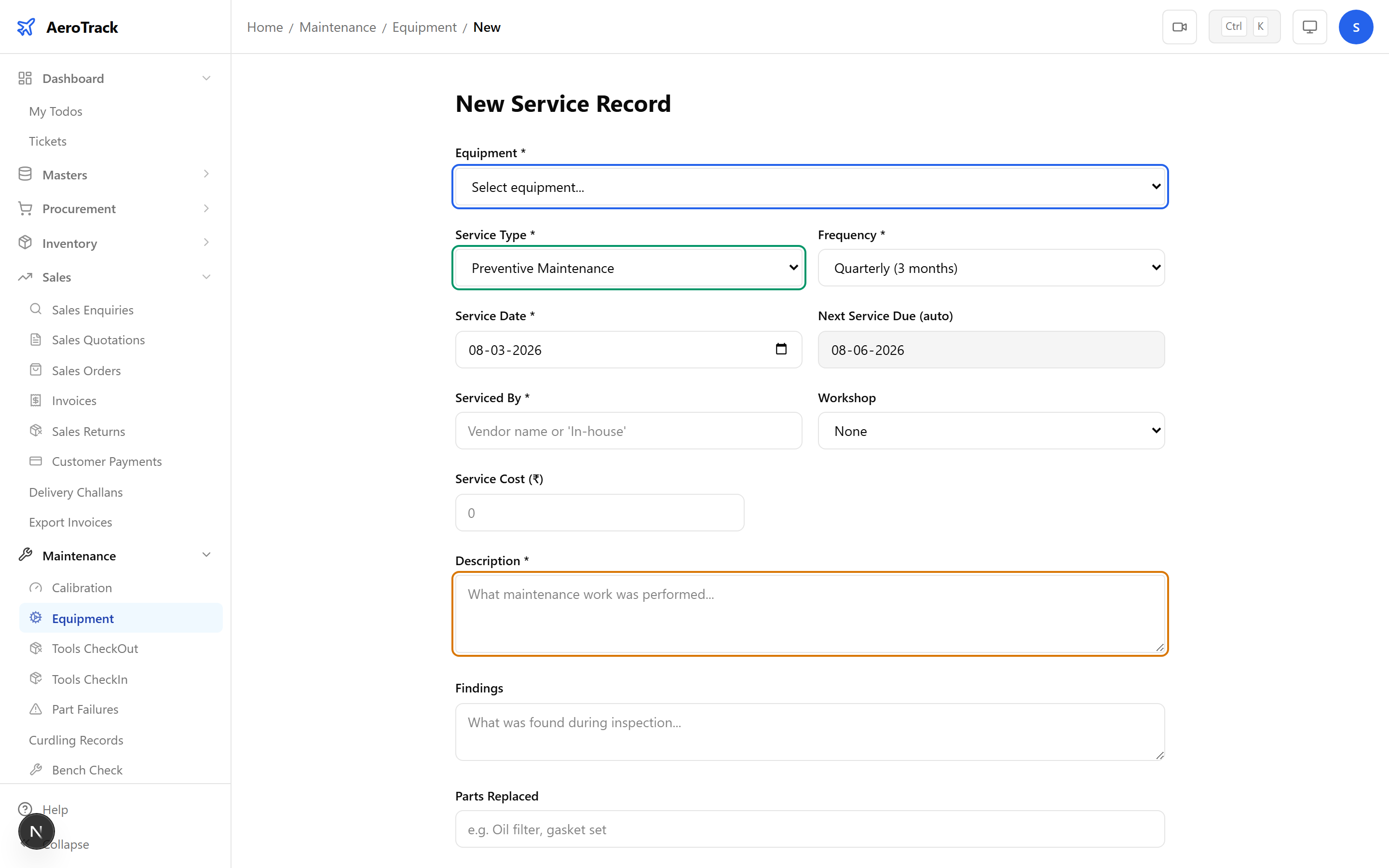
Click + New Service Record to open the form.
| Field | Required | Description |
|---|---|---|
| Equipment | Yes | Select from dropdown of all equipment. |
| Service Type | Yes | Preventive, Corrective, Inspection, or Overhaul. |
| Service Date | Yes | Defaults to today. |
| Frequency | Yes | Monthly, Quarterly, Semi-Annual, Annual, Biennial, or On Condition. |
4Service Details
| Field | Required | Description |
|---|---|---|
| Serviced By | Yes | Vendor name or “In-house”. |
| Workshop | No | Select from workshop master (if external). |
| Cost | No | Service cost in base currency. |
| Description | Yes | What service was performed. |
| Findings | No | What was found during service (defects, wear, etc.). |
| Parts Replaced | No | List of parts used or replaced during service. |
| Remarks | No | Additional notes. |
For Corrective maintenance, always fill the Findings field to document the root cause of the equipment issue.
5Submit
Click Record Service. The Next Service Date is auto-calculated from the service date plus the frequency period.
“On Condition” frequency means the next service is triggered by equipment condition, not a fixed calendar interval. Set the next service date manually for these items.
Reference
6Service Types
| Type | Colour | Purpose |
|---|---|---|
| Preventive | Blue | Scheduled maintenance to prevent failures — lubrication, filter changes, belt replacements. |
| Corrective | Red | Unscheduled repair after a failure or fault has occurred. |
| Inspection | Amber | Periodic inspection to assess condition without disassembly. |
| Overhaul | Purple | Major service involving disassembly, repair, reassembly, and testing. |
7Cross-Links
| Action | Guide |
|---|---|
| Track calibration records | Calibration |
| Issue tools for work | Tools Checkout |
| Record part failures | Part Failures |
| Manage workshops | Workshops Master |