Browse Failures
1Open Failure List
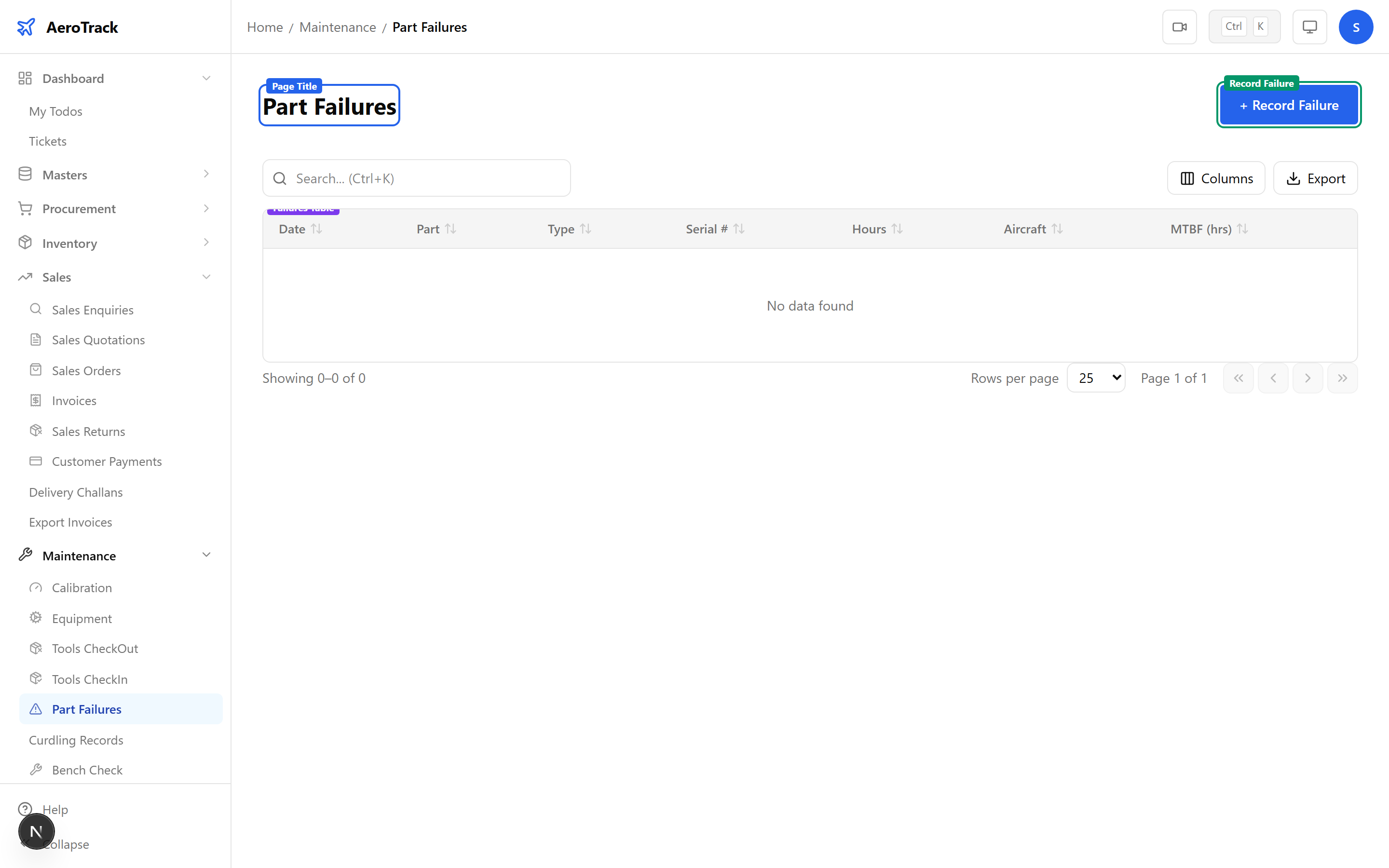
Navigate to Maintenance → Part Failures or go to /maintenance/part-failures.
2Filter & Columns
| Column | Description |
|---|---|
| Part Number | The failed part (links to detail). |
| Description | Part description from the master. |
| Serial Number | Serial of the failed unit (if serialised). |
| Failure Type | Badge: Mechanical, Electrical, Fatigue, Corrosion, Wear, Other. |
| Failure Date | When the failure occurred. |
| Hours at Failure | Component hours at the time of failure. |
| Cycles at Failure | Component cycles at the time of failure. |
| Aircraft Reg | Aircraft on which the failure occurred. |
| MTBF | Mean time between failures (hours). |
Filter by Failure Type to identify recurring patterns. The search box matches part number, serial number, description, and aircraft registration.
Record a Failure
3Part & Failure Type
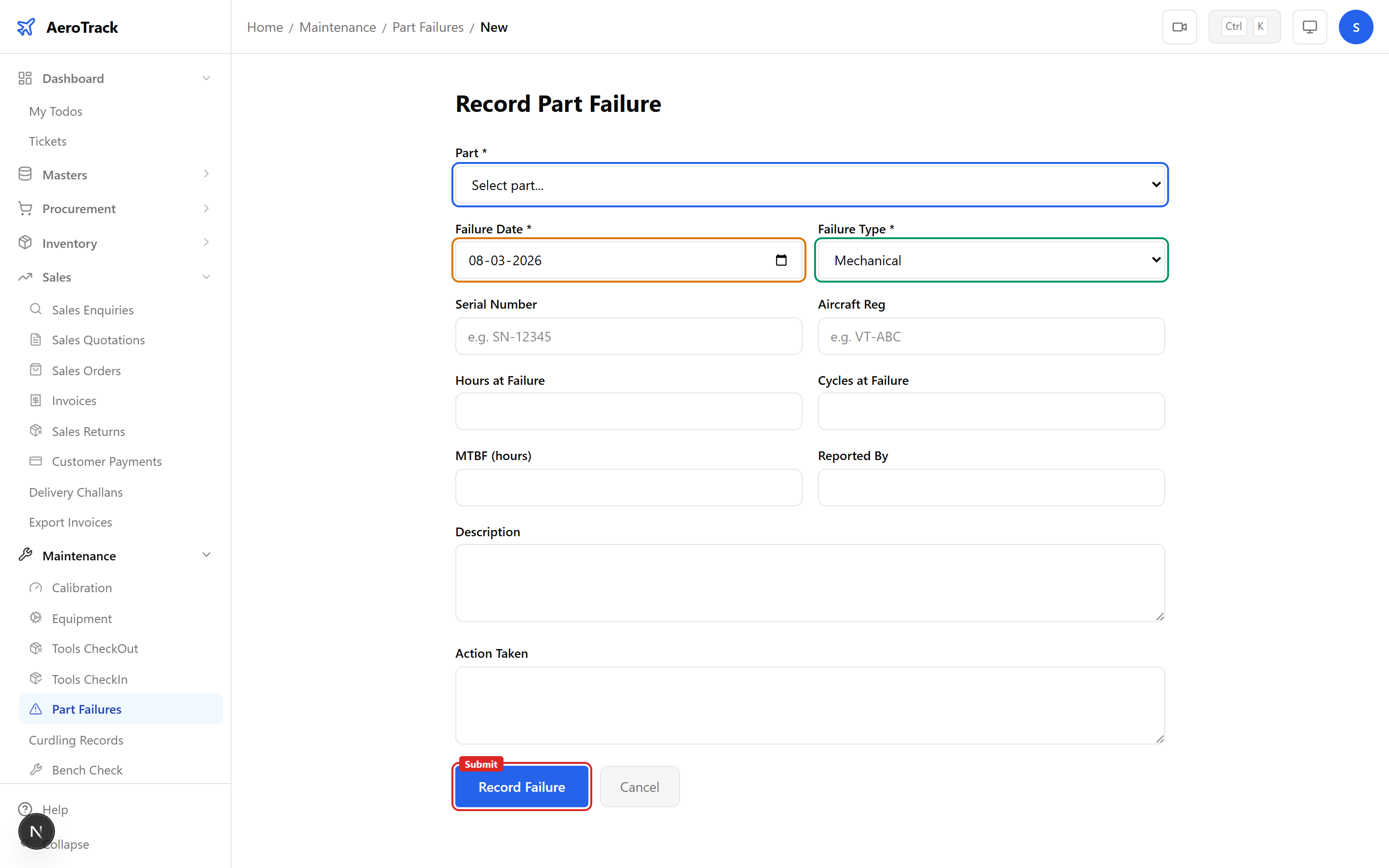
Click + Record Failure to open the form.
| Field | Required | Description |
|---|---|---|
| Part | Yes | Select the failed part from the dropdown. |
| Failure Type | Yes | Mechanical, Electrical, Fatigue, Corrosion, Wear, or Other. |
| Failure Date | Yes | Date the failure was discovered (defaults to today). |
4Failure Details
| Field | Required | Description |
|---|---|---|
| Serial Number | No | Serial of the failed component. |
| Aircraft Reg | No | Registration of the aircraft (e.g. VT-ABC). |
| Hours at Failure | No | Component flight hours at failure (e.g. 4523.5). |
| Cycles at Failure | No | Component flight cycles at failure. |
| MTBF | No | Mean time between failures in hours. |
| Reported By | No | Name of person who reported the failure. |
| Description | No | Detailed description of the failure mode and symptoms. |
| Action Taken | No | Corrective action performed (e.g. “replaced with P/N ABC-456”). |
While most fields are optional, recording serial number, hours at failure, and description is strongly recommended for meaningful reliability analysis.
5Submit
Click Record Failure to save. Part failures are log-only records — there is no workflow or status progression.
Part failure records feed into the Part Reliability report, which shows failure rates, MTBF trends, and top failing components across the fleet.
Reference
6Failure Types
| Type | Description | Common Examples |
|---|---|---|
| Mechanical | Physical/structural failure. | Bearing seizure, gear tooth breakage, shaft fracture. |
| Electrical | Electrical or electronic failure. | Wiring chafe, relay failure, connector corrosion. |
| Fatigue | Cyclic stress failure over time. | Crack propagation, metal fatigue, stress fractures. |
| Corrosion | Material degradation from environment. | Pitting, exfoliation, filiform, intergranular. |
| Wear | Gradual material loss from use. | Brake pad wear, bushing erosion, seal degradation. |
| Other | Failure not covered by above categories. | Foreign object damage, operator error, manufacturing defect. |
7Cross-Links
| Action | Guide |
|---|---|
| Track calibrations | Calibration |
| Manage equipment | Equipment Maintenance |
| Issue tools for repair | Tools Checkout |
| Discard BER parts | BER / Discard |
| View part reliability | Part Reliability Report |