Record Crew in Flight Logs
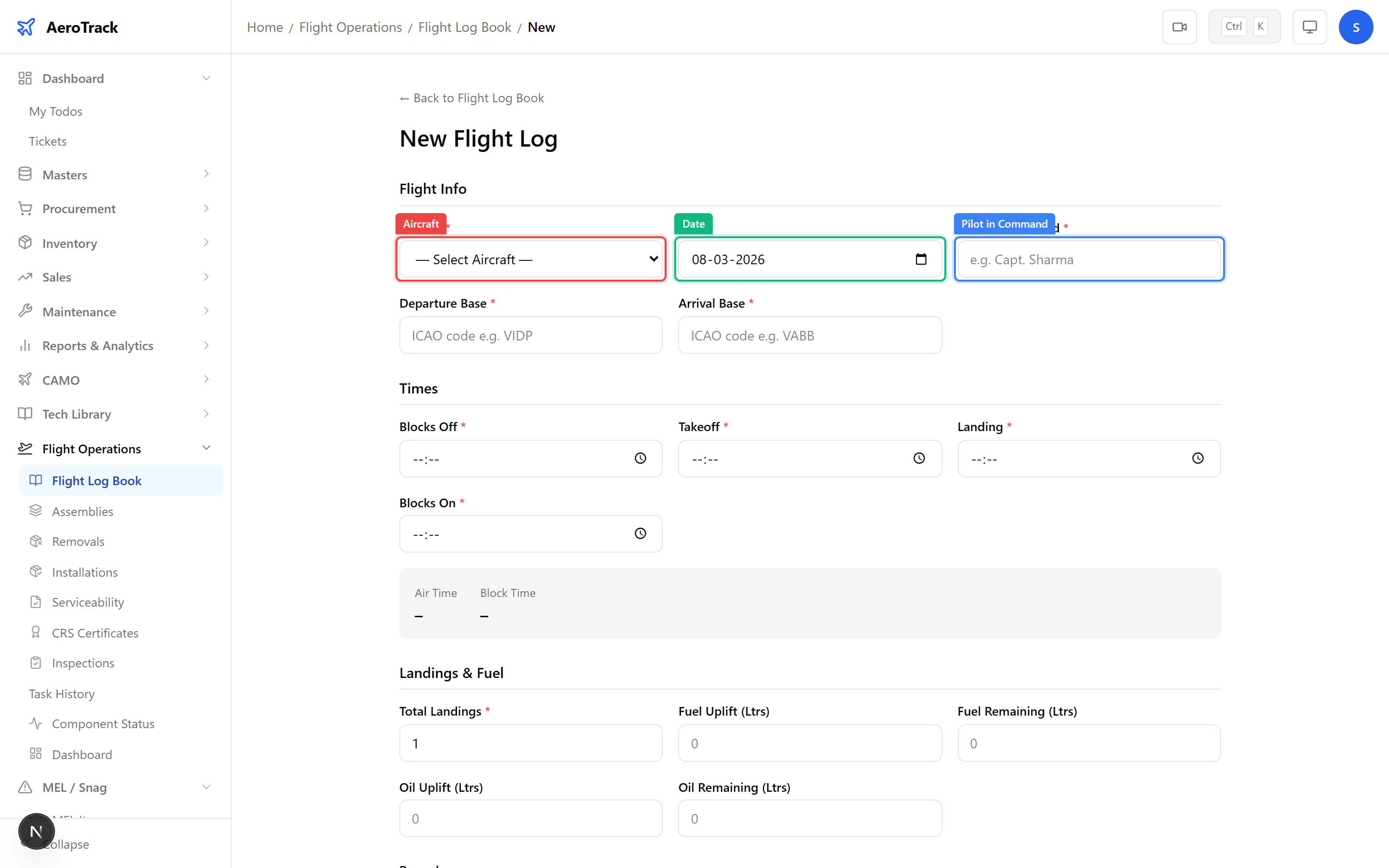
When creating a flight log at /flight-ops/log-book/new,
the Pilot in Command field records who flew
the aircraft. Enter the pilot’s name or designation:
| Field | Required | Description |
|---|---|---|
| Pilot in Command | Yes | Name of the PIC (e.g. “Capt. Sharma”, “F/O Patel”). Max 100 characters. |
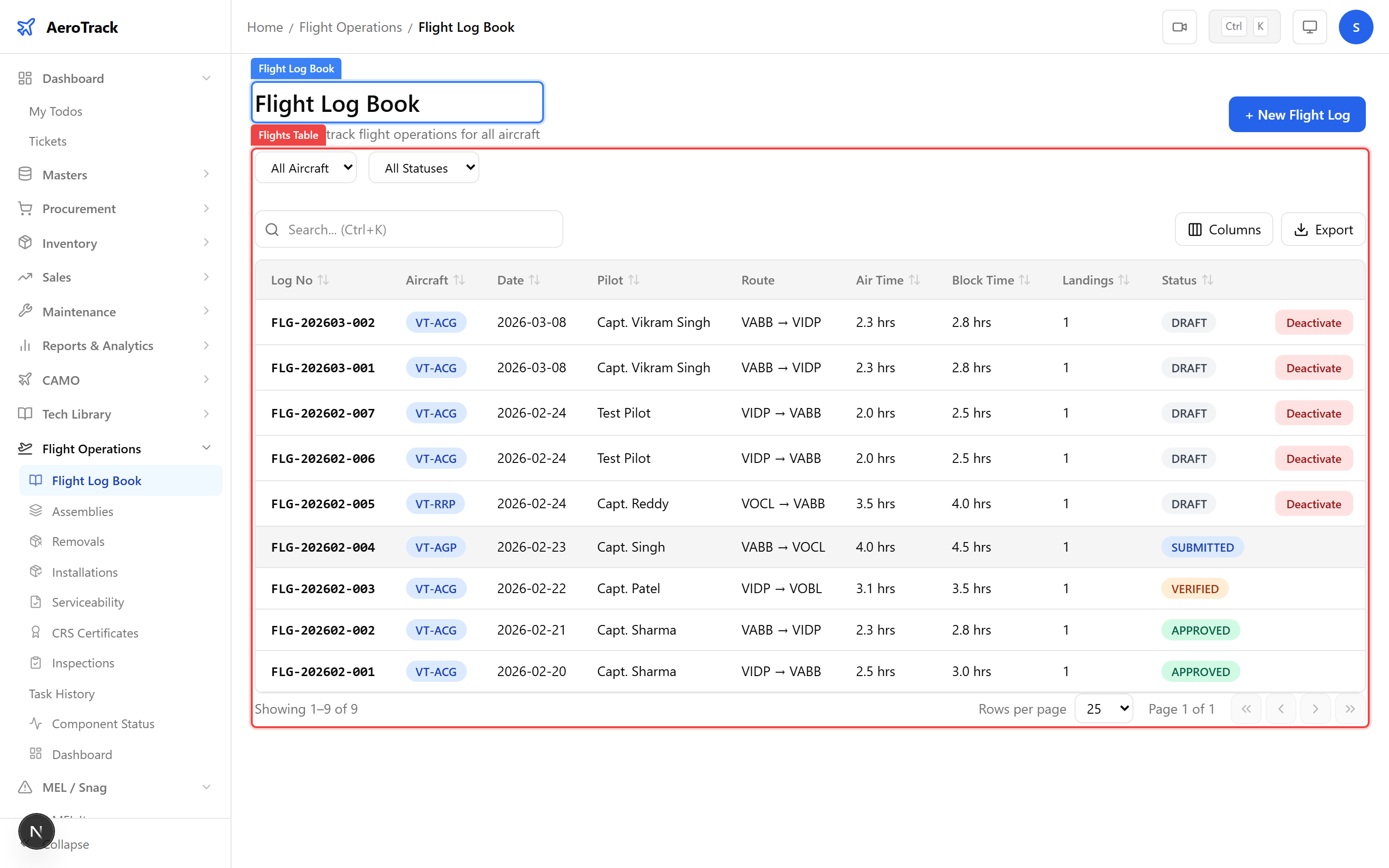
The flight log table at /flight-ops/log-book
shows the Pilot column for every recorded flight. Use the
aircraft filter to see all flights for a specific aircraft
and review which pilots operated it.
| Column | Shows |
|---|---|
| Log No | Auto-generated flight reference. |
| Aircraft | Registration mark. |
| Date | Flight date. |
| Pilot | Pilot in Command name. |
| Route | Departure → Arrival. |
| Air Time | Flying hours for this sector. |
| Block Time | Gate-to-gate time. |
Pilot Duty Reports
The Pilot Duty Log report aggregates flying hours per pilot
across all approved flight logs. Navigate to
CAMO Reports → Pilot Flight Log at
/camo/reports/pilot-flight-log to view:
| Report Column | Description |
|---|---|
| Pilot Name | Pilot in Command from flight logs. |
| Total Flights | Number of sectors flown. |
| Total Air Time | Cumulative flying hours. |
| Total Block Time | Cumulative gate-to-gate hours. |
| Total Landings | Cumulative landing count. |
| Routes | Departure and arrival bases flown. |
The Flight Operations Dashboard at
/flight-ops/dashboard provides summary KPIs:
| KPI | Description |
|---|---|
| Flights This Month | Number of flight logs created this calendar month. |
| Hours This Month | Total air hours flown this month across the fleet. |
| Fleet Size | Number of active aircraft. |
| Components Tracked | Installed components with life tracking. |
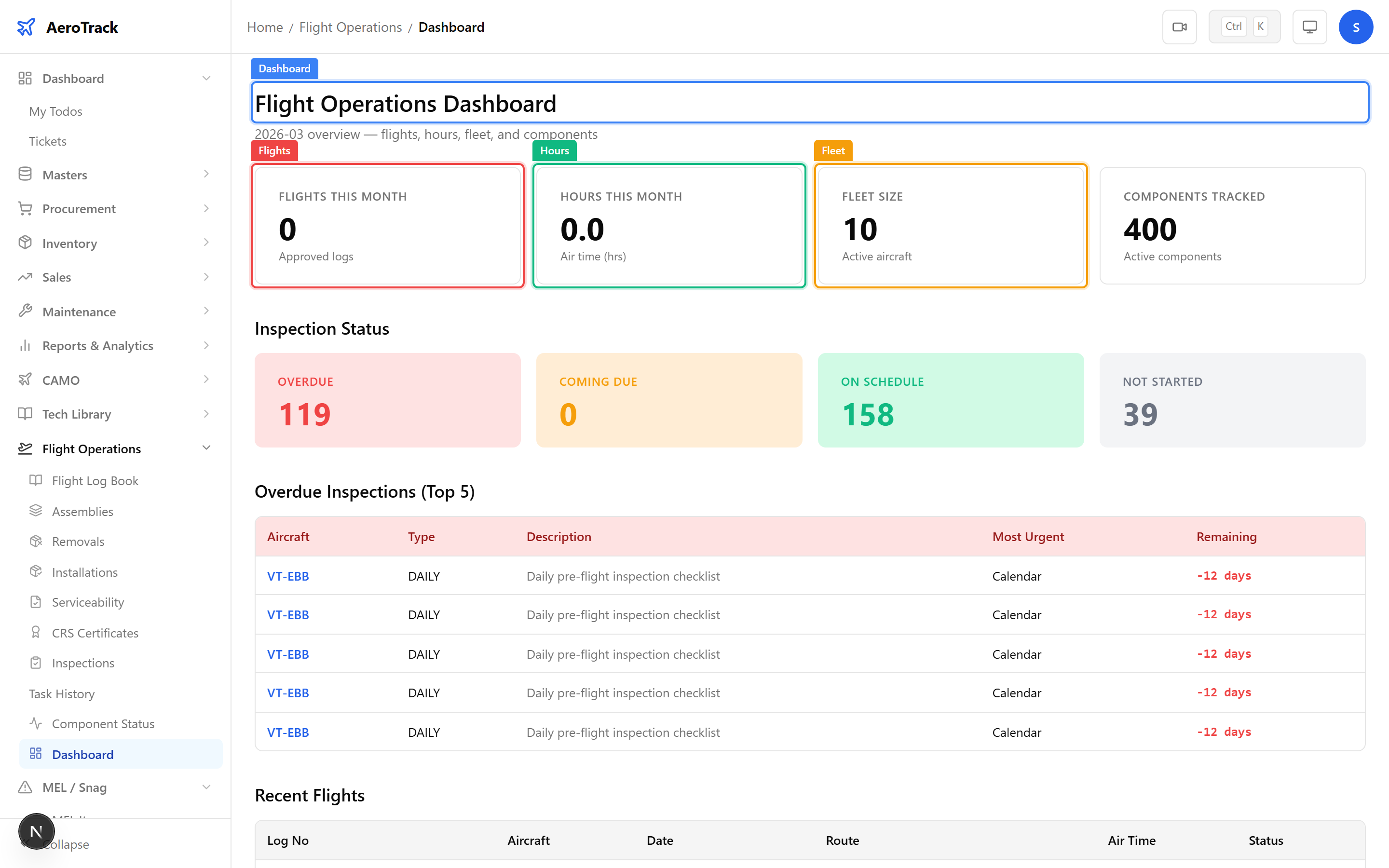
The dashboard also shows the Recent 10 Flights table with the latest approved flights, including pilot names, routes, times, and aircraft. This gives a quick view of current fleet activity.
HR Integration
Pilot qualifications and licence validity are managed through the HR module. Cross-reference pilot records to ensure:
| Check | HR Module |
|---|---|
| Pilot licence validity | Licence Tracking — check expiry dates and type ratings. |
| Recurrent training status | Training Records — verify safety, CRM, and type-rating training. |
| Employee profile | Employee Management — designation, department, qualifications. |
| Action | Guide |
|---|---|
| Create a flight log | Flight Log Book |
| Track fuel consumption | Fuel & Oil Tracking |
| View pilot duty report | Pilot Duty Log |
| Manage licences | Licence Tracking |
| View utilisation report | Utilisation Report |