Browse Licences
Navigate to HR → Licences. The list at
/hr/licenses shows all recorded licences with
employee name, licence type, number, issuing authority, and
expiry date.
Click any row to view details. Click + New Licence to add a new licence record.
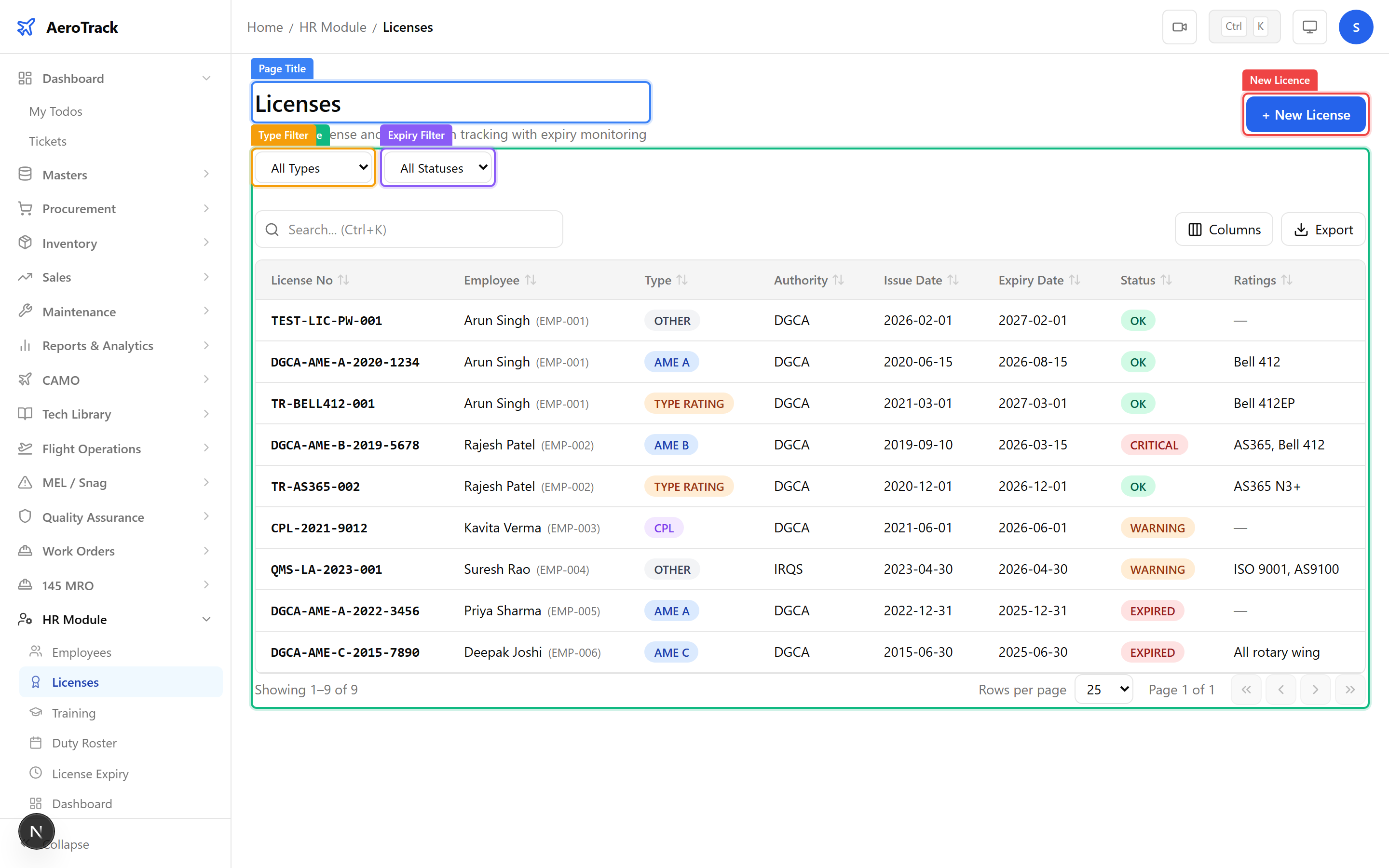
Use the Licence Type filter (AME, NDT, Welder, etc.) and the Expiry Status filter (Valid, Expiring Soon, Expired) to narrow results.
Add a Licence
Click + New Licence or navigate to
/hr/licenses/new.
| Field | Required | Notes |
|---|---|---|
| Employee * | Yes | Select the licence holder from the employee list. |
| Licence Type * | Yes | AME (Aircraft Maintenance Engineer), NDT, Welder, Inspector, or Other. |
| Licence Number * | Yes | Official licence reference number issued by the authority. |
| Issuing Authority * | Yes | DGCA, EASA, FAA, or other regulatory body. |
| Issue Date * | Yes | Date the licence was issued or last renewed. |
| Expiry Date | No | When the licence expires. Leave blank for non-expiring licences. |
| Ratings | No | Type ratings, aircraft categories, or endorsements covered. |
| Remarks | No | Additional notes (limitations, conditions, etc.). |
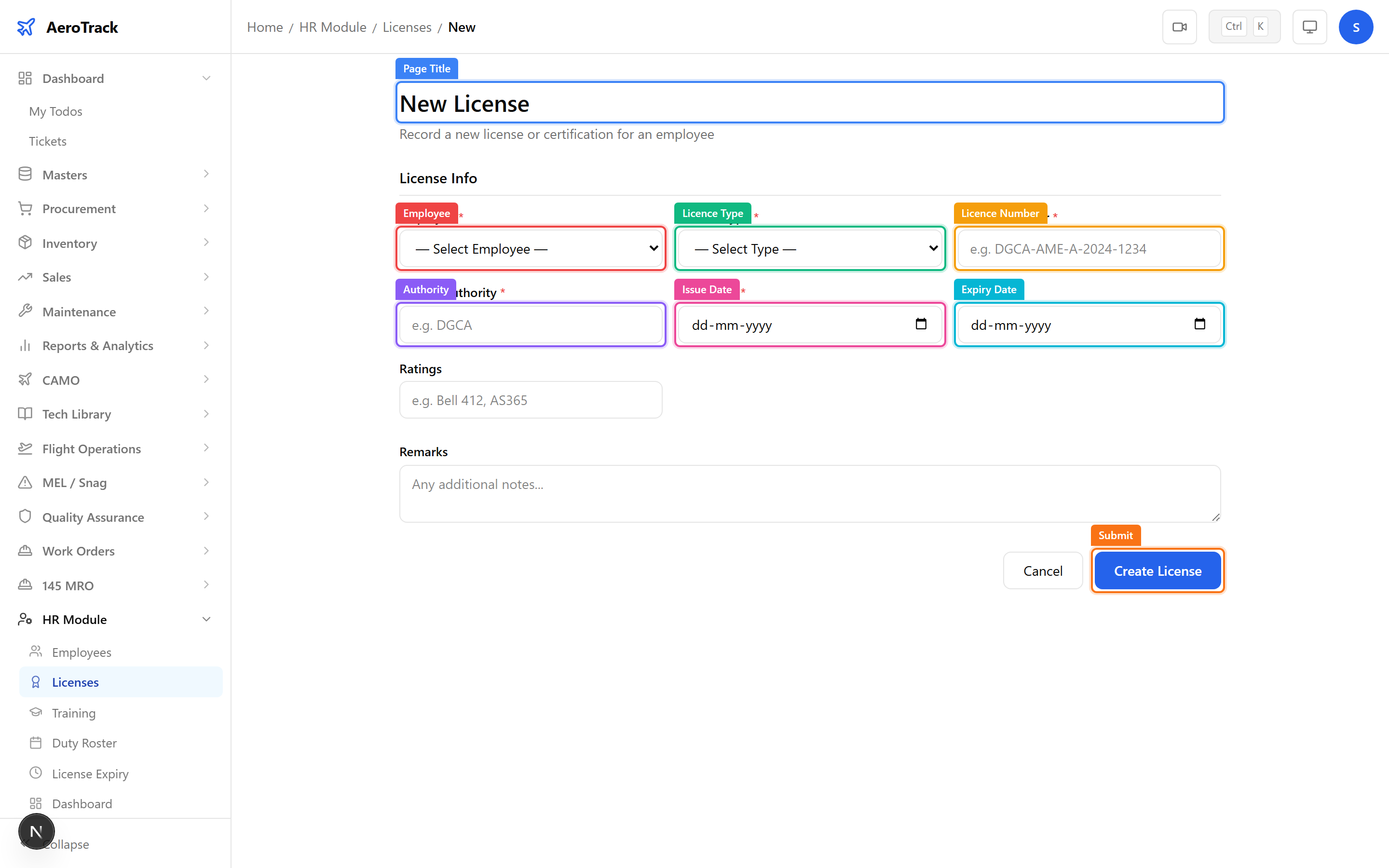
Click Create to save the licence record. It immediately appears on the employee’s profile page and in the licence expiry monitoring dashboard.
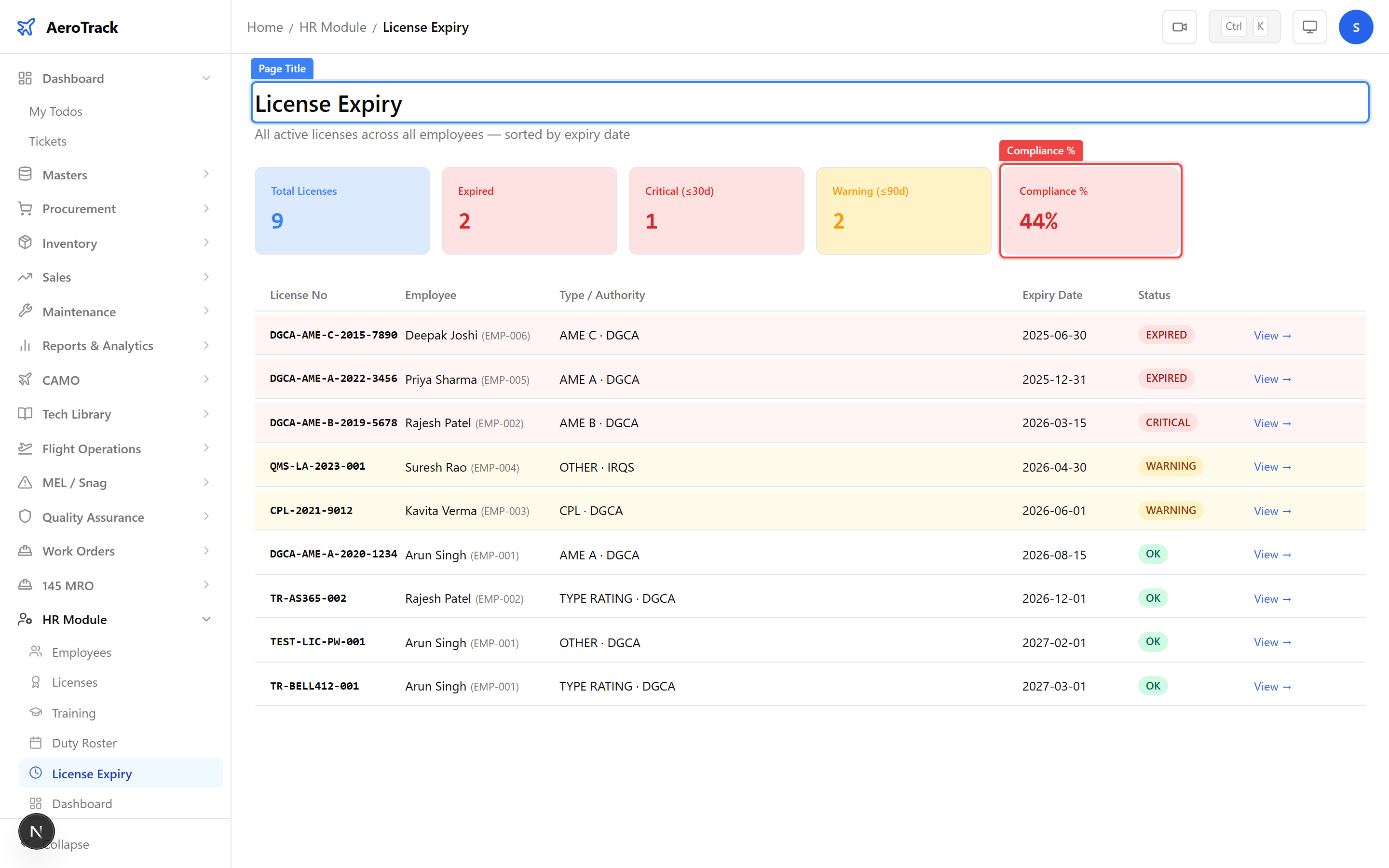
Licence Expiry Monitoring
Navigate to HR → Licence Expiry
(/hr/license-expiry). This page shows all licences
sorted by expiry urgency with a compliance percentage summary.