Background Jobs Overview
AeroTrack performs several automated background tasks to keep compliance data current and alert users to upcoming deadlines:
| Job | Frequency | What It Does |
|---|---|---|
| AD/SB URL Check | On demand / scheduled | Fetches monitored AD/SB source URLs and detects content changes. |
| Inspection Due Calc | On flight log approval | Recalculates next-due values for all inspections when aircraft hours/cycles update. |
| Audit Logging | On every mutation | Records create/update/delete actions with before/after snapshots. |
| Session Cleanup | On login | Validates active sessions and enforces single-device login per user. |
AD/SB URL Monitoring
When an AD or SB record has Monitoring Enabled and a Source URL pointing to a DGCA, FAA, or EASA web page, the system can check that URL for changes.
The check compares a hash of the current page content with the previously stored hash. If the content has changed, a notification is created with the appropriate severity (CRITICAL or WARNING).
Navigate to Tech Library → AD/SB → Notifications
(/tech-library/ad-sb/notifications) and click the
Run Check button to trigger an immediate URL
monitoring scan across all monitored AD/SB items.
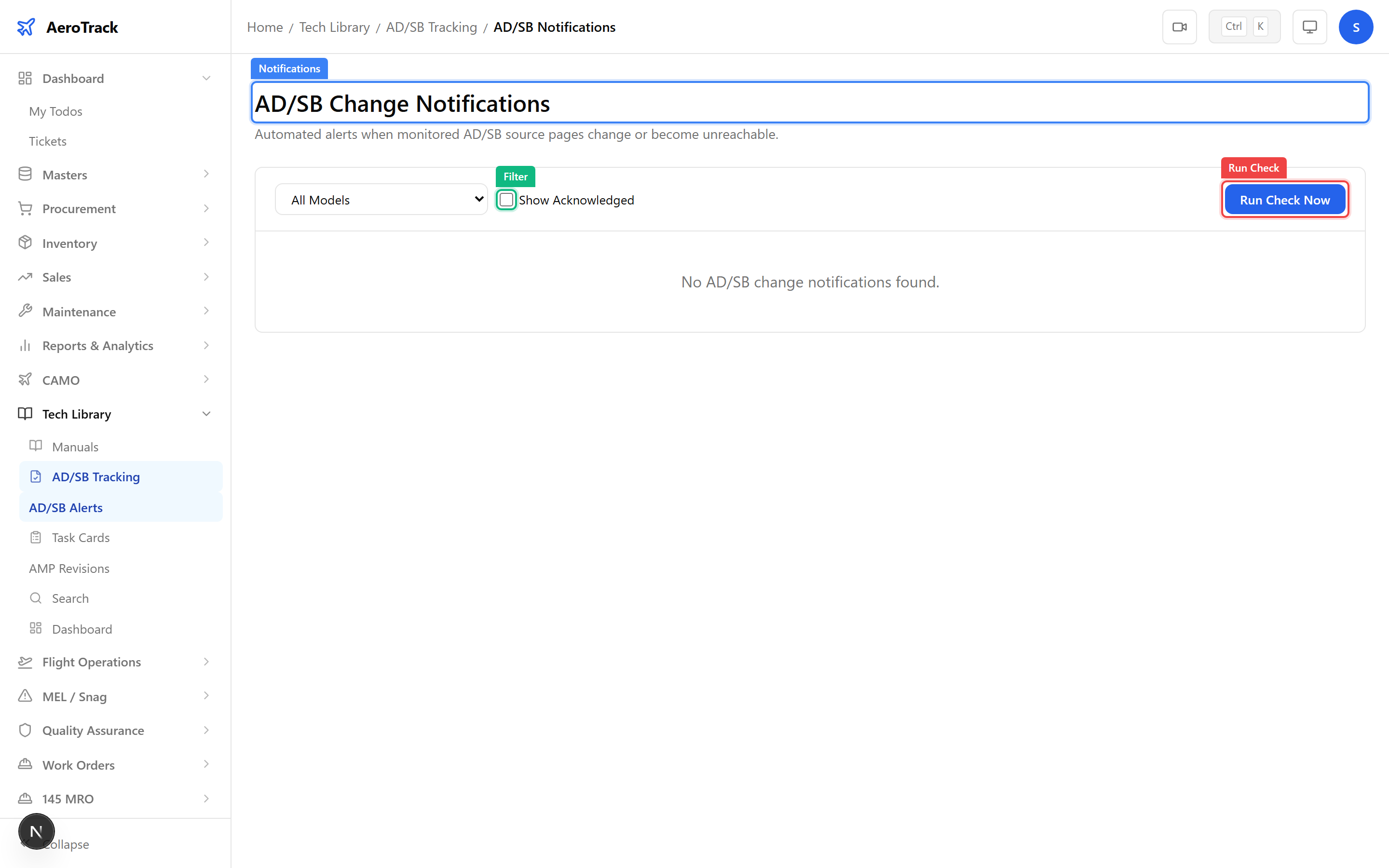
The check runs in the background and creates notification records for any detected changes. Refresh the page to see new results.
Due Calculations & Auditing
The inspection due calculation engine runs automatically whenever:
| Trigger | Effect |
|---|---|
| Flight log approved | Updates aircraft total hours/cycles, then recalculates remaining margins for all inspections on that aircraft. |
| Inspection marked done | Updates the last-done baseline and recalculates the next-due values. |
| Inspection created/edited | Calculates initial next-due values based on intervals and baseline. |
Results are visible on the Inspection Schedule matrix and the Inspection Due Report.
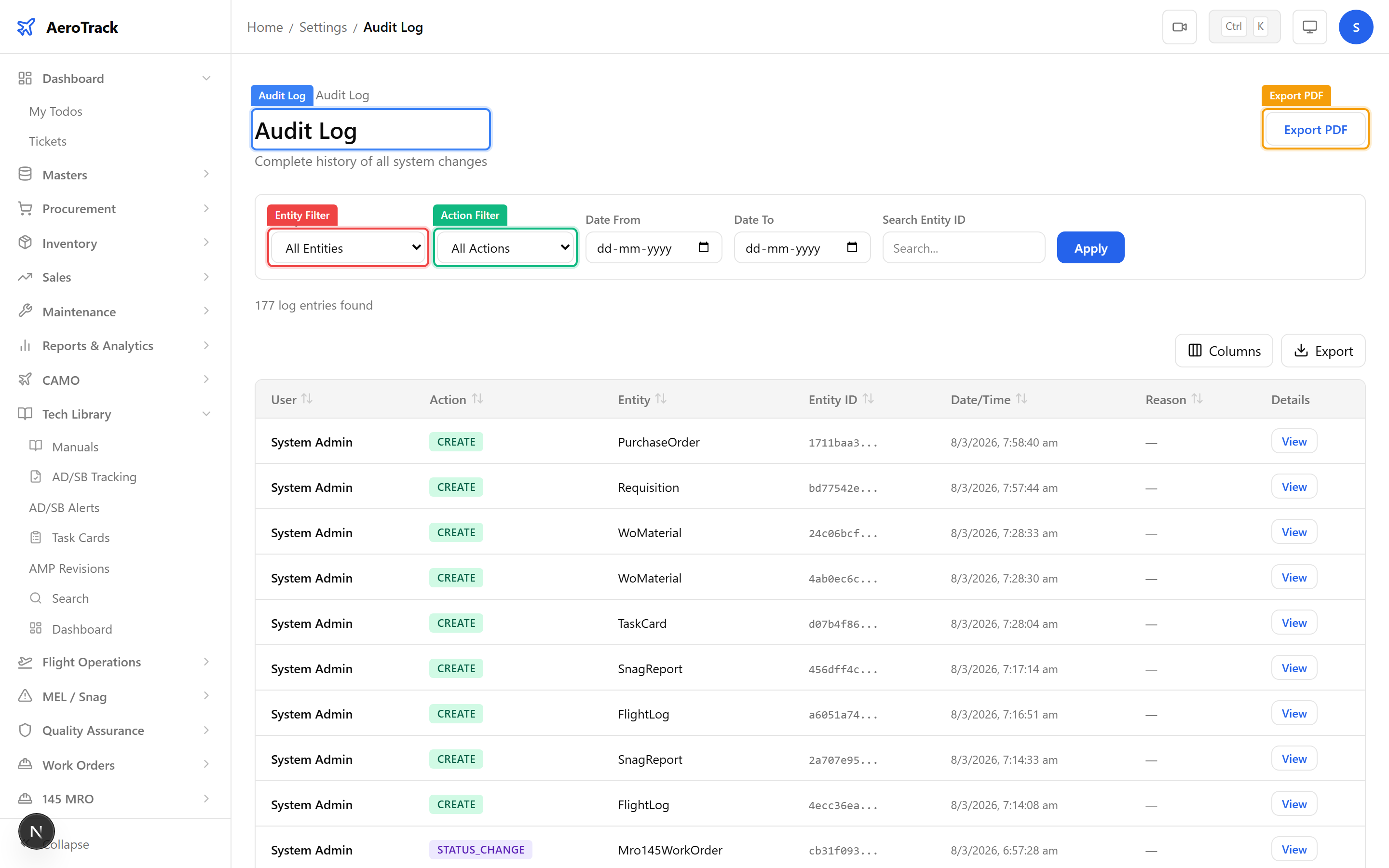
Every automated action is logged in the
Audit Log at
/settings/audit-log. The log records:
| Field | Description |
|---|---|
| Entity | Which table/record was affected. |
| Action | Create, Update, or Delete. |
| User | Who triggered the action (or “System” for automated tasks). |
| Timestamp | Exact time of the action. |
| Before / After | JSON snapshot of the data before and after the change. |