Company Identity
1
Open Company Profile
Navigate to Settings → Company Profile or
go directly to /settings/company. The form shows
your organisation’s current configuration.
2
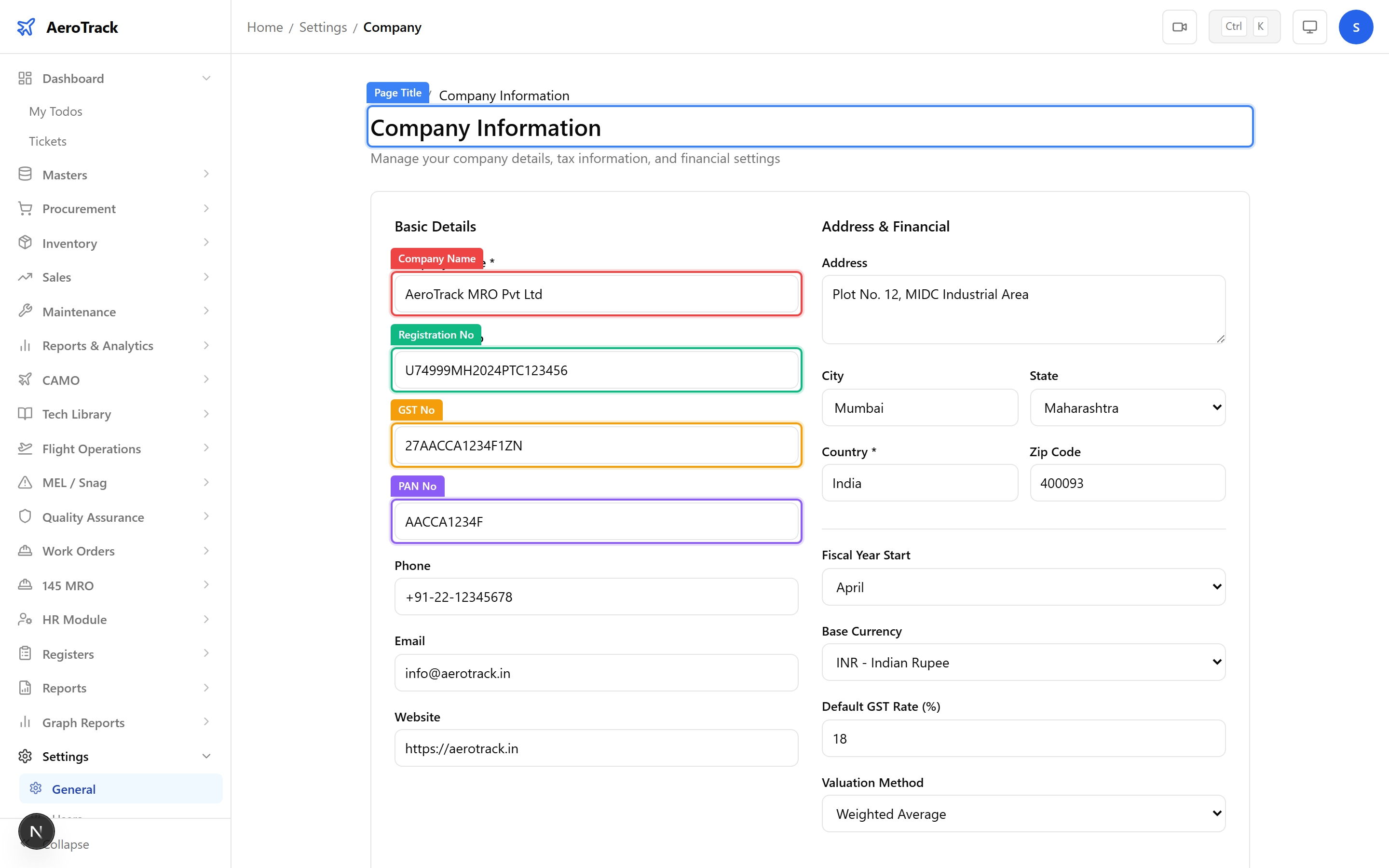
Fill Identity Fields
| Field | Description |
|---|---|
| Company Name | Legal name shown on reports, invoices, and printed documents. |
| Registration No | Business registration or CIN number. |
| GST No | GSTIN for tax compliance. |
| PAN No | Permanent Account Number for income tax. |
| Phone | Primary contact phone number. |
| Company email for correspondence. | |
| Website | Company website URL. |
| Address | Full registered address with city, state, country, and ZIP code. |
The company name and address appear in the header of all CAMO reports and printed documents. Keep these accurate and up to date.
Financial Settings
3
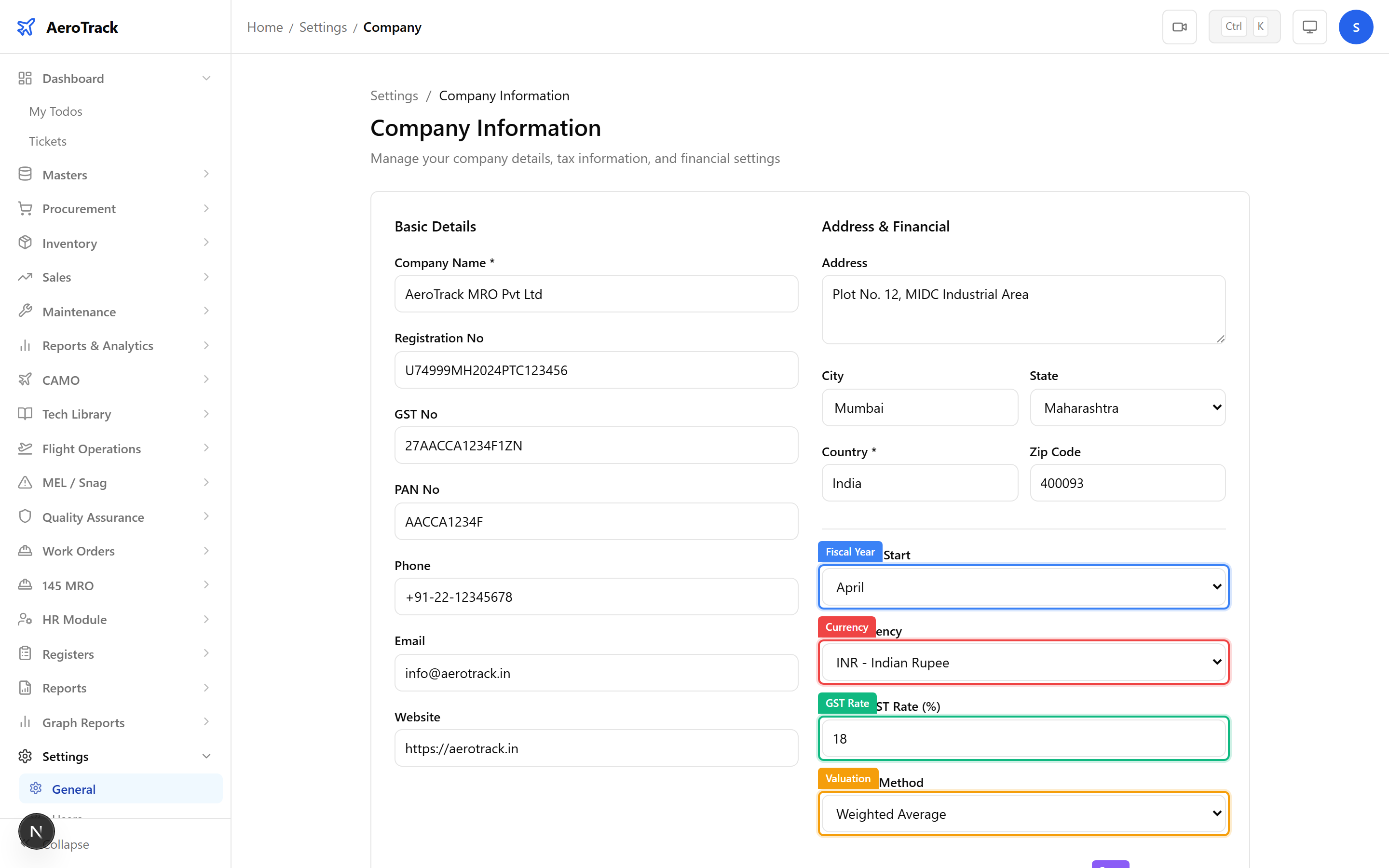
Fiscal Year & Currency
| Field | Description |
|---|---|
| Fiscal Year Start | Month when your financial year begins (e.g. April for Indian fiscal year). |
| Base Currency | Default currency for pricing, POs, and invoices (e.g. INR). |
4
GST & Valuation
| Field | Description |
|---|---|
| Default GST Rate | Standard GST percentage applied to new transactions (e.g. 18%). |
| Valuation Method | Inventory costing method — FIFO (first in, first out) or Weighted Average. |
Changing the valuation method affects how stock values are calculated across all stores. Consult your finance team before switching methods on a live system.
Save & Related
5
Save Changes
Click Save at the bottom of the form to persist changes. A success toast confirms the update. All changes are recorded in the Audit Log.
6
Text Series & Audit Log
Two additional settings pages complement the Company Profile:
| Page | Route | Purpose |
|---|---|---|
| Text Series | /settings/text-series | Configure auto-numbering prefixes and formats for POs, invoices, GRNs, work orders, etc. |
| Audit Log | /settings/audit-log | View a chronological log of all create, update, and delete actions across the system. |
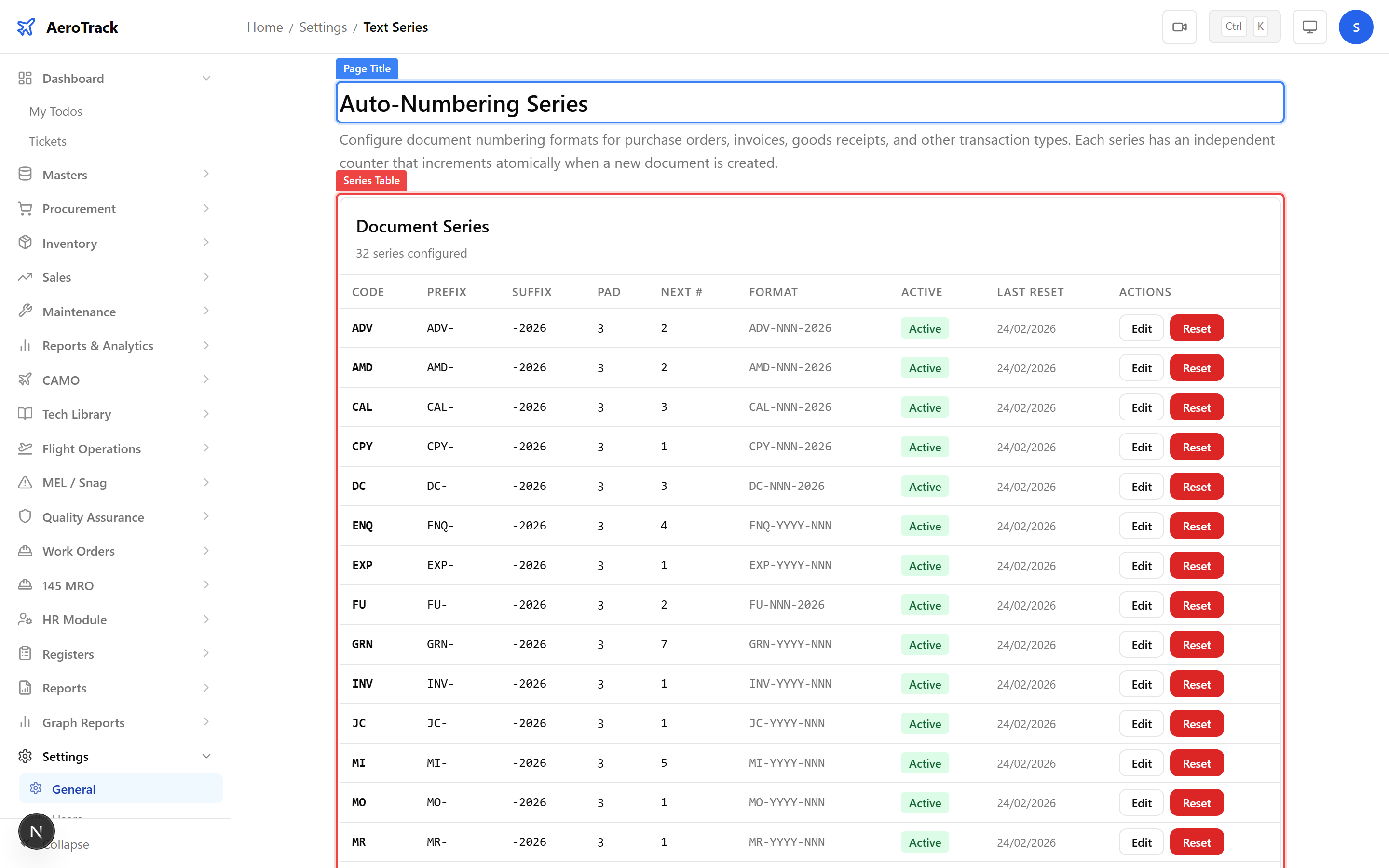
The Text Series page lets you control how document numbers are generated. For example, set the PO prefix to
PO- with 5-digit padding to get numbers like PO-00001.