Browse Task Cards
Navigate to Tech Library → Task Cards in the
sidebar. The list loads at /tech-library/task-cards
showing all task cards ordered by creation date (newest first).
Each row shows the task card number, title, task type, ATA chapter, aircraft model, priority, and interval values.
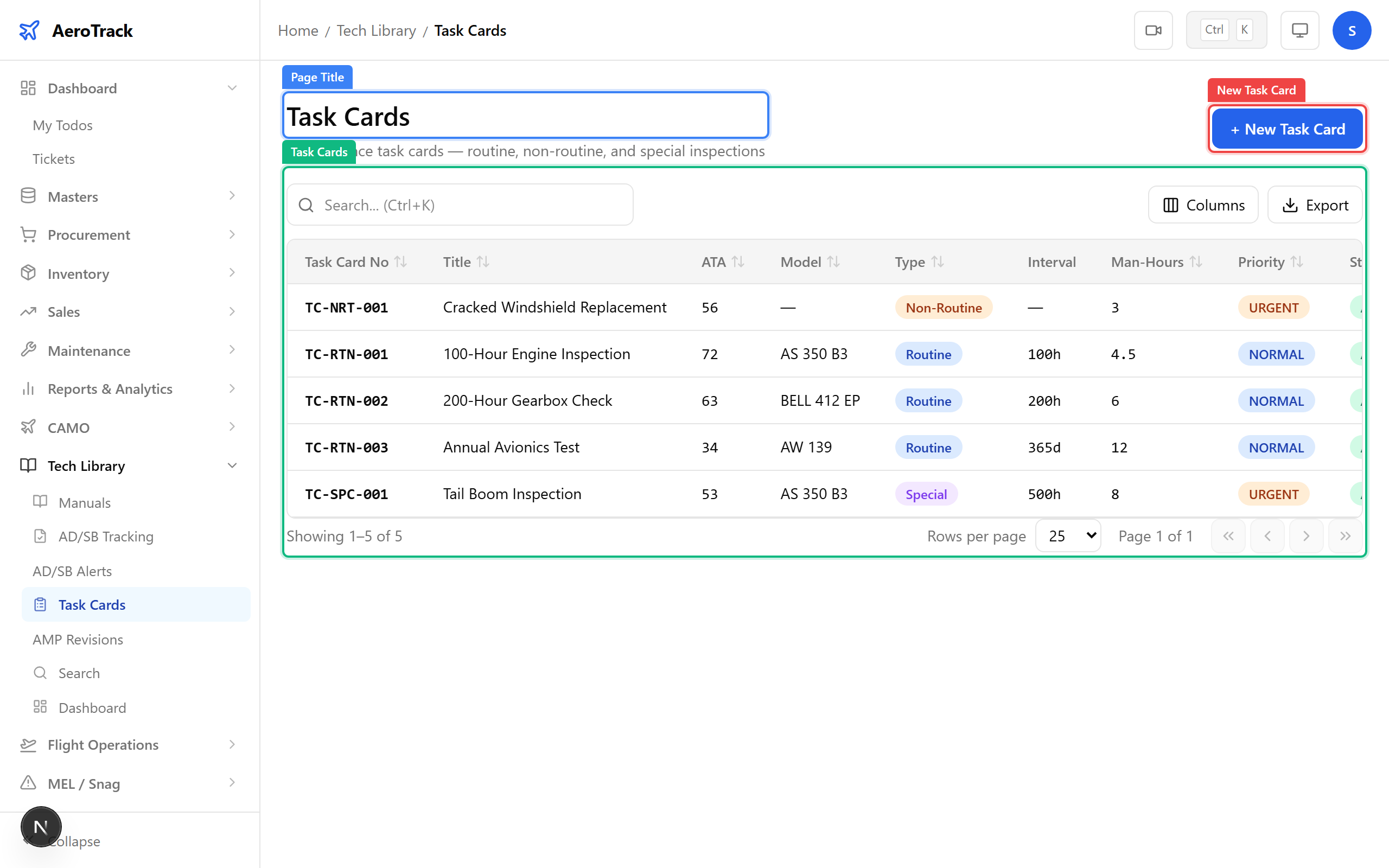
The table columns are:
| Column | Meaning |
|---|---|
| Task Card No | Unique identifier (e.g. TC-ENG-001). |
| Title | Short description of the maintenance task. |
| Type | Routine, Non-Routine, or Special. |
| ATA Chapter | Related ATA chapter for categorisation. |
| Model | Aircraft model the task applies to. |
| Priority | Low, Medium, High, or Critical. |
| Interval | Hours, cycles, and/or days between repetitions. |
Create a Task Card
Click + New Task Card at the top-right of the list.
The form opens at /tech-library/task-cards/new.
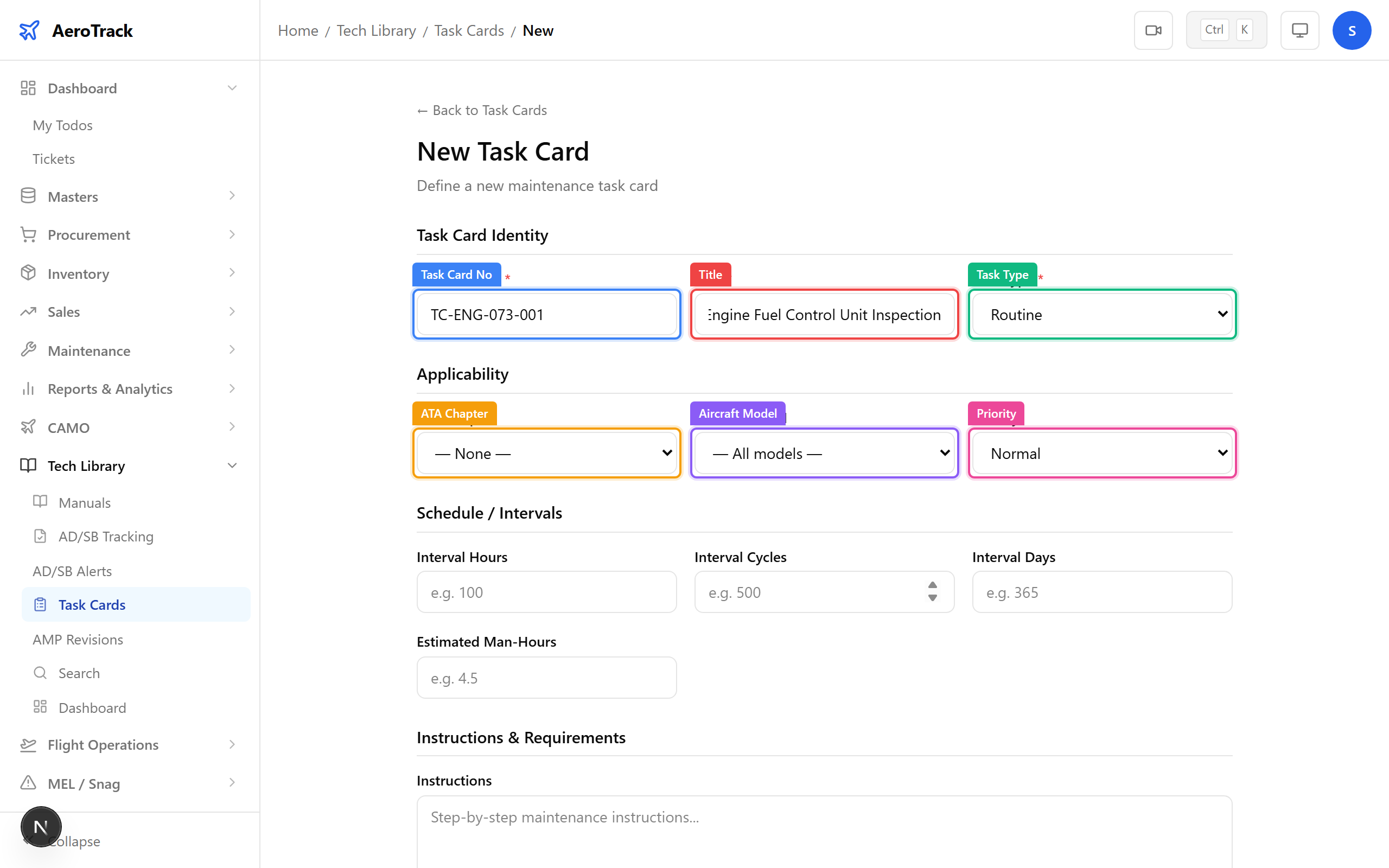
Complete the identity and applicability sections:
| Field | Required | Notes |
|---|---|---|
| Task Card No * | Yes | Unique identifier, e.g. TC-ENG-001. |
| Title * | Yes | Short name of the task (max 200 chars). |
| Task Type * | Yes | Routine (scheduled), Non-Routine (condition-based), or Special (STC/AD compliance). |
| ATA Chapter | No | Select the related ATA chapter for categorisation. |
| Aircraft Model | No | Select the aircraft model this task applies to. |
| Priority | No | Low, Medium, High, or Critical. |
Define the repetition schedule and maintenance instructions:
| Field | Notes |
|---|---|
| Interval Hours | Flight hours between inspections (e.g. 100, 500, 2000). |
| Interval Cycles | Landing cycles between inspections. |
| Interval Days | Calendar days between inspections. |
| Estimated Man-Hours | Labour hours required to complete the task. |
| Instructions | Step-by-step maintenance procedure. |
| Tools Required | List of tools needed. |
| Parts Required | List of parts/consumables needed. |
| Remarks | Additional notes (max 500 chars). |
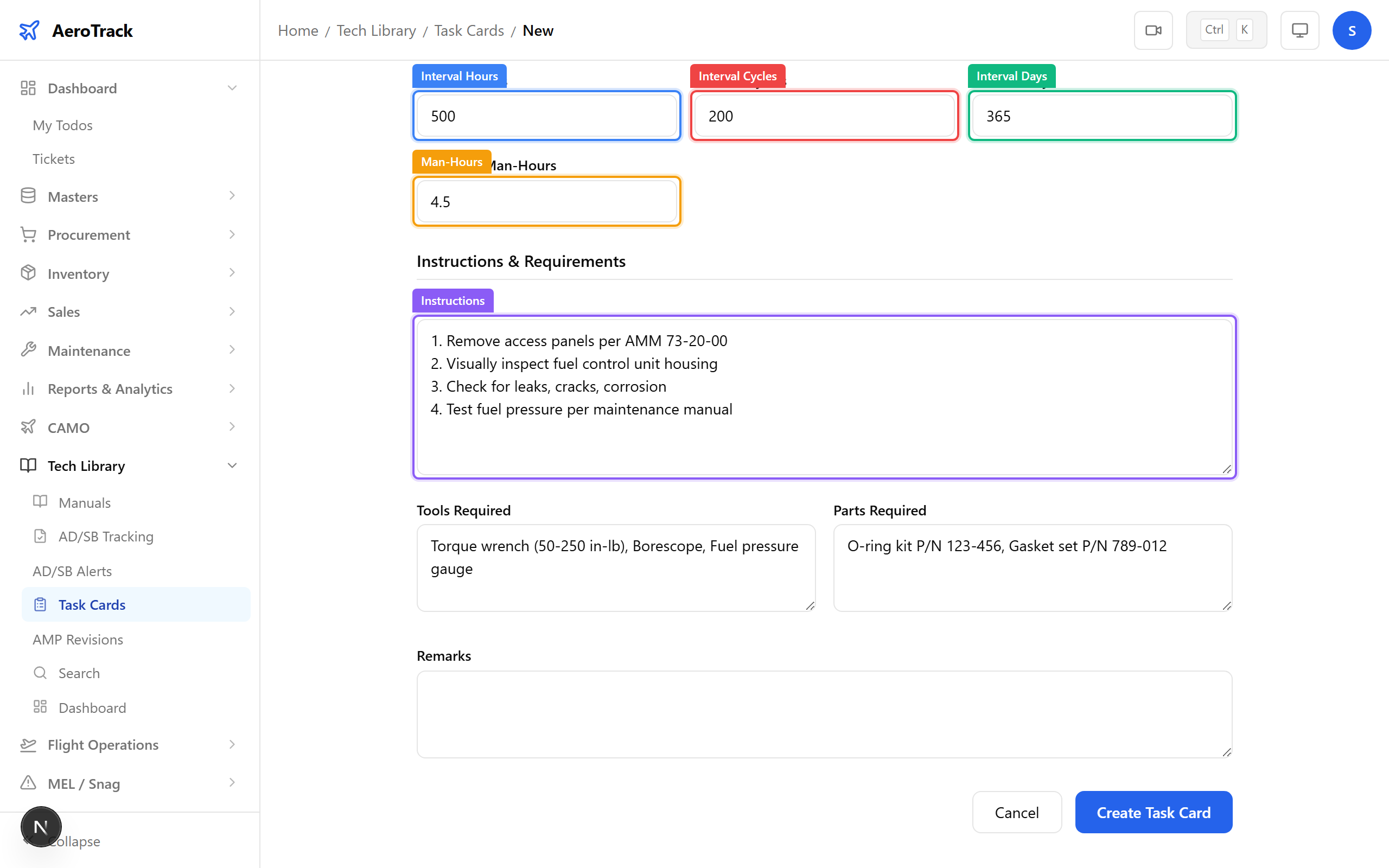
Click Create Task Card. The system validates the task card number is unique and saves the record.
A success toast appears and you are redirected to the task cards list.
TC-{ATA}-{SEQ}) before creating cards.View Task Card Details
Click any task card row to open its detail page. The page shows all fields in a read-only layout:
- Identity: task card number, title, type, priority.
- Applicability: ATA chapter, aircraft model.
- Schedule: interval hours, cycles, days, man-hours.
- Instructions: procedure steps, tools, parts.
Task cards are referenced by inspection schedules, work order jobs, and AMP revisions. Changes to a task card’s intervals affect future inspection recalculations.