Aircraft Hours Report
Navigate to CAMO Reports → Aircraft Hours
or go directly to /camo/reports/aircraft-hours.
This report shows total airframe hours and cycles for each aircraft
in the fleet.
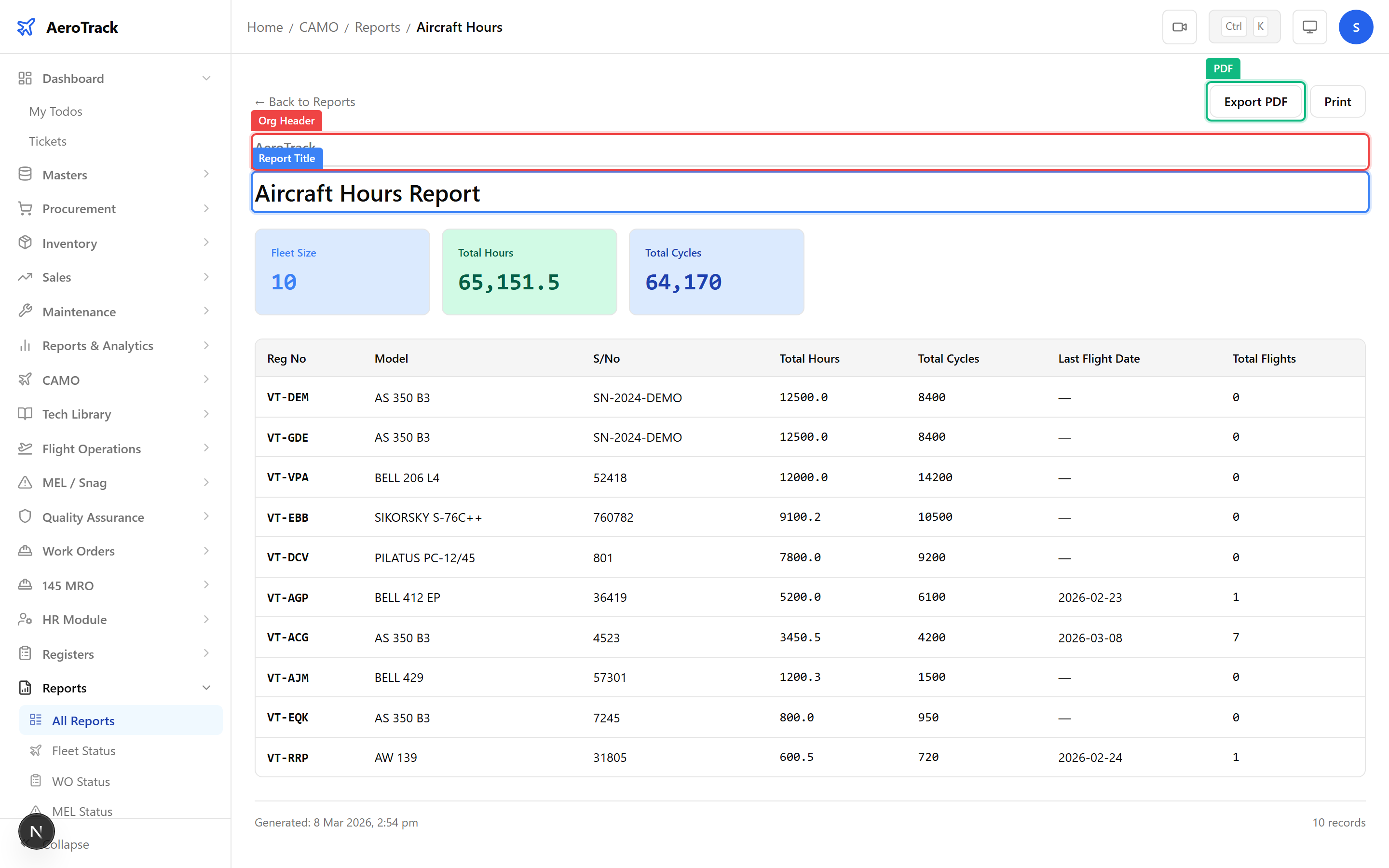
| Column | Description |
|---|---|
| Aircraft | Registration mark (e.g. VT-ABC). |
| Model | Aircraft type (e.g. B737-800, ATR 72-600). |
| Total Hours | Airframe total time since new (TSN) in flight hours. |
| Total Cycles | Airframe total cycles since new. |
| Last Flight | Date of the most recent approved flight log entry. |
Aircraft Utilisation
Navigate to CAMO Reports → Aircraft Utilization
or go directly to /camo/reports/aircraft-utilization.
This report breaks down how intensively each aircraft is being
flown relative to its fleet average.
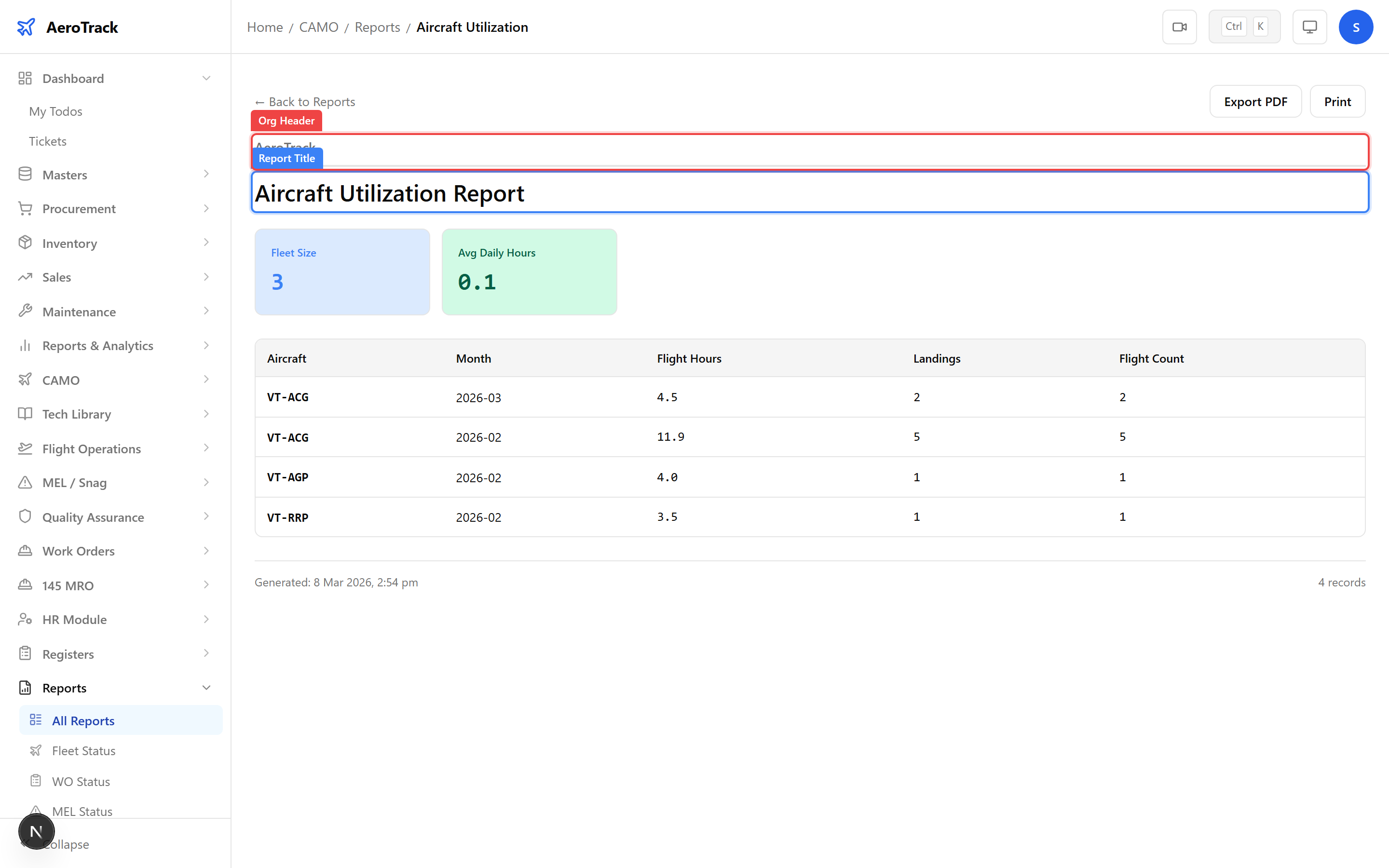
| Metric | Description |
|---|---|
| Hours This Month | Total flight hours logged in the current calendar month. |
| Cycles This Month | Total flight cycles in the current month. |
| Daily Average | Average flight hours per day over the reporting period. |
| Monthly Average | Average flight hours per month over the aircraft’s lifetime. |
Monthly Summary
Navigate to CAMO Reports → Monthly Summary
or go directly to /camo/reports/monthly-summary.
This consolidated view shows month-by-month fleet activity in a
single table.
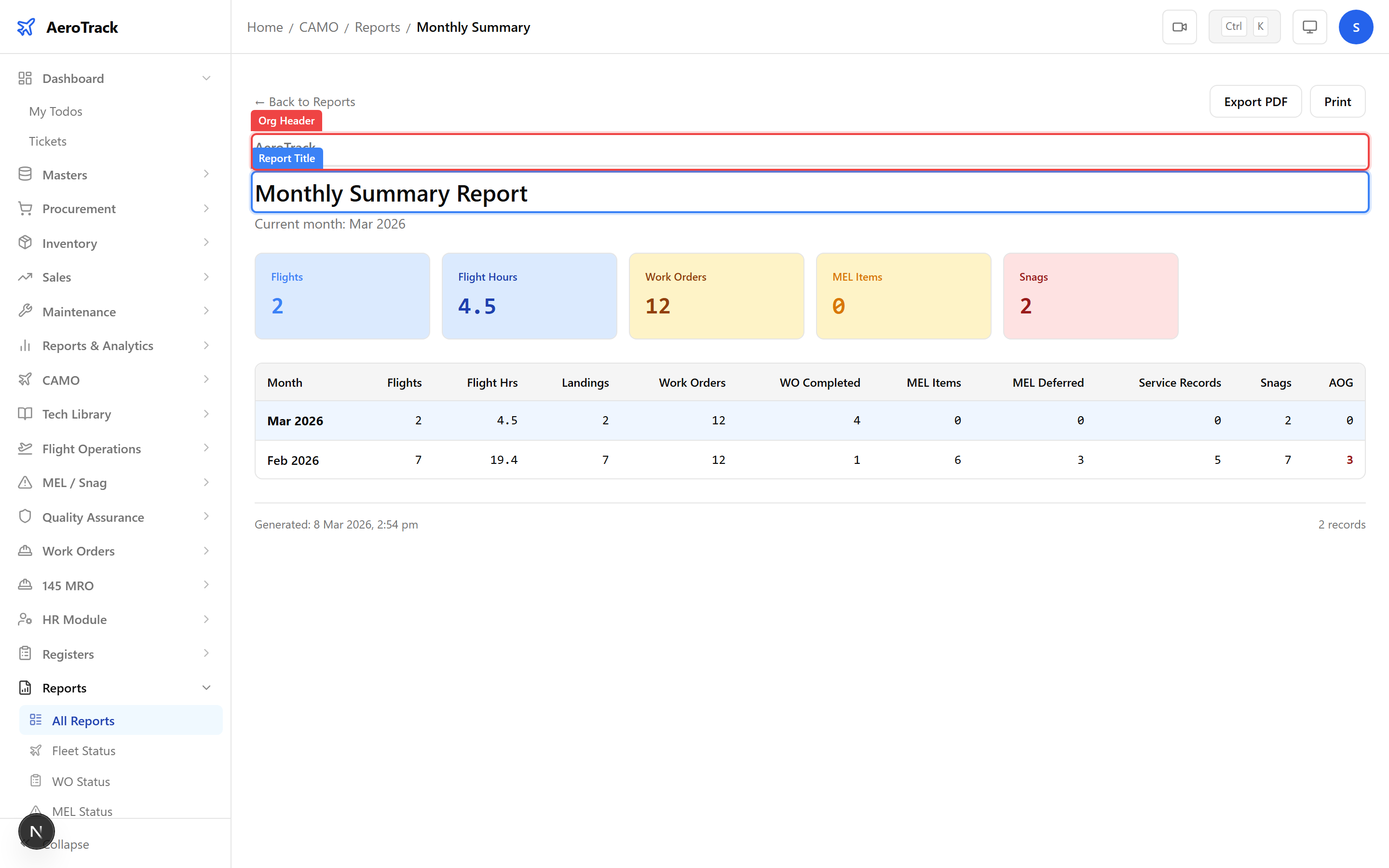
| Column | Description |
|---|---|
| Month | Calendar month (e.g. Jan 2026, Feb 2026). |
| Total Flights | Number of flight log entries approved in that month. |
| Total Hours | Sum of block hours across all aircraft. |
| Total Cycles | Sum of cycles across all aircraft. |
| Total Fuel | Sum of fuel consumed across the fleet. |
Export
Each report page has PDF and Print buttons in the toolbar. Click PDF to download a formatted document, or Print for a print-optimised layout.
The exported report includes the organisation header, report title, data table, and a timestamped footer — suitable for DGCA submissions and management meetings.