Navigate to CAMO → Registers. The index page lists all 22 register types — from flight logs and component history to AD compliance and MEL tracking. Each register is a filterable, exportable table.
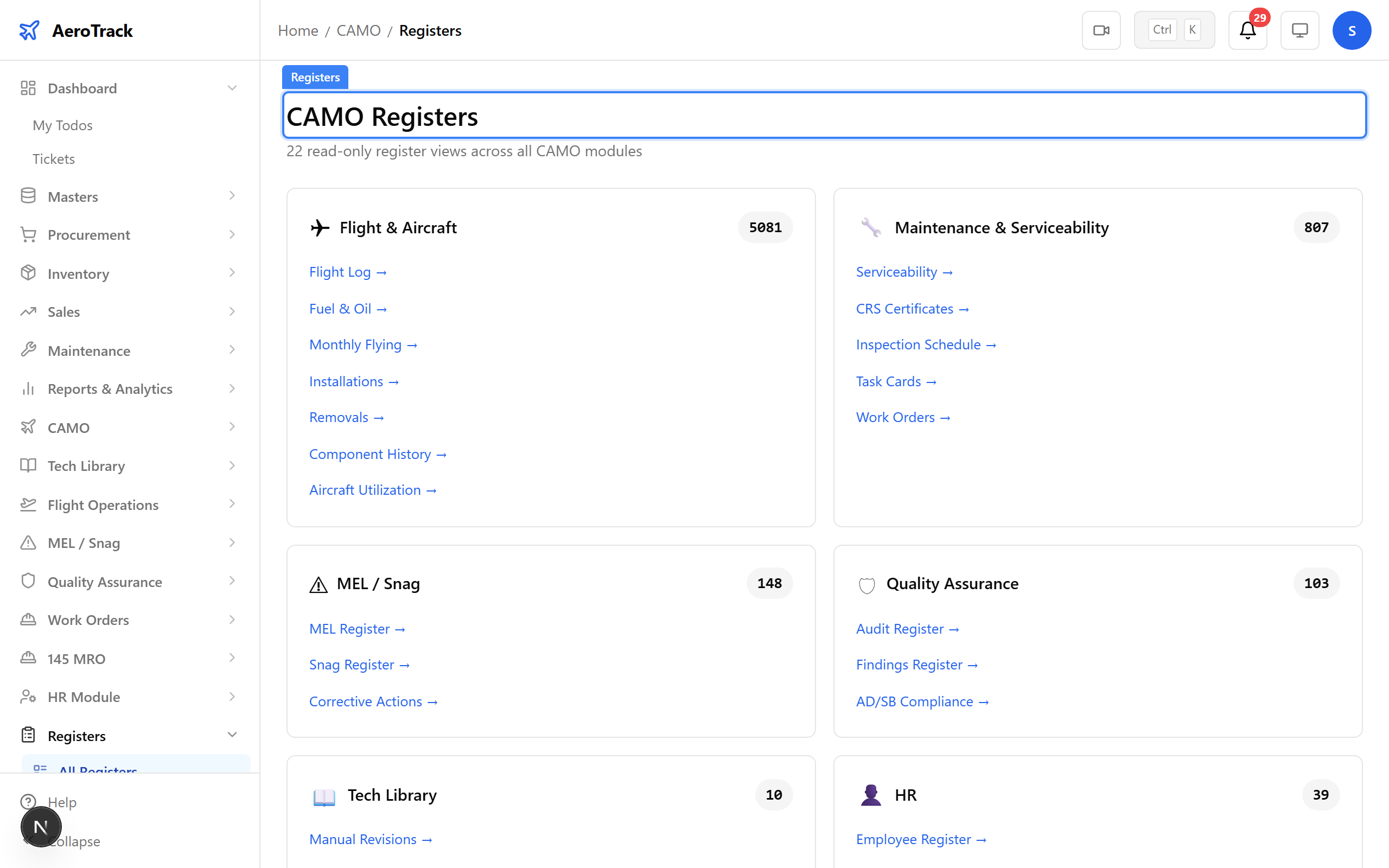
▲ Regulatory Registers — 22 register types covering every DGCA compliance requirement.
Navigate to Registers → Aircraft Utilization. The aircraft utilization register tracks hours, cycles, and utilization rates per aircraft over time.
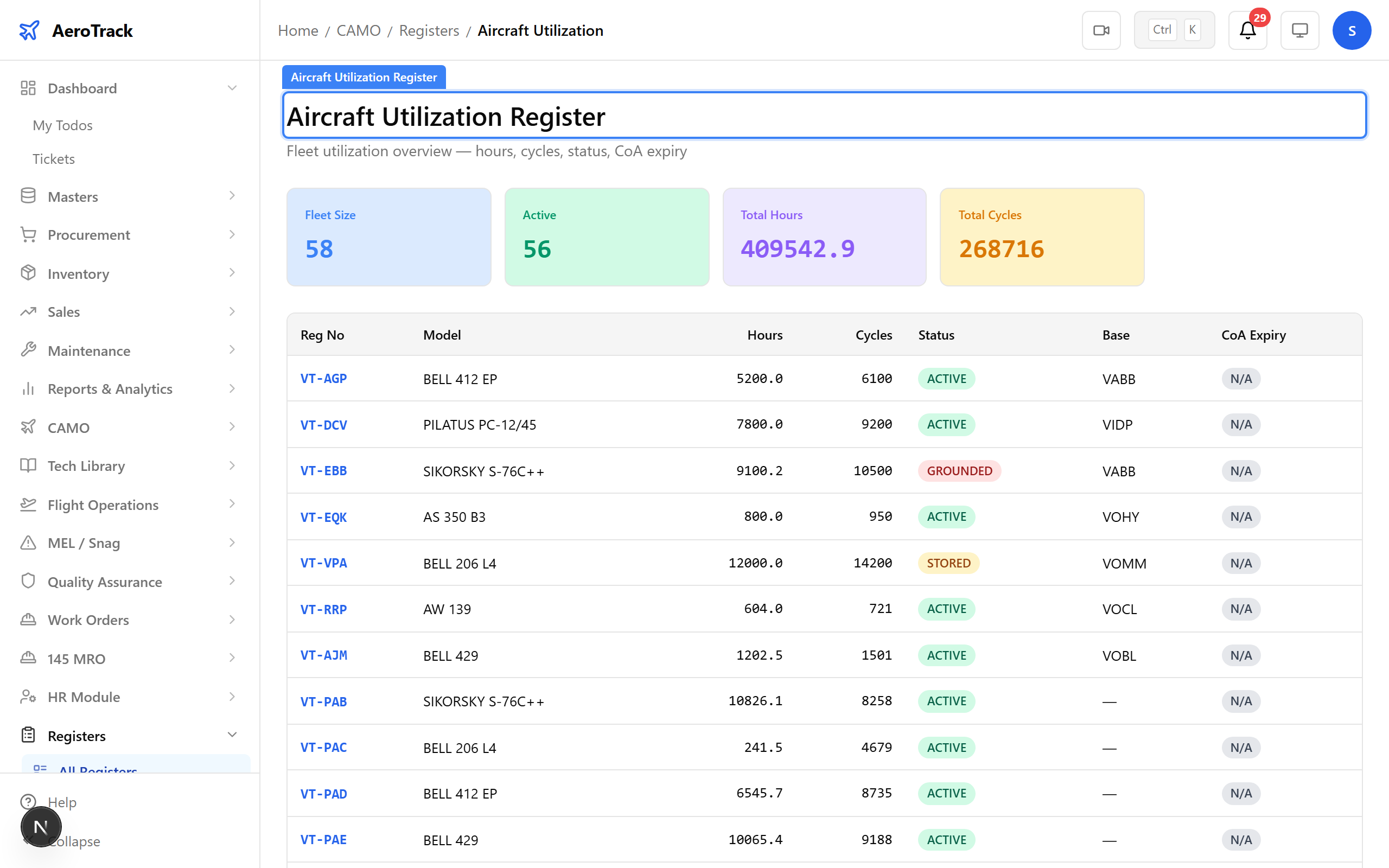
▲ Aircraft Register — your fleet listed with registration, type, and utilization data.
Navigate to Registers → Component History. Track installed engines with total hours, cycles, and time between overhaul (TBO) remaining.
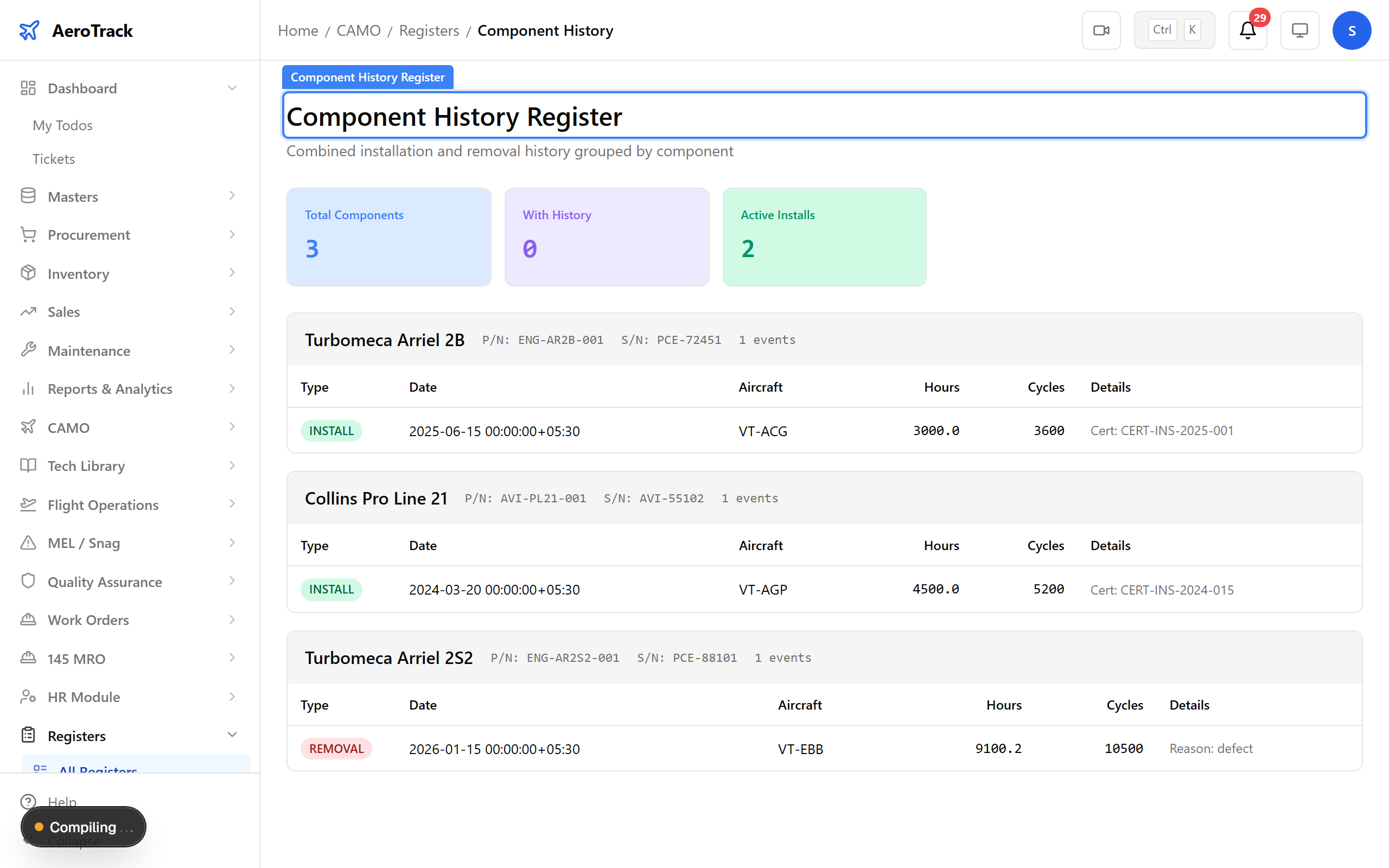
▲ Engine Register — installed engines with hours, cycles, and TBO tracking.
Navigate to Registers → Installations. The installation register tracks propellers, APUs, and other life-limited assemblies with their fitment history.
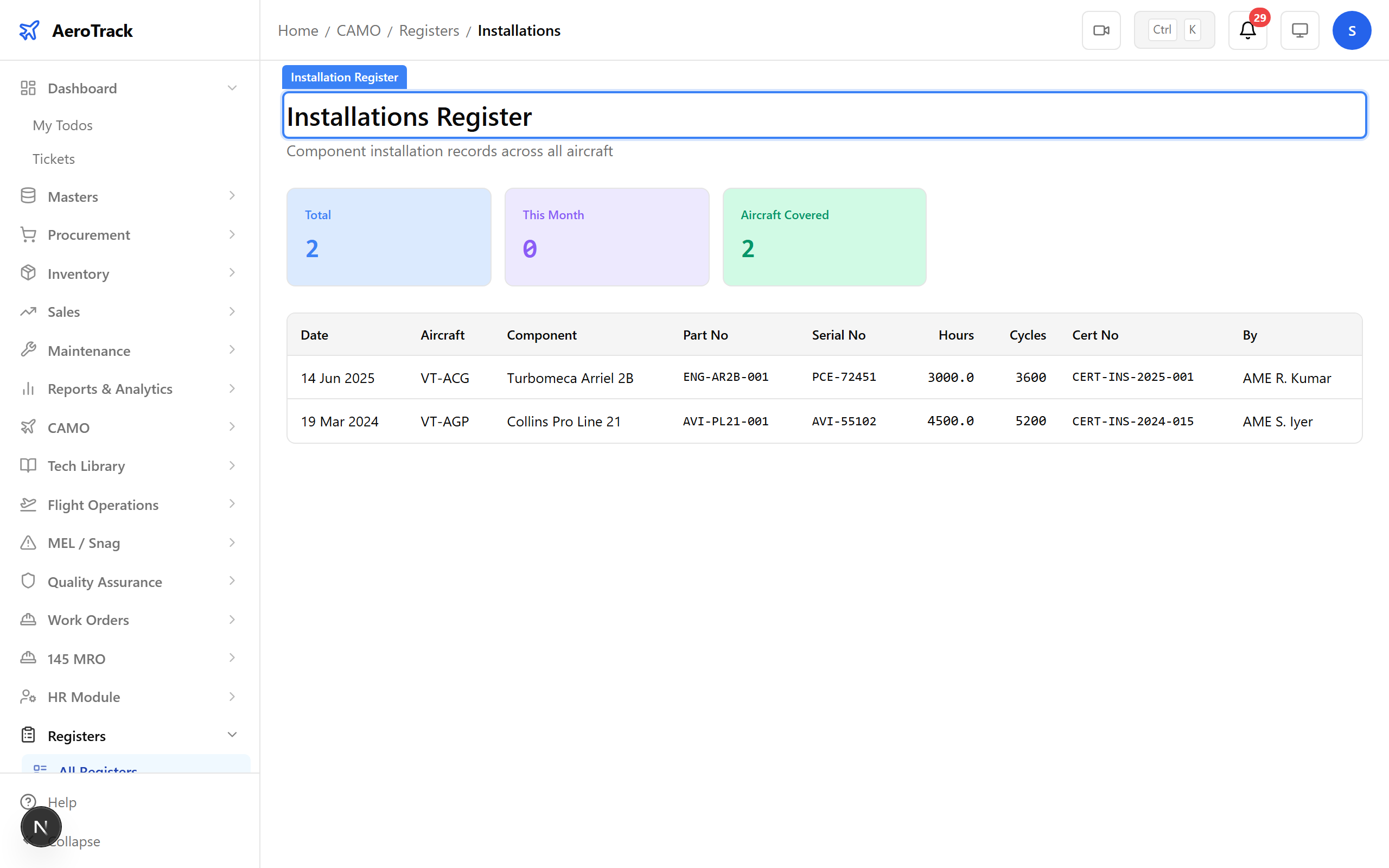
▲ Propeller/APU Register — life-limited components tracked to regulatory standards.
Navigate to Registers → Removals. Every component removal is recorded with reason, aircraft, position, and hours at removal — building a complete rotable history.
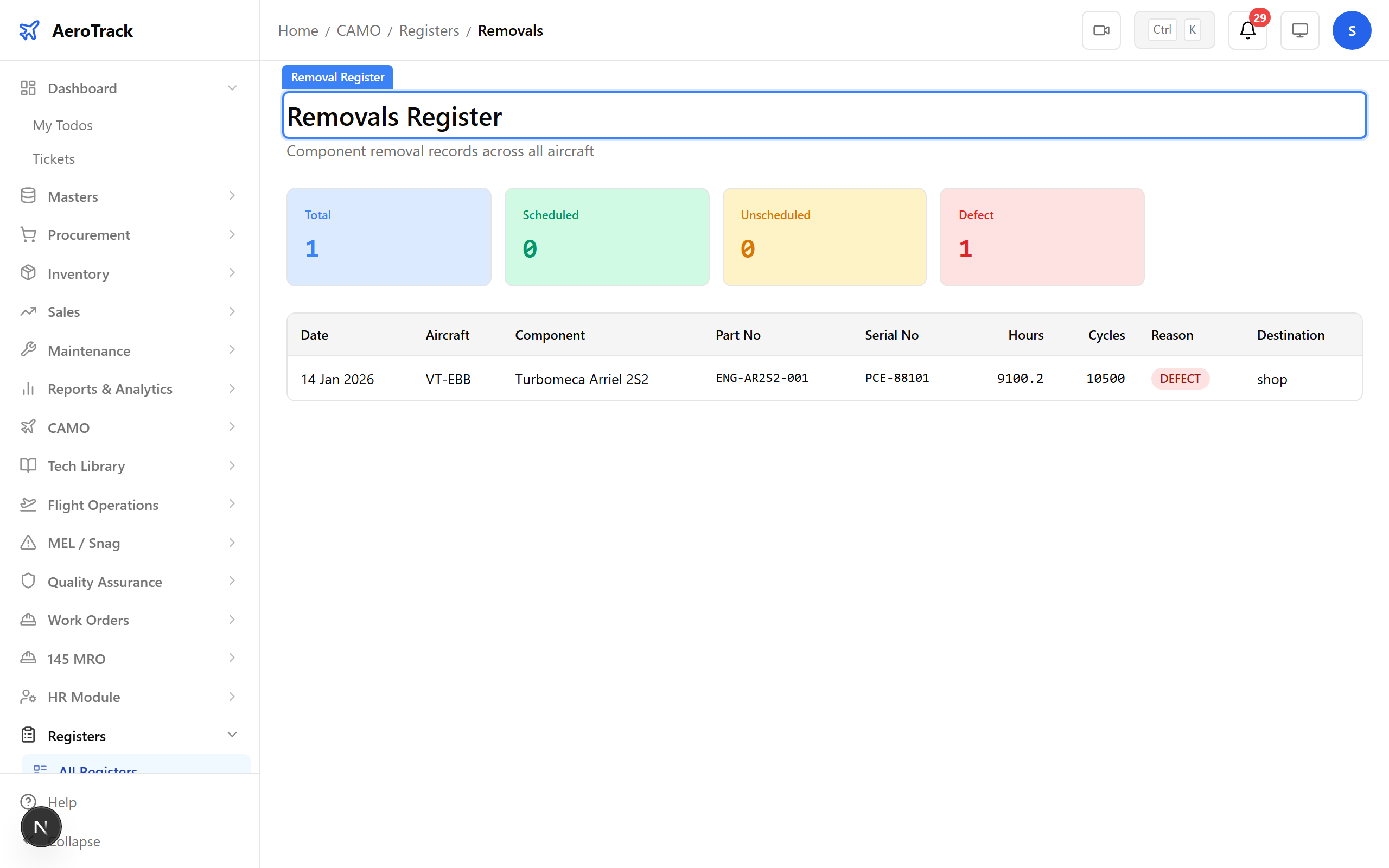
▲ Component Register — every rotable and life-limited part across your fleet.
Navigate to Registers → CRS Certificates. Certificate of Release to Service records track hard-time components with remaining life and disposal status.
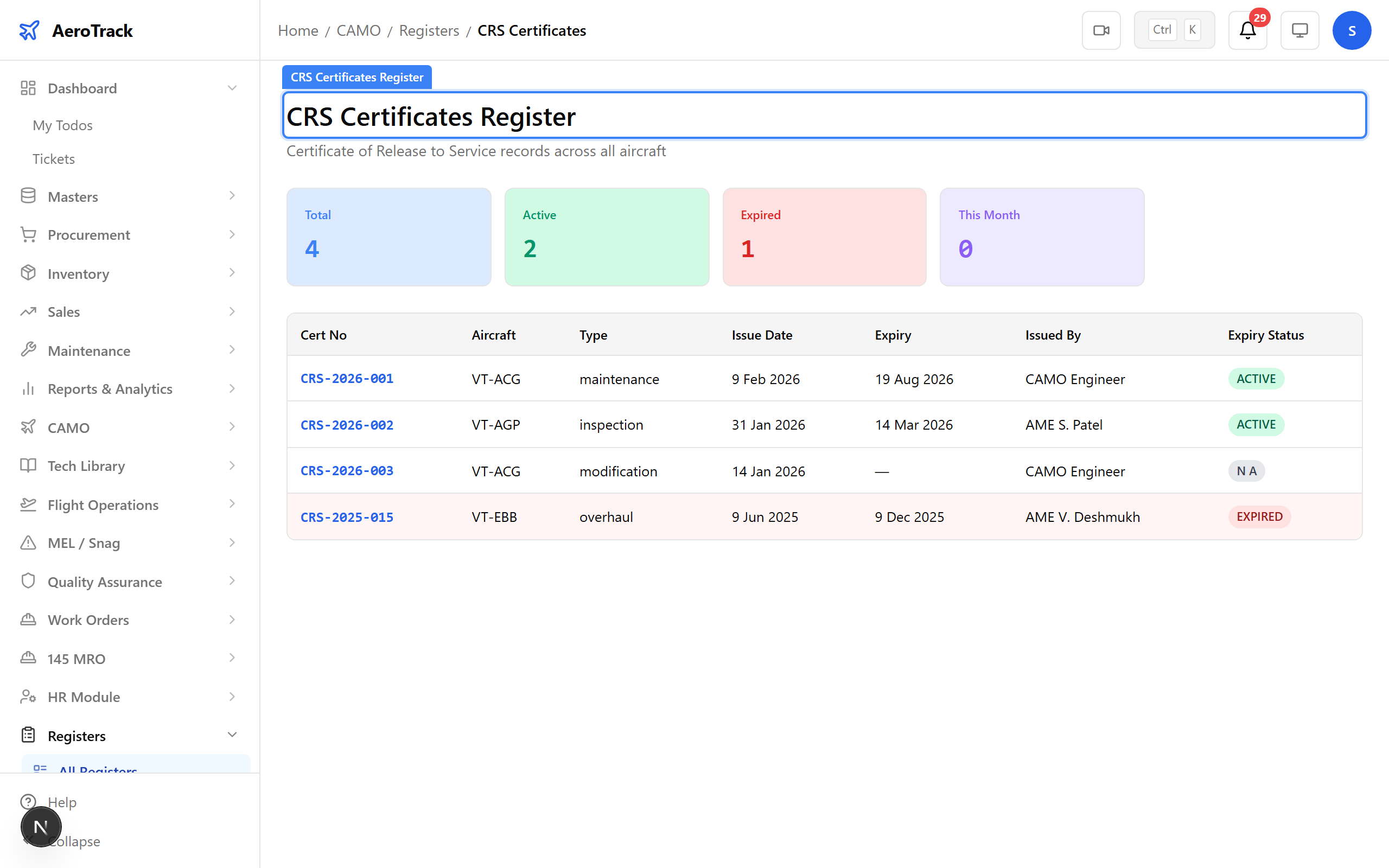
▲ LLP Register — hard-time components with remaining life and disposal tracking.
Navigate to Registers → Task Cards. The task card register shows all scheduled and unscheduled maintenance tasks with their status, aircraft, and completion dates.
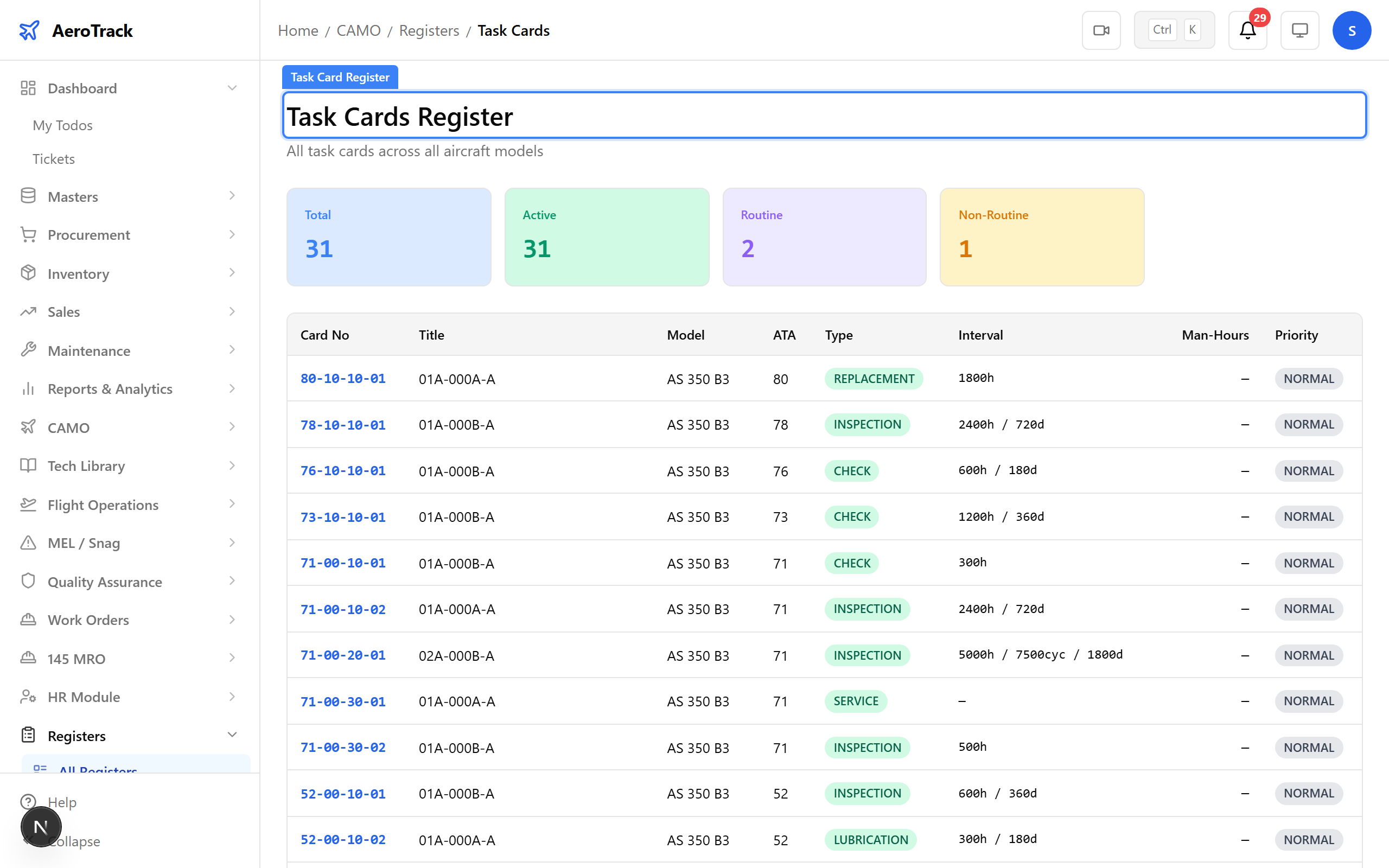
▲ Task Register — scheduled and unscheduled maintenance history.
Navigate to Registers → AD/SB Compliance. Airworthiness Directive compliance is tracked with applicability, due dates, and incorporation status — critical for DGCA audits.
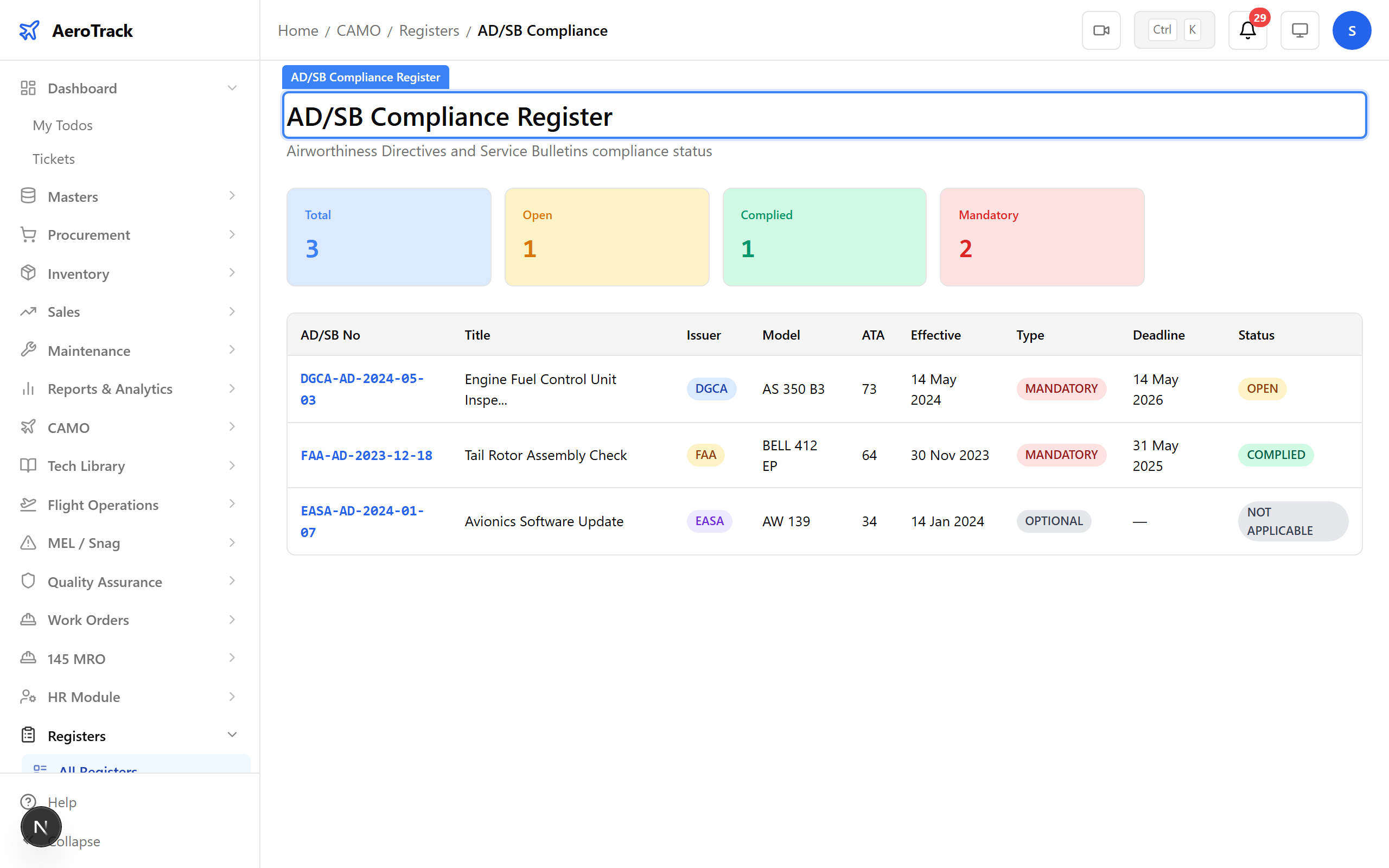
▲ AD Register — directive compliance status with applicability and due dates.
Navigate to Registers → Work Orders. The work order register provides a complete view of all maintenance work performed, including service bulletin incorporations.
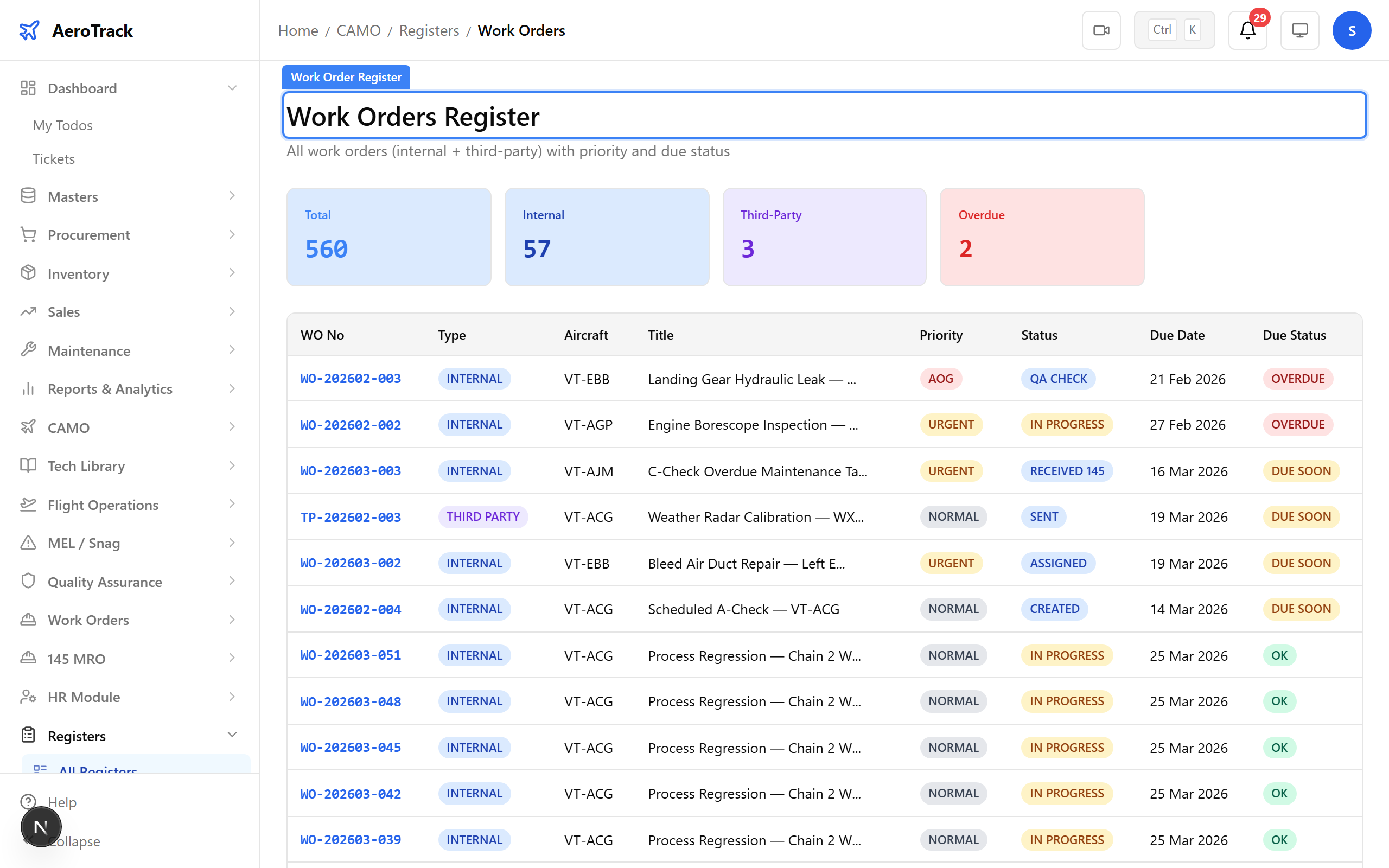
▲ SB Register — service bulletin incorporation status.
Navigate to Registers → MEL. The Minimum Equipment List register tracks deferred defects with their rectification deadlines, category, and resolution status.
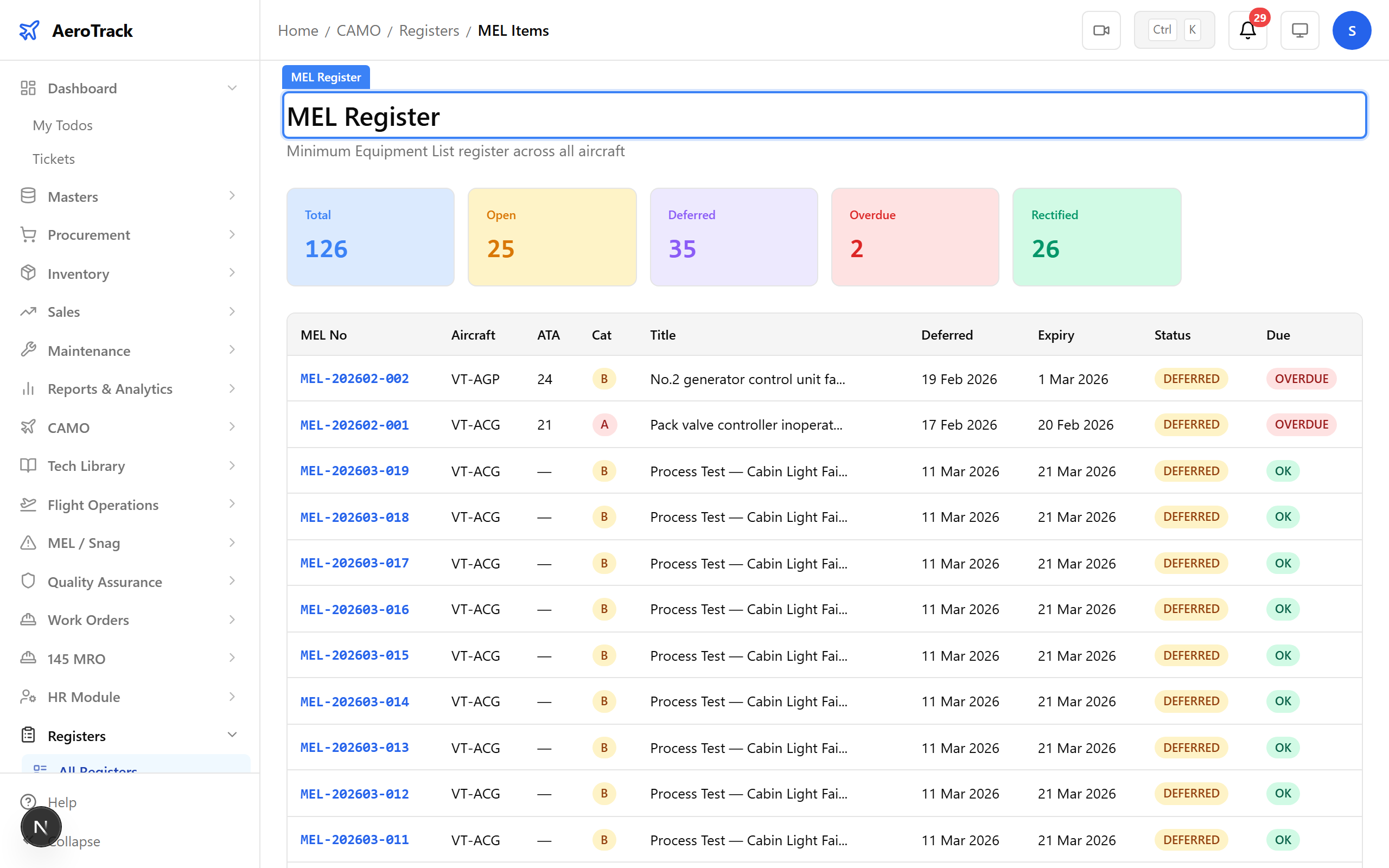
▲ MEL Register — deferred defect history with rectification tracking.
Navigate to Registers → Serviceability. The serviceability register tracks the airworthiness status of each aircraft — confirming readiness for flight operations.
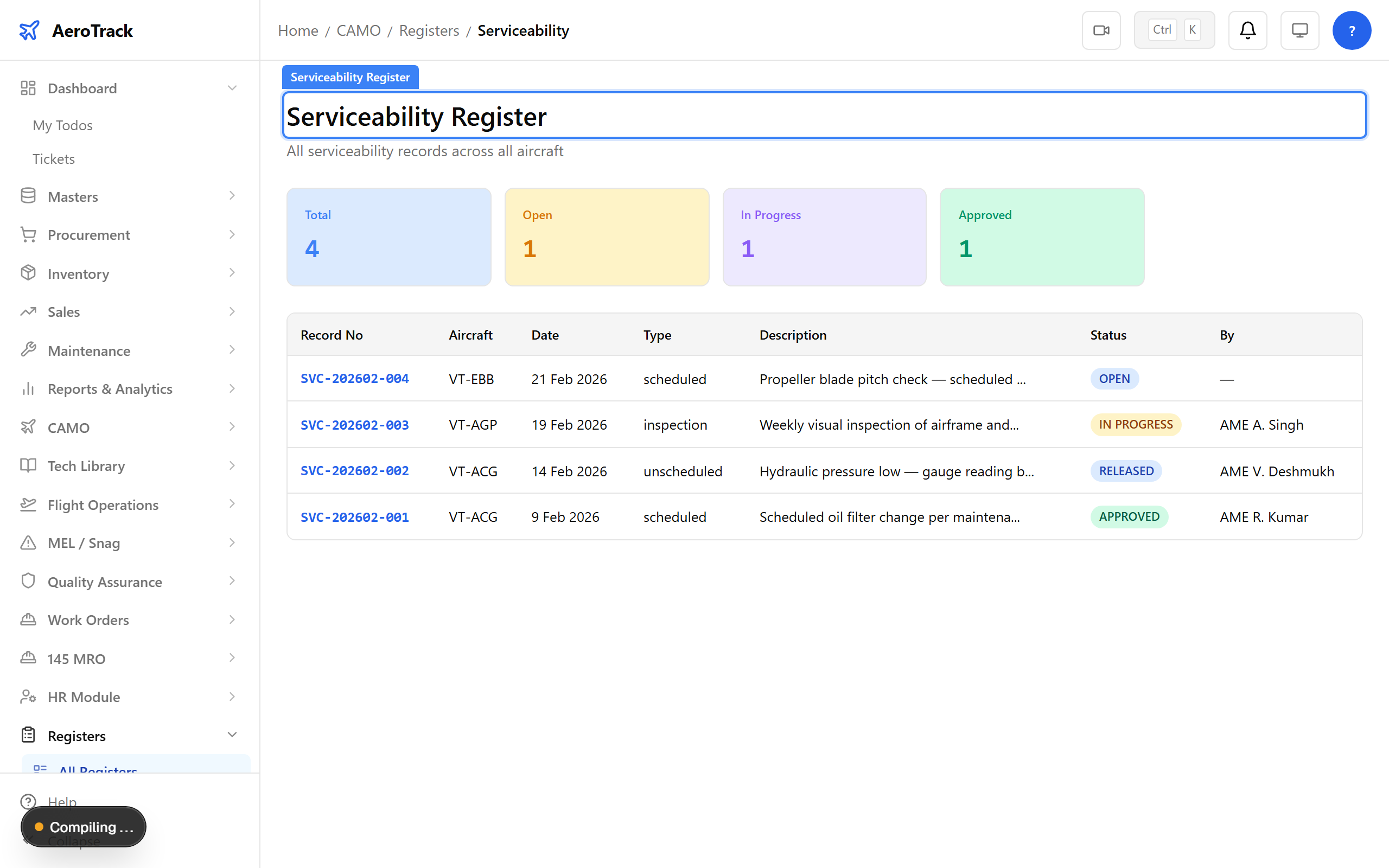
▲ Flight Register — serviceability status confirming airworthiness for operations.
Navigate to Registers → Snags. The snag register records all reported defects and technical events — serving as the incident and occurrence register for safety tracking.
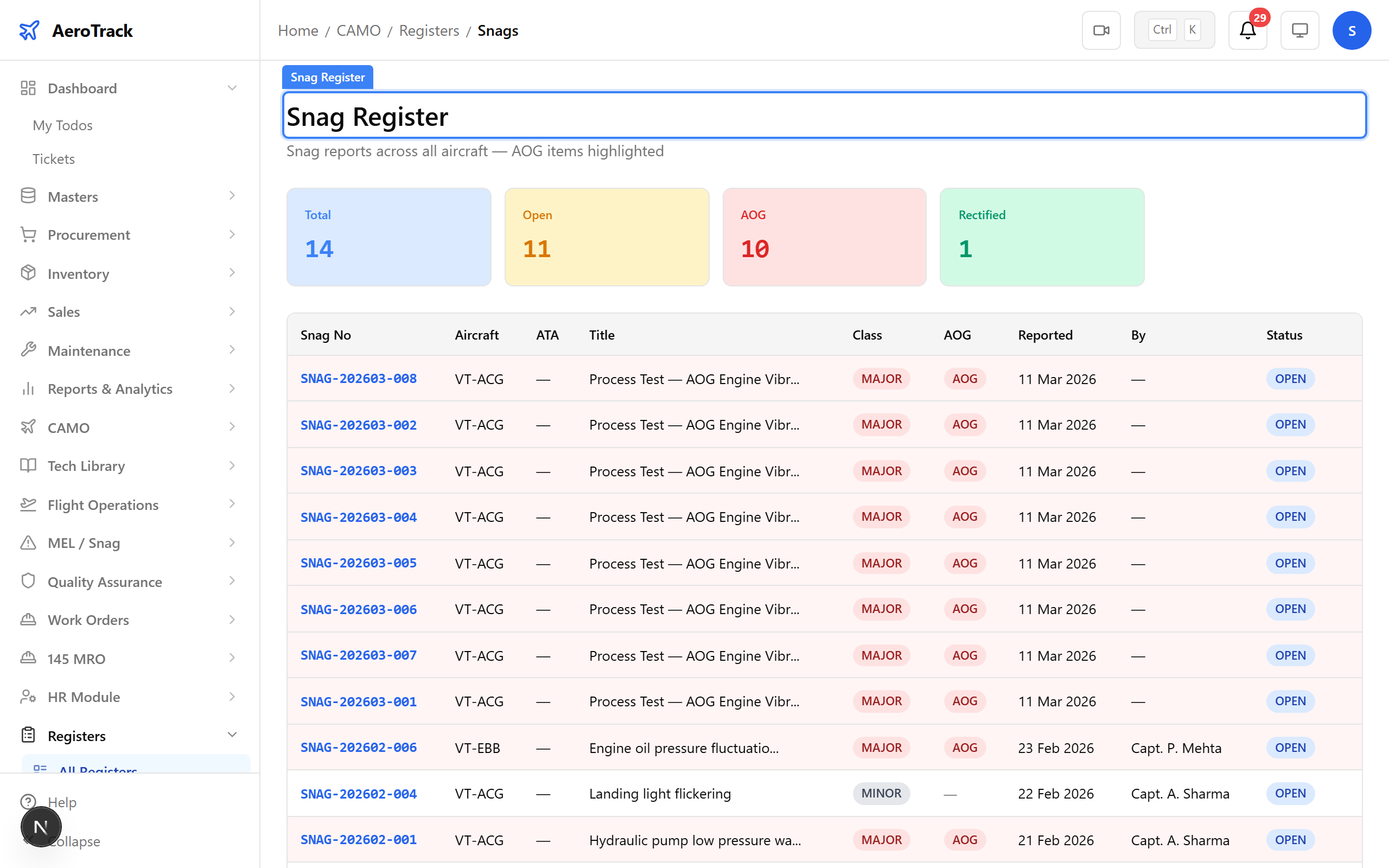
▲ Incident Register — safety events and occurrence reports.
Navigate to Registers → Training. Beyond the core aircraft registers, AeroTrack provides specialised registers for training, licences, audits, findings, and corrective actions.
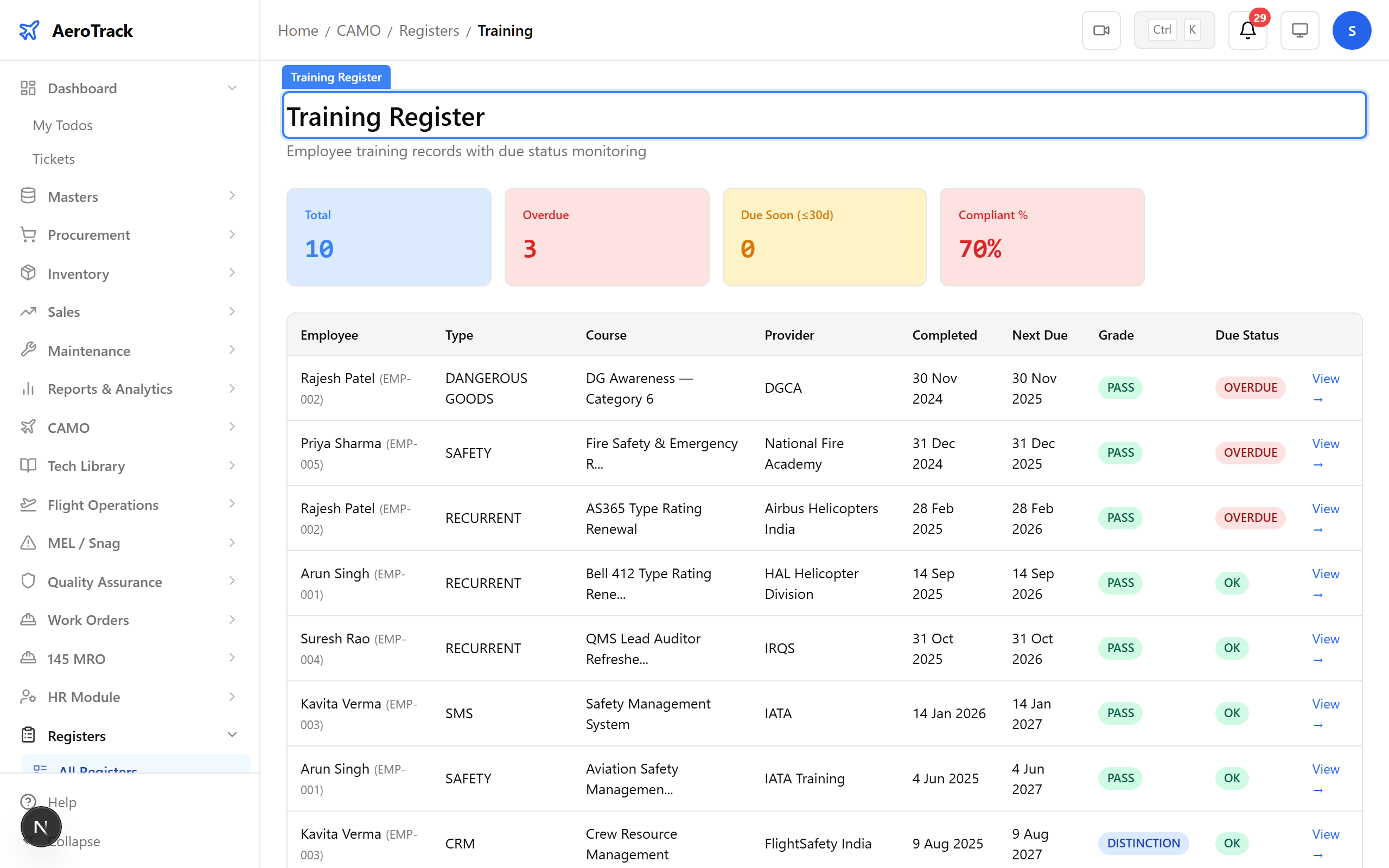
▲ Specialised registers — training, licences, audits, and more.
Navigate to Registers → Corrective Actions. Every register follows the same pattern — filterable columns, sortable data, and export-ready for audit submission.
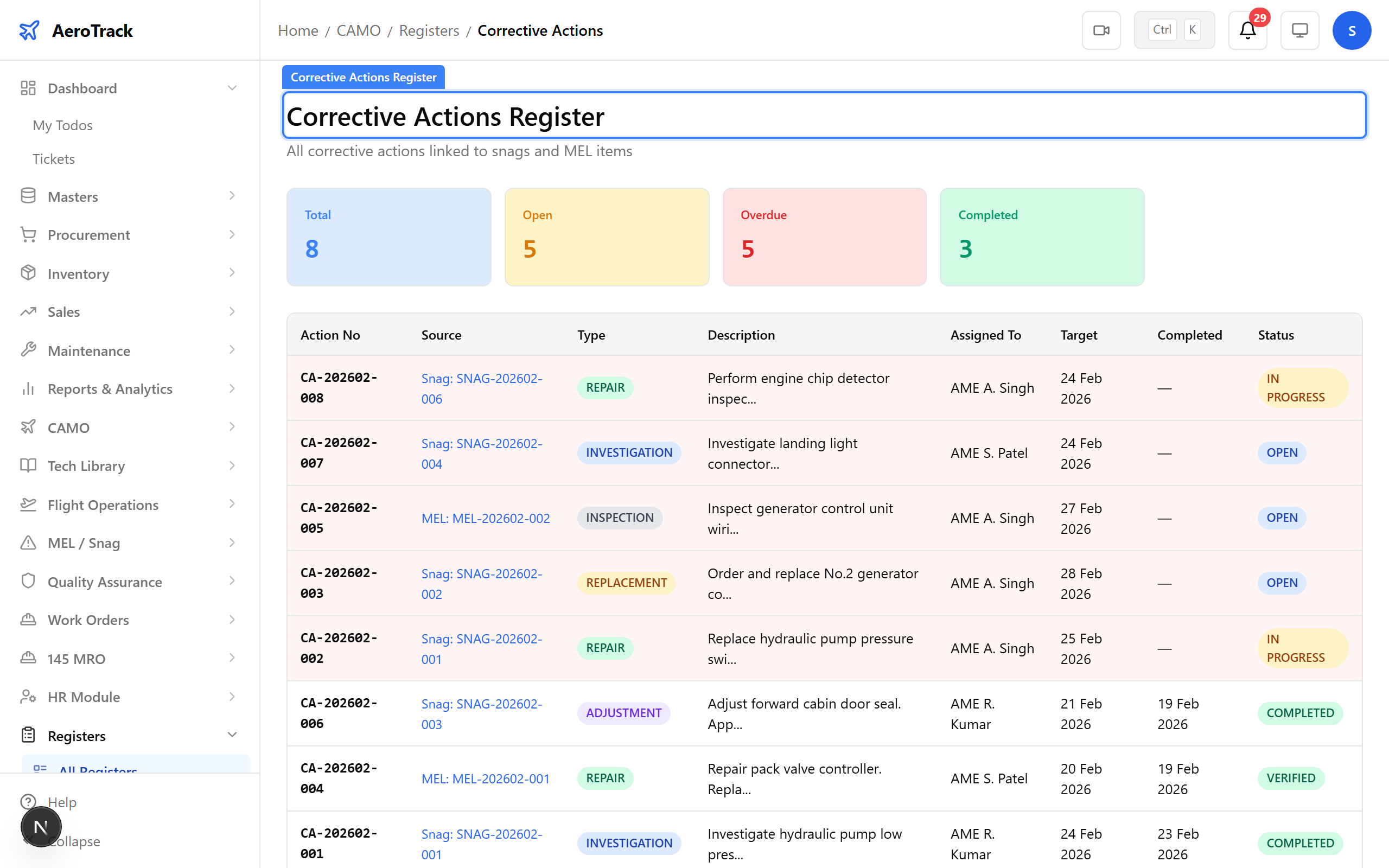
▲ Every register follows the same pattern — filterable, exportable, audit-ready.
Navigate to Reports in the sidebar. The reports index lists 39+ store and operational report types — from store balance and stock utilisation to GRN summaries and part consumption.
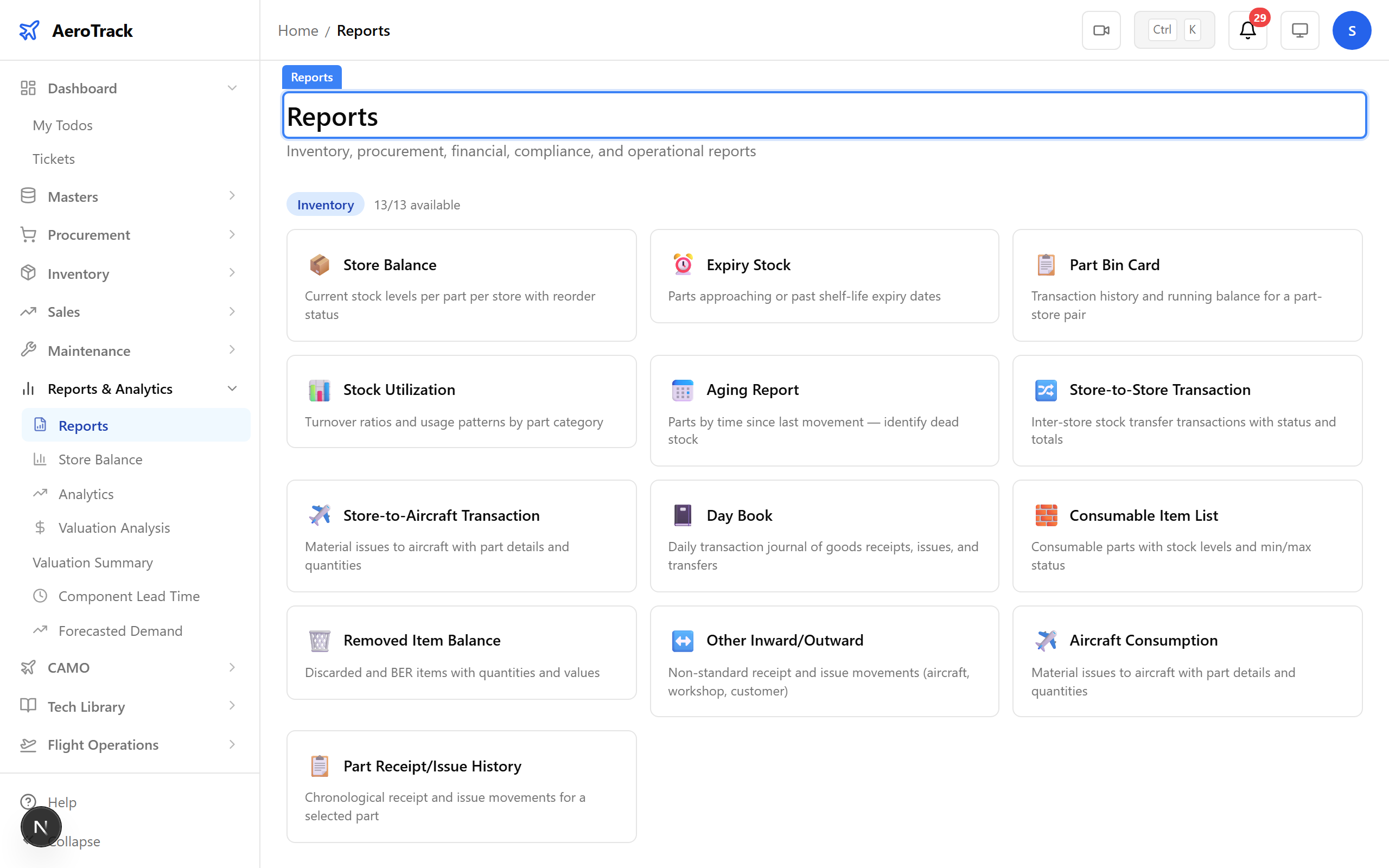
▲ Store & Operational Reports — inventory movements, stock valuation, and procurement analytics.
Navigate to Reports → Store Balance. The store balance report shows current stock levels across all locations — receipts, issues, transfers, and returns over any period.
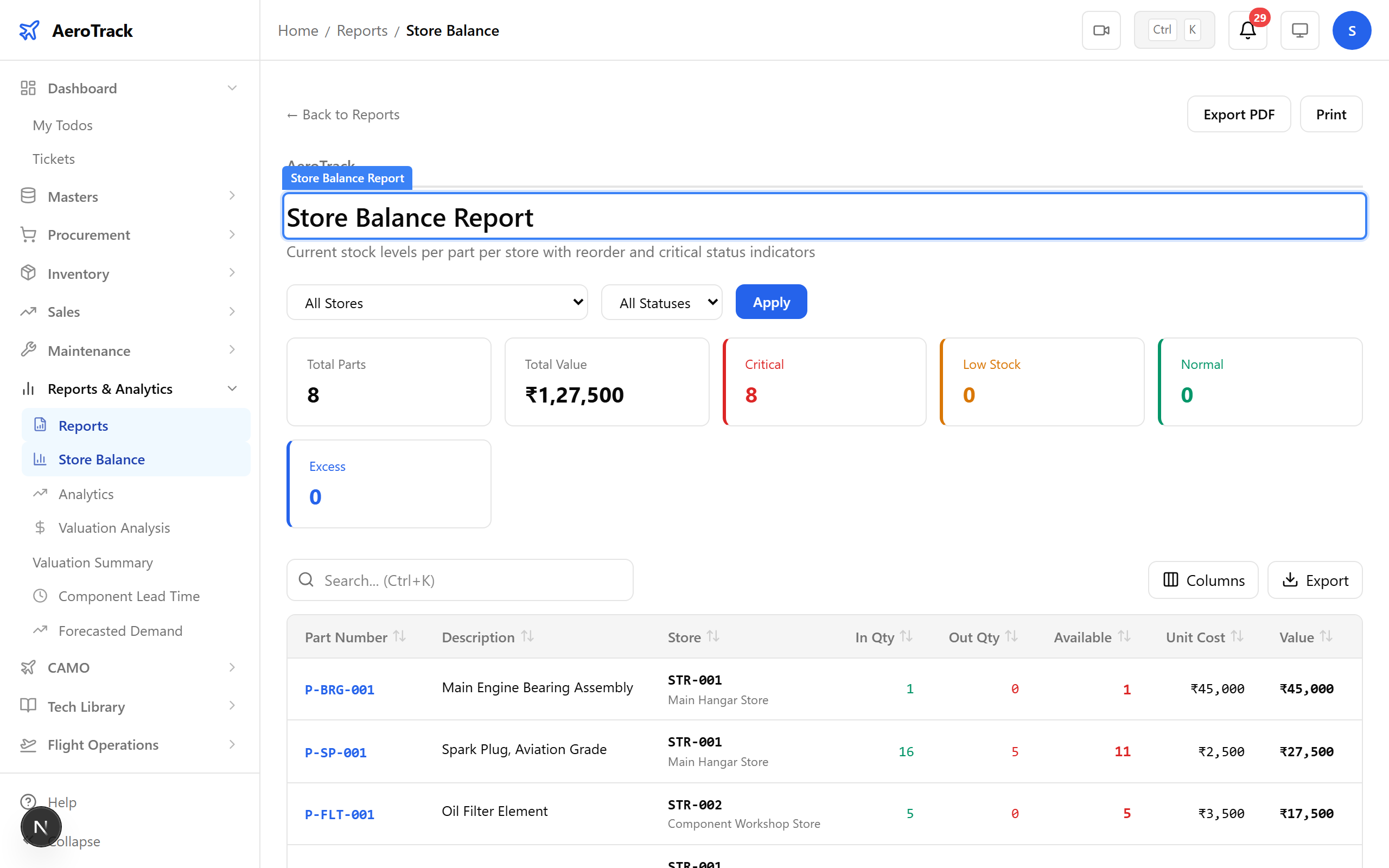
▲ Stock Movement — receipts, issues, transfers, and returns over any period.
Navigate to Reports → Stock Utilization. The stock utilisation report shows inventory value by category, movement frequency, and location.
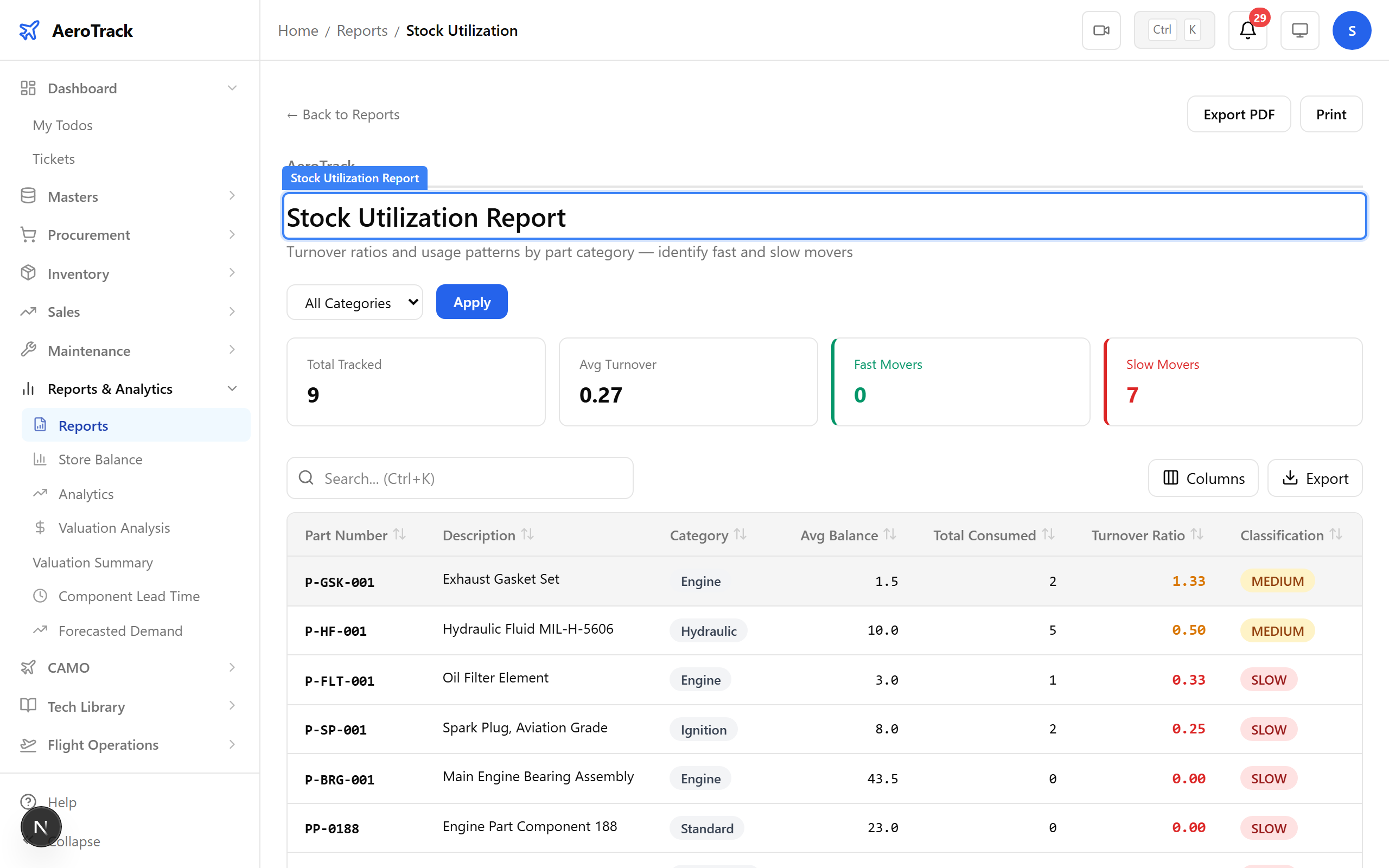
▲ Stock Valuation — current inventory value by category and location.
Navigate to Reports → Part Reliability. Track part failure rates, mean time between removals, and reliability trends — useful for vendor evaluation and procurement decisions.
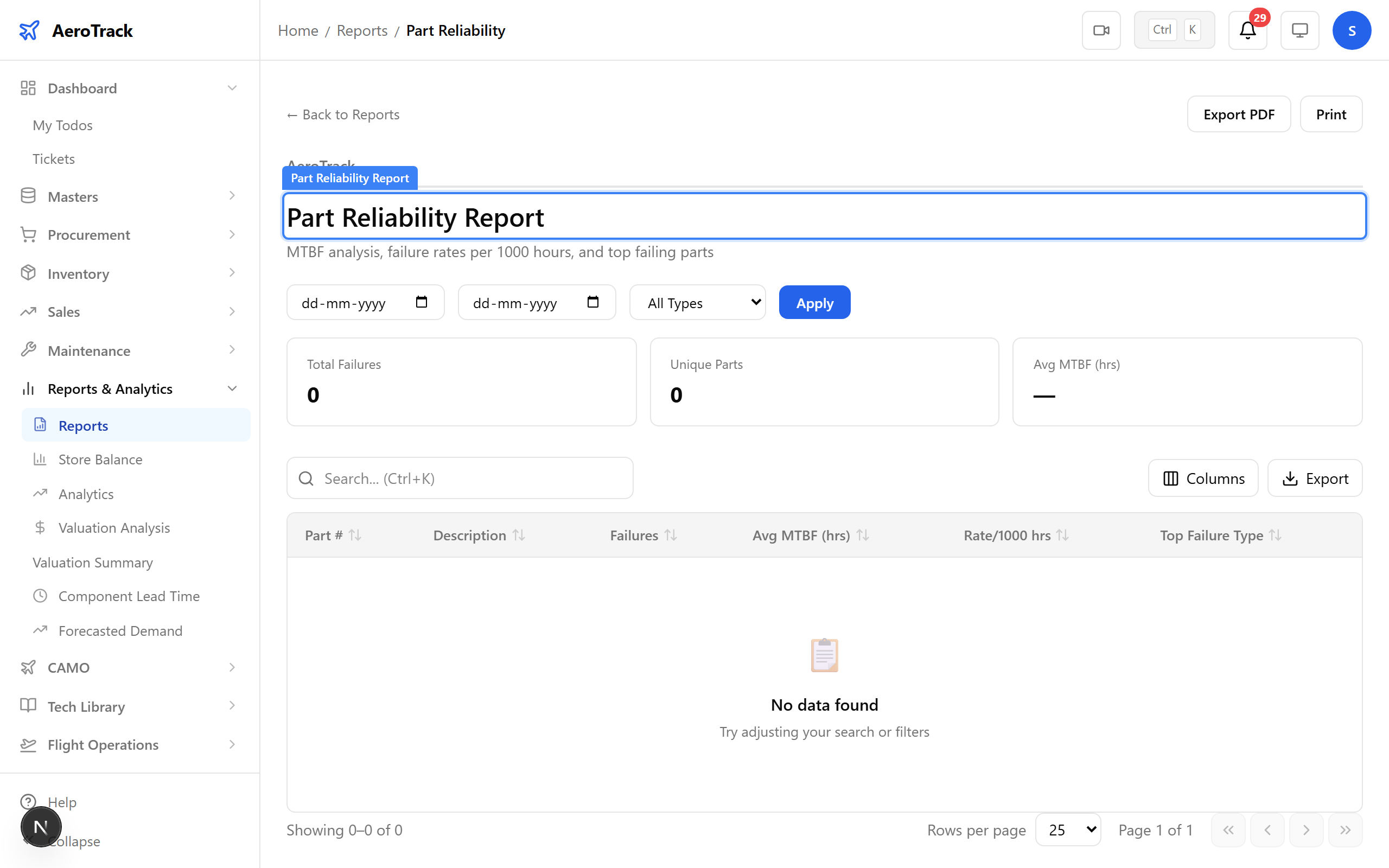
▲ Part Reliability — failure rates, MTBR, and reliability trends.
Every report supports filters — date ranges, categories, aircraft, and stores. Set your criteria and the report updates instantly. Export the filtered result as PDF or CSV.
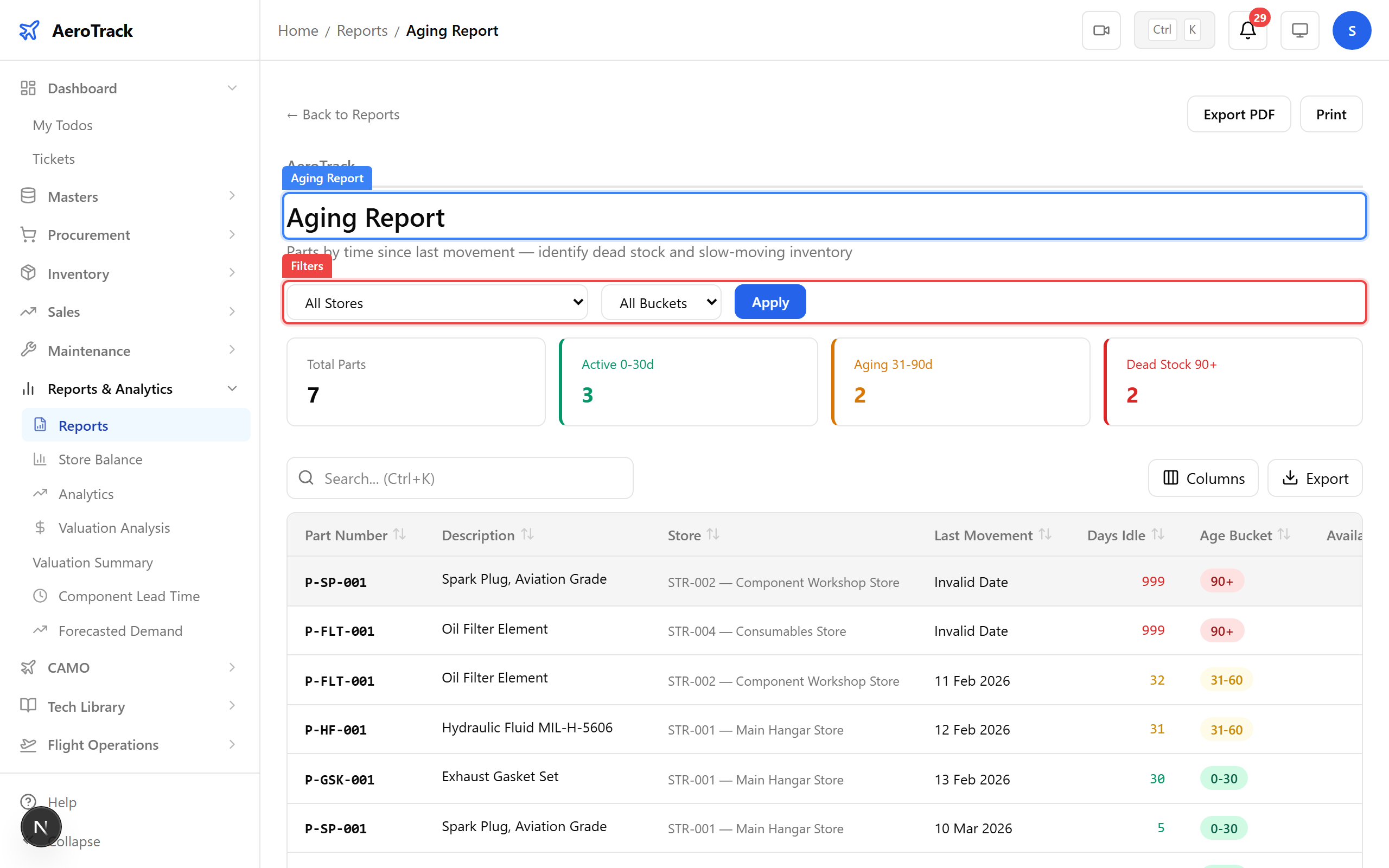
▲ Filter and export — every report supports date ranges, categories, and PDF export.
Navigate to Analytics in the sidebar. The analytics index shows visual dashboards for executive overview, inventory health, spend analysis, vendor performance, and more.
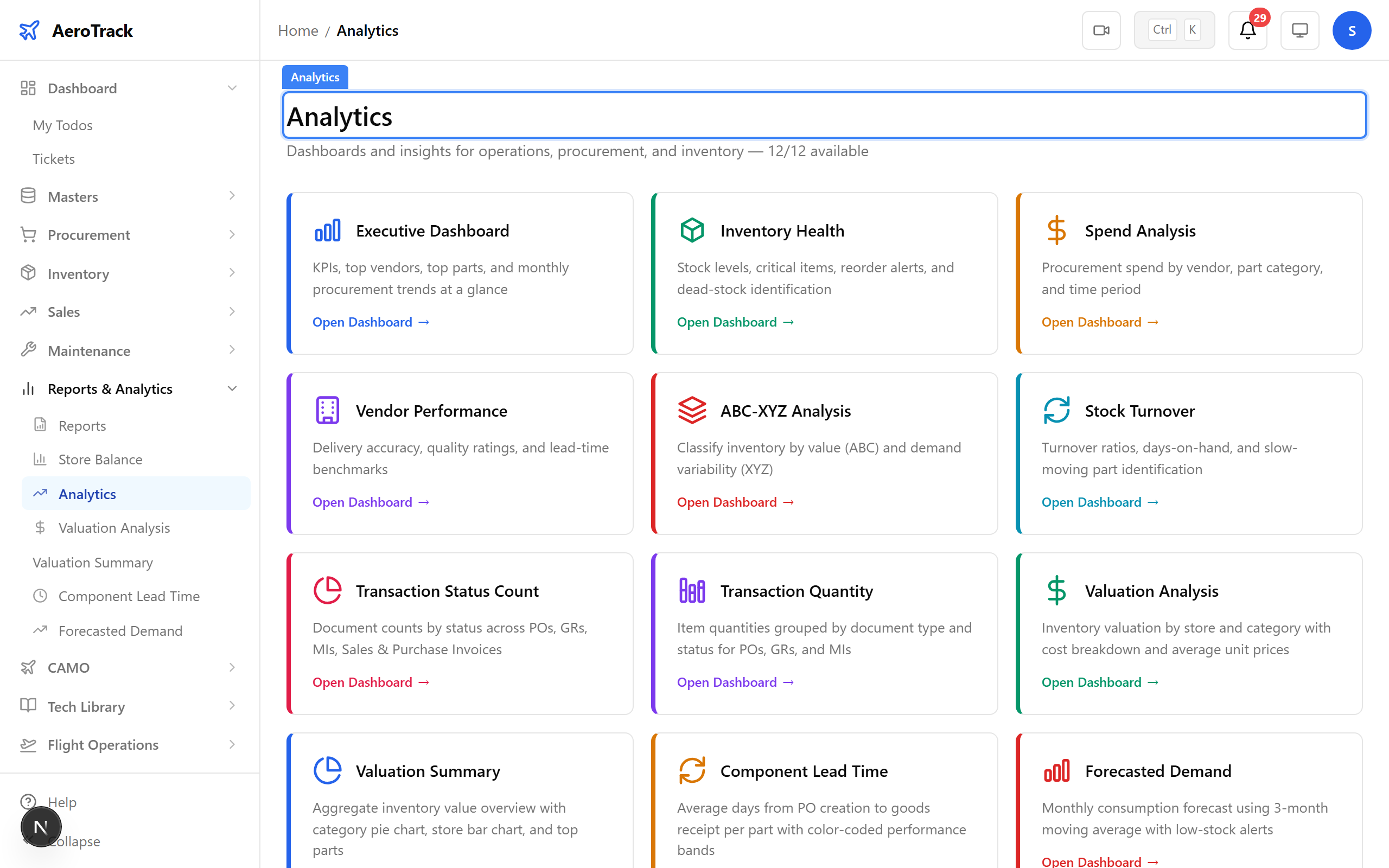
▲ Analytics — visual dashboards for data-driven fleet management.
Navigate to Analytics → Executive. The executive dashboard visualises fleet utilisation, hours flown, dispatch reliability, and key operational metrics.
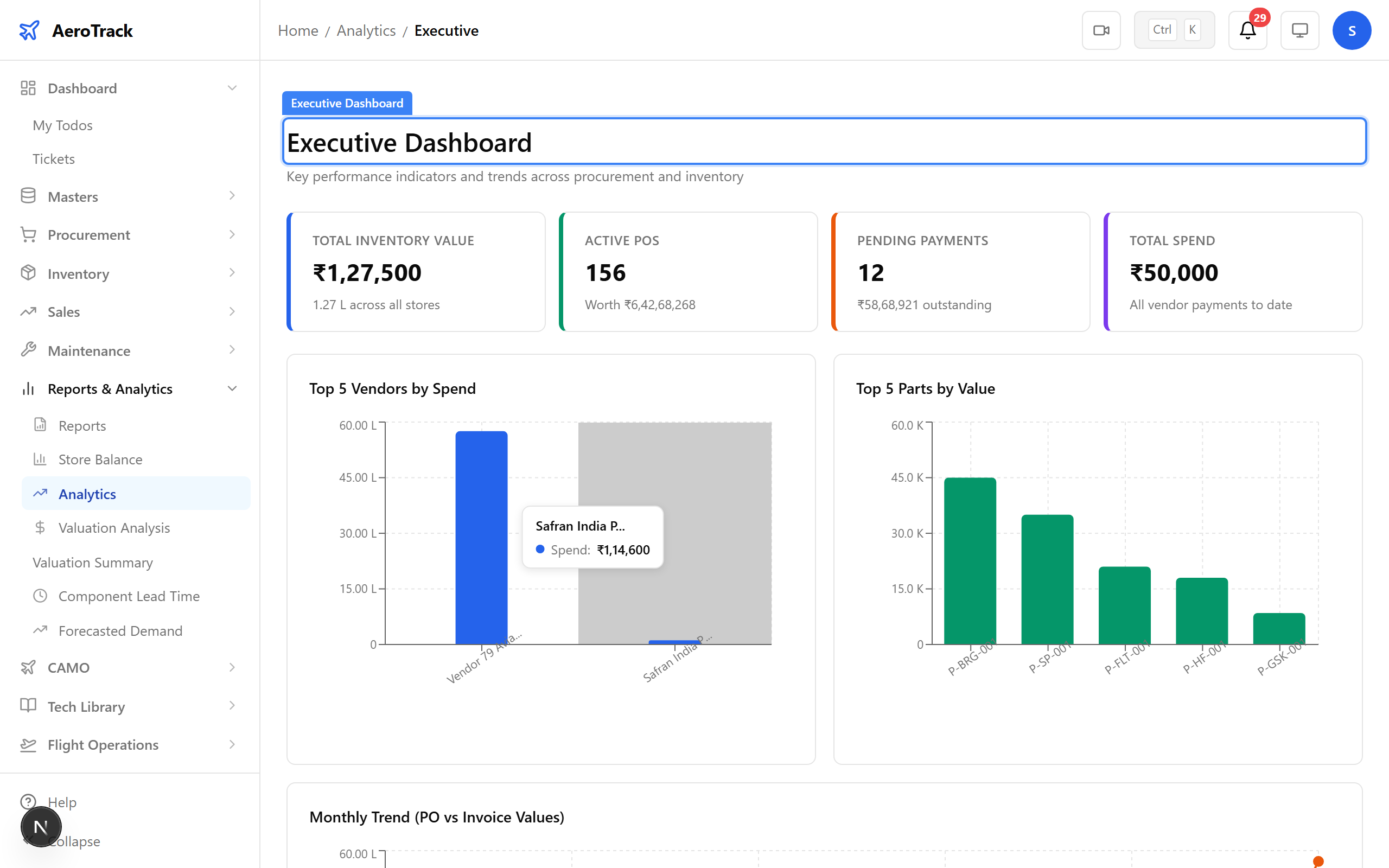
▲ Fleet Utilisation — hours, cycles, and dispatch reliability visualised.
Navigate to Analytics → Inventory Health. Track stock coverage, critical items, and inventory health metrics to ensure parts availability for maintenance tasks.
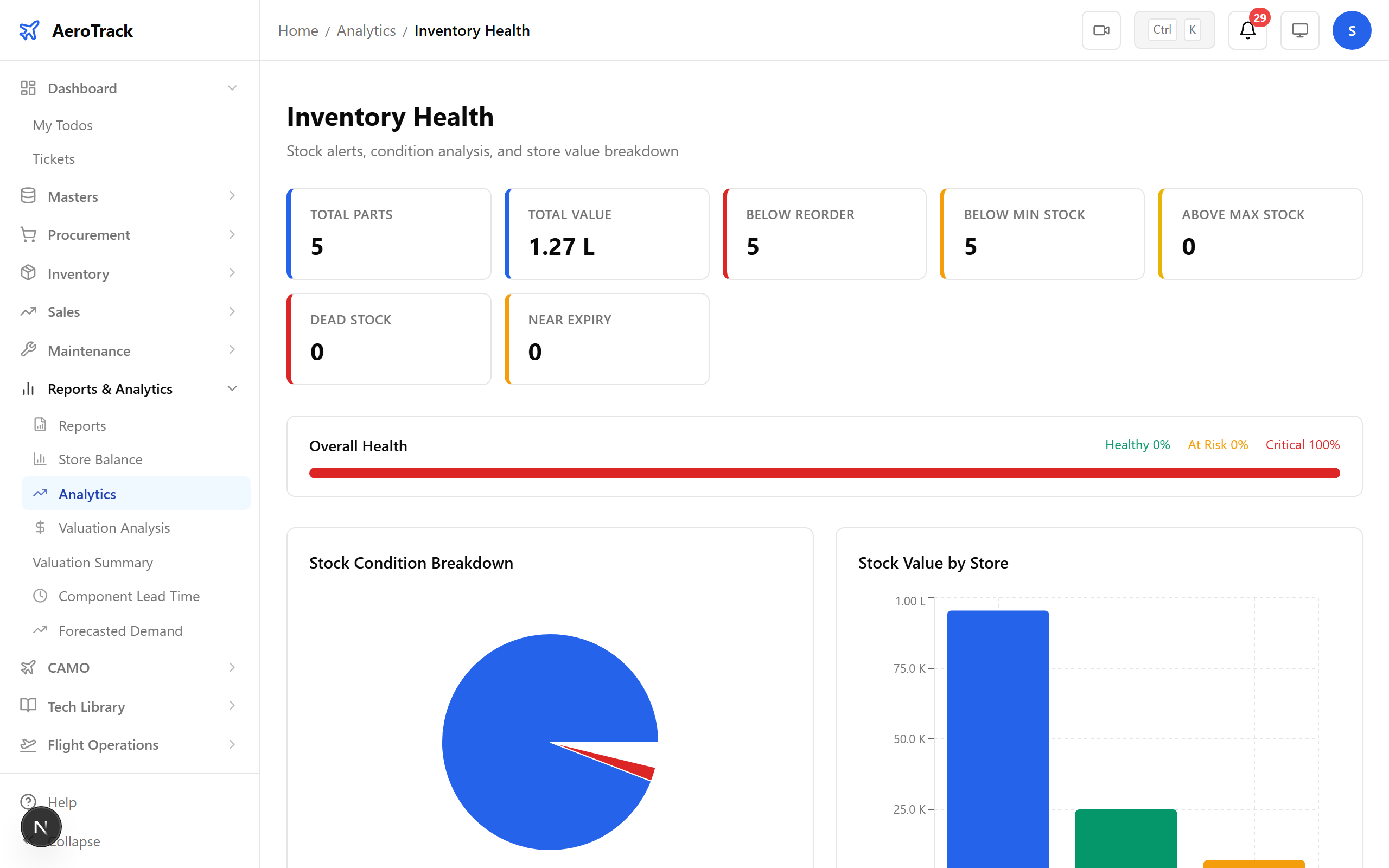
▲ Maintenance Analytics — inventory health and parts availability.
Navigate to Analytics → Stock Turnover. Stock turnover analysis shows how quickly parts move through your inventory — identifying slow-moving and fast-moving items.
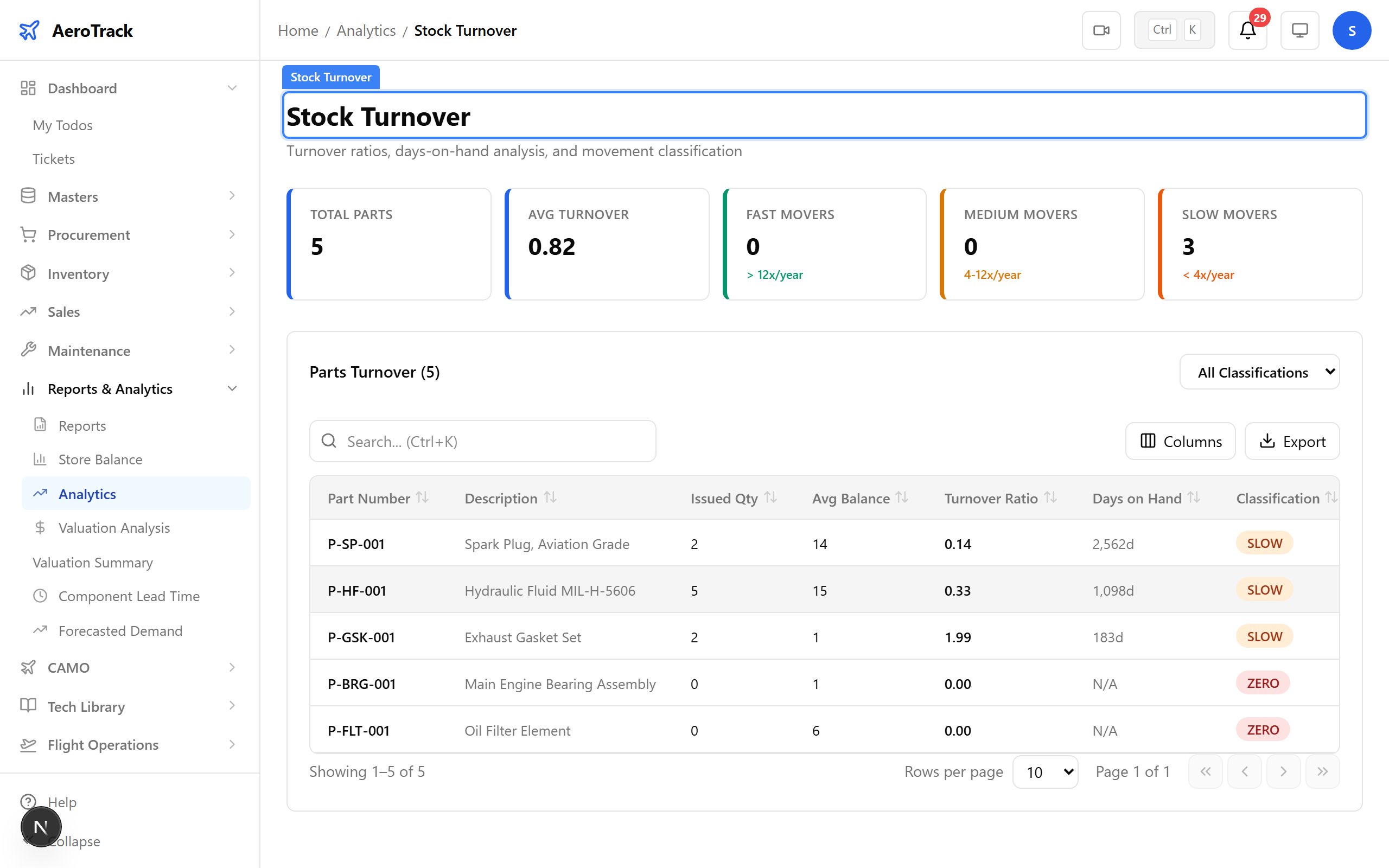
▲ Reliability — turnover rates and component movement analysis.
Navigate to Analytics → Spend. The spend analysis dashboard breaks down procurement spending by vendor, category, and time period.
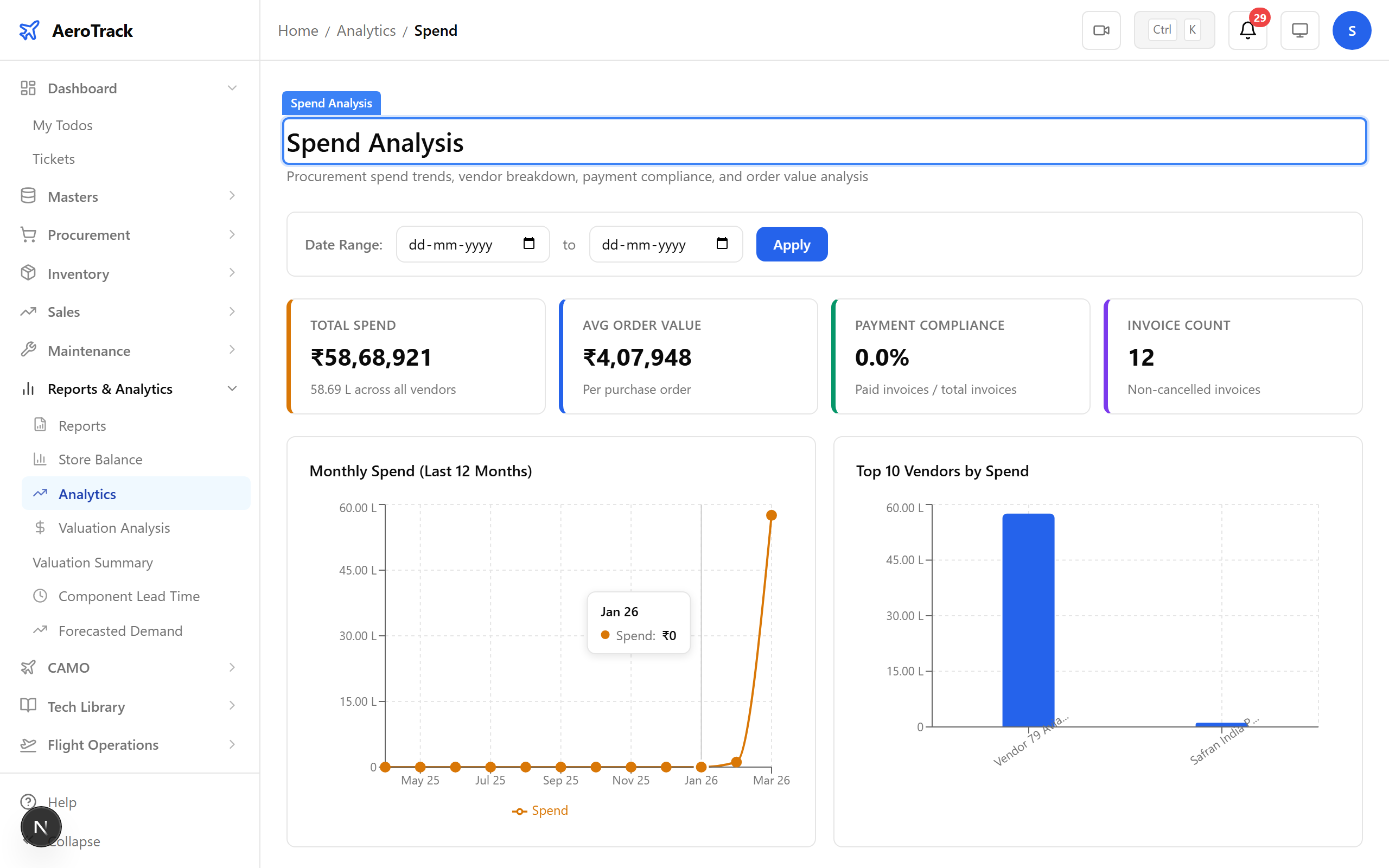
▲ Cost Analytics — procurement spend by vendor, category, and period.
Navigate to Analytics → Vendor Performance. Compare vendor delivery times, quality scores, and pricing trends to make informed procurement decisions.
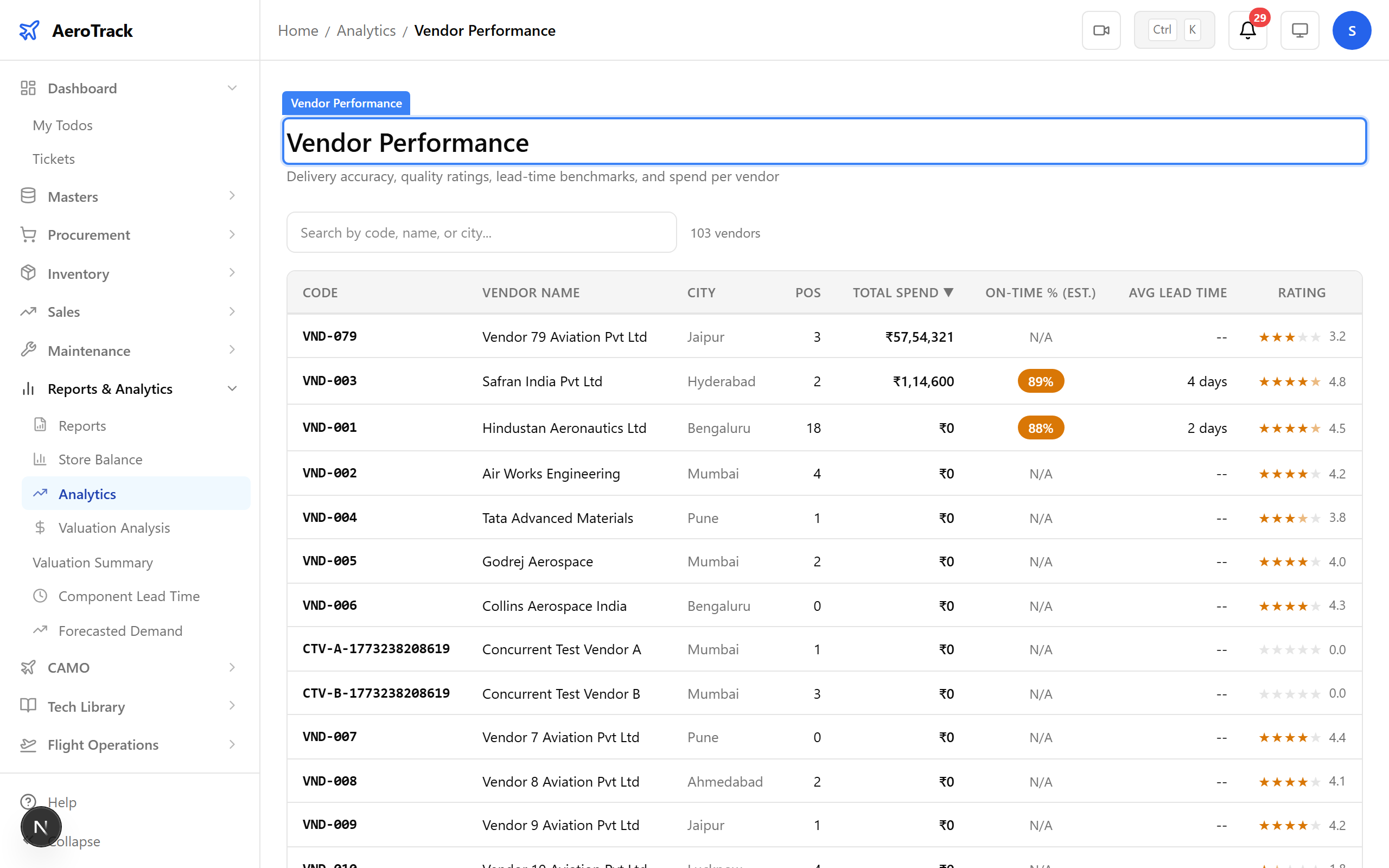
▲ Procurement Analytics — vendor comparison and order tracking.
Navigate to Analytics → ABC-XYZ. The ABC-XYZ classification matrix categorises parts by value (ABC) and demand variability (XYZ) — hover over charts to see details, filter, and drill down.
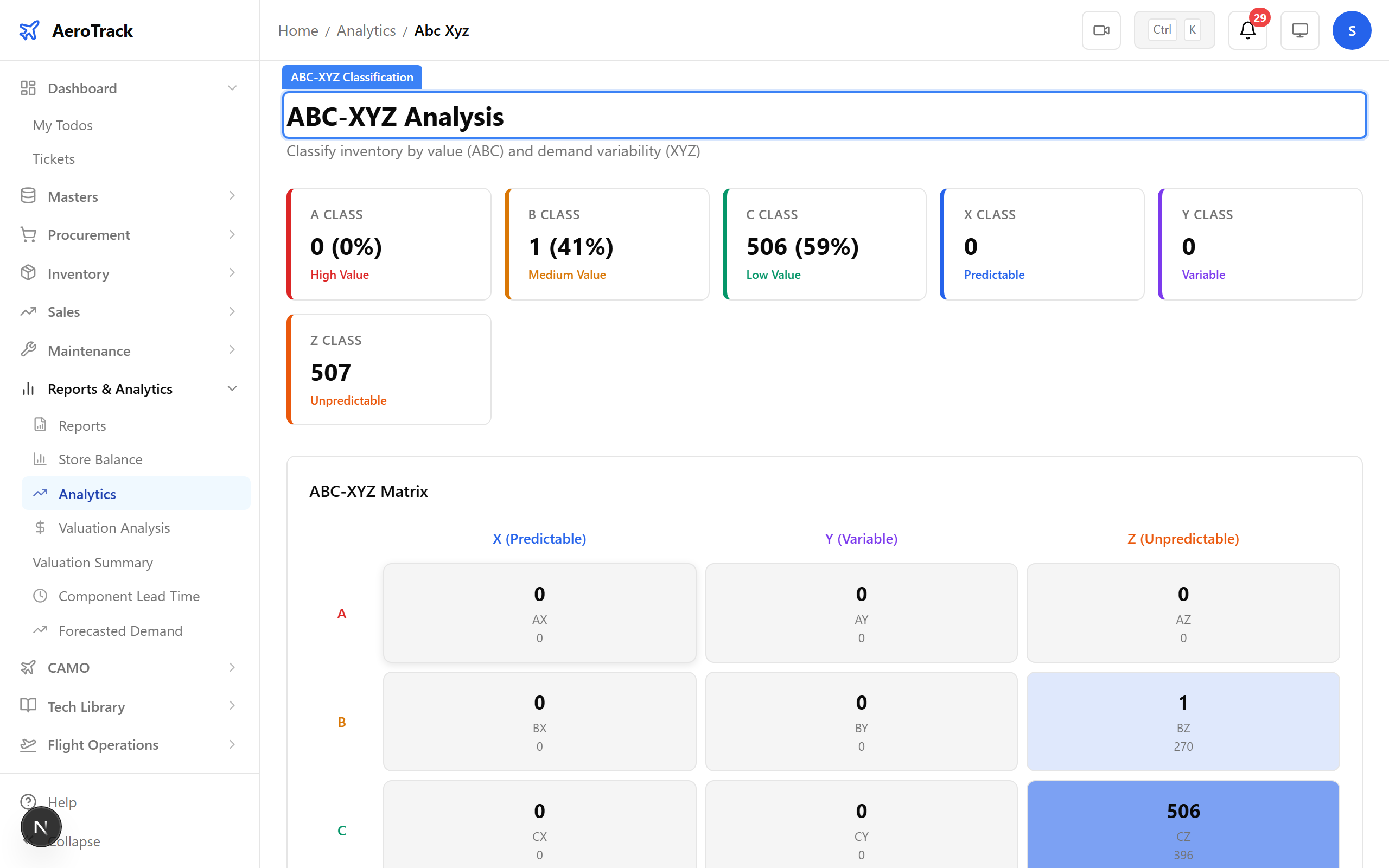
▲ Interactive charts — hover, filter, and drill down into the data.
On any register, click the Export or PDF button. The register exports with all current filters applied — ready for DGCA submission or internal audit.
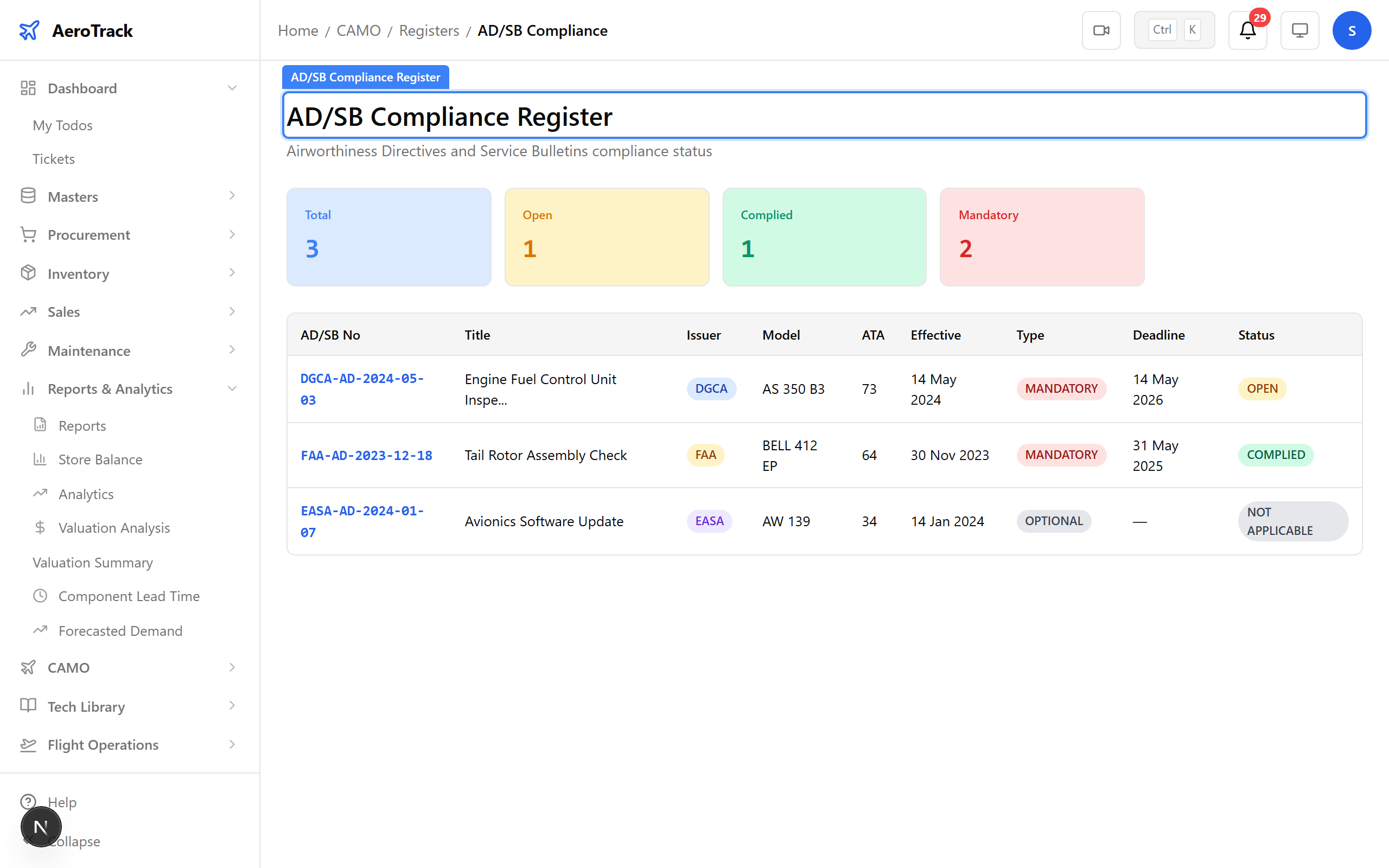
▲ Export any register as PDF or CSV — ready for DGCA submission.
Store reports export the same way — consistent experience across the platform. Apply your filters, click Export, and the report downloads instantly.
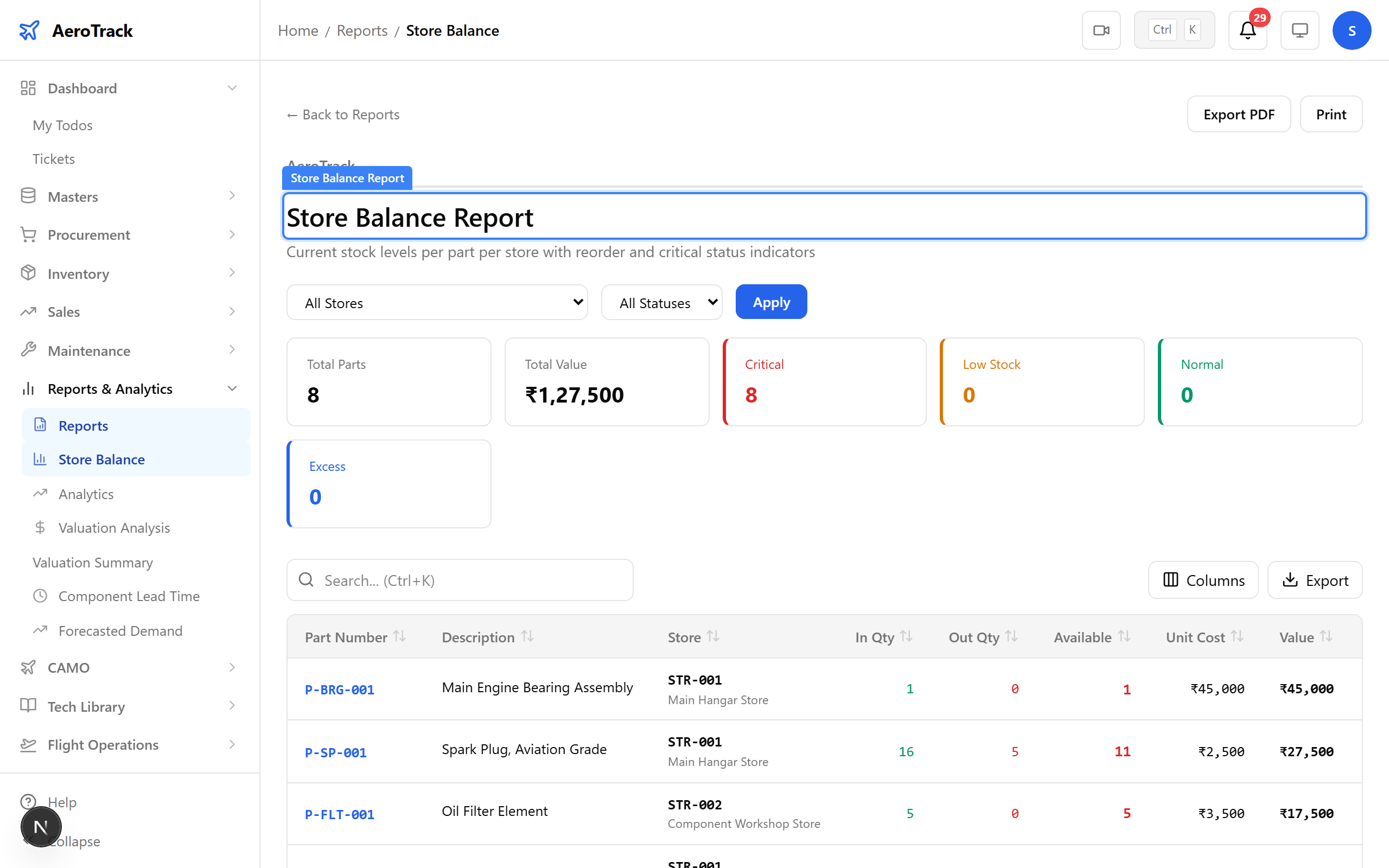
▲ Reports export in the same way — consistent experience across the platform.
Return to the registers index. With 22 register types covering flight logs, components, maintenance, AD compliance, MEL, training, and more — every regulatory requirement has a dedicated, exportable register.
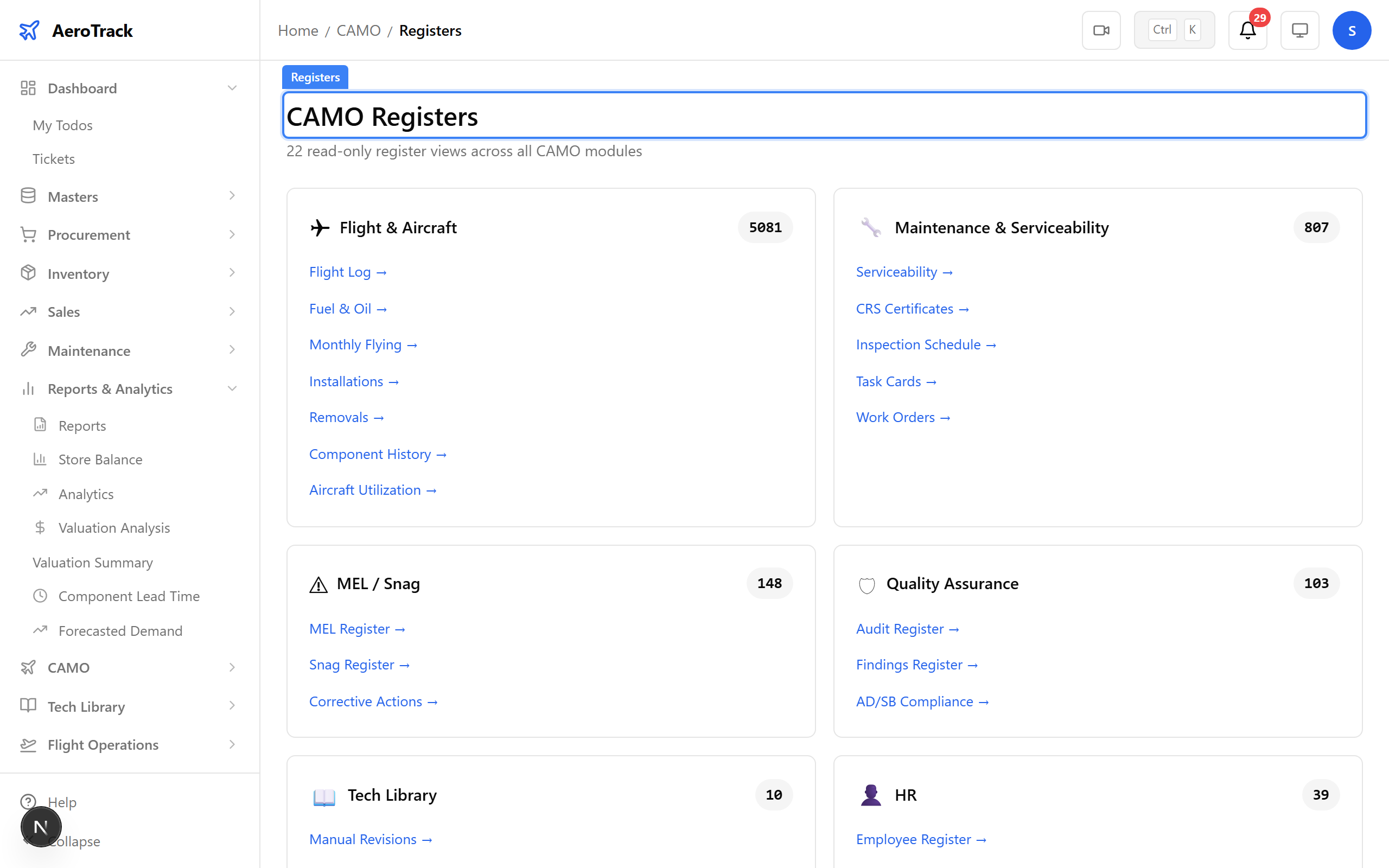
▲ 22 registers, dozens of reports, analytics dashboards — your regulatory paperwork, digitised.
Return to the analytics index. From raw registers to visual analytics — every layer of reporting is covered. Present fleet trends, spend analysis, and inventory health to management and auditors with confidence.
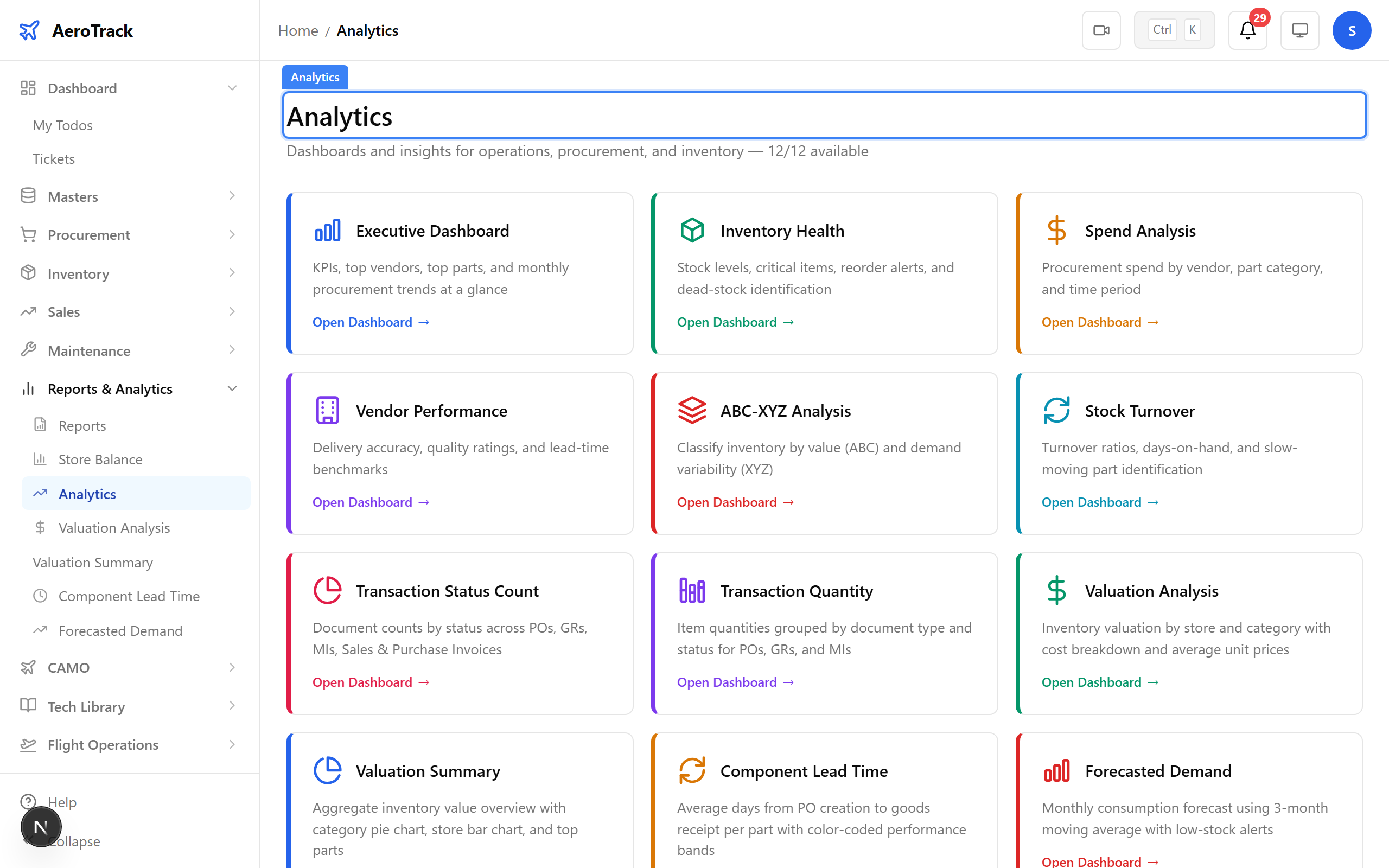
▲ From raw registers to visual analytics — every layer of reporting covered.