Browse Cities
1
Open City List
Navigate to Masters → Cities or go directly
to /masters/cities. The city list shows all registered
locations with their state and country.
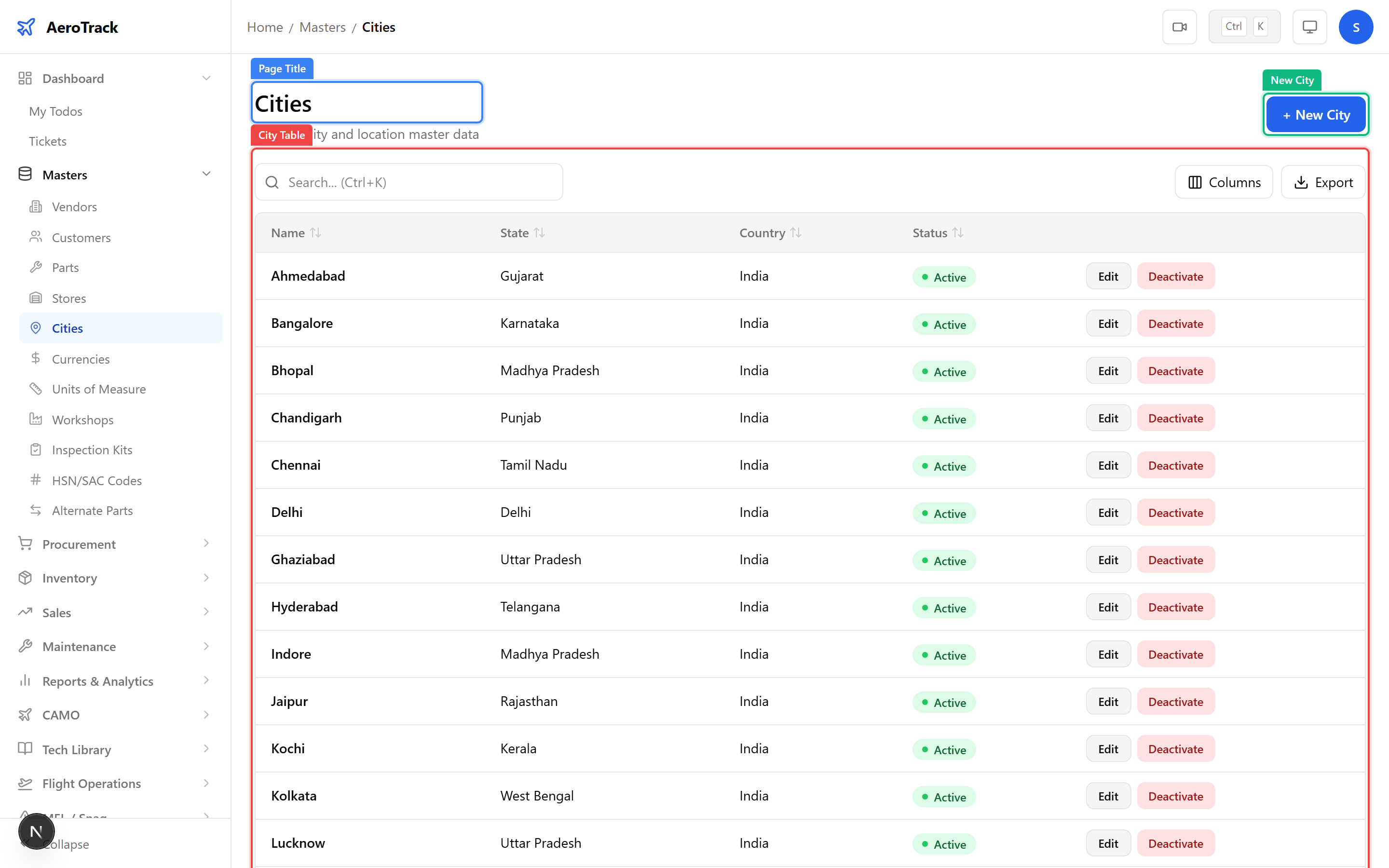
The city master is pre-seeded with major Indian cities. You can add international locations for vendors or MRO facilities abroad.
2
Column Reference
| Column | Description |
|---|---|
| Name | City or airport name (e.g. Mumbai, Delhi, Bangalore). |
| State | State or province (auto-filled for Indian states via the CityAutocomplete component). |
| Country | Country name (defaults to India). |
Create a City
3
Open Add Form
Click the + New City button at the top of the
city list. This opens the city creation form at
/masters/cities/new.
4
Fill City Details
| Field | Required | Description |
|---|---|---|
| Name | Yes | City name. Must be unique within the same country. |
| State | Yes | State or province. For Indian cities, select from the pre-loaded list of 36 states and union territories. |
| Country | Yes | Country name (defaults to India). |
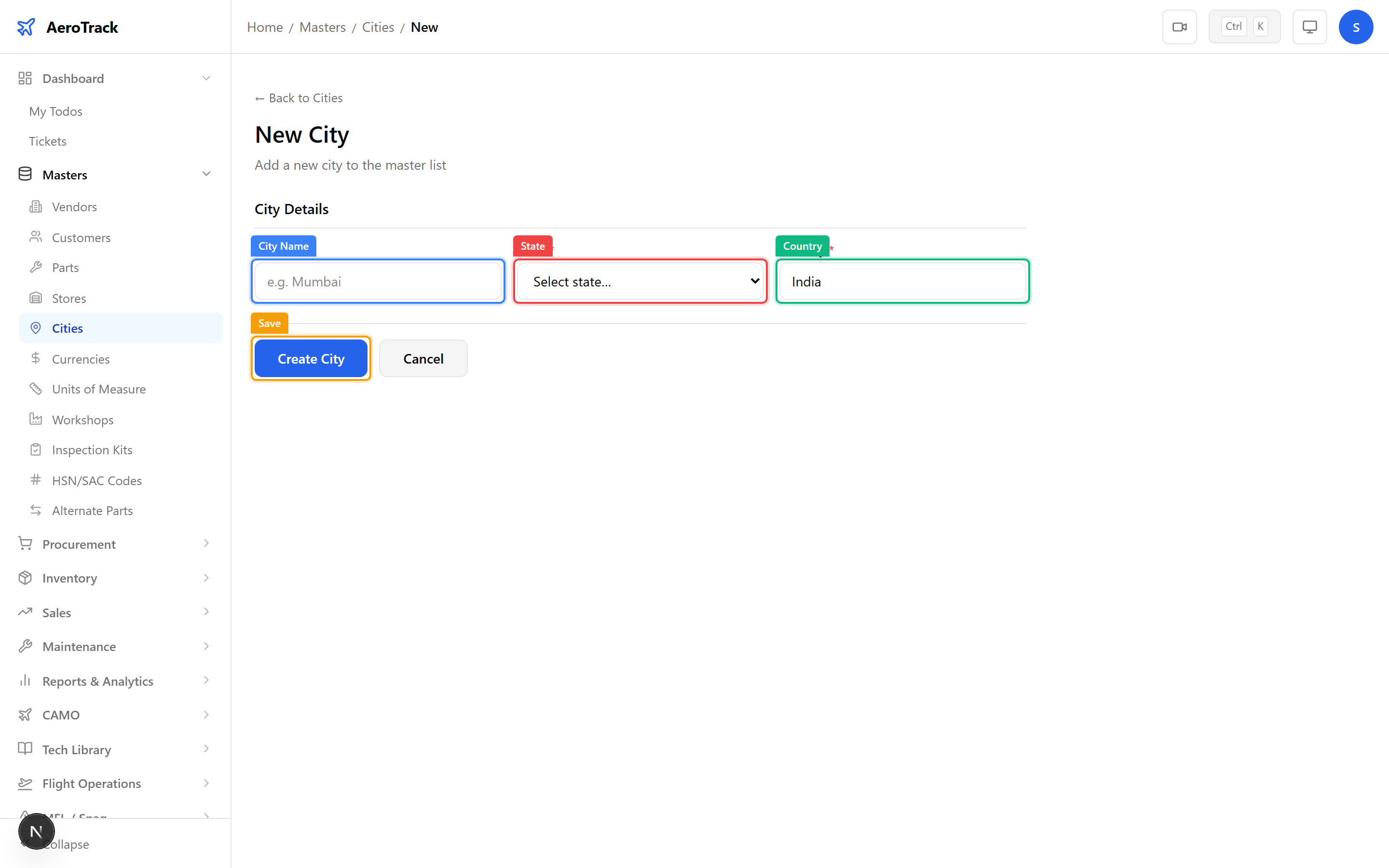
Click Save to create the city. It will immediately appear in location dropdowns across all modules.
Duplicate city names within the same country are not allowed. If you need to distinguish between cities with the same name, include the district (e.g. “Salem (TN)” vs “Salem (OR)”).
Edit & Delete
5
Manage Existing Cities
Click any city row to open the edit form. You can update the name, state, or country. Changes take effect immediately across all modules that reference this city.
| Action | How |
|---|---|
| Edit | Click the city row → modify fields → Save. |
| Delete | Click the city row → Delete button. Only possible if the city is not referenced by vendors, stores, or aircraft. |