Browse Stores
Navigate to Masters → Stores or go directly
to /masters/stores. The store list shows all warehouse
locations with their type, city, manager, and valuation setting.
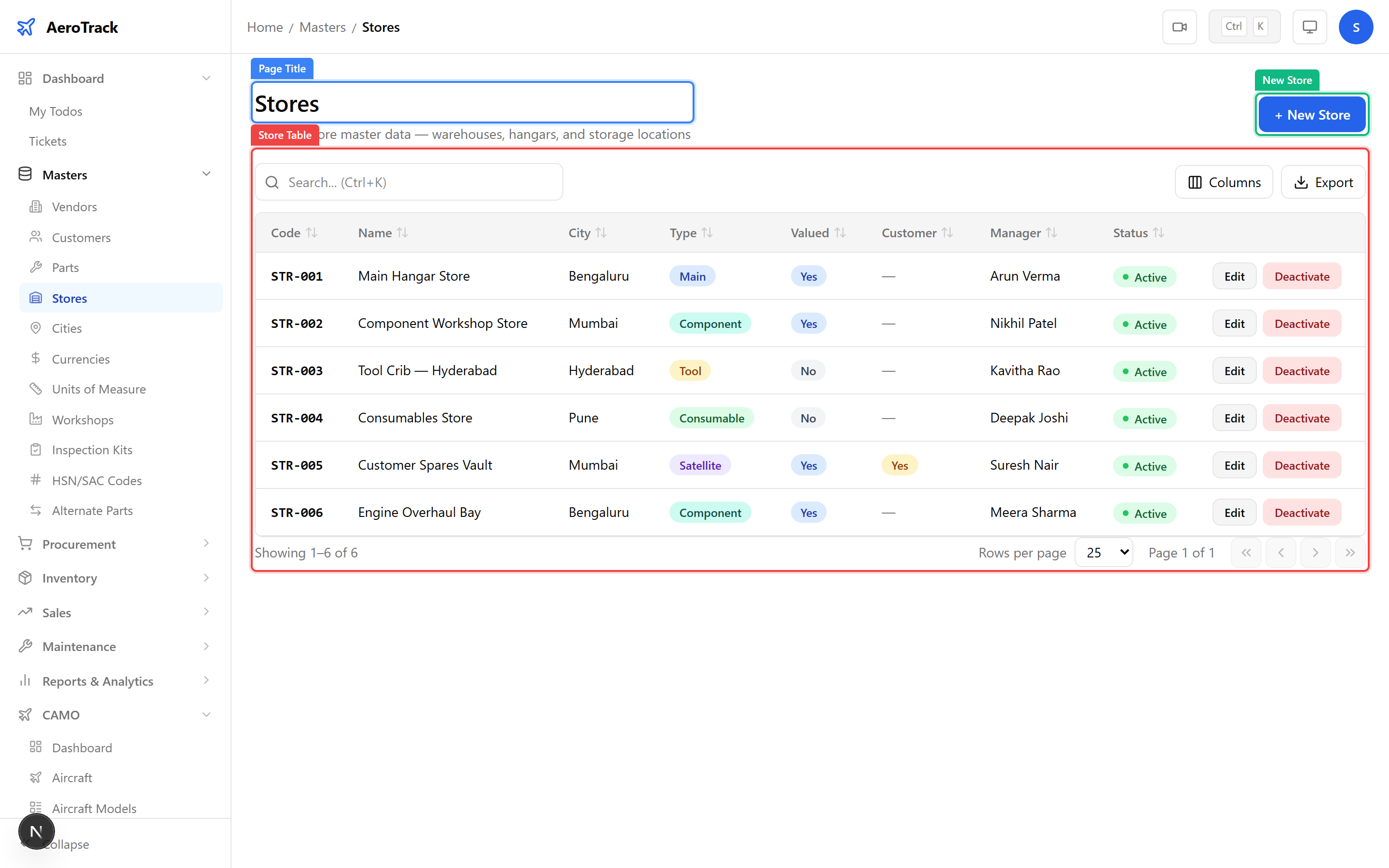
| Column | Description |
|---|---|
| Code | Unique store code (e.g. STR-001, HANGAR-A). |
| Name | Descriptive name of the store or warehouse. |
| Type | Store classification — Main Store, Sub Store, Bonded Store, Quarantine, or Scrap. |
| Location | Physical location description (building, hangar, bay number). |
| City | City from the City master. |
| Manager | Store manager or custodian name. |
| Valued | Whether stock in this store is financially valued. |
Create a Store
Click the + New Store button at the top of the
store list. This opens the store creation form at
/masters/stores/new.
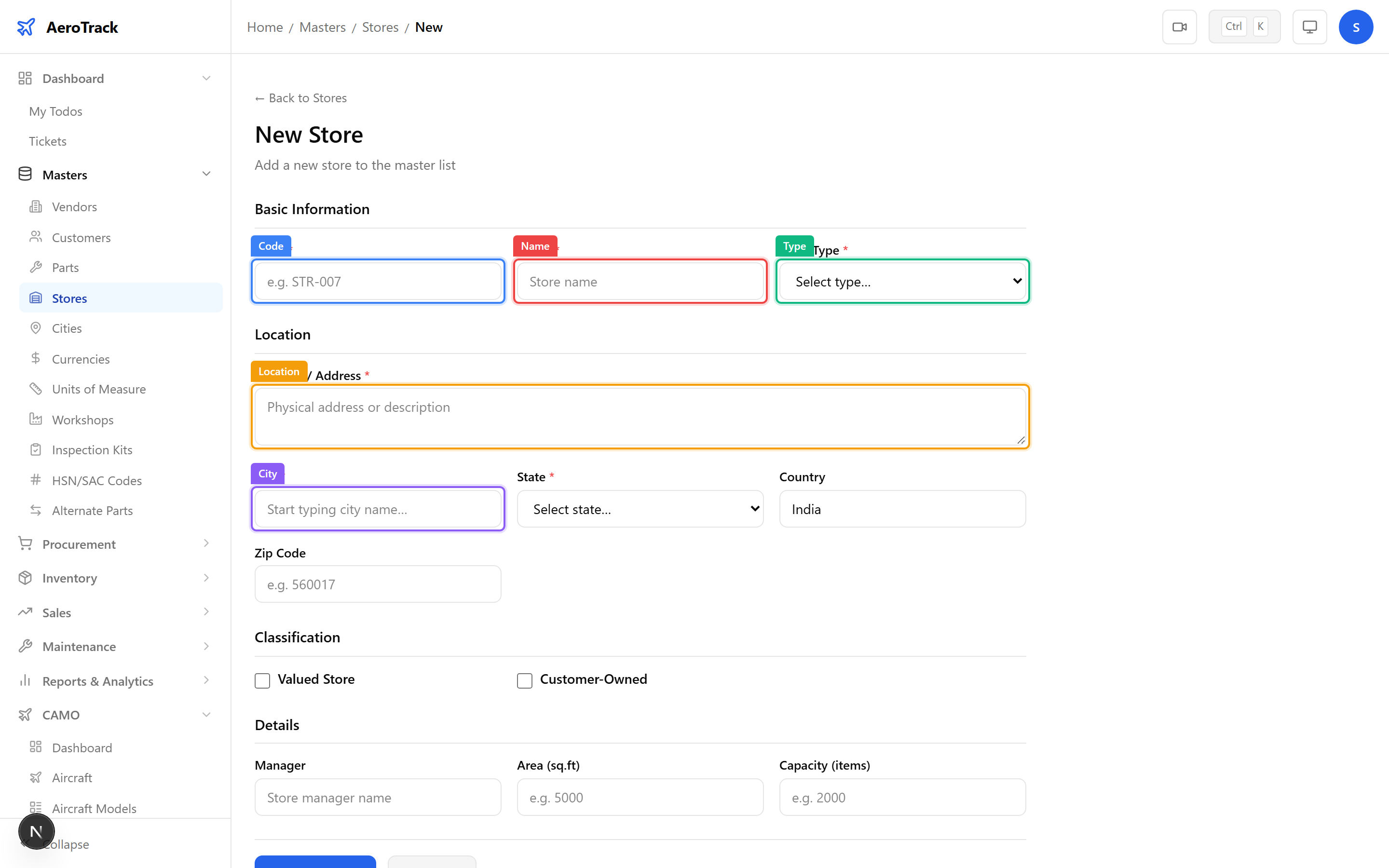
| Field | Required | Description |
|---|---|---|
| Code | Yes | Unique store code. Use a short, memorable identifier. |
| Name | Yes | Full descriptive name of the store. |
| Store Type | Yes | Select from Main Store, Sub Store, Bonded Store, Quarantine, or Scrap. |
| Location | No | Physical location within the facility (e.g. “Hangar 3, Bay 2”). |
| City | No | Select from the City master. |
| Manager | No | Name of the store manager or custodian. |
| Field | Required | Description |
|---|---|---|
| Area (sq ft) | No | Total floor area of the store in square feet. |
| Capacity | No | Maximum storage capacity (number of bins, pallets, or items). |
| Is Valued | No | Toggle on to include this store’s stock in financial valuation reports. |
| Customer Owned | No | Toggle on if this store holds customer-owned material (consignment stock). |
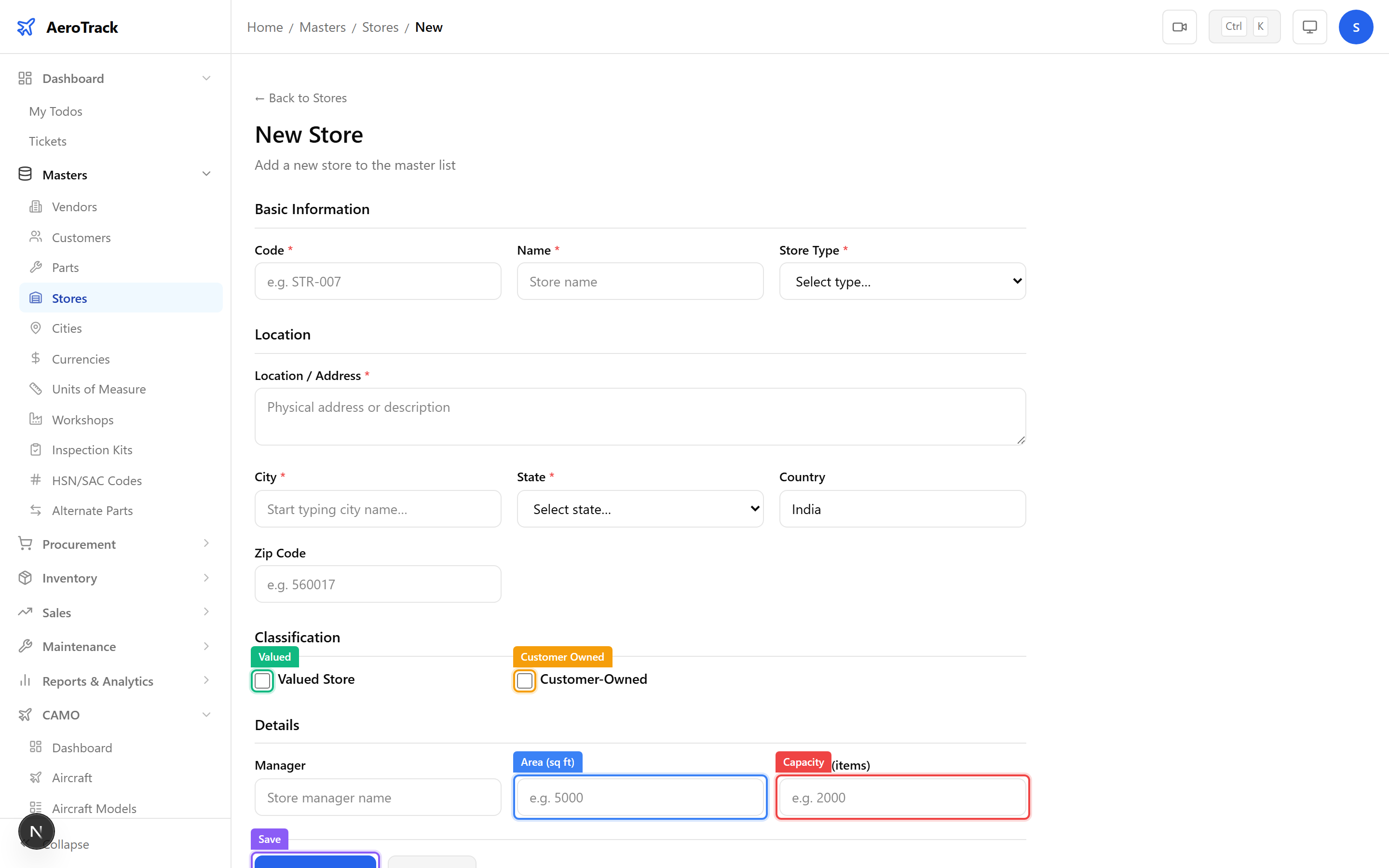
Click Save to create the store record. The new store will be available for selection in inventory receipts, issues, and stock transfers.
Manage Stores
Click any store row to open the edit form at
/masters/stores/{id}/edit. All fields are editable.
Changes to the store type or valuation setting take effect immediately.
| Type | Purpose |
|---|---|
| Main Store | Primary warehouse for serviceable spare parts and consumables. |
| Sub Store | Satellite location for line maintenance or specific hangar needs. |
| Bonded Store | Customs-bonded storage for imported parts awaiting clearance. |
| Quarantine | Isolated storage for parts under inspection, unserviceable, or awaiting test/repair. |
| Scrap | Write-off storage for condemned parts awaiting disposal. |