Browse Models
Navigate to CAMO → Aircraft Models or go
directly to /camo/models. The model list shows all
registered aircraft types with their manufacturer, category, and
engine count.
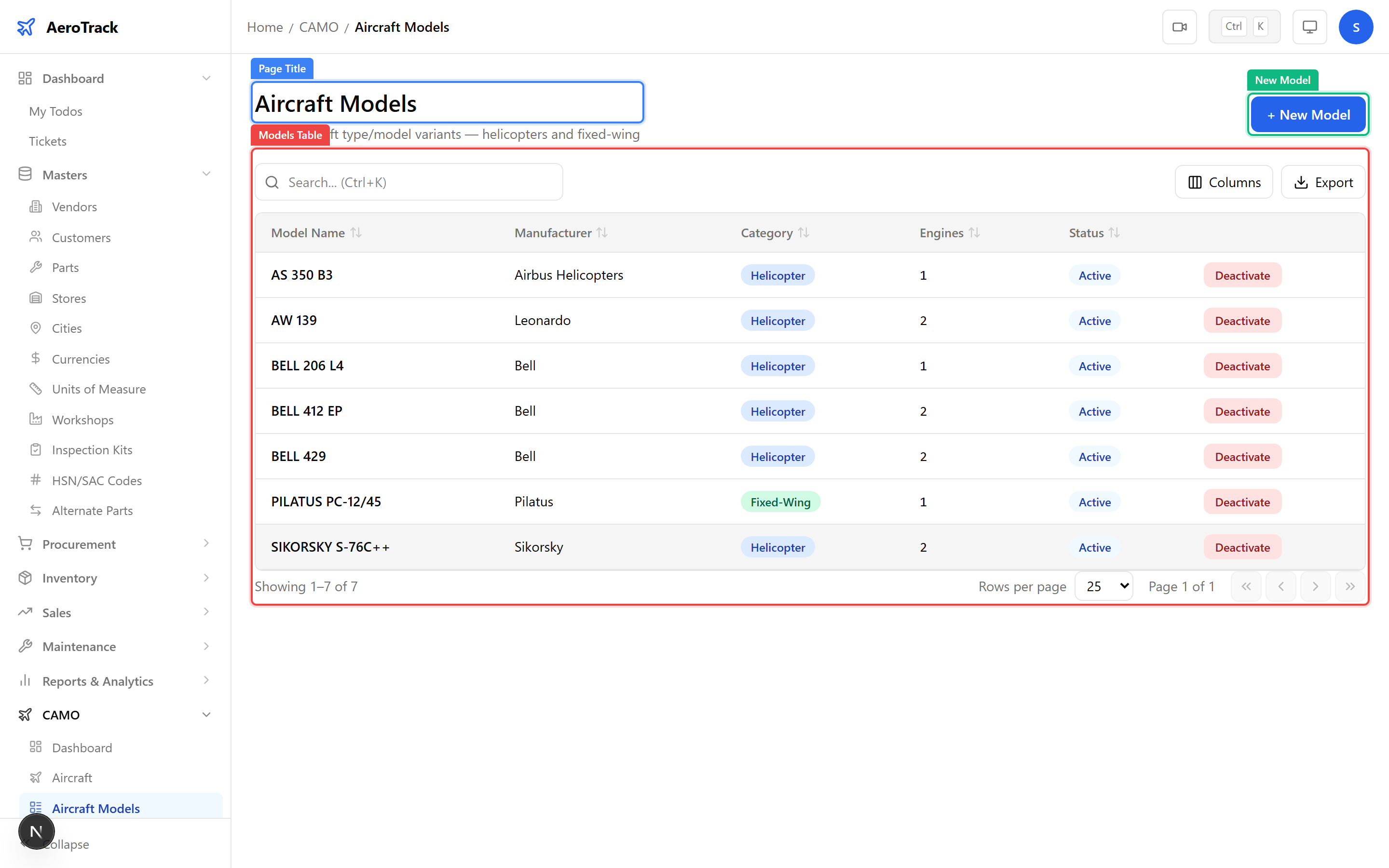
| Column | Description |
|---|---|
| Name | Model designation (e.g. Boeing 737-800, ATR 72-600, Airbus A320neo). |
| Manufacturer | Aircraft manufacturer (Boeing, Airbus, ATR, Embraer, etc.). |
| Category | Aircraft category — Narrow Body, Wide Body, Regional, Turboprop, Helicopter, or Business Jet. |
| Engines | Number of engines on this model type. |
| Description | Optional notes about the model variant or configuration. |
Create a Model
Click the + New Model button at the top of the
model list. This opens the model creation form at
/camo/models/new.
| Field | Required | Description |
|---|---|---|
| Name | Yes | Official model designation. Use the full variant name (e.g. “737-800” not just “737”). |
| Manufacturer | Yes | OEM name (Boeing, Airbus, ATR, etc.). |
| Category | Yes | Select: Narrow Body, Wide Body, Regional, Turboprop, Helicopter, or Business Jet. |
| Engine Count | Yes | Number of engines (typically 1, 2, or 4). |
| Description | No | Optional notes about the variant, configuration, or fleet-specific details. |
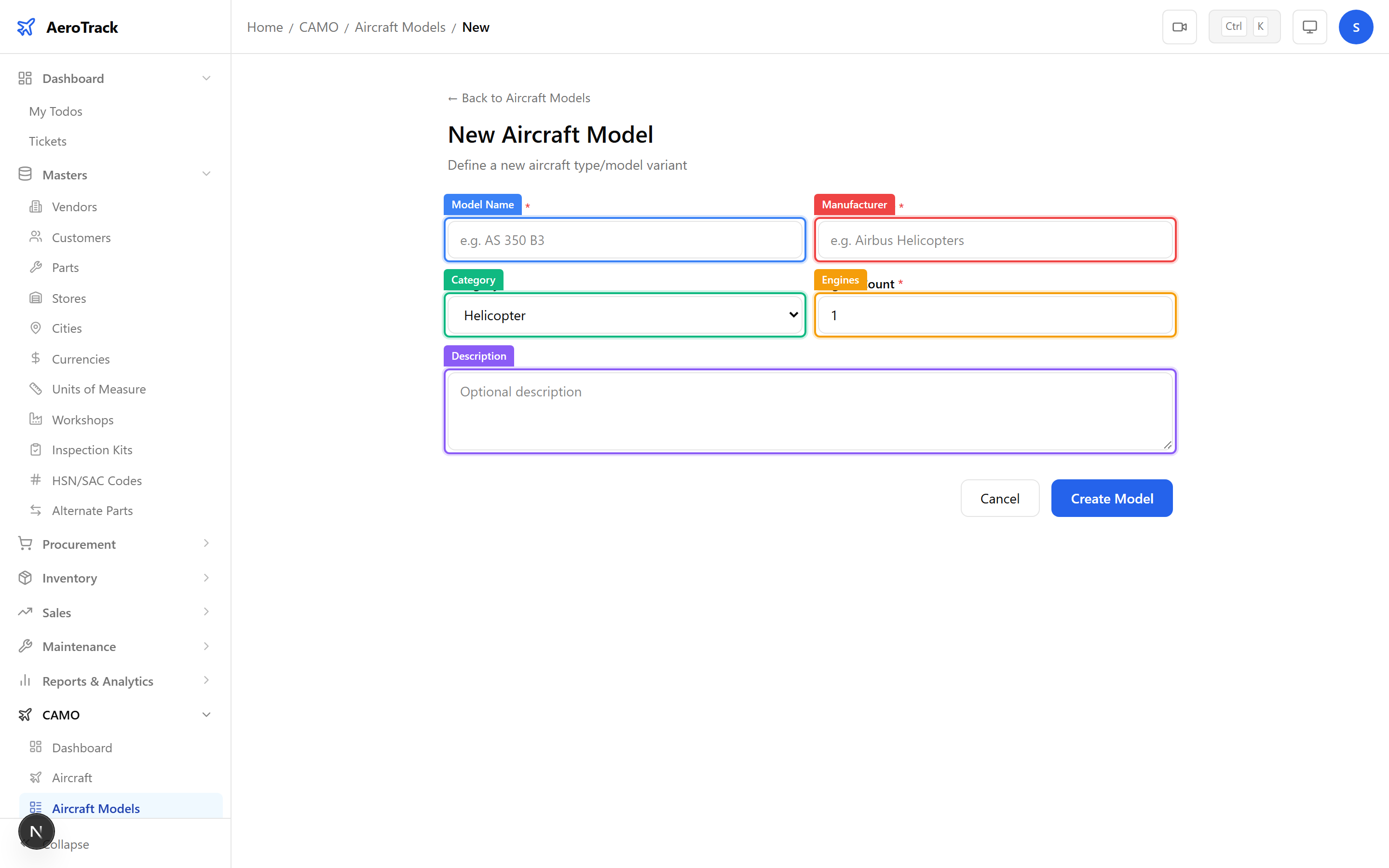
Click Save to create the model. It will immediately be available for selection when registering new aircraft.
Model Usage
Aircraft models are a core reference entity used across the entire CAMO ecosystem:
| Module | How Models Are Used |
|---|---|
| Aircraft Fleet | Every aircraft is linked to a model. The model determines applicable ADs, task cards, and inspection programmes. |
| AMP Revisions | Each AMP revision is specific to a model. Only aircraft of that model receive the maintenance tasks. |
| AD/SB Directives | Directives are filtered by model. URL monitoring checks for new ADs per model. |
| Notifications | AD/SB notification filters include a model dropdown to narrow results. |
| Tech Library | Manuals, task cards, and STCs are catalogued by model. |
| Fleet Analytics | Graphs and charts can be filtered by model for fleet-level analysis. |
Click any model row to open the edit form at
/camo/models/{id}/edit. You can update all fields.
| Action | Notes |
|---|---|
| Edit | All fields are editable. Changes propagate to all aircraft of this model. |
| Delete | Only possible if no aircraft are registered under this model. If aircraft exist, you must reassign or deregister them first. |