Navigate to Masters → Vendors. This is your supplier directory — every company you buy parts or services from gets a record here. Vendors are linked to purchase orders, invoices, and goods receipts.
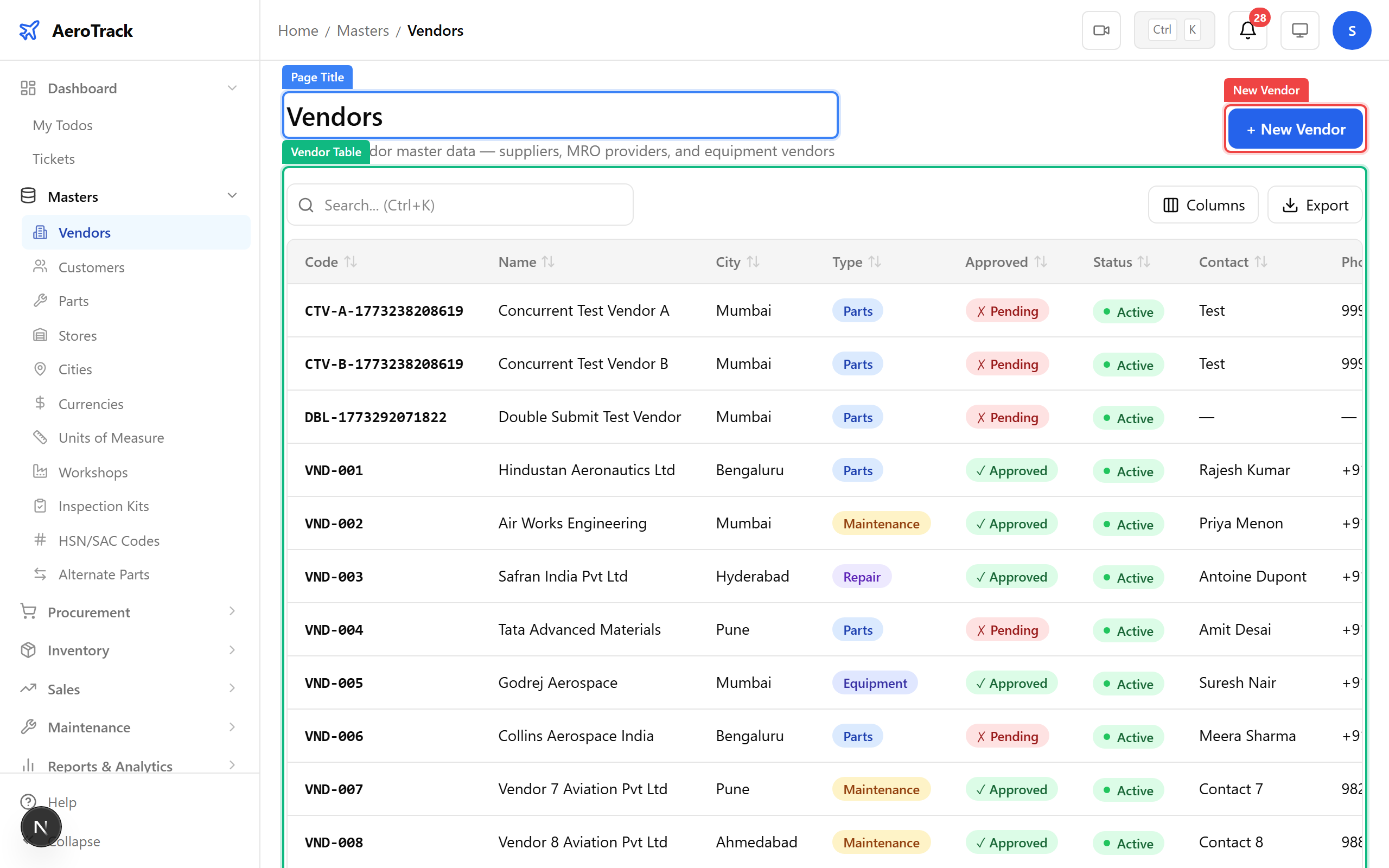
Click New Vendor and fill in the form. The vendor code is your internal reference (e.g. VND-AERO-001). GST and PAN numbers are required for Indian tax compliance on purchase invoices.
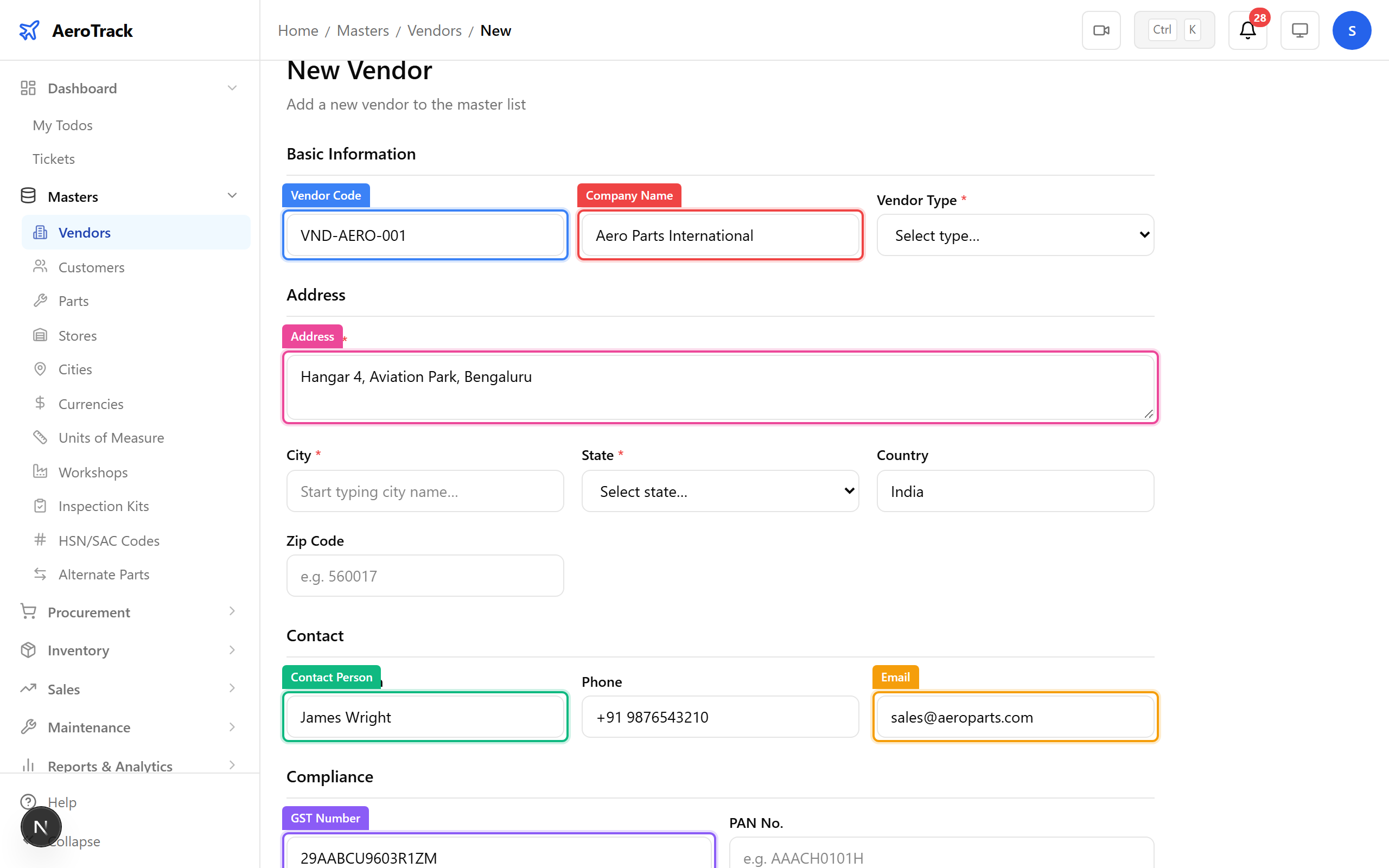
▲ Vendors supply parts and services. Link them to POs later in the procurement chain. The same form is used for editing — click any vendor row to modify.
| Field | Required | Purpose |
|---|---|---|
| Vendor Code | Yes | Unique identifier on POs and invoices |
| Company Name | Yes | Display name across the system |
| Vendor Type | Yes | Supplier, Manufacturer, Service Provider, etc. |
| GST No / PAN | No* | Required for Indian tax invoices |
| Payment Terms | No | Default terms auto-filled on new POs |
| Is Approved | No | Only approved vendors appear in PO dropdowns |
Navigate to Masters → Customers. Customers are the airlines or operators you sell parts or services to. They're linked to sales orders, invoices, and delivery challans.
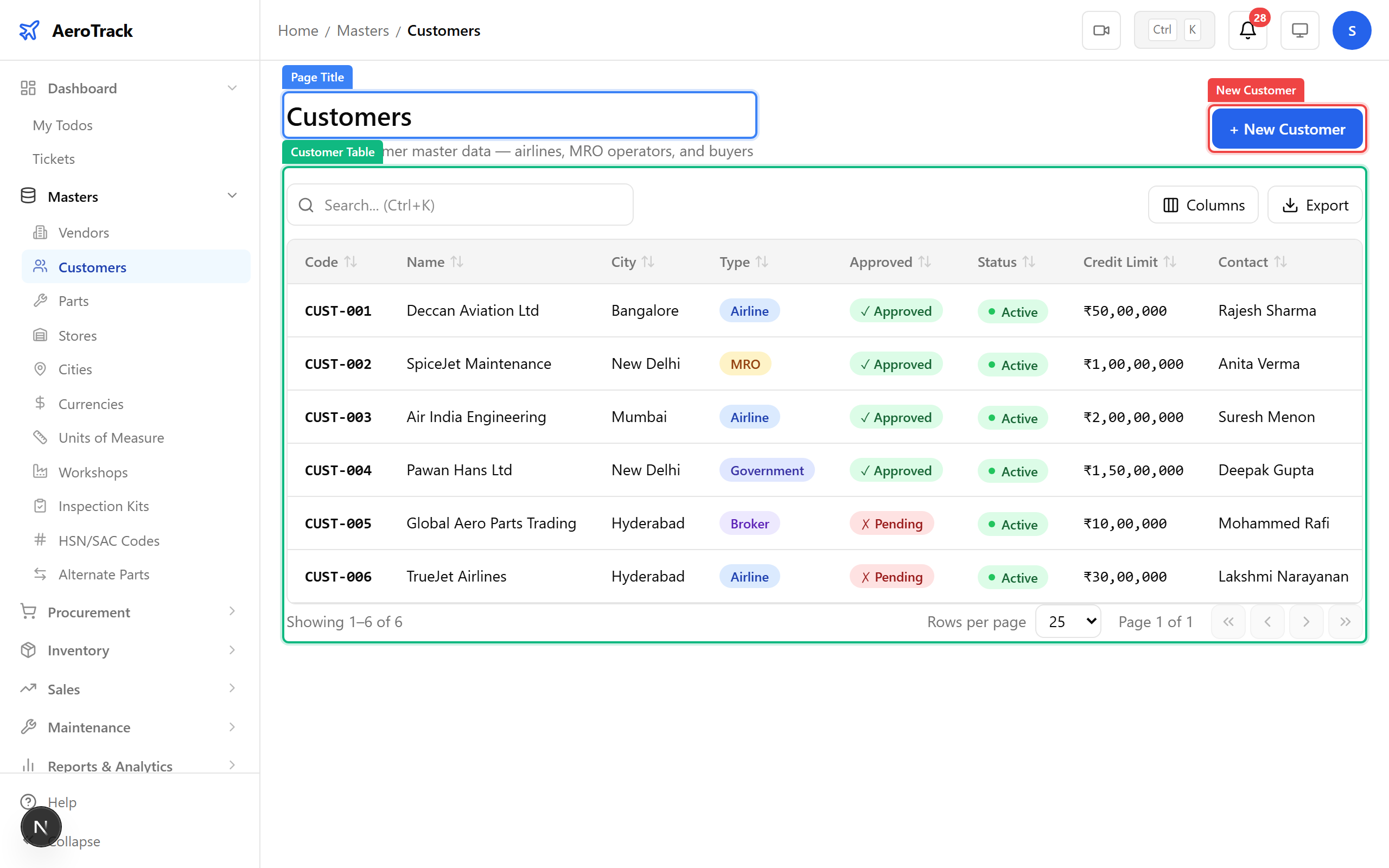
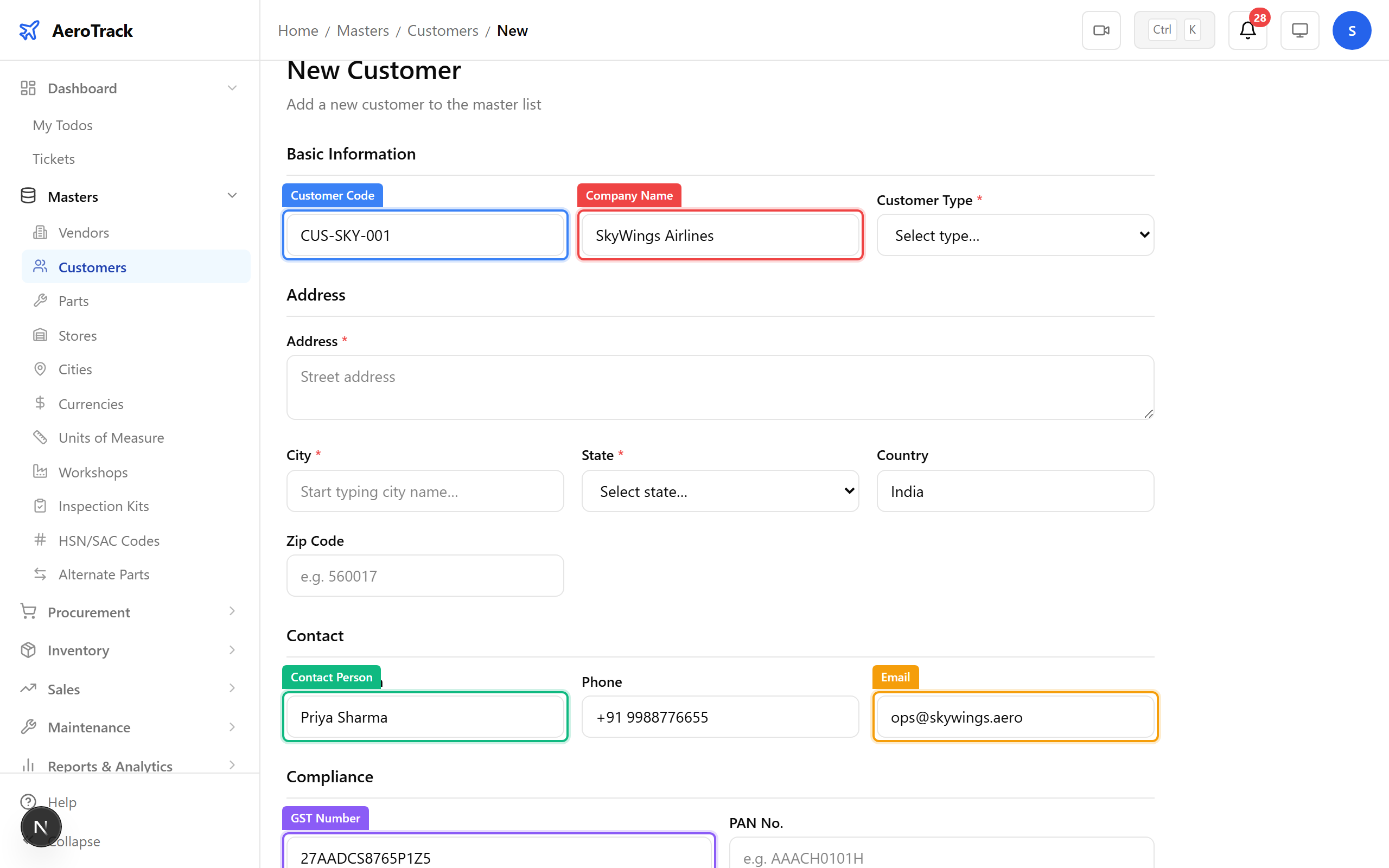
Click New Customer. The form mirrors the vendor form — code, name, contact, GST, and address. The credit limit field controls how much outstanding balance this customer can carry.
Navigate to Masters → Parts. This is the heart of inventory — every consumable, rotable, and expendable part your organisation works with. Parts link to purchase orders, stock movements, work order materials, and inspection task cards.
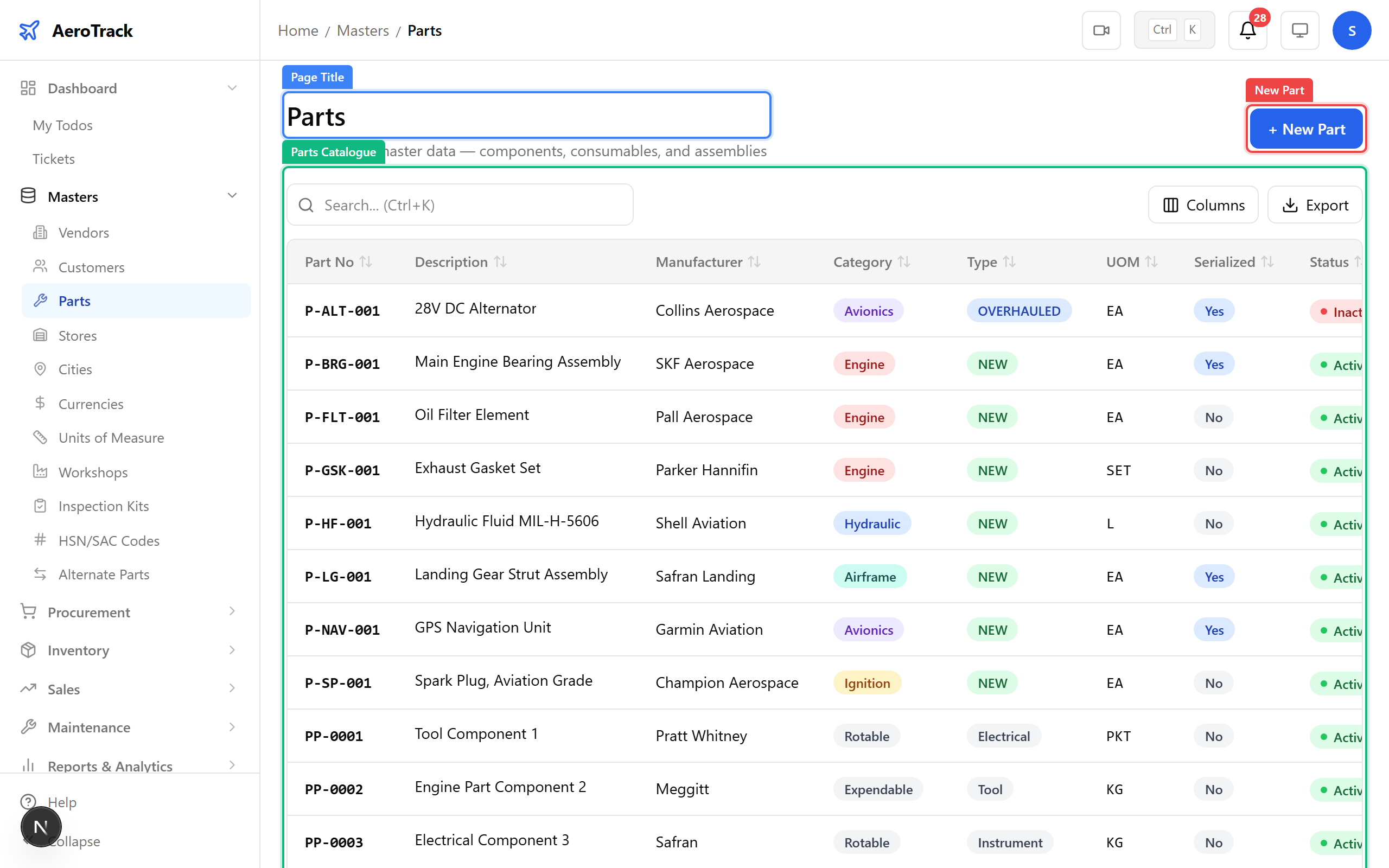
Click New Part. The part number is your primary key — it appears on every document. Category (consumable, rotable, expendable) determines tracking rules: rotables are serialised and tracked individually, consumables are tracked by quantity.
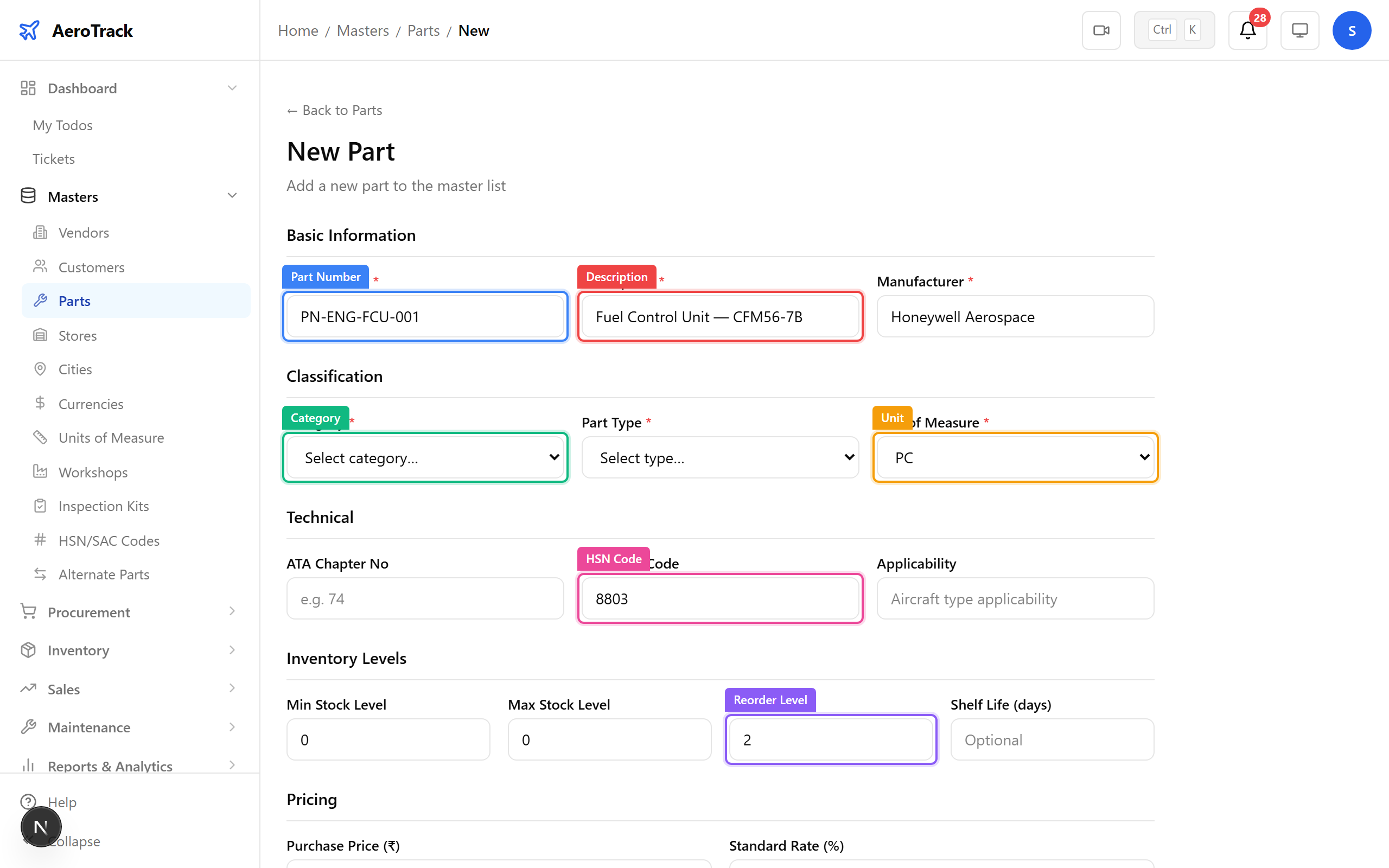
▲ The part number and category determine how this item appears in procurement and stock reports. Set the reorder level to trigger automatic purchase request suggestions.
| Field | Purpose |
|---|---|
| Part Number | Unique identifier — appears on all documents |
| Category | Consumable / Rotable / Expendable — controls tracking |
| Serialized | If checked, each unit gets a unique serial number |
| Reorder Level | Triggers purchase suggestions when stock falls below |
| HSN/SAC Code | Tax classification for GST invoices |
| Shelf Life | Days until expiry — triggers reminders |
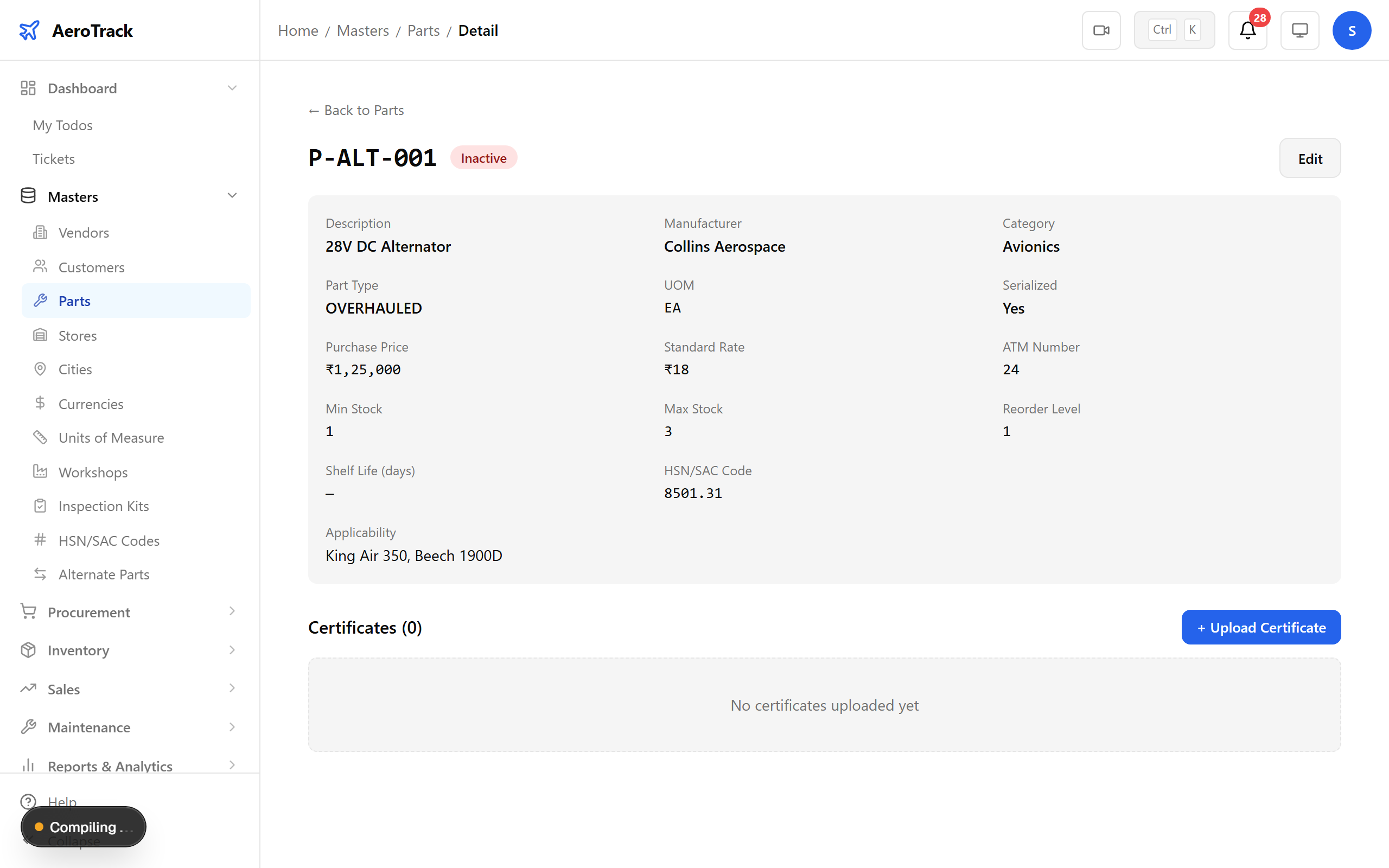
Click any part row to see its detail page — stock summary across stores, linked purchase orders, material issues, and certificate status. This is your single source of truth for any part number.
Navigate to Masters → Stores. Stores are physical locations where parts are kept — main warehouse, quarantine area, customer-owned stores, etc. Every stock movement references a source and destination store.
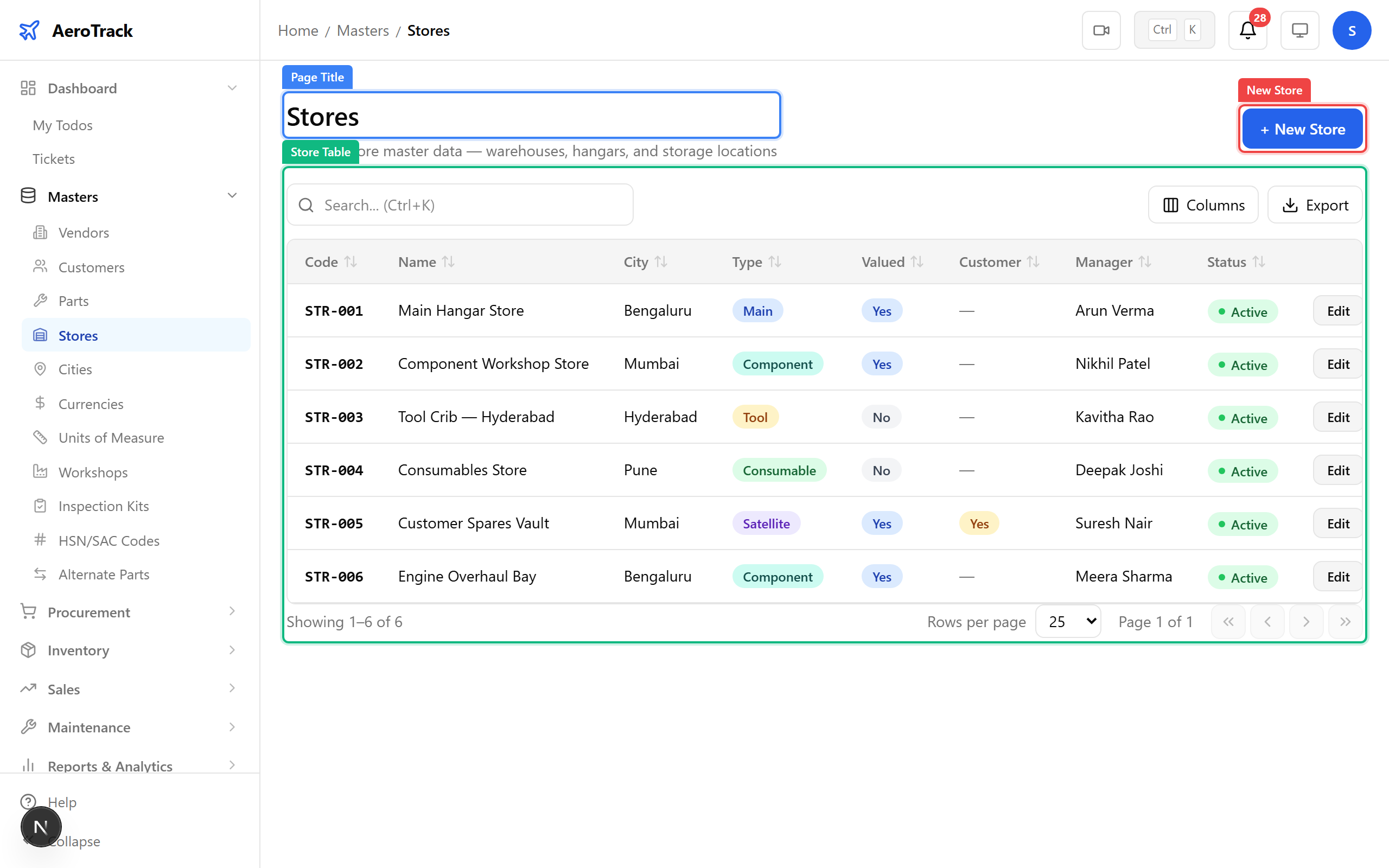
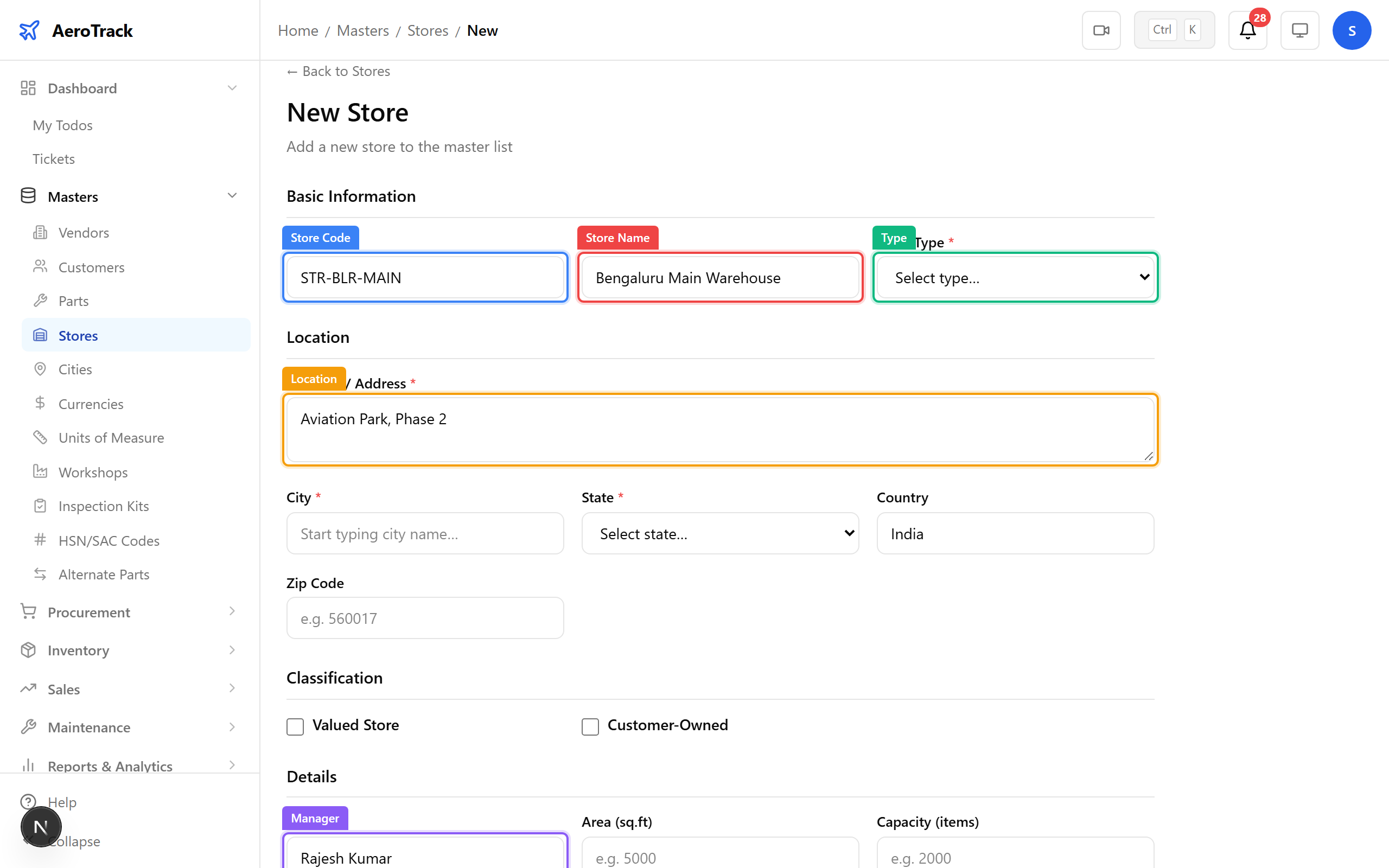
Click New Store. The store type determines its purpose — warehouse, quarantine, bonded, or customer-owned. Customer-owned stores require a customer reference to track consignment inventory separately.
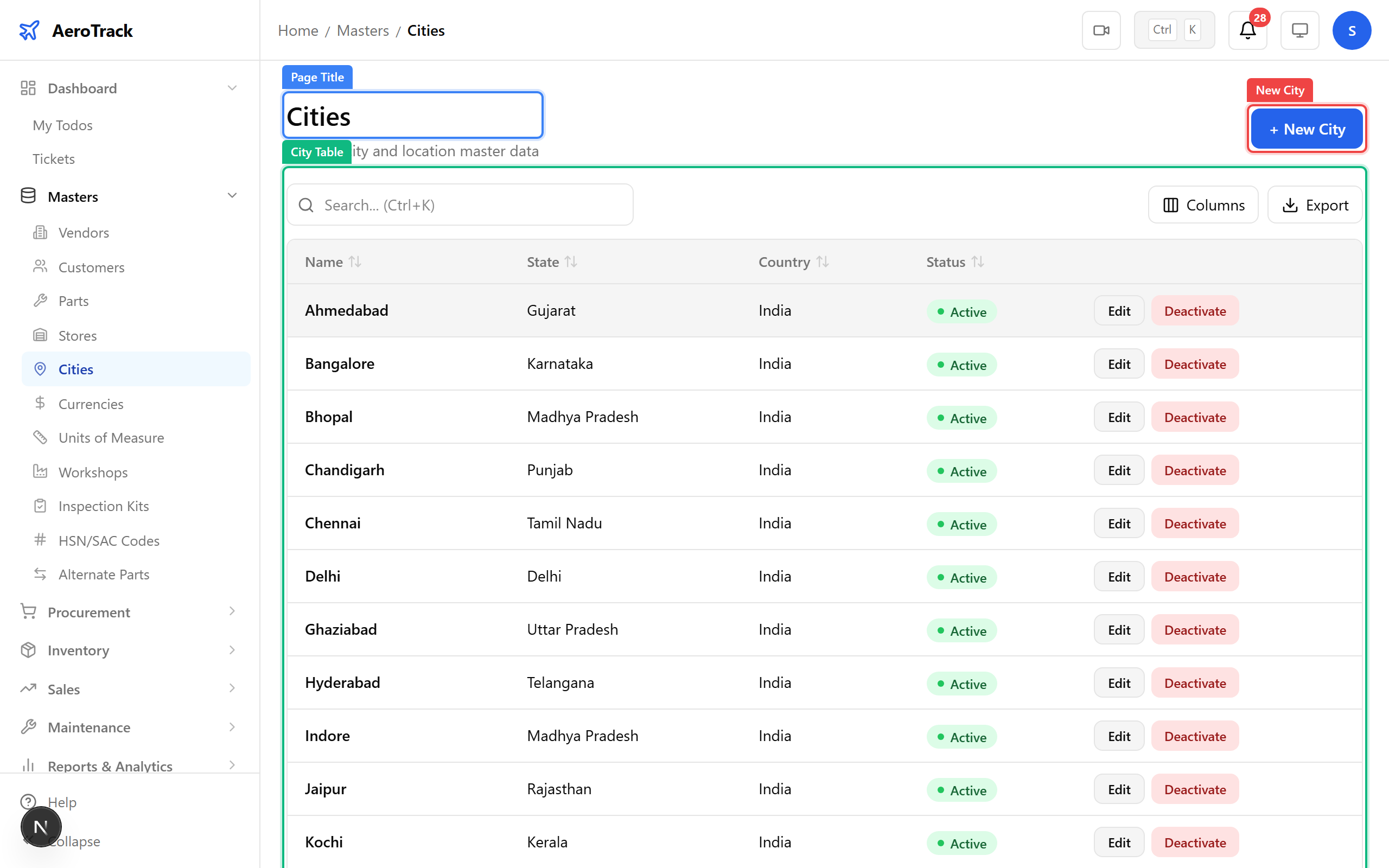
Navigate to Masters → Cities. Cities are used in vendor/customer addresses, store locations, and flight operations. The seed includes 20 Indian cities — add more as needed.
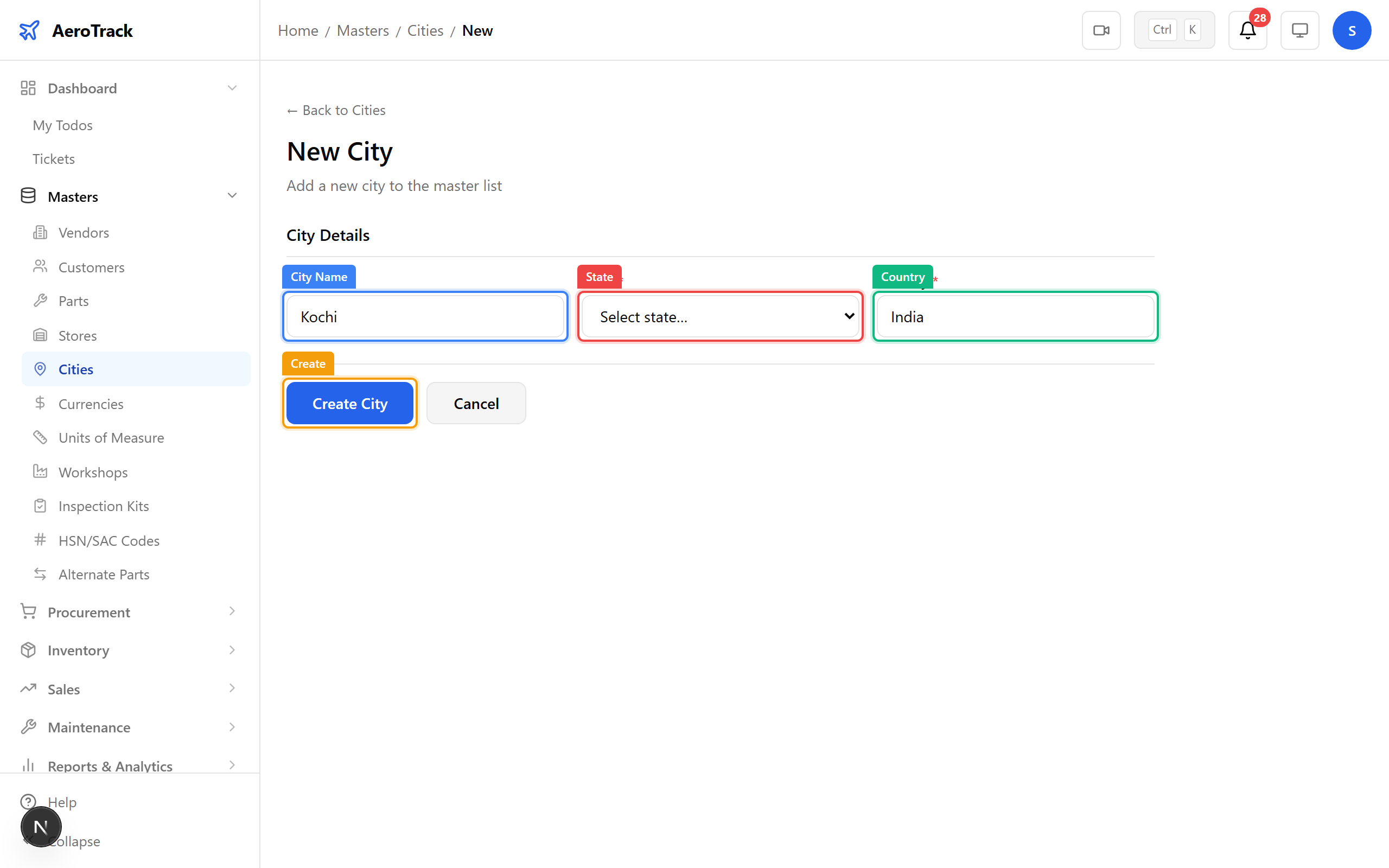
Simple form — name, state, and country. Cities appear in autocomplete dropdowns across all address fields in the system.
Navigate to Masters → Currencies. The seed includes INR, USD, EUR, GBP, and AED. Each currency has an exchange rate relative to your base currency (set in Company Settings). Exchange rates are used in purchase orders and invoices.
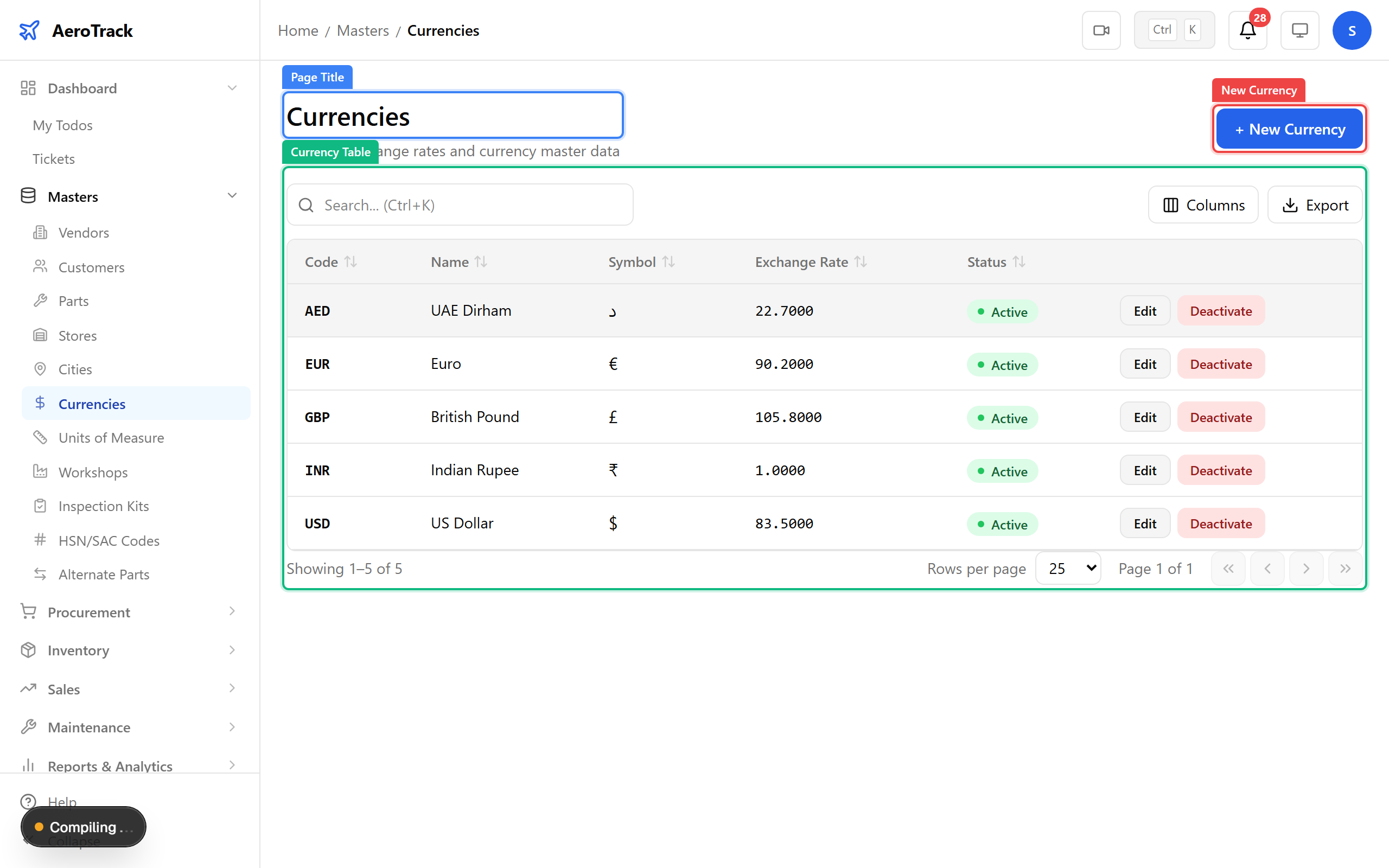
Add new currencies as you onboard international vendors. The exchange rate converts foreign amounts to your base currency on financial reports.
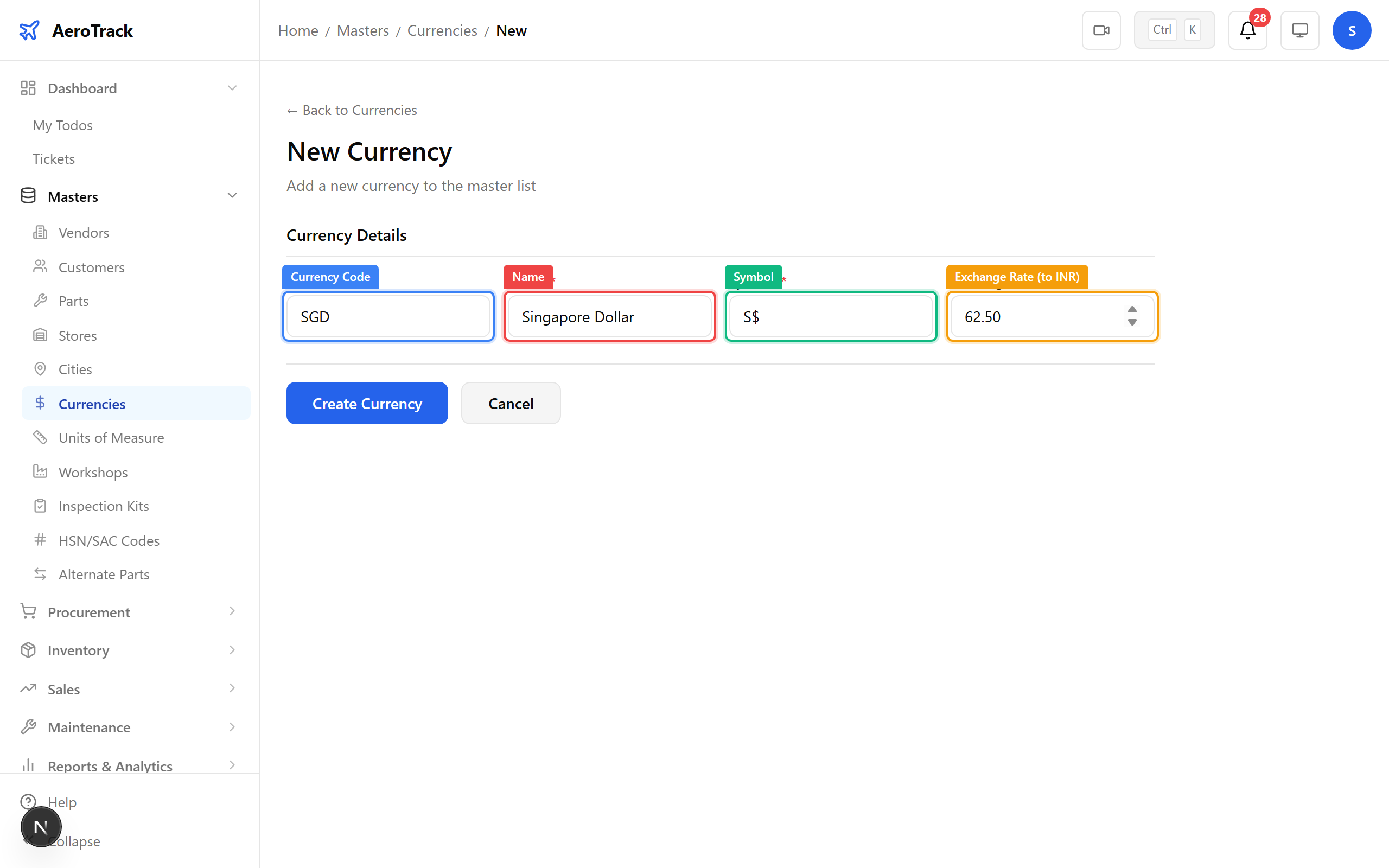
▲ The exchange rate is to your base currency (INR by default). Update rates periodically — they affect all new transactions.
Navigate to Masters → Units. The seed includes 10 common units (KG, G, L, ML, M, CM, HR, PC, SET, BOX). Each unit belongs to a category and has a conversion factor to its base unit.
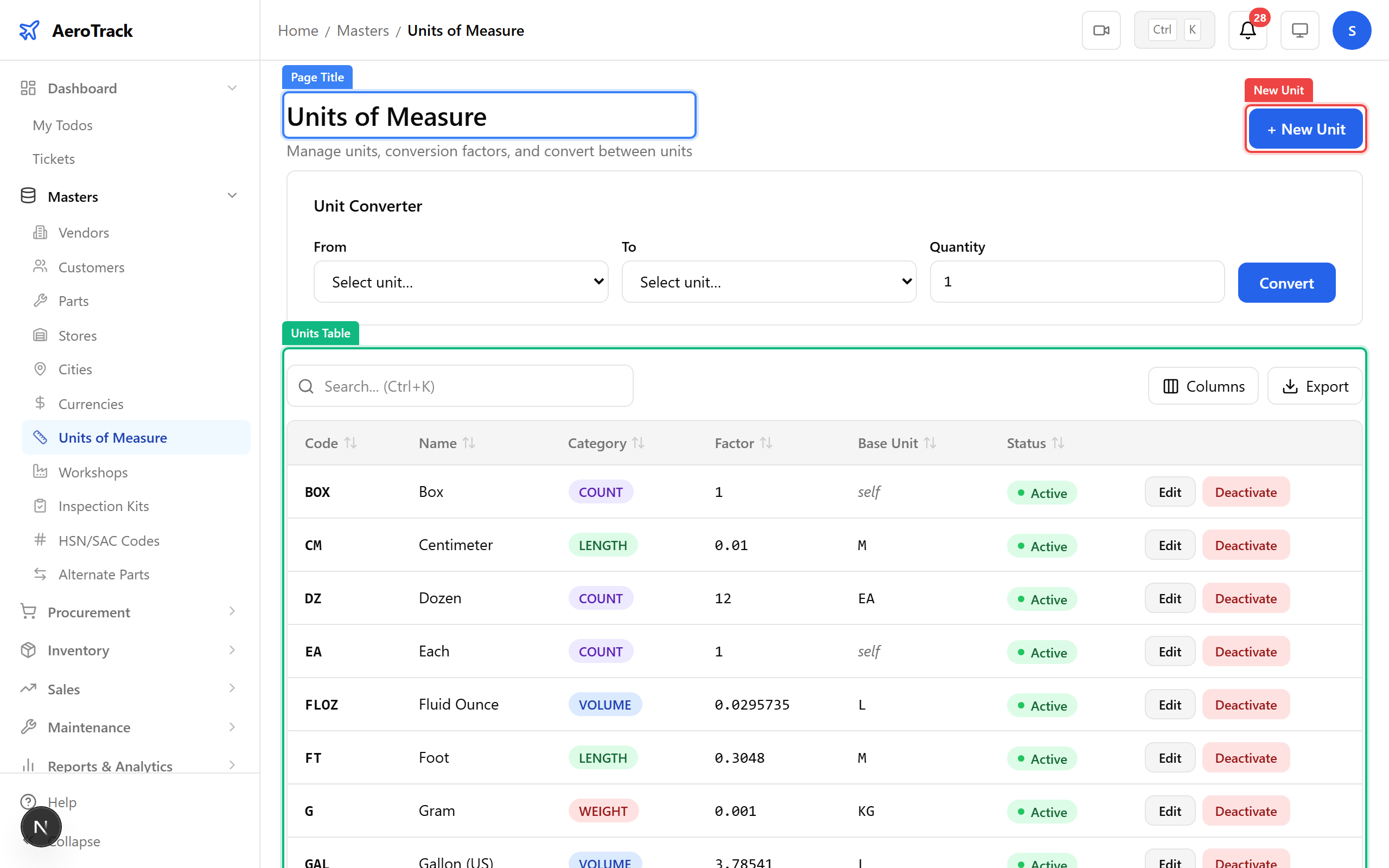
Add units when your parts need measurements not in the default set. The conversion factor links this unit to its base — for example, 1 FT = 0.3048 M.
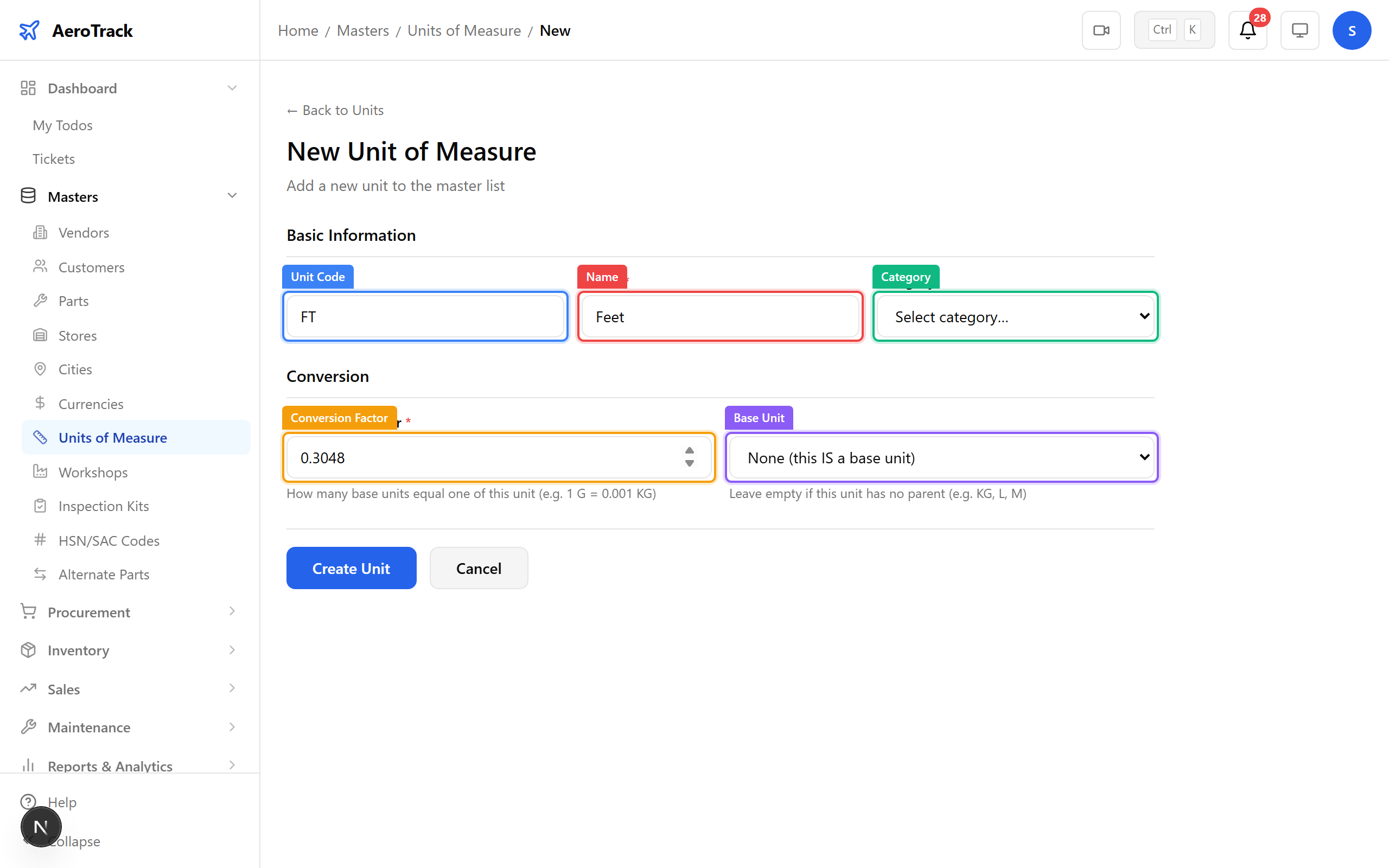
▲ The conversion factor links this unit to its base. Example: 1 G = 0.001 KG. This powers automatic unit conversion in stock reports.
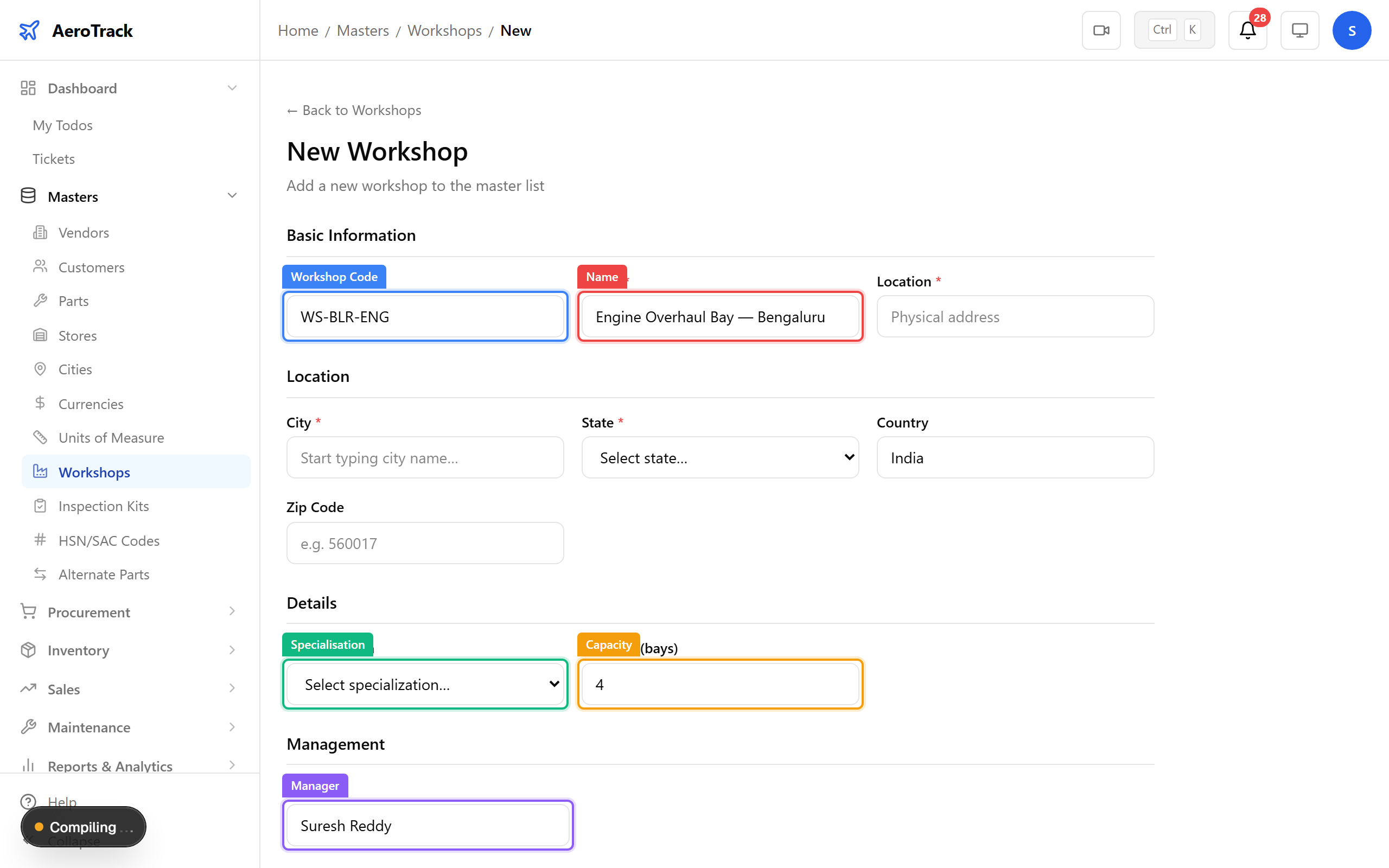
Navigate to Masters → Workshops. Workshops are physical maintenance bays or service centres. They're assigned to work orders so you know where each job is being performed.
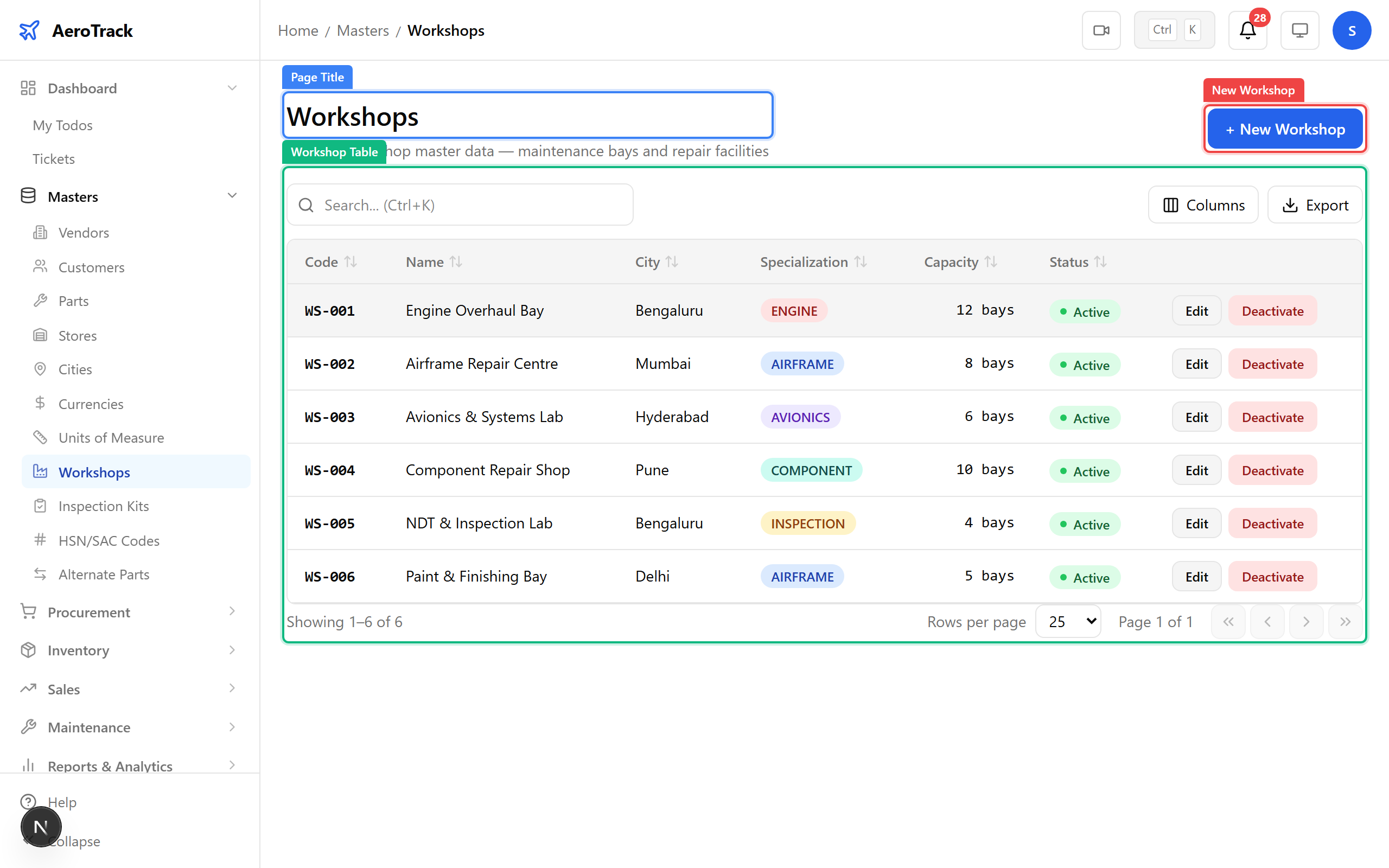
Define the workshop's specialisation (engine, airframe, avionics, etc.), capacity, and manager. This helps with work order scheduling and resource planning.
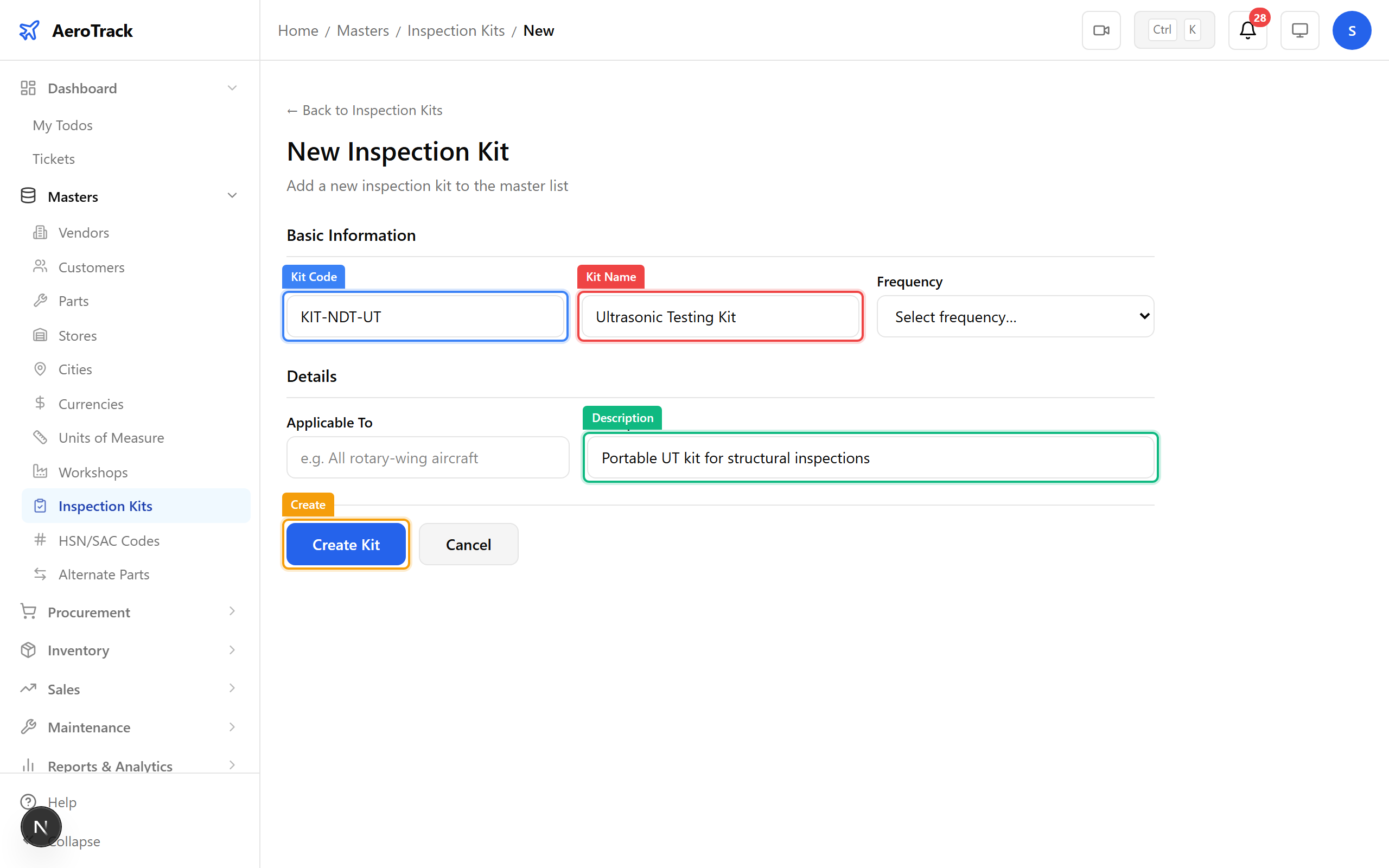
Navigate to Masters → Inspection Kits. Kits are predefined sets of tools and materials needed for specific inspection types (NDT, borescope, etc.). Link them to task cards for standardised procedures.
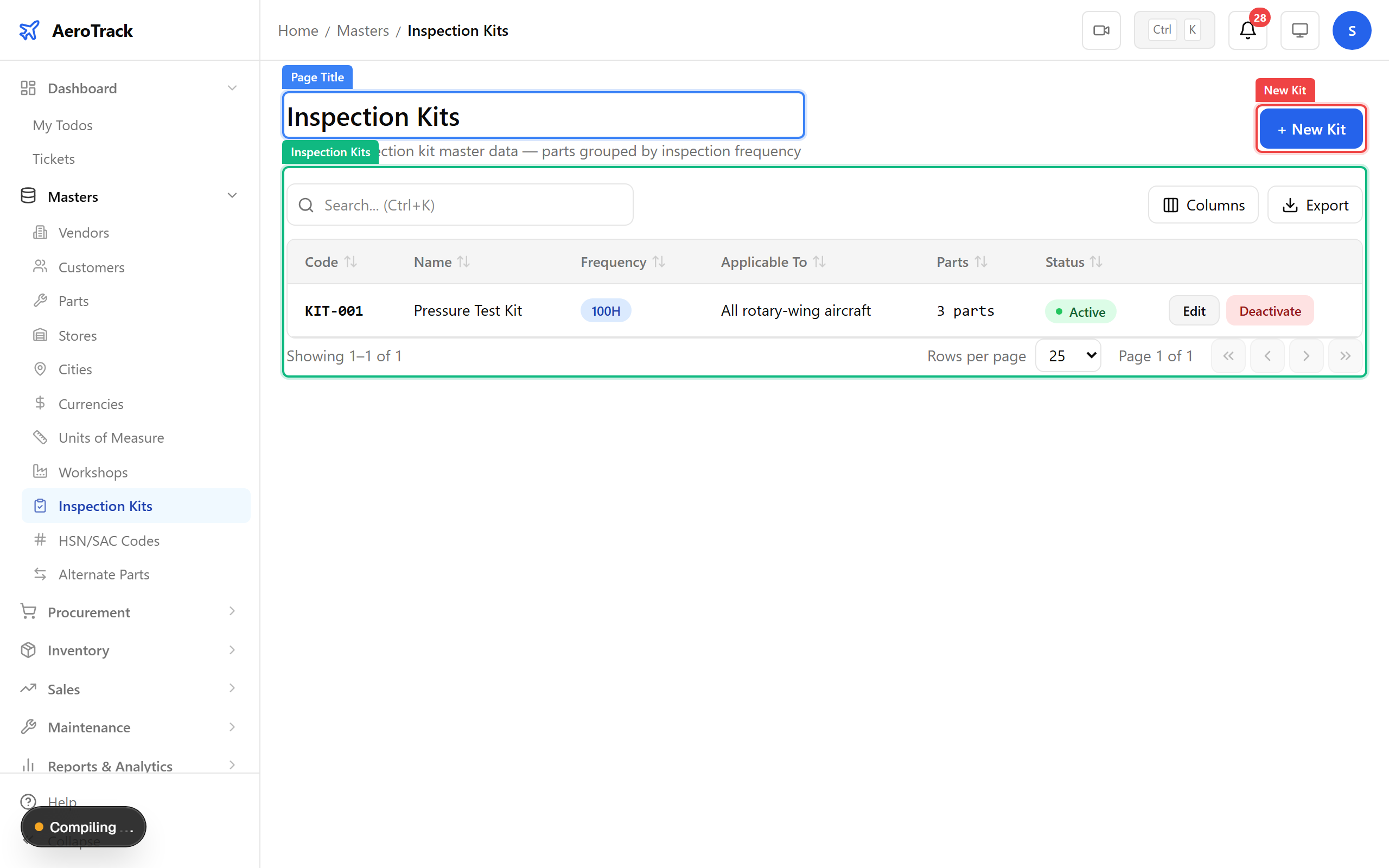
Define the kit code, name, and description. Frequency and applicability help filter which kits are relevant for which aircraft or inspection type.
Navigate to Masters → HSN/SAC. These are India's Harmonised System of Nomenclature codes for goods (HSN) and services (SAC). They're required on GST invoices and purchase orders. Each code carries a default GST rate.
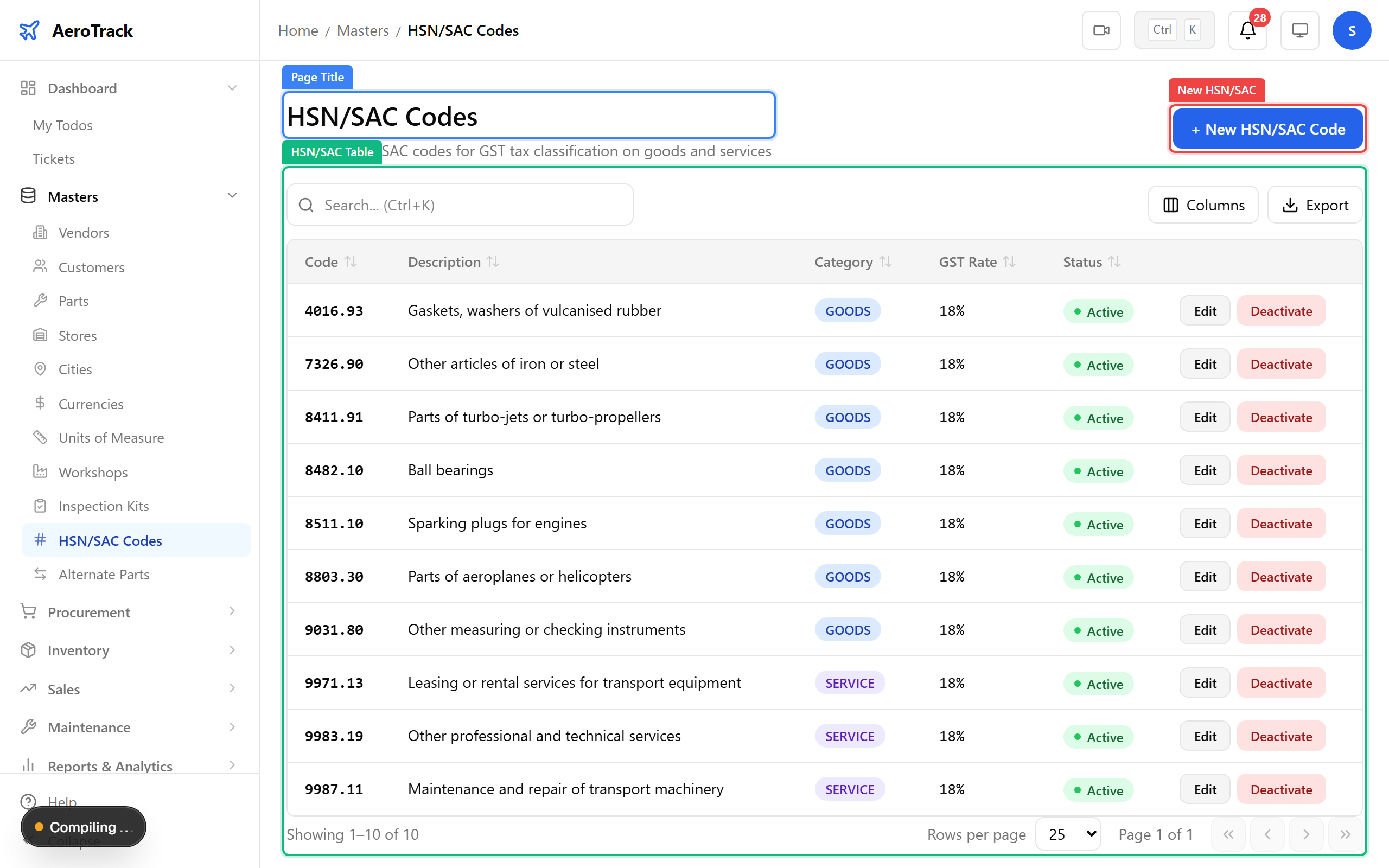
▲ HSN/SAC codes are required for GST compliance on invoices and purchase orders. Link them to parts in the part form.
Navigate to Masters → Alternate Parts. This links OEM parts to approved alternates — when the primary part is out of stock, the system suggests these substitutes during procurement.
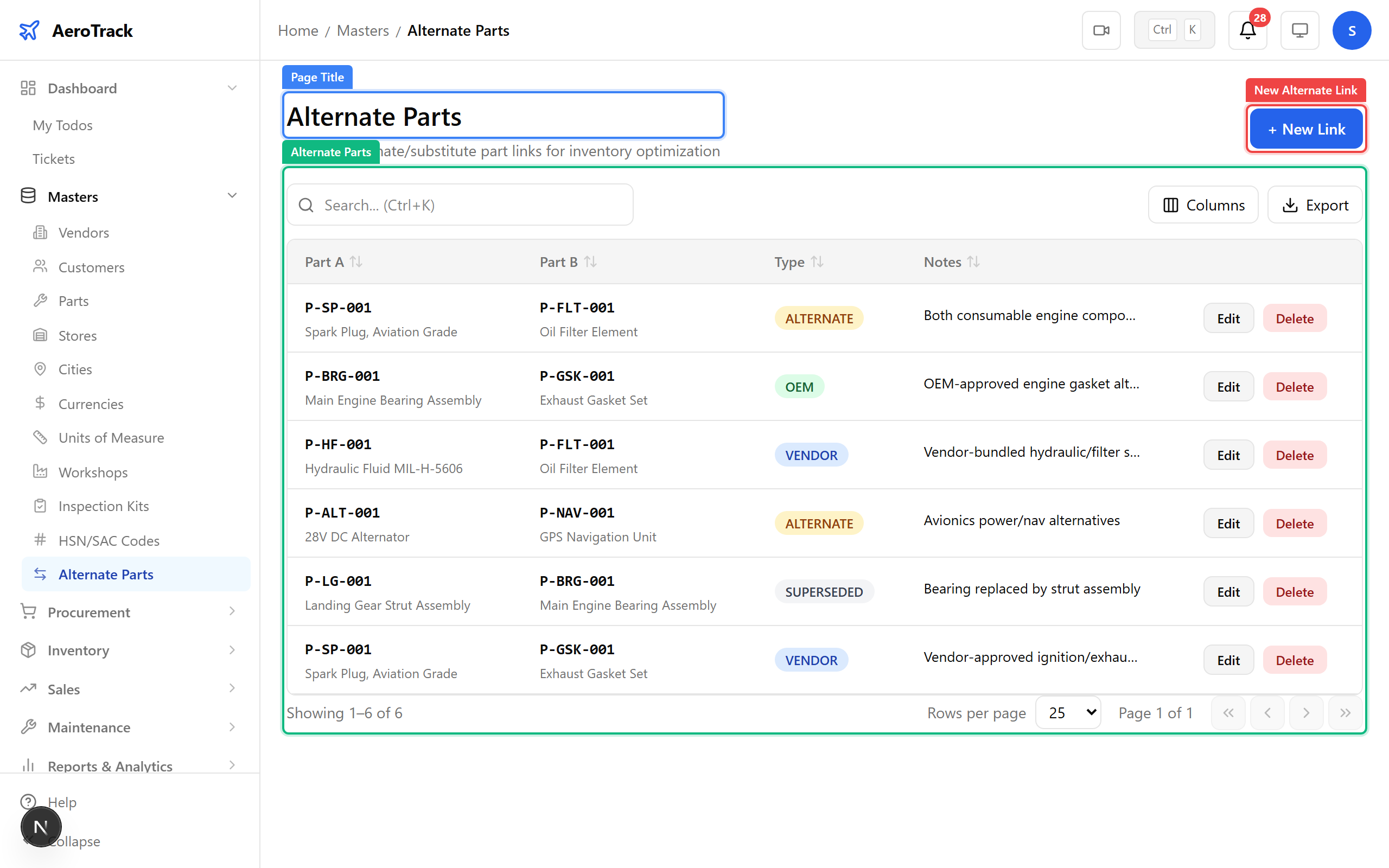
Select the primary part, the alternate, and the interchange type (two-way, one-way, or conditional). Add a reference to the approval document (STC, PMA, or engineering order).
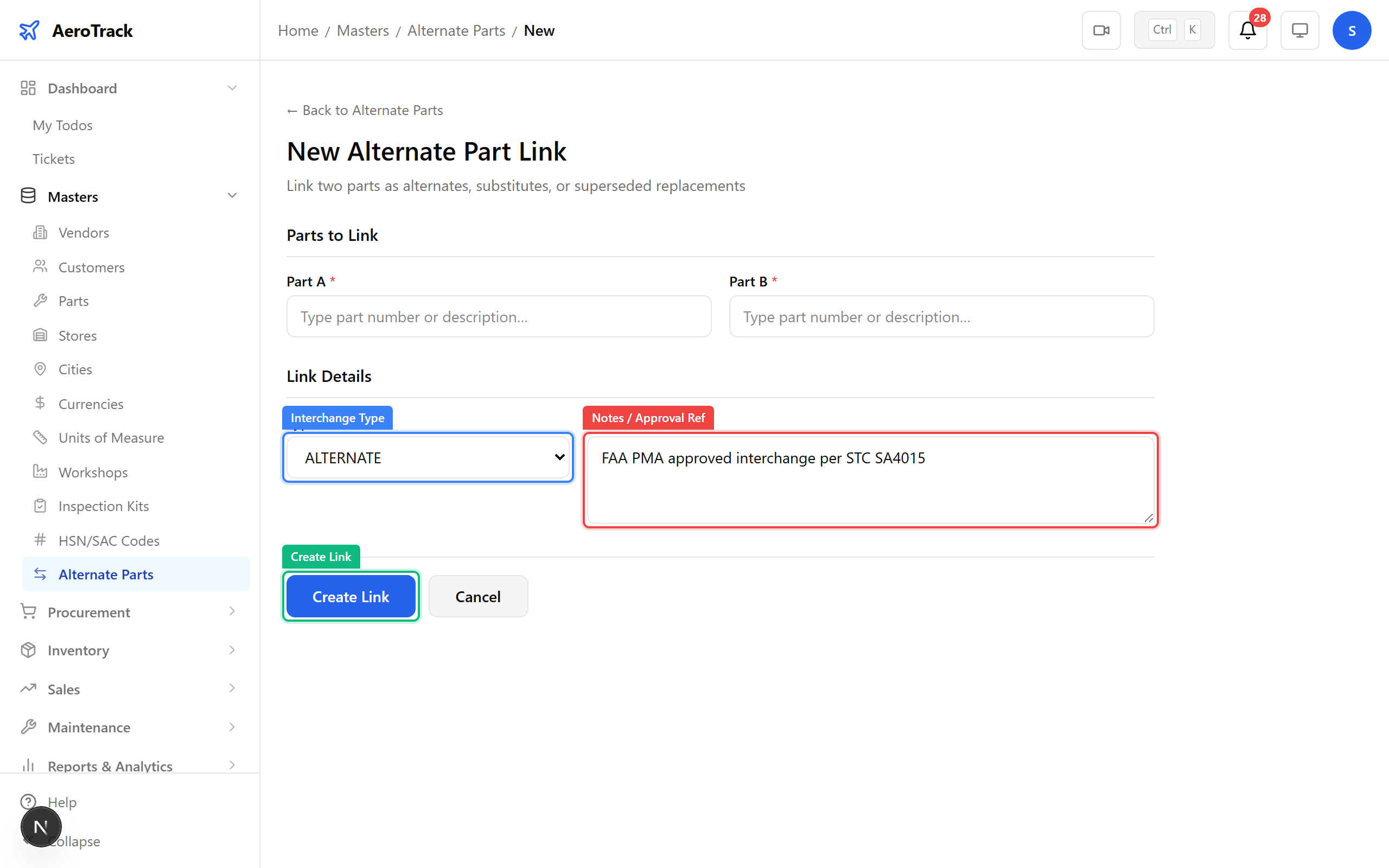
▲ When the OEM part is unavailable, the system suggests these approved alternates during procurement. The notes field should reference the approval basis (STC, PMA, etc.).