Browse WO Returns
1Open WO Return List
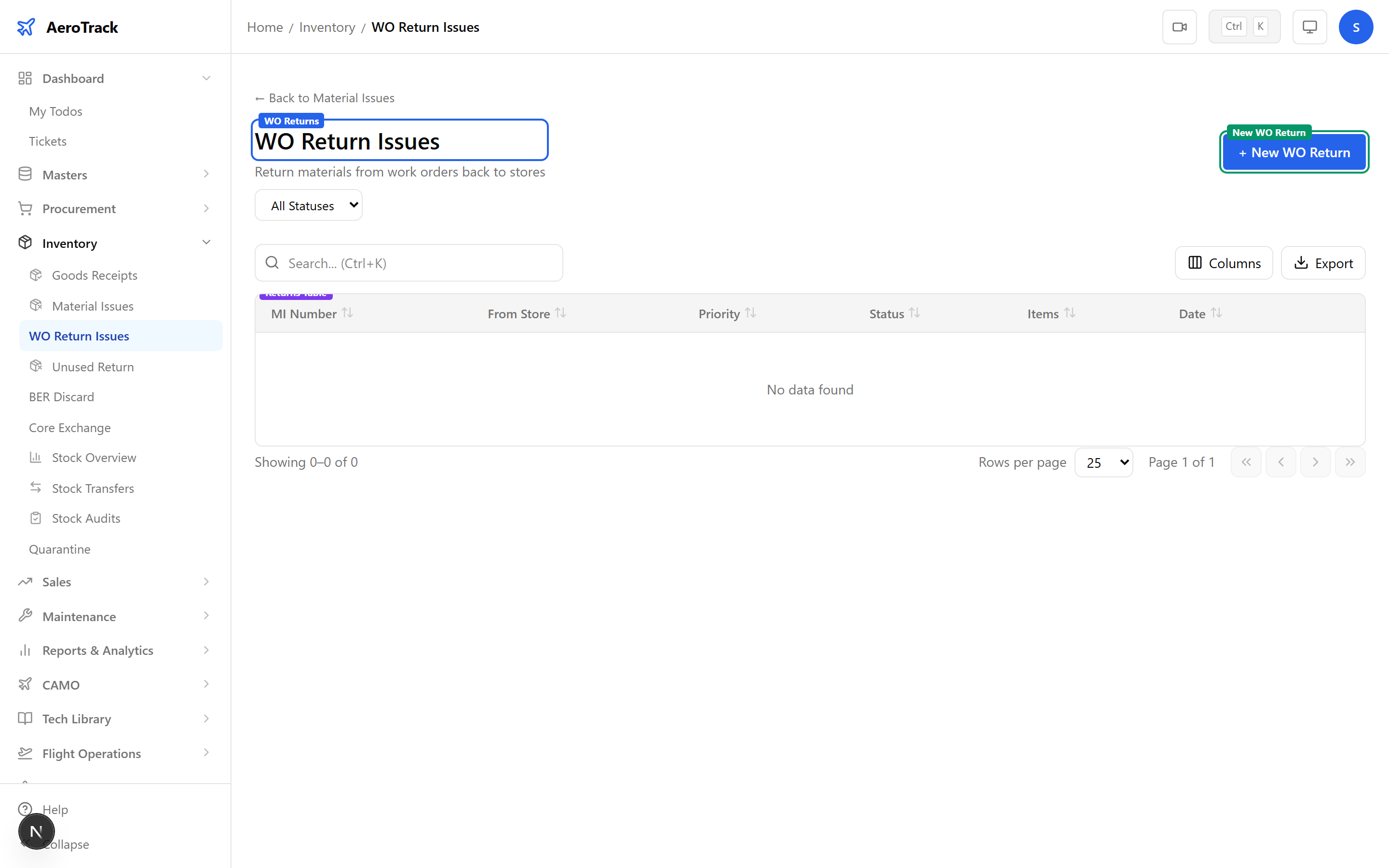
Navigate to Inventory → WO Return Issues or go to /inventory/wo-return. This page shows only Material Issues with type “WO Return”.
2Filter & Columns
| Column | Description |
|---|---|
| MI Number | Issue reference (links to detail). |
| From Store | Store receiving the returned parts. |
| Type | Always “WO Return” (indigo badge). |
| Priority | None, Low, Medium, High, or AOG. |
| Status | Opened, Authorized, Issued, or Cancelled. |
| Items | Number of parts being returned. |
| Date | Return date. |
Create a WO Return
3Return Header
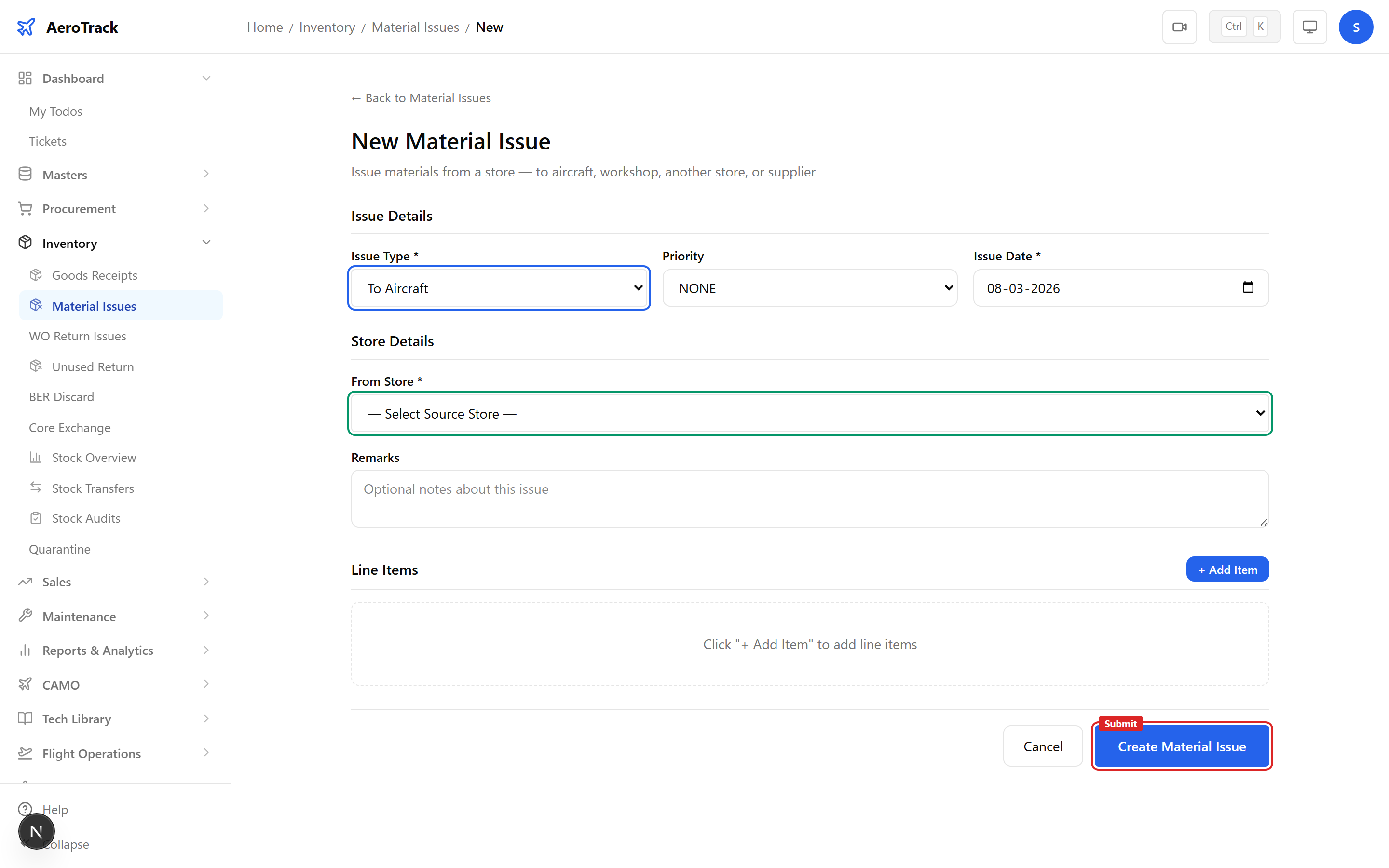
Click + New WO Return which opens /inventory/issues/new?type=WO_RETURN with the issue type pre-selected.
| Field | Required | Description |
|---|---|---|
| Issue Type | — | Pre-set to “WO Return” (disabled). |
| Priority | No | None, Low, Medium, High, or AOG. |
| Issue Date | Yes | Date of the return. |
| From Store | Yes | Store receiving the returned parts. |
| Remarks | No | Internal notes. |
4Return Items
Add line items with the parts being returned. Each item includes special fields for WO tracking.
| Field | Description |
|---|---|
| Part Number | Typeahead search for the returned part. |
| Quantity | Number of units being returned. |
| Serial Number | Serial tracking (optional). |
| Work Order Ref | The WO number the parts were originally issued to. |
| Return Reason | Why the parts are being returned (e.g. “not required”, “replaced with alternate”). |
| Unit Cost | Cost for value tracking (optional). |
The Work Order Ref links this return to the original issue. This is important for audit trail compliance — it shows which WO the parts were drawn for and why they’re being returned.
Workflow
5Status Flow
| Status | Meaning | Next |
|---|---|---|
| Opened | Return recorded, pending authorization. | Authorize |
| Authorized | Approved, parts ready for re-stocking. | Issue (complete) |
| Issued | Parts returned to store. Terminal. | — |
| Cancelled | Return withdrawn. Terminal. | — |
Only Opened returns can be edited or cancelled.
6Cross-Links
| Action | Guide |
|---|---|
| View all material issues | Material Issues |
| Return unused materials | Unused Returns |
| Check stock levels | Stock Overview |
| View work orders | Work Orders |