View Components
From the Aircraft Detail page,
click the Components (n) button in the header, or
navigate directly to /camo/aircraft/{id}/components.
The page shows a table of all active components installed on this
aircraft.
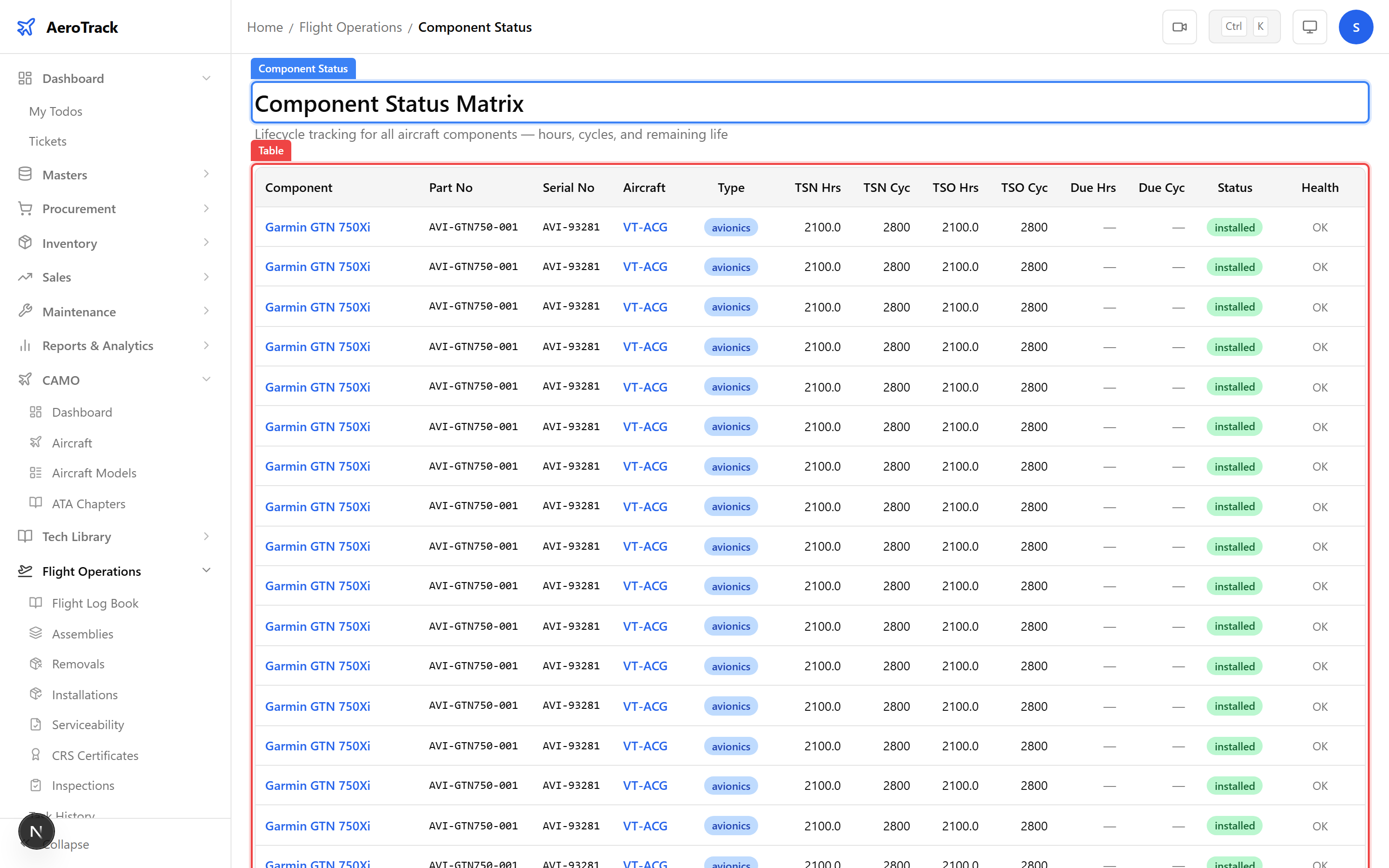
| Field | Description |
|---|---|
| Type | Component classification (Engine, APU, Landing Gear, Propeller, Avionics, Rotable). |
| Name | Component name or description (e.g. “CFM56-7B Engine”). |
| Part No | Manufacturer part number for identification. |
| Serial No | Unique serial number for back-to-birth traceability. |
| Position | Installation position (e.g. “Left Engine”, “Nose Gear”). |
| TSN Hours | Total Time Since New in flight hours. |
| CSN Cycles | Total Cycles Since New. |
| TSO Hours | Time Since last Overhaul in hours. |
| Life Limit Hours | Maximum allowable hours before mandatory replacement. |
| Life Limit Cycles | Maximum allowable cycles before mandatory replacement. |
| Status | Current status: serviceable, unserviceable, or in overhaul. |
| Type | Examples | Typically Life-Limited? |
|---|---|---|
| Engine | CFM56-7B, PW1100G, CFM LEAP-1A | Yes — TBO and life limit in hours/cycles. |
| APU | Honeywell 131-9A, APS 3200 | Yes — hours-based life limit. |
| Landing Gear | Main gear, nose gear assemblies | Yes — cycle-based life limit. |
| Propeller | Hamilton Standard 568F | Yes — hours and cycles. |
| Avionics | FMS, EGPWS, transponders | Condition-monitored (no hard limit). |
| Rotable | Hydraulic pumps, generators, actuators | Varies — some have TBO intervals. |
Add & Edit Components
Click the + Add Component button on the components page. An inline form appears where you can enter all component fields.
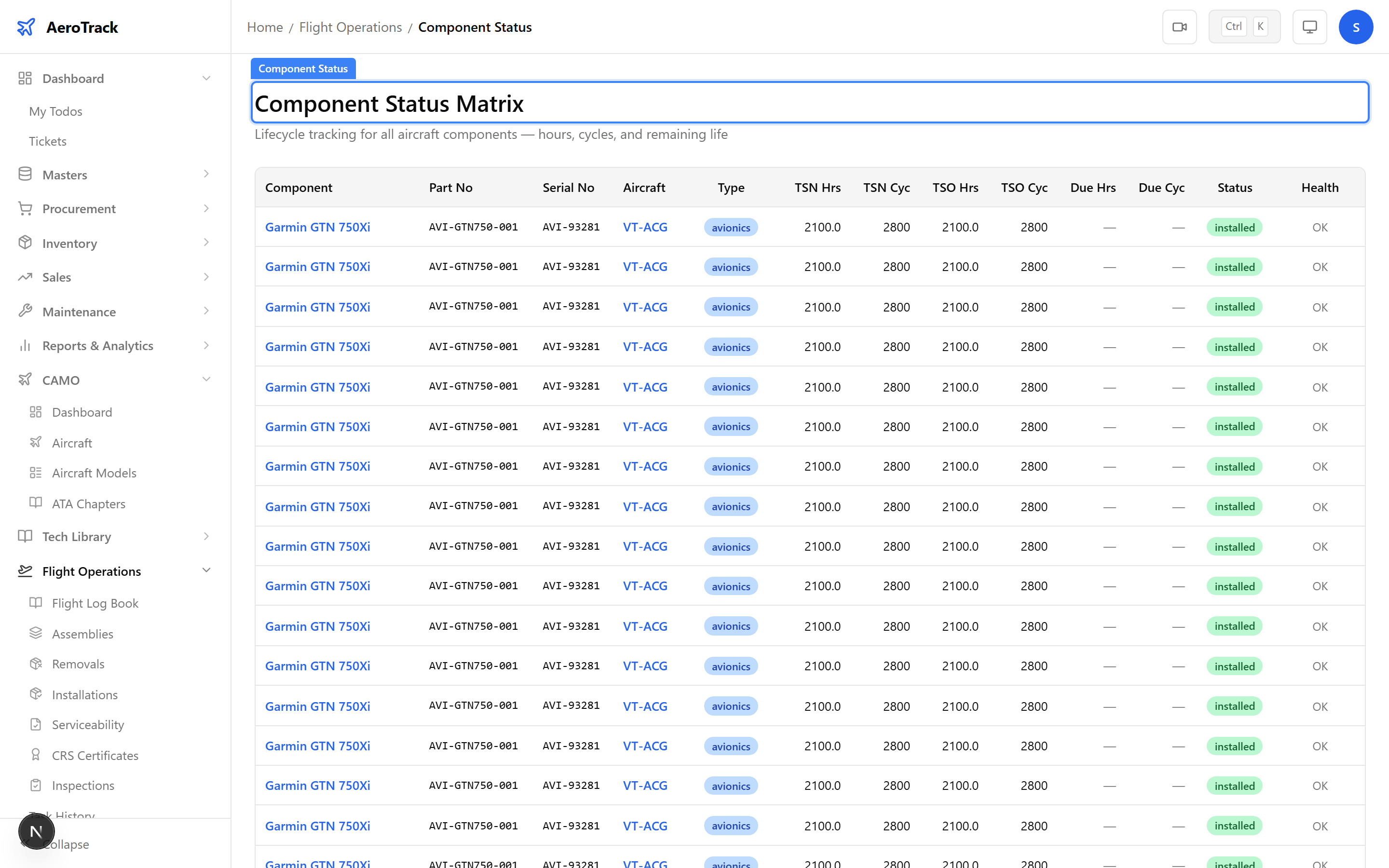
Fill in the required fields (type, name, part number, serial number) and click Save to add the component.
For life-limited components, set the tracking parameters:
| Field | Description |
|---|---|
| TSN Hours | Total time accumulated since the component was new. |
| CSN Cycles | Total cycles since new. |
| TSO Hours | Time since last overhaul (resets after OH). |
| Life Limit Hours | Hard life limit in hours — component must be replaced/overhauled before this. |
| Life Limit Cycles | Hard life limit in cycles. |
Click any component row to edit its fields inline. You can update TSN/CSN values, change the position, or modify life limits. To remove a component, use the delete action — this soft-deletes the record, preserving audit history.
| Action | Notes |
|---|---|
| Edit | Update tracking values, position, status. Changes are audit-logged. |
| Remove | Soft-deletes the component. Use Component Tracking for formal installation/removal records. |
Related Actions
| Action | Guide |
|---|---|
| Fleet-wide component life status | Component Status & Assemblies |
| Aircraft identity & certificates | Aircraft Detail |
| Installation & removal history | Component History Register |
| Formal installation/removal records | Component Tracking |
| Airworthiness review checklist | Airworthiness Review |