Dashboard Overview
Navigate to Work Orders → Dashboard in the
sidebar. The dashboard loads at /work-orders/dashboard
showing real-time KPI cards for work order activity.
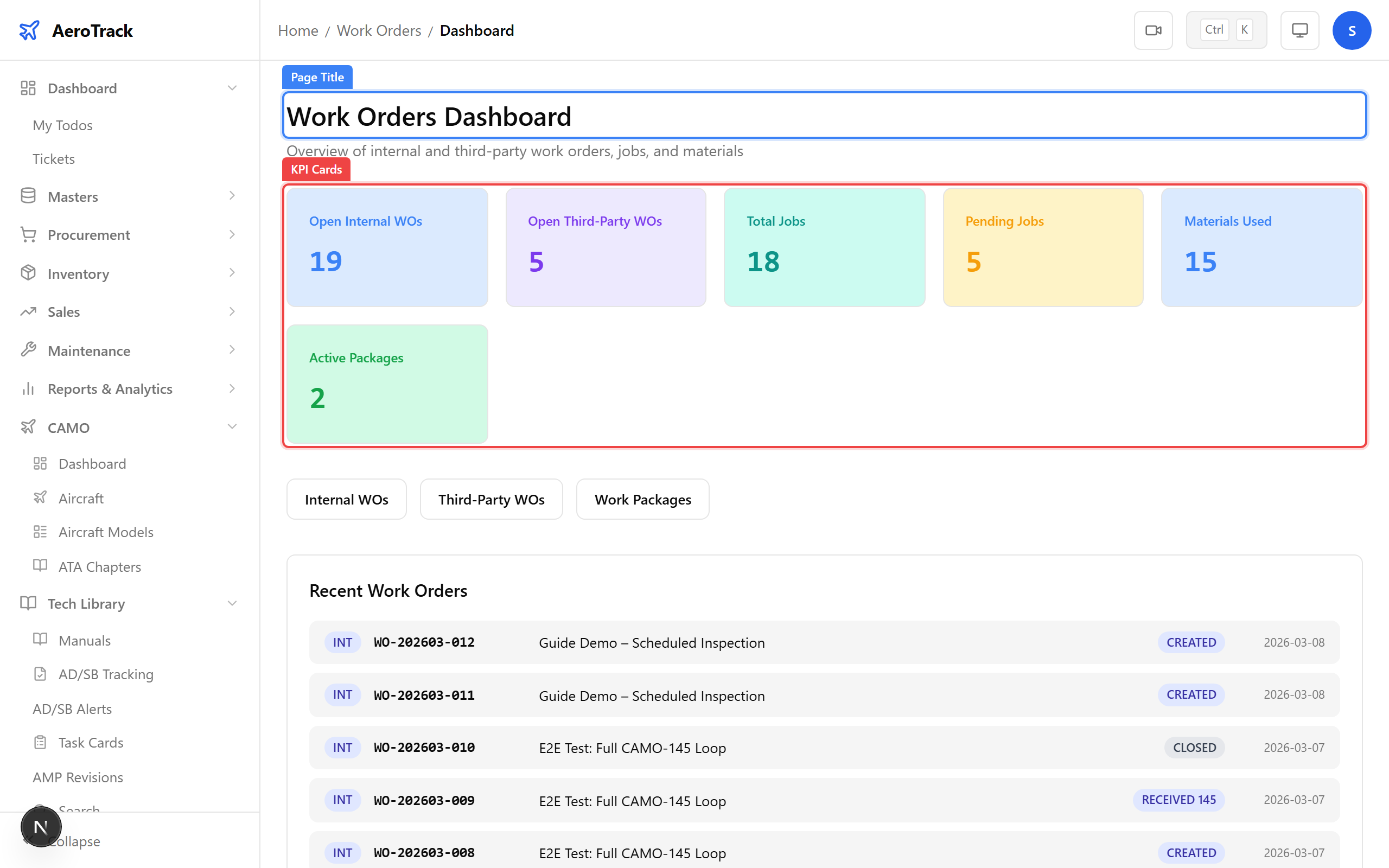
The dashboard shows six KPI cards:
| KPI | Meaning |
|---|---|
| Open Internal | Internal work orders that are not yet closed. |
| Open Third-Party | Third-party (outsourced) work orders still in progress. |
| Total Jobs | Total number of jobs across all work orders. |
| Pending Jobs | Jobs not yet started or in progress. |
| Materials Used | Total material line items recorded against work orders. |
| Active Packages | Work packages currently containing open work orders. |
Internal Work Orders
Navigate to Work Orders → Internal. The list
loads at /work-orders/internal showing all internal
work orders ordered by creation date (newest first).
Each row shows the WO number, aircraft, title, priority, status, due date, and assigned person.
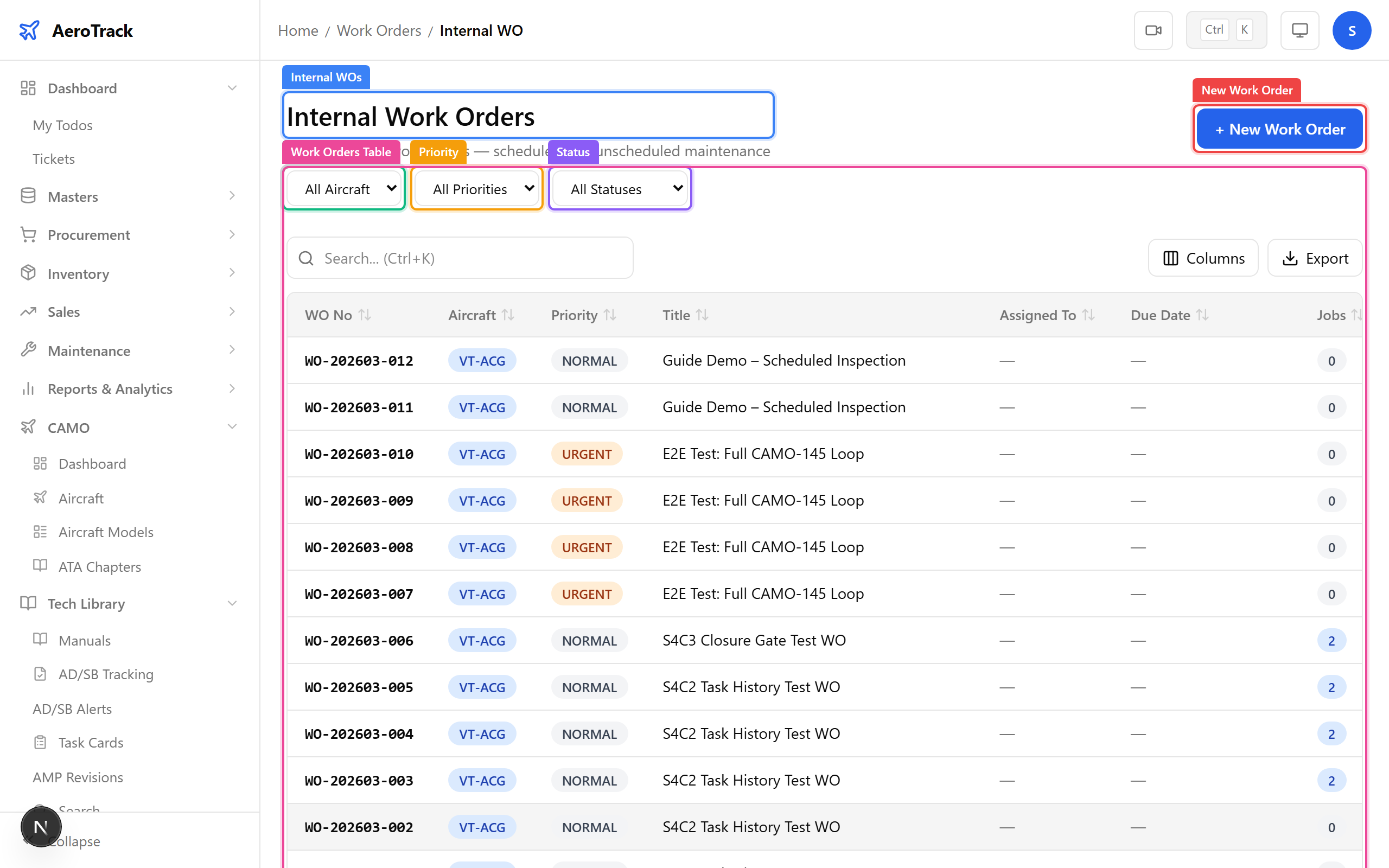
Use the filter dropdowns at the top of the list:
| Filter | Options |
|---|---|
| Aircraft | Filter by aircraft registration number. |
| Priority | Low, Medium, High, Critical, AOG. |
| Status | Created · Assigned · In Progress · Completed · Closed · Cancelled |
Click any row to open the work order detail page. See the Create a Work Order guide for form details and the Close a Work Order guide for the closure workflow.
Third-Party & Packages
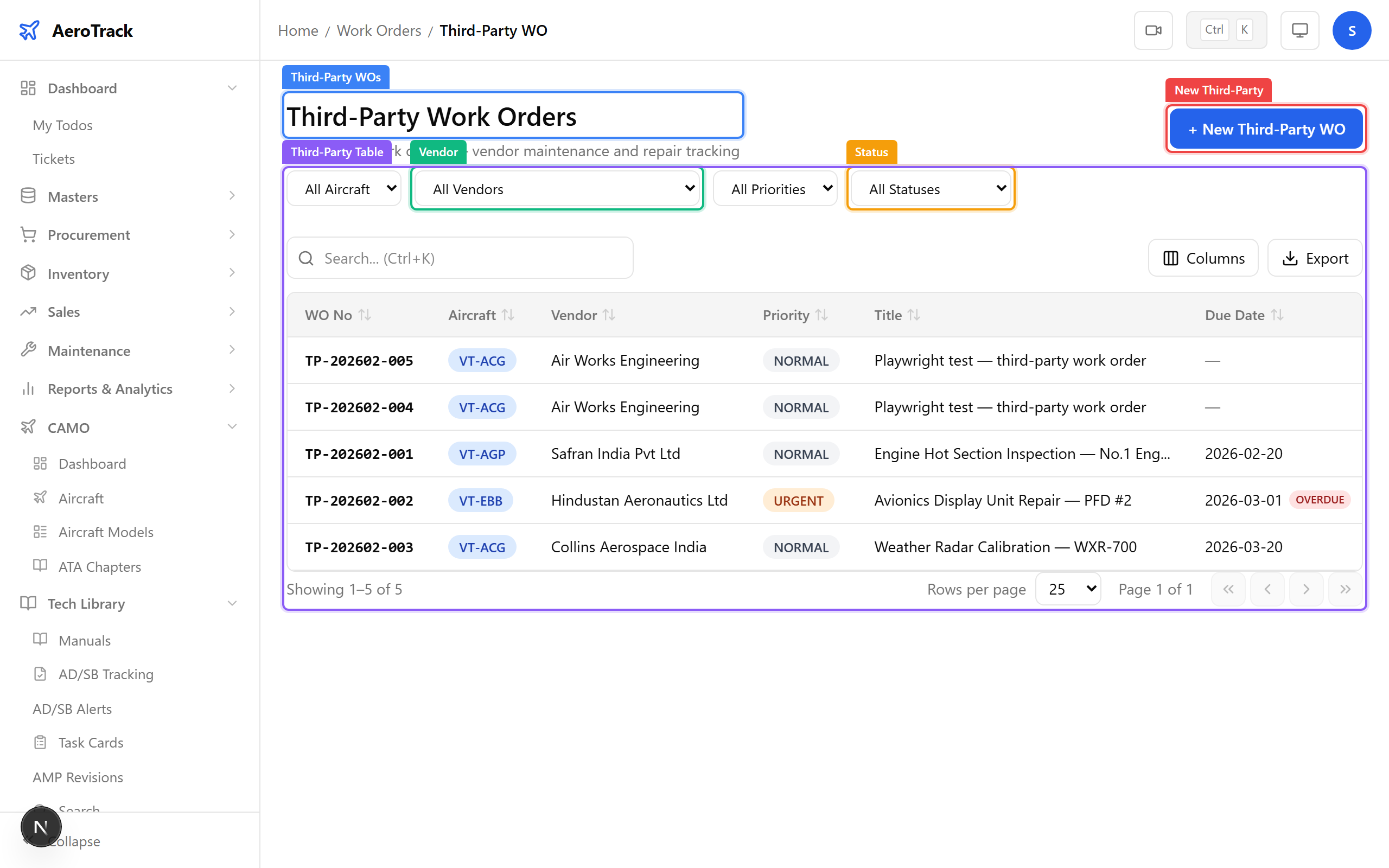
Navigate to Work Orders → Third-Party. The
list at /work-orders/third-party shows work orders
sent to external MRO vendors.
Third-party WOs include an additional Vendor filter and display the vendor name alongside each work order. The workflow follows: Sent → Acknowledged → In Progress → Completed → Invoiced.
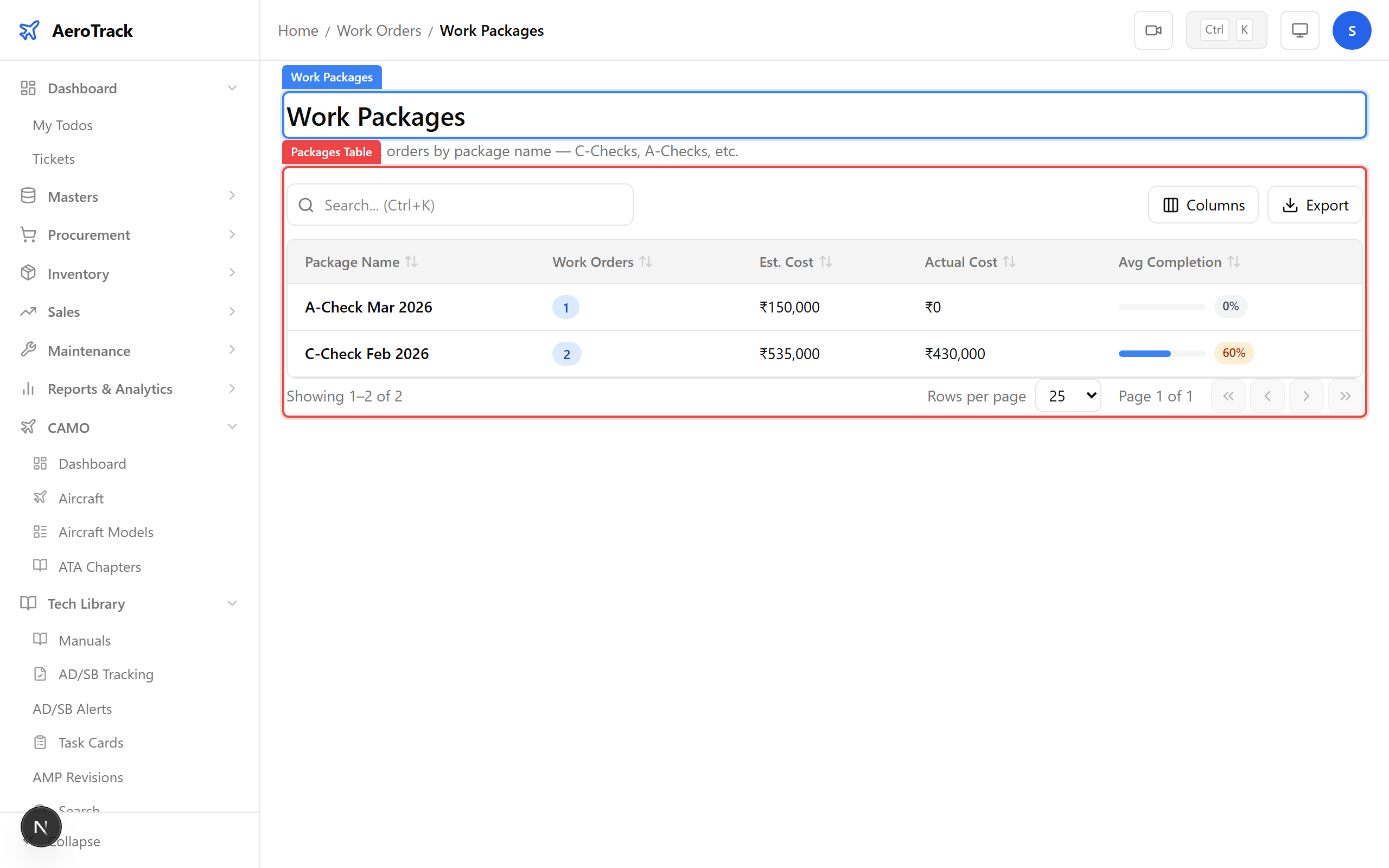
Navigate to Work Orders → Packages. Work packages group related work orders together for batch scheduling (e.g. an annual check package containing multiple WOs).
Each package shows the package name, number of linked work orders, and creation date. Click a row to see the package detail and its linked work orders.
The Work Orders landing page at /work-orders provides
quick-access cards to all four sections:
| Card | Destination |
|---|---|
| Dashboard | KPI overview of all work order activity. |
| Internal | In-house work orders with jobs, materials, and closure workflow. |
| Third-Party | Outsourced work orders sent to external vendors. |
| Packages | Group related work orders for batch scheduling. |