Log a Defect
Open a work order detail page at /mro145/inbox/{id}.
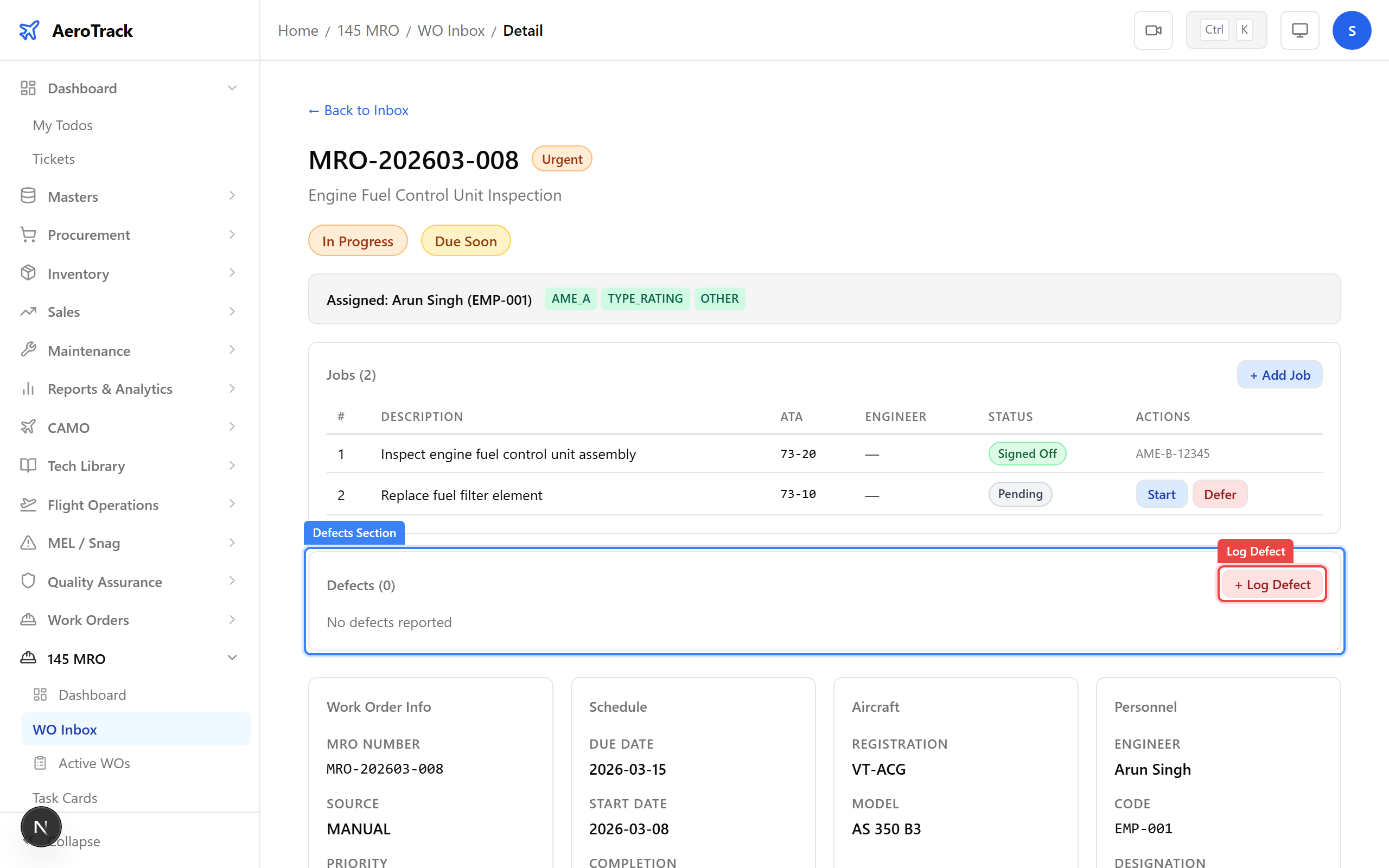
Scroll below the Jobs section to find the Defects
section.
The defects table lists all defects reported for this work order. Click + Log Defect to report a new defect.
The Log Defect dialog has three fields:
| Field | Required | Notes |
|---|---|---|
| Description * | Yes | Detailed description of the defect found (e.g. “Crack detected on turbine blade trailing edge”). |
| Severity * | Yes | Dropdown: Minor, Major, or Critical. |
| Related Job | No | Optionally link to a specific job in this work order. |
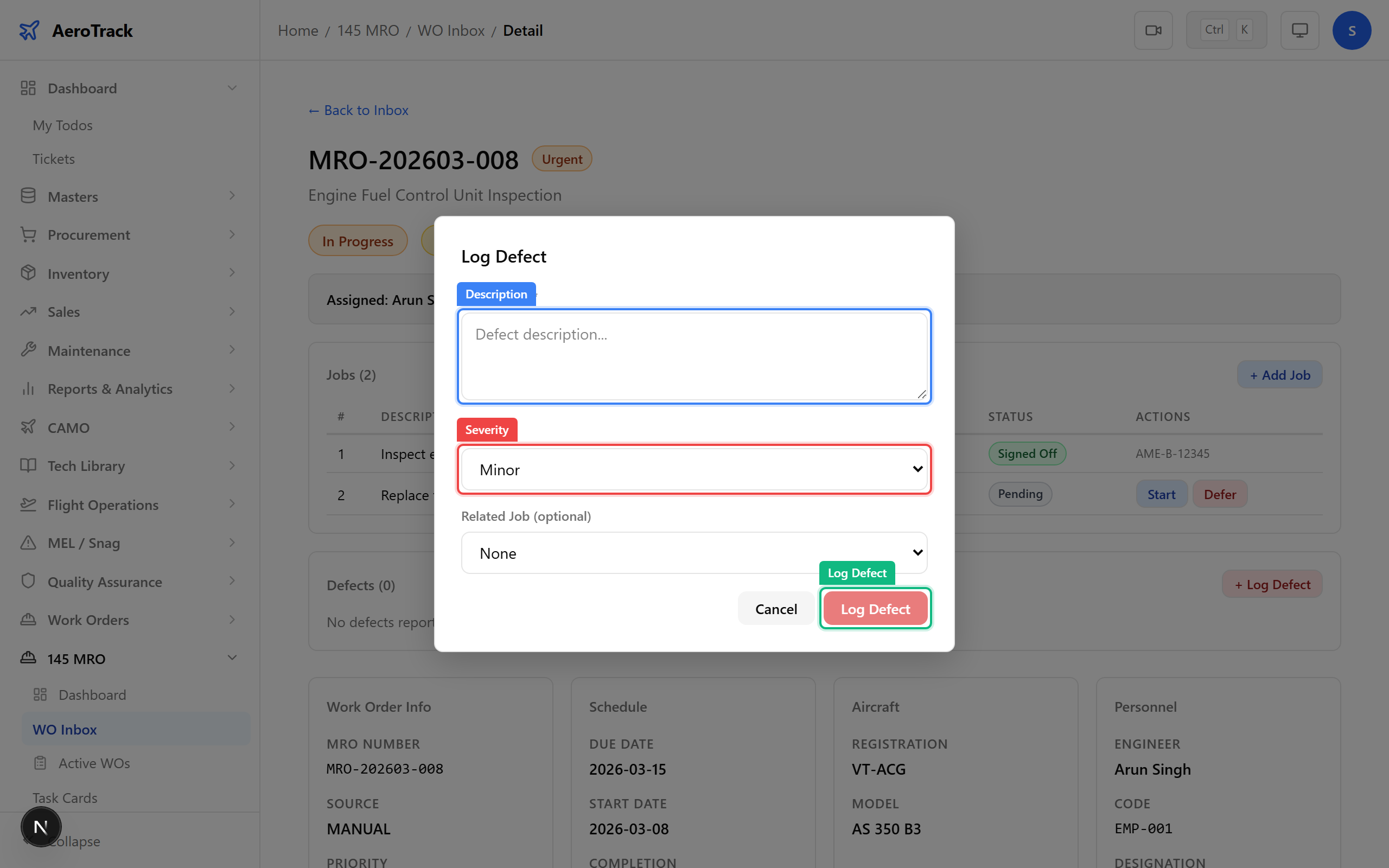
Click Log Defect to confirm. The system generates
a defect number (e.g. DEF-202603-001) and sets the
status to OPEN.
A success toast appears: “Defect logged”. The defect appears in the defects table with its severity badge.
Manage Defects
The defects table shows these columns:
| Column | Meaning |
|---|---|
| Defect No | Auto-generated identifier (e.g. DEF-202603-001). |
| Description | What the defect is. |
| Severity |
Minor — cosmetic or non-critical. Major — affects serviceability. Critical — airworthiness concern. |
| Related Job | Linked job number, if any. |
| Status | Open or Resolved. |
| Reported By | Name of the engineer who logged the defect. |
| Actions | Resolve button (for open defects only). |
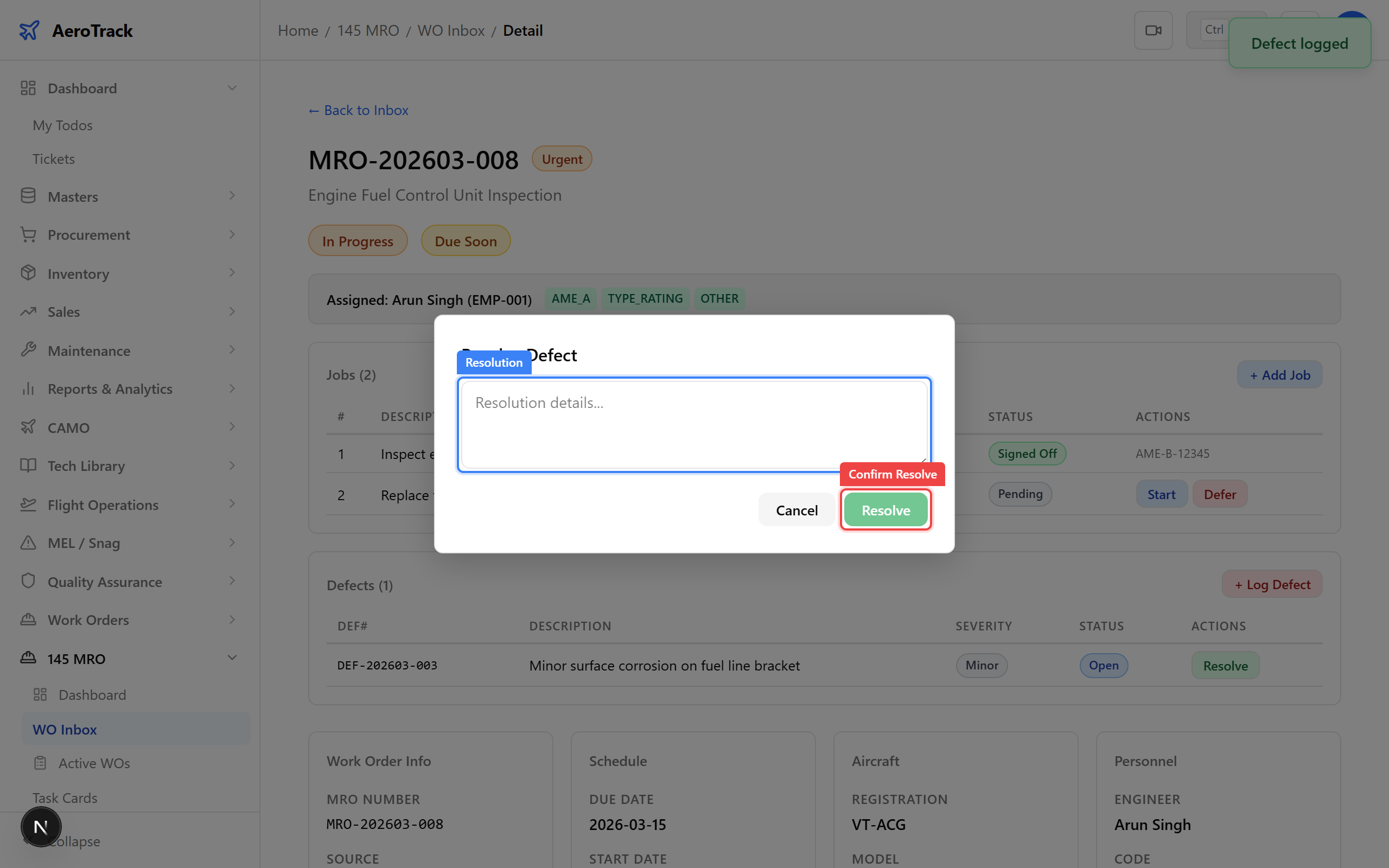
Click the Resolve button on an open defect. A dialog appears requesting resolution details.
| Field | Required | Notes |
|---|---|---|
| Resolution * | Yes | Description of the corrective action taken (e.g. “Blade replaced with P/N 1234, inspected and serviceable”). |
Click Confirm Resolve. The defect status changes to RESOLVED and the resolver’s name and timestamp are recorded.
Choose severity carefully — it affects how the defect is prioritised and reported:
| Severity | Use When | Example |
|---|---|---|
| Minor | Cosmetic or non-safety item | Paint scratch on fuselage panel |
| Major | Affects aircraft serviceability | Hydraulic fitting leak requiring seal replacement |
| Critical | Airworthiness or safety concern | Crack on engine turbine blade |
Open defects block work order closure. The WO cannot be closed until all defects are resolved.
The closure gate checks:
- All non-deferred jobs must be SIGNED OFF.
- All defects must be RESOLVED (zero open defects).
Resolve all open defects before attempting to close the work order. See Close a Work Order for the full closure process.