Assemblies
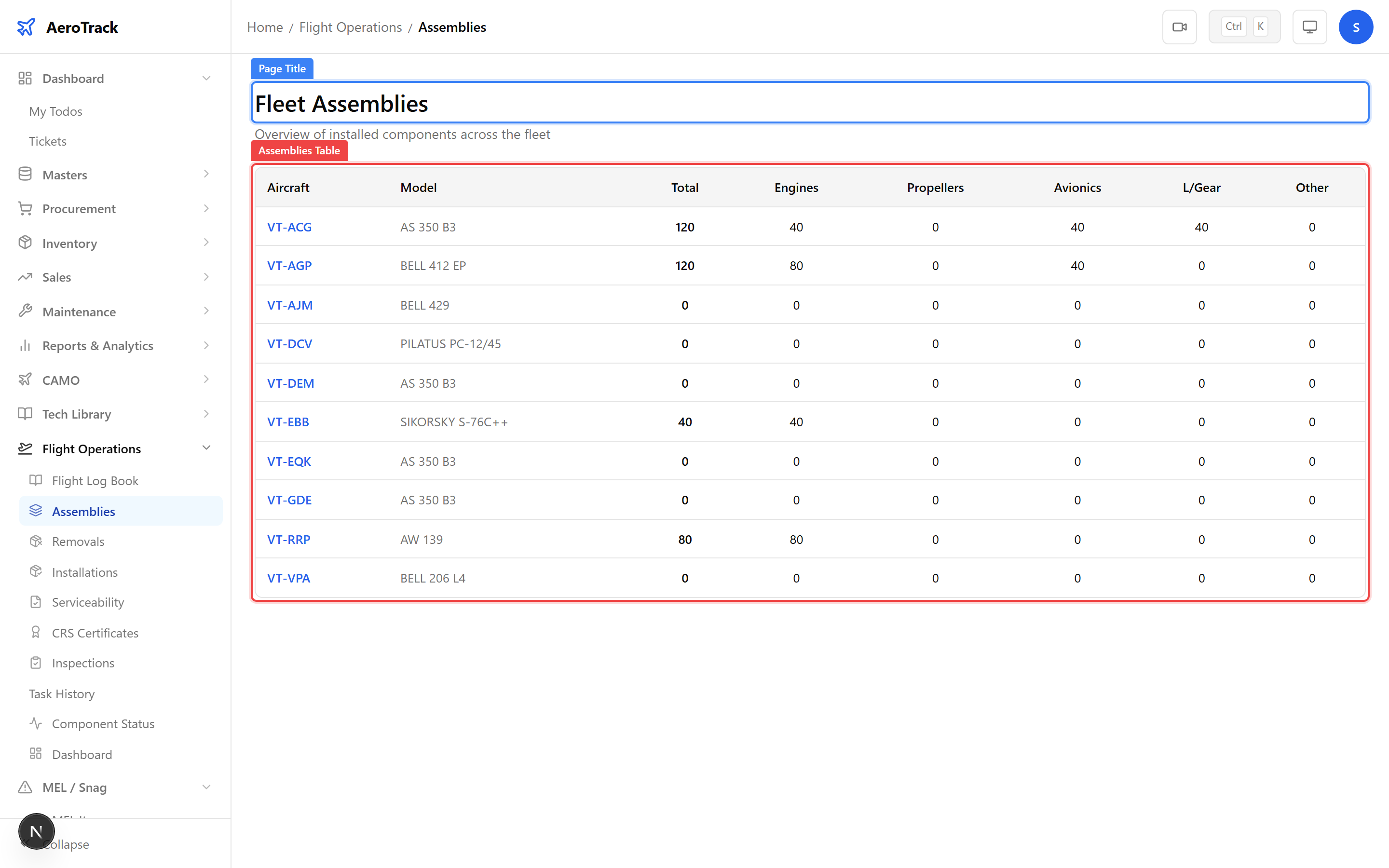
Navigate to Flight Ops → Assemblies. The
page at /flight-ops/assemblies shows all currently
installed components across the fleet.
Each row shows the component part number, serial number, the aircraft it is installed on, installation date, and current hours/cycles since installation.
| Column | Meaning |
|---|---|
| Part Number | Manufacturer’s part number for the component. |
| Serial Number | Unique serial identifying this specific unit. |
| Aircraft | Registration of the aircraft where the component is installed. |
| Position | Installation position (e.g. LH Engine, Nose Gear). |
| Installed Date | When the component was installed. |
| Hours / Cycles | Time since installation (TSI) or time since new (TSN). |
Component Status
Navigate to Flight Ops → Component Status
(/flight-ops/component-status). This page provides
a life-limit-focused view of all tracked components.
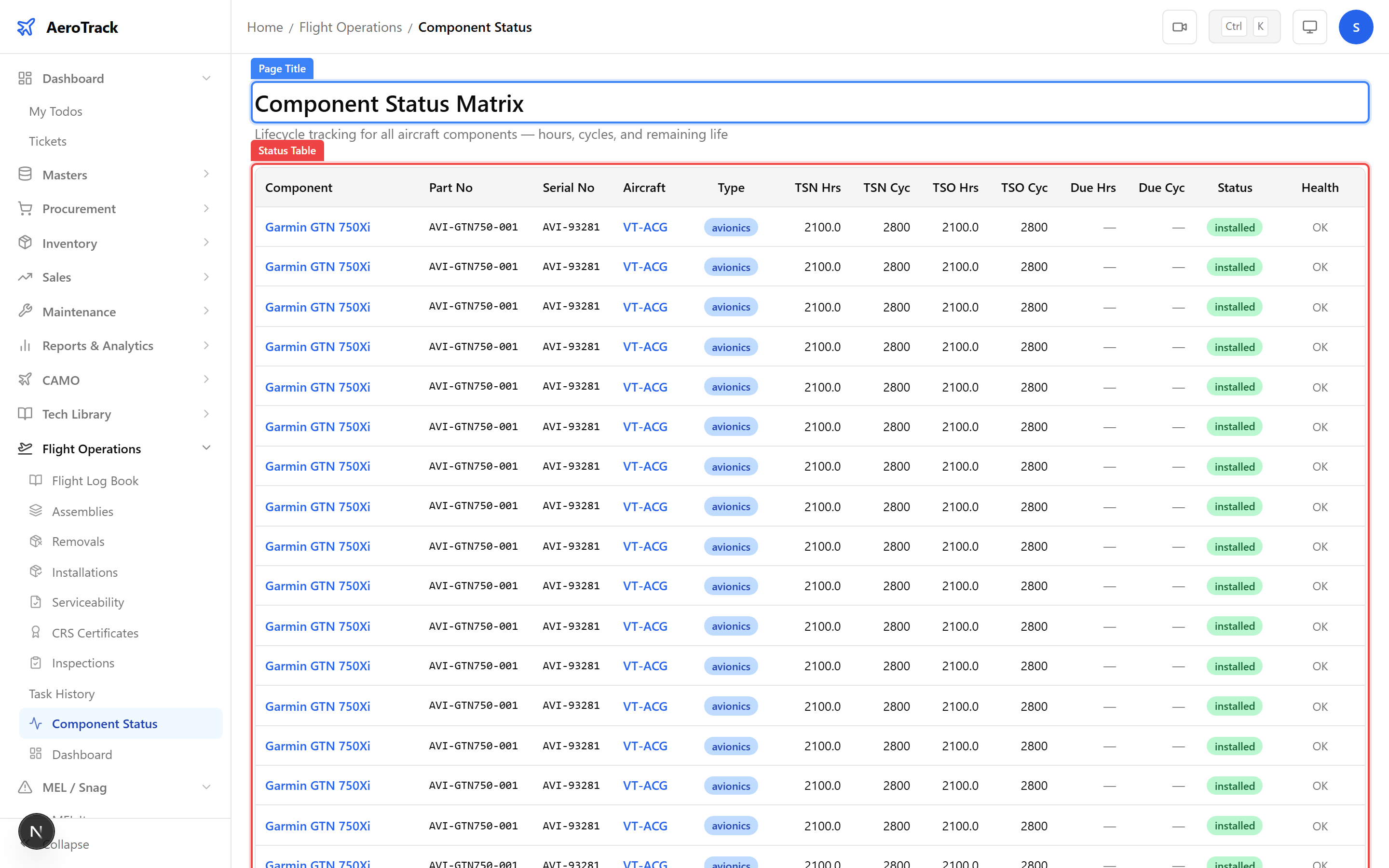
Life-limited components show their maximum allowed hours, cycles, or calendar life alongside current usage. Components approaching their limits are highlighted.
| Status | Meaning |
|---|---|
| OK | Component is well within its life limits. |
| Coming Due | Component is approaching a life limit threshold. |
| Exceeded | Component has exceeded a life limit — immediate action required. |
Installation & Removal History
Component installations and removals are logged separately:
| Page | Route | Purpose |
|---|---|---|
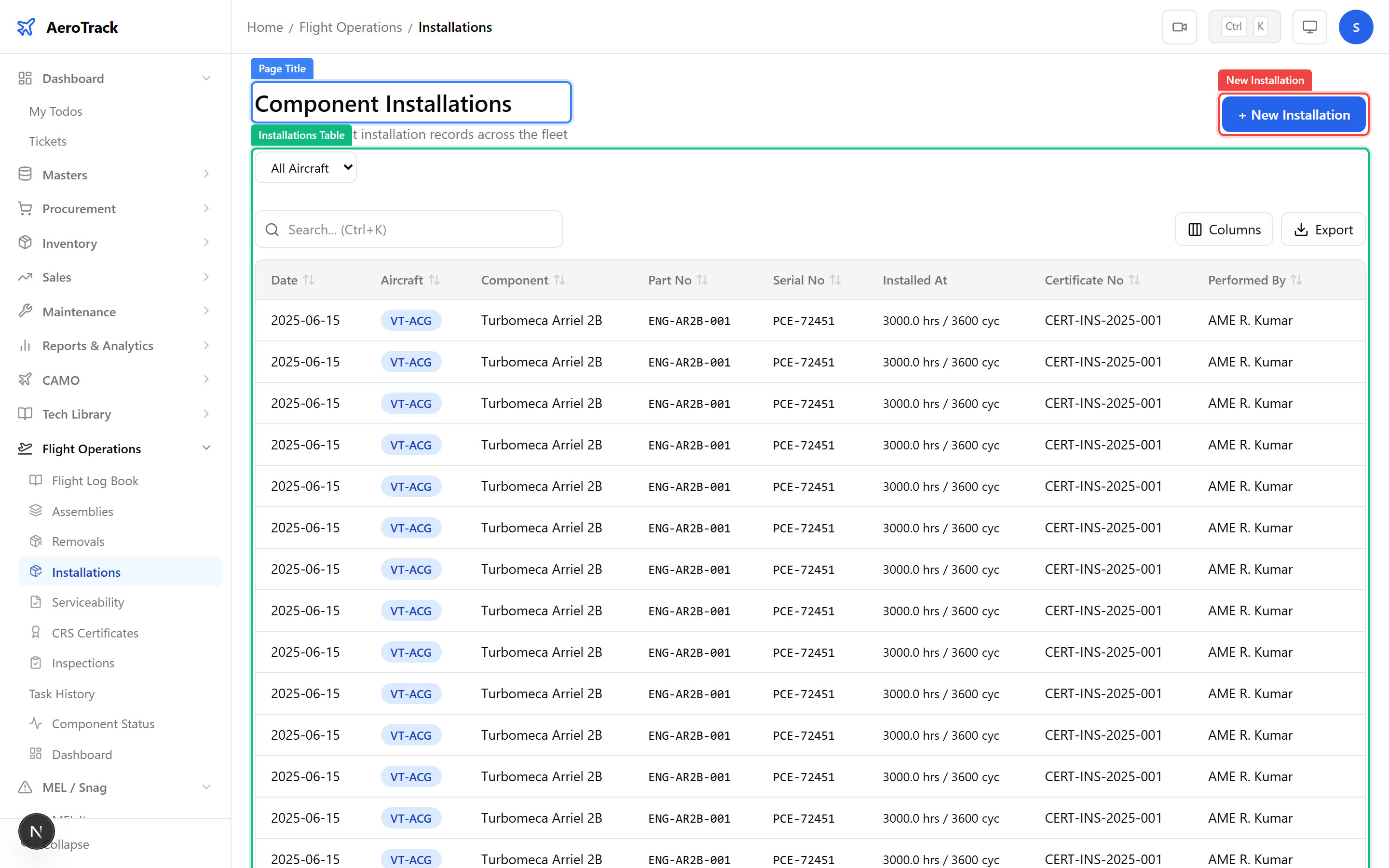
| Installations | /flight-ops/installations | Record when a component is fitted to an aircraft. |
| Removals | /flight-ops/removals | Record when a component is removed (reason, destination). |
Together, these records form the complete movement history for each serialised component — essential for DGCA traceability requirements and back-to-birth documentation.