Browse Core Exchanges
1Open Core Exchange List
Navigate to Inventory → Core Exchange or go to /inventory/core-exchange. This page shows only Material Issues with type “Core Exchange”.
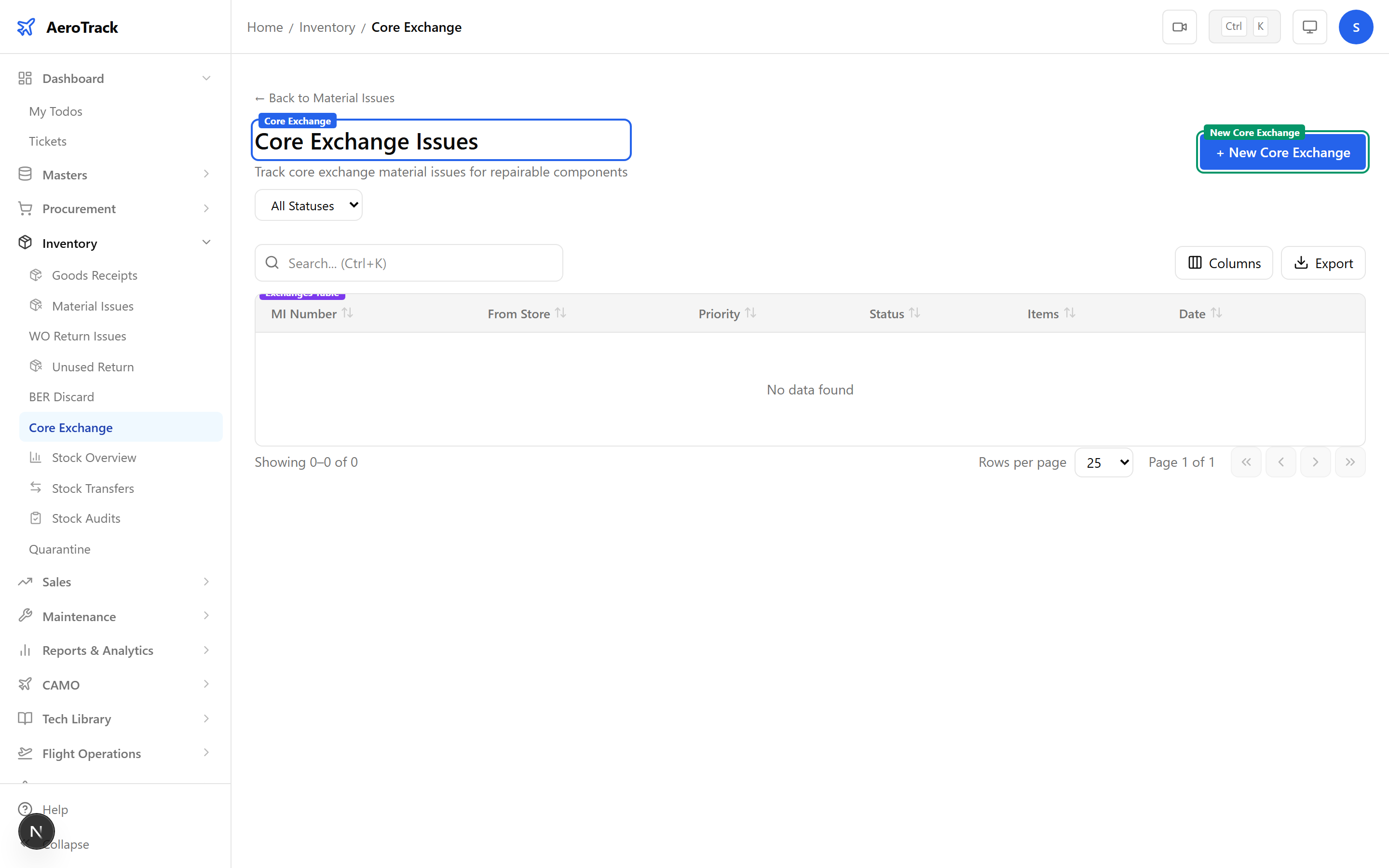
2Filter & Columns
| Column | Description |
|---|---|
| MI Number | Issue reference (links to detail). |
| From Store | Store holding the old core. |
| Type | Always “Core Exchange” (teal badge). |
| Priority | None, Low, Medium, High, or AOG. |
| Status | Opened, Authorized, Issued, or Cancelled. |
| Items | Number of cores being exchanged. |
| Date | Exchange date. |
Create a Core Exchange
3Exchange Header
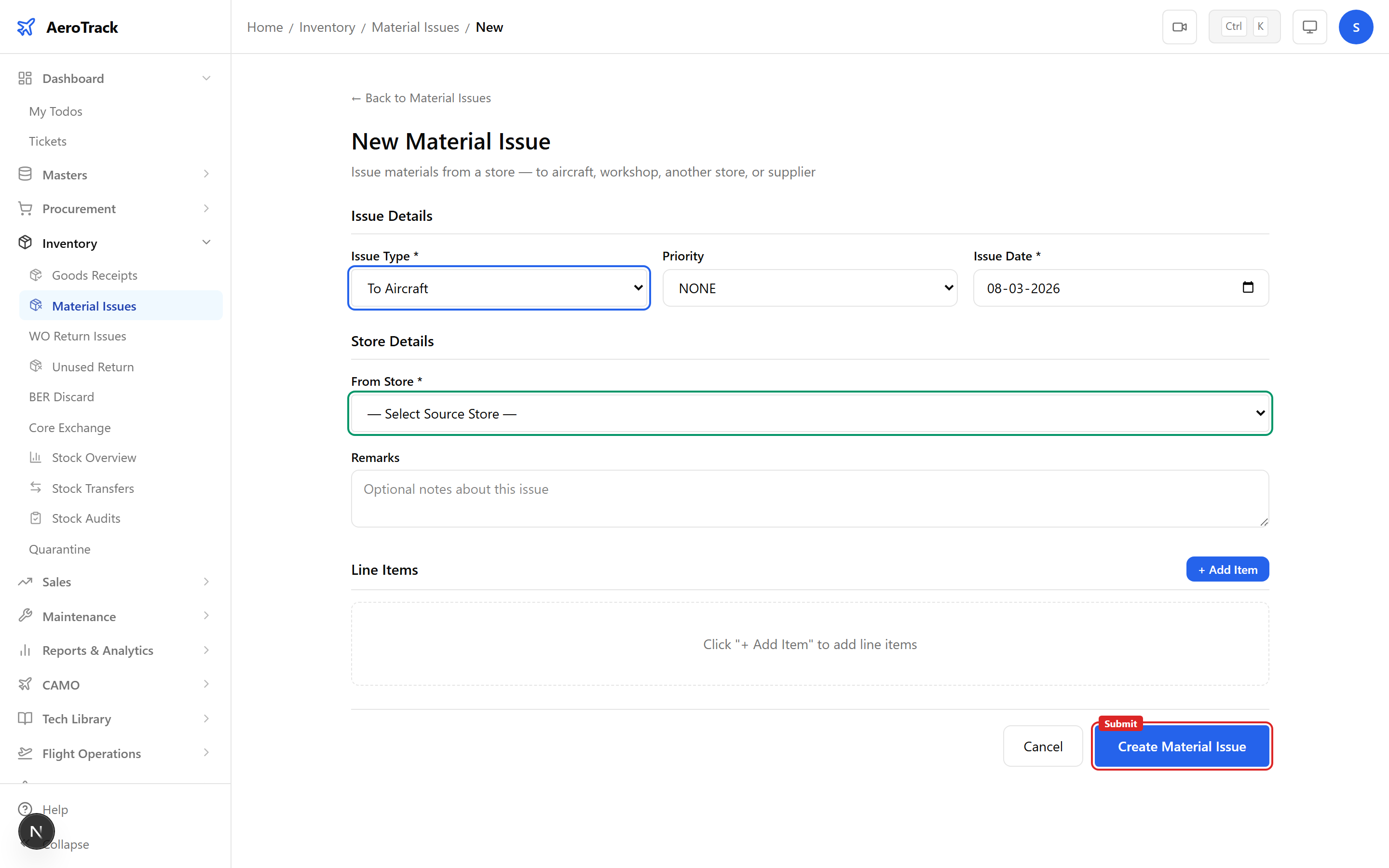
Click + New Core Exchange which opens /inventory/issues/new?type=CORE_EXCHANGE with the issue type pre-selected.
| Field | Required | Description |
|---|---|---|
| Issue Type | — | Pre-set to “Core Exchange” (disabled). |
| Priority | No | None, Low, Medium, High, or AOG. |
| Issue Date | Yes | Date of the exchange. |
| From Store | Yes | Store from which the old core is dispatched. |
| Remarks | No | Notes (e.g. “core return to vendor per PO-xxxx”). |
4Exchange Items
| Field | Description |
|---|---|
| Part Number | The rotable part number (e.g. hydraulic pump, ACM, APU starter). |
| Quantity | Typically 1 per core exchange. |
| Serial Number | Serial of the old (unserviceable) core being returned. |
| Core Unit Ref | Reference linking to the new serviceable unit received (e.g. “replaced with S/N ABC-123”). |
| Unit Cost | Core exchange value or surcharge (optional). |
| Remarks | Per-item notes (e.g. removal reason, vendor instructions). |
Core exchanges are common for rotable components under pool or exchange agreements. The Core Unit Ref field links the outgoing core to the incoming replacement for traceability.
Always record the serial number of the old core being returned. Vendors typically require this for their exchange tracking and may charge a surcharge if the core is not returned within the agreed timeframe.
Workflow
5Status Flow
| Status | Meaning | Next |
|---|---|---|
| Opened | Exchange recorded, pending authorization. | Authorize |
| Authorized | Approved for dispatch of old core. | Issue (dispatch) |
| Issued | Old core dispatched. Terminal. | — |
| Cancelled | Exchange withdrawn. Terminal. | — |
Only Opened exchanges can be edited or cancelled.
6Cross-Links
| Action | Guide |
|---|---|
| View all material issues | Material Issues |
| Discard BER items | BER / Discard |
| Check stock levels | Stock Overview |
| Receive replacement core | Goods Receipt |
| Track PO for exchange | Purchase Orders |