Record Pilot Information
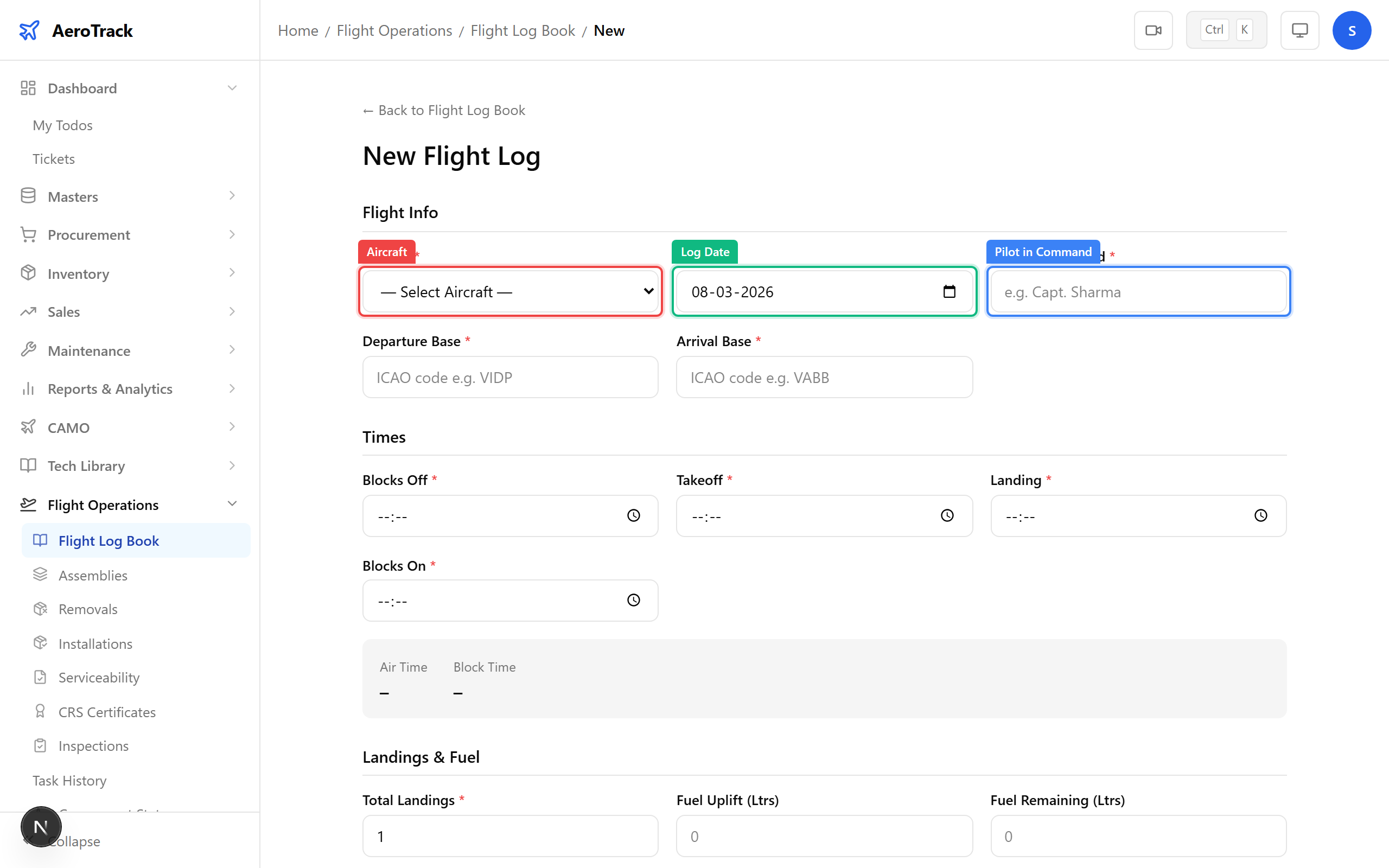
When creating a flight log entry, the Pilot in Command field records who flew the aircraft. Enter the pilot’s full name (max 100 characters).
This is a required field — every flight log must have a PIC recorded. The name is stored as free text and appears in the log list and detail pages.
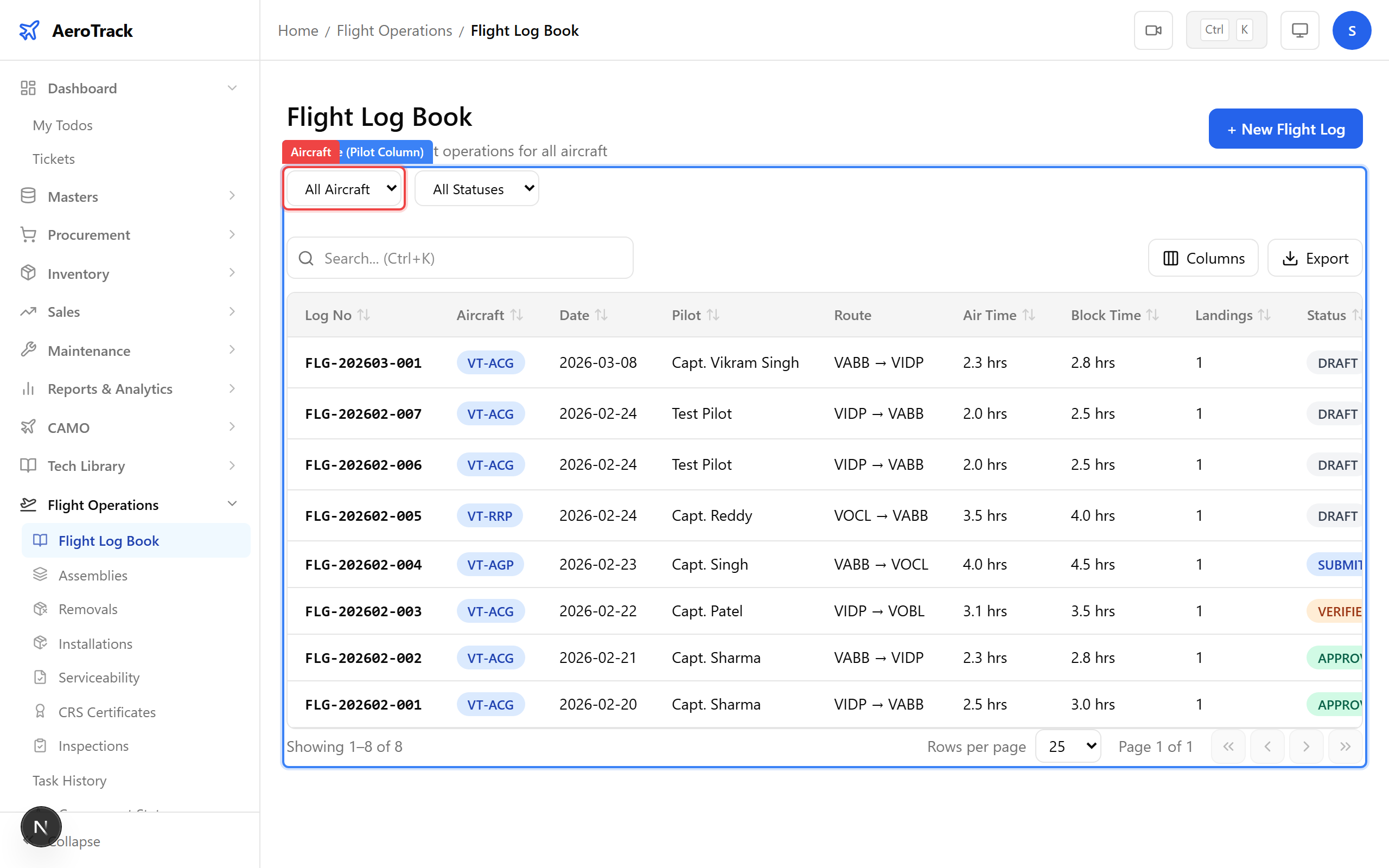
In the Flight Log Book at /flight-ops/log-book, the
Pilot column shows the PIC for each flight.
Use this to quickly identify which pilot flew which aircraft
on what date.
Each row also shows the Air Time for that flight, allowing you to track pilot hours at a per-flight level.
Review Pilot Hours
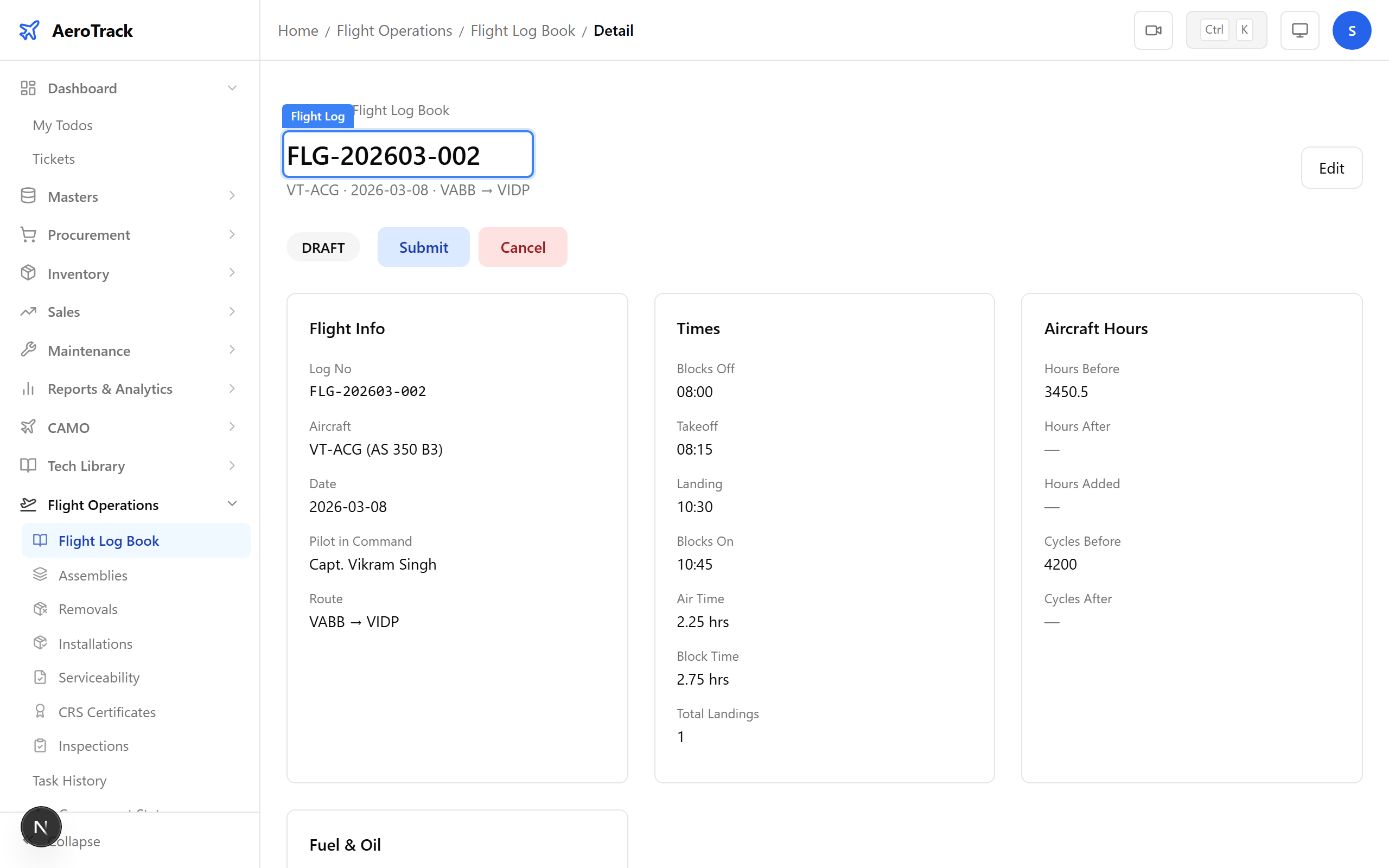
Click any flight log row to open the detail page. The full record shows:
| Field | Pilot-Related Data |
|---|---|
| Pilot in Command | Name of the PIC. |
| Air Time | Hours the pilot was airborne (takeoff to landing). |
| Block Time | Total duty time on that flight (blocks off to blocks on). |
| Route | Departure and arrival bases for route tracking. |
| Total Landings | Number of landings performed. |
Use the search bar on the Flight Log Book page to search by pilot name. Type the pilot’s name to filter all flight entries for that individual.
This gives you a complete flight history for a specific pilot, showing every flight they commanded, with dates, aircraft, routes, and hours.
For formatted pilot duty summaries, use the CAMO Reports module:
| Report | Location | What It Shows |
|---|---|---|
| Pilot Flight Log Report | CAMO Reports → Flight & Fuel | All flights per pilot with hours, landings, and routes. |
| Monthly Flying Summary | CAMO Reports → Flight & Fuel | Per-aircraft monthly totals including pilot information. |
These reports are printable and can be exported for regulatory submissions to DGCA.