Browse Parts
Navigate to Masters → Parts in the sidebar.
The list loads at /masters/parts showing all registered
parts.
Each row shows the part number, description, manufacturer, category, type, and current stock balance. Use the column headers to sort and the search bar to filter.
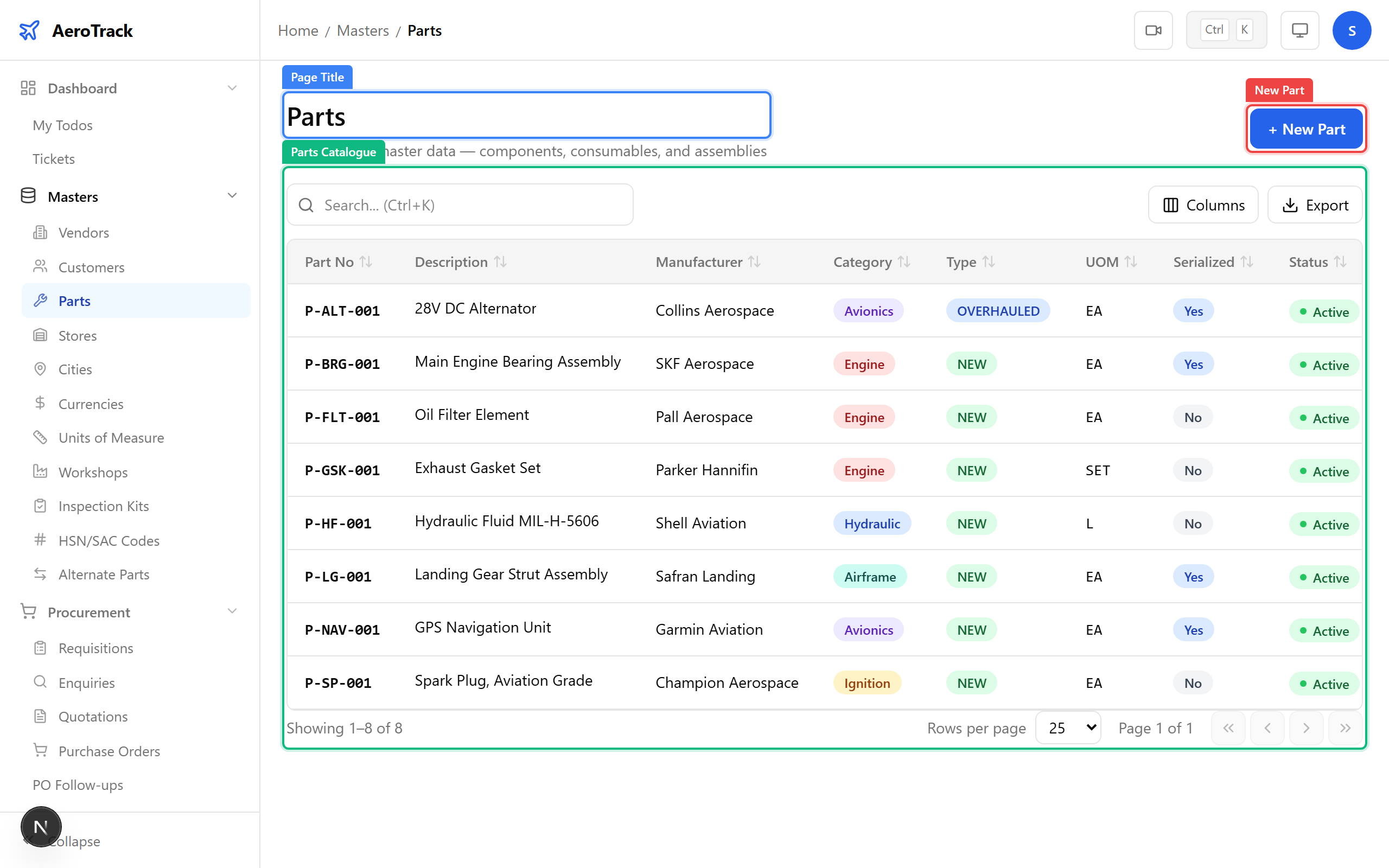
| Column | Meaning |
|---|---|
| Part Number | Manufacturer part number (unique identifier). |
| Description | Short name/description of the part. |
| Manufacturer | OEM or manufacturer name. |
| Category | Rotable, Consumable, Expendable, Raw Material, Tool, etc. |
| Type | NEW, OVERHAULED, REPAIRED, or USED. |
| Serialized | Whether the part tracks individual serial numbers. |
Register a New Part
Click + New Part on the list page, or navigate to
/masters/parts/new.
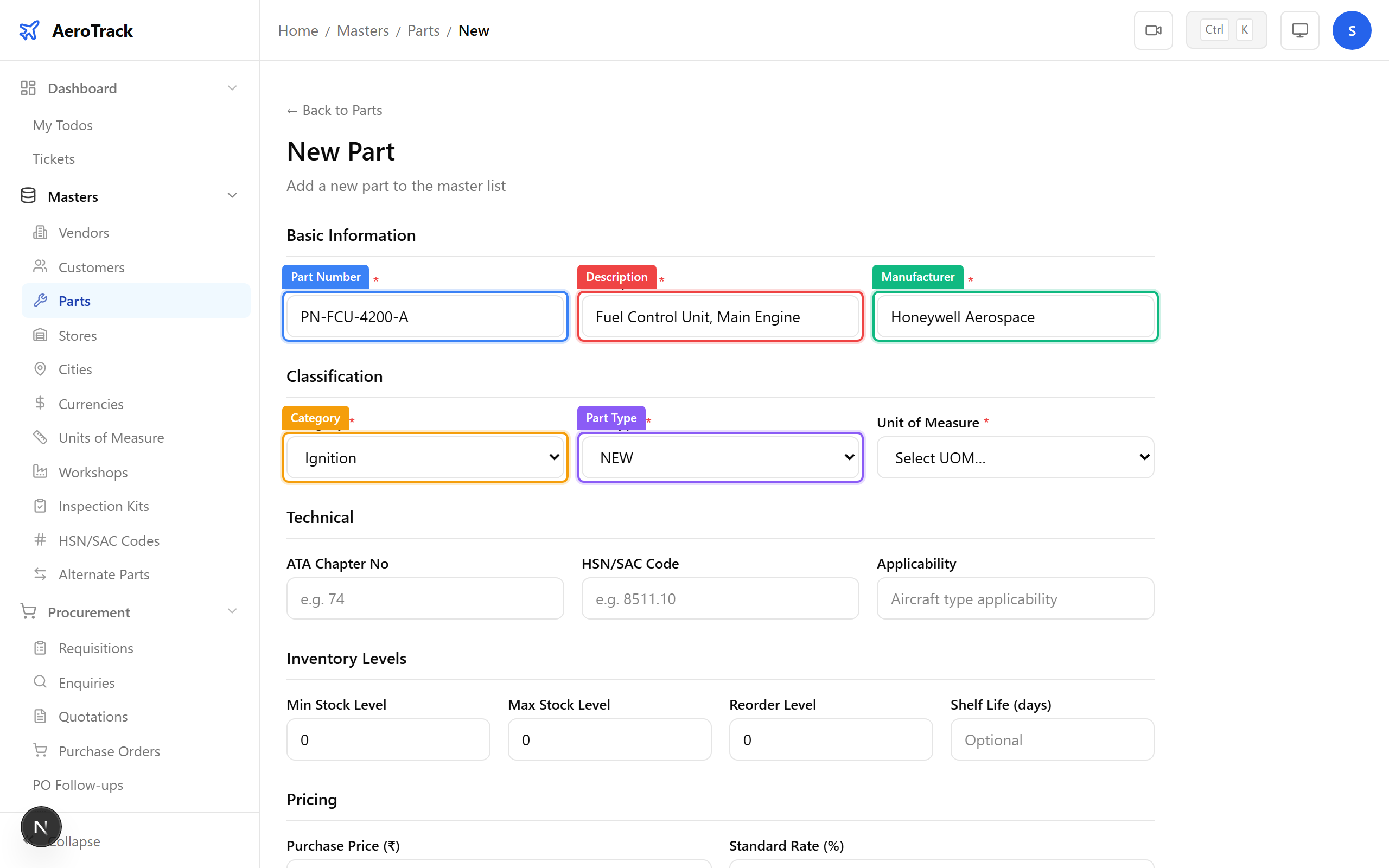
| Field | Required | Notes |
|---|---|---|
| Part Number * | Yes | Unique manufacturer part number. |
| Description * | Yes | Human-readable part name. |
| Manufacturer | No | OEM or manufacturer name. |
| Category * | Yes | Rotable, Consumable, Expendable, Raw Material, Tool, Chemical, etc. |
| Part Type * | Yes | NEW, OVERHAULED, REPAIRED, or USED. |
| Unit of Measure | No | Each, Kg, Litre, Metre, etc. |
| ATM Number | No | Internal catalogue number. |
| HSN/SAC Code | No | Tax classification code for GST. |
| Applicability | No | Which aircraft models or engines this part fits. |
| Serialized | No | Check if individual serial numbers are tracked (for rotable/life-limited parts). |
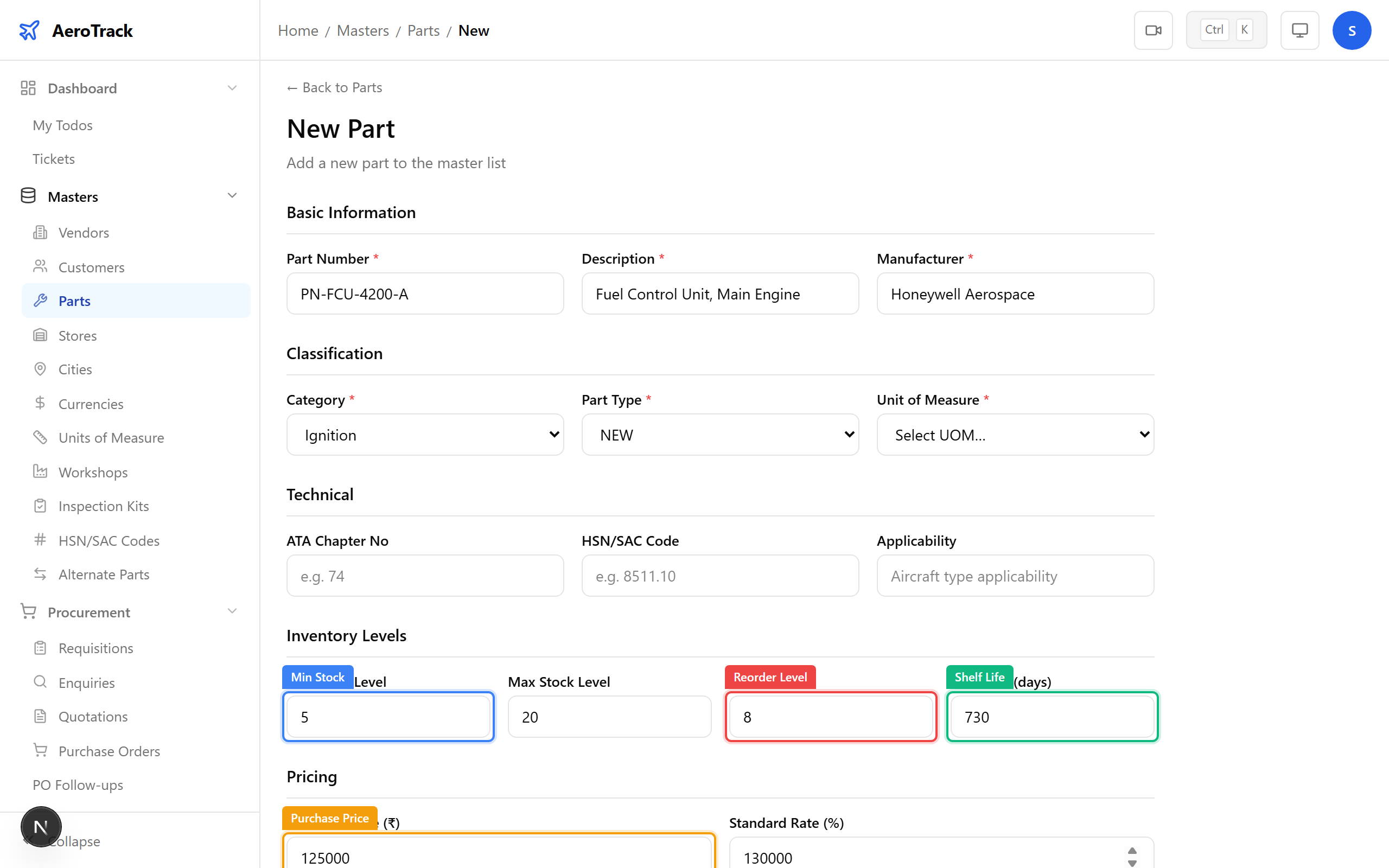
| Field | Notes |
|---|---|
| Min Stock Level | Alert threshold — reorder reminder triggers when stock drops below this. |
| Max Stock Level | Upper limit for stock holding. |
| Reorder Level | Quantity at which a new requisition should be raised. |
| Shelf Life (days) | For perishable items — expiry tracking. |
| Purchase Price | Last known purchase price for cost estimation. |
| Standard Rate | Standard issue rate for internal costing. |
Click Create to register the part. You’ll be redirected to the part detail page.
Part Detail & Certificates
The part detail page shows all metadata, current stock across stores, and a Certificates section listing uploaded release documents (EASA Form 1, FAA 8130, CoC, test reports).
Click Upload Certificate to attach a new document. Certificates are linked to the part and appear in Goods Receipt inspection records.