Browse Training Records
Navigate to HR → Training. The list at
/hr/training shows all training records with
employee name, training type, course name, completion date,
and due status.
Click any row to view details. Click + New Training to add a new record.
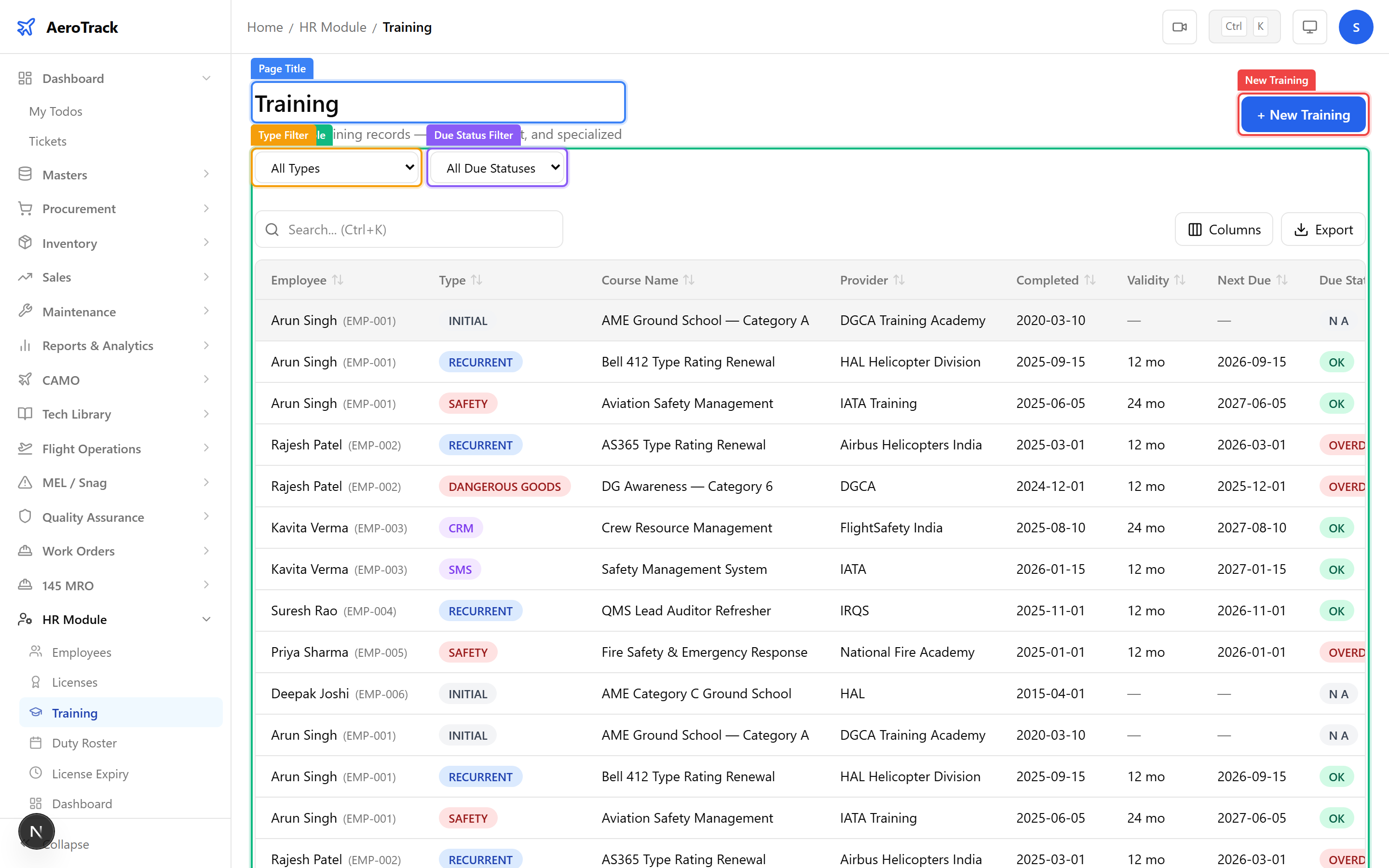
Use the Training Type filter (Initial, Recurrent, Type Rating, Safety, HF/CRM, etc.) and the Due Status filter (Current, Due Soon, Overdue) to focus on specific records.
Add a Training Record
Click + New Training or navigate to
/hr/training/new.
| Field | Required | Notes |
|---|---|---|
| Employee * | Yes | Select the trainee from the employee list. |
| Training Type * | Yes | Initial, Recurrent, Type Rating, Safety, HF/CRM, EWIS, Fuel Tank Safety, or Other. |
| Course Name * | Yes | Official name of the training course. |
| Training Provider | No | Organisation or institute that delivered the training. |
| Start Date | No | When the training began. |
| Completion Date * | Yes | Date the training was completed. |
| Validity (months) | No | How long the training is valid. System calculates the next due date. |
| Certificate Ref | No | Certificate or completion reference number. |
| Grade | No | Pass/Fail or score achieved. |
| Remarks | No | Additional notes about the training. |
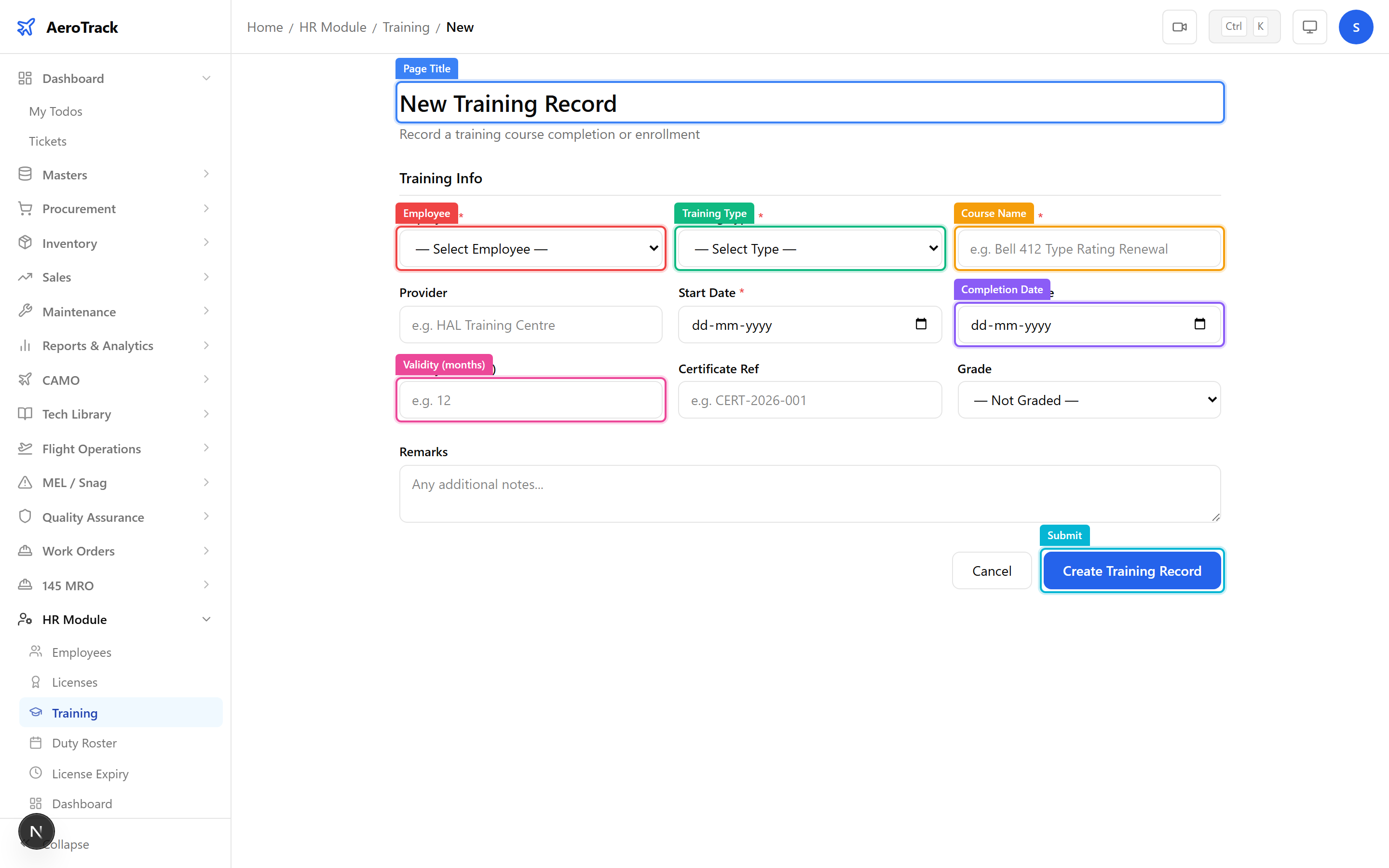
Click Create to save the training record. It appears on the employee’s profile page under the Training section and feeds into the HR dashboard’s overdue training KPI.